ToolMage
Sign in

Best 1 Digital Art AI tools for Content Creation

Popular Digital Art AI tools in Content Creation include Wawoo AI, helping you work more efficiently.

Wawoo AI
Freemium

Wawoo AI

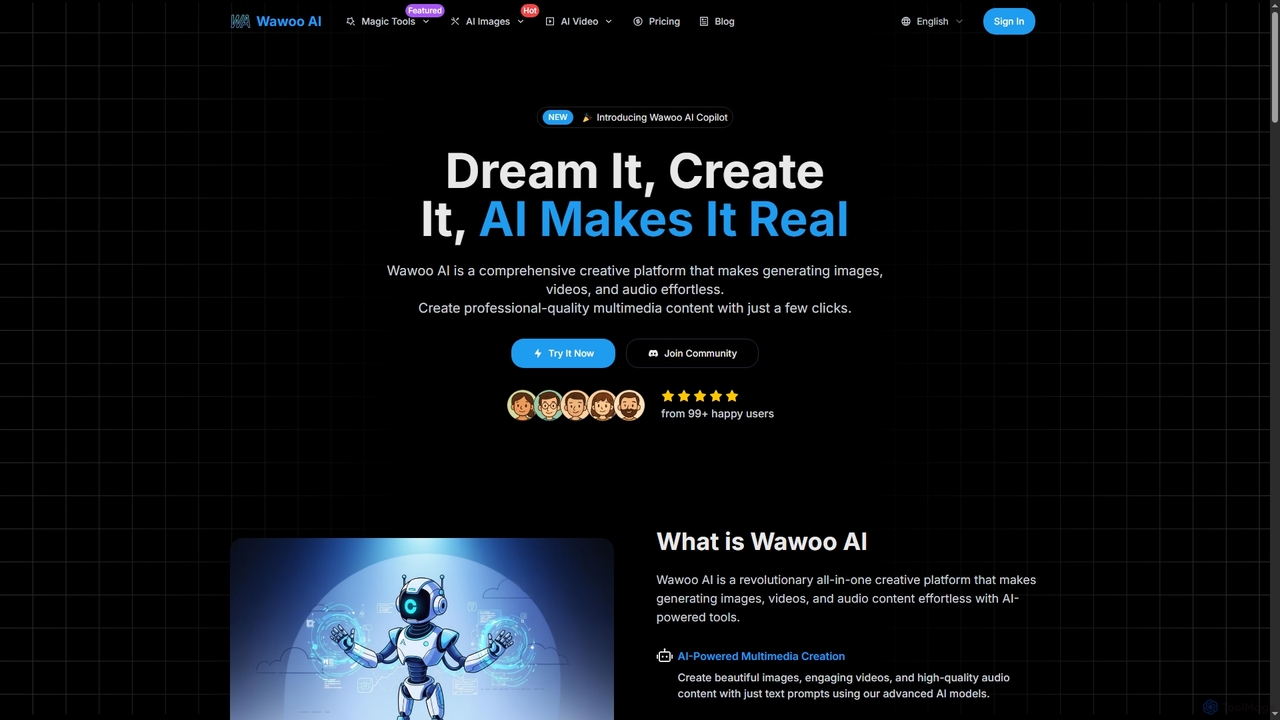
Wawoo AI is an all-in-one creative platform leveraging advanced AI to effortlessly generate professional-quality images, videos, and audio from simple text prompts. It empowers creators of all skill levels to produce stunning multimedia content rapidly, offering features like AI Copilot, multiple AI models, and commercial usage rights.

Digital Art
Visits 6.5KFavorites 120Likes 111

About Digital Art

Digital Art tools are a category of AI-powered applications that leverage advanced algorithms to assist artists and creators in generating, transforming, and enhancing visual content. These tools streamline creative workflows, enabling rapid prototyping and exploration of diverse artistic styles within the broader Content Creation domain. They empower users to push creative boundaries, from generating unique concepts to refining existing artworks with unprecedented efficiency.

Core Features

  • Generative Image Creation: Produce novel images from text prompts, sketches, or reference photos.
  • Style Transfer & Transformation: Apply artistic styles from famous paintings or custom inputs to new or existing visuals.
  • Image Upscaling & Enhancement: Increase resolution and add detail to low-quality images or artworks without pixelation.
  • Inpainting & Outpainting: Seamlessly fill missing parts of an image or extend its boundaries with AI-generated content.
  • 3D Asset & Texture Generation: Create textures, materials, or even basic 3D models from 2D inputs or descriptions.

Use Cases

Digital Art AI tools are indispensable for professionals in creative industries, including game developers, graphic designers, illustrators, and marketing specialists. They are used for accelerating concept development, creating unique visual assets for campaigns, and personal artistic exploration. These tools democratize complex artistic techniques, making advanced visual creation accessible to a wider audience.

How to Choose

When selecting a Digital Art AI tool, consider its generative capabilities, the flexibility of style control, and the quality of output. Evaluate its integration with existing design software, the availability of specific features like inpainting or 3D generation, and the licensing terms for commercial use. User interface intuitiveness and community support are also crucial for a smooth creative process.

Digital Art use cases

1

Generate Concept Art for Game Development

Game artists can use Digital Art AI tools to rapidly generate diverse concept art for characters, environments, and props. By inputting text descriptions or rough sketches, they can explore hundreds of stylistic variations and design ideas in minutes, significantly accelerating the initial ideation phase and reducing the time spent on manual rendering for early-stage visual development.

2

Create Unique Marketing Campaign Visuals

Marketing teams and content creators can leverage Digital Art AI tools to produce unique, eye-catching visuals for advertising campaigns, social media posts, and website banners. These tools enable rapid iteration of design concepts, allowing marketers to test various visual styles and messages quickly, ensuring their campaigns stand out and resonate with target audiences without extensive graphic design resources.

3

Personalize Digital Illustrations and Artworks

Independent artists and hobbyists can use Digital Art AI tools to personalize and enhance their digital illustrations. Whether it's generating unique background elements, applying specific artistic filters, or refining details in existing pieces, these tools offer creative freedom. They allow artists to experiment with new styles and techniques, transforming their visions into polished artworks more efficiently than traditional manual methods.

4

Design Fashion Concepts and Textile Patterns

Fashion designers can utilize Digital Art AI tools to visualize new clothing lines, experiment with fabric textures, and generate intricate textile patterns. By inputting design parameters or mood boards, they can quickly create numerous variations of garments or patterns, streamlining the design process from initial concept to detailed visualization. This accelerates decision-making and reduces the need for physical prototypes in early stages.

5

Enhance Architectural Visualizations and Interior Designs

Architects and interior designers can employ Digital Art AI tools to enhance their visualizations. These tools can quickly render design concepts with various material textures, lighting conditions, and stylistic finishes, transforming basic 3D models into photorealistic or artistically stylized renderings. This capability allows for rapid client presentations and design iterations, providing a more immersive and detailed preview of proposed spaces.

6

Automate Storyboarding and Comic Art Creation

Filmmakers, animators, and comic artists can utilize Digital Art AI tools to automate parts of their storyboarding and comic creation processes. By generating sequential images from script descriptions or scene layouts, they can quickly visualize narrative flows, character poses, and panel compositions. This significantly speeds up pre-production, allowing for more time to focus on creative storytelling and refining key visual elements.

Digital Art FAQ

What are Digital Art AI tools?

Digital Art AI tools are software applications that use artificial intelligence, such as generative adversarial networks (GANs) and diffusion models, to assist in the creation, modification, and enhancement of visual art. They can generate images from text prompts, apply artistic styles, upscale resolution, and even fill in missing parts of an artwork. These tools empower artists and designers to explore new creative avenues and streamline their workflows.

How do AI tools assist in digital art creation?

AI tools assist digital art creation by automating repetitive tasks, generating creative starting points, and offering advanced manipulation capabilities. They can quickly produce variations of a concept, apply complex effects, or enhance image quality, saving artists significant time. This allows artists to focus more on conceptualization and refinement, using AI as a powerful co-creator rather than a replacement for human creativity.

What's the difference between AI Digital Art tools and traditional digital art software?

The primary difference lies in their core functionality. Traditional digital art software (like Photoshop or Procreate) provides manual tools for artists to draw, paint, and edit. AI Digital Art tools, conversely, use algorithms to generate or transform content autonomously based on user prompts or data. While traditional software requires direct artistic input for every stroke, AI tools can create complex visuals with minimal input, acting as a generative assistant rather than just an editing canvas.

Can AI Digital Art tools be used for commercial purposes?

Yes, many AI Digital Art tools can be used for commercial purposes, but it's crucial to check the specific licensing terms of each tool and the generated content. Some platforms offer commercial licenses for their outputs, while others might have restrictions or require attribution. Always review the terms of service to ensure compliance, especially if you plan to sell or monetize the art created with these tools.

How to choose the best AI tool for digital art?

Choosing the best AI tool for digital art depends on your specific needs. Consider the type of art you want to create (e.g., photorealistic, stylized, 3D), the level of control you require over the output, and your budget. Look for tools with a strong community, good tutorials, and features like prompt engineering, inpainting, or custom model training. Compatibility with your existing workflow and licensing for commercial use are also key factors.

What are the ethical considerations when using AI for digital art?

Ethical considerations in AI digital art include issues of copyright, originality, and potential biases in training data. Artists should be mindful of whether the AI models were trained on copyrighted material without permission, which could impact the originality and commercial viability of their creations. Transparency about AI's role in the artwork and addressing potential biases that might lead to misrepresentation or stereotypes are also important for responsible AI art creation.