ToolMage
Sign in

Best 1 Face Swapping AI tools for Photo Editing

Popular Face Swapping AI tools in Photo Editing include AIFaceSwapVideo, helping you work more efficiently.

AIFaceSwapVideo
Freemium

AIFaceSwapVideo

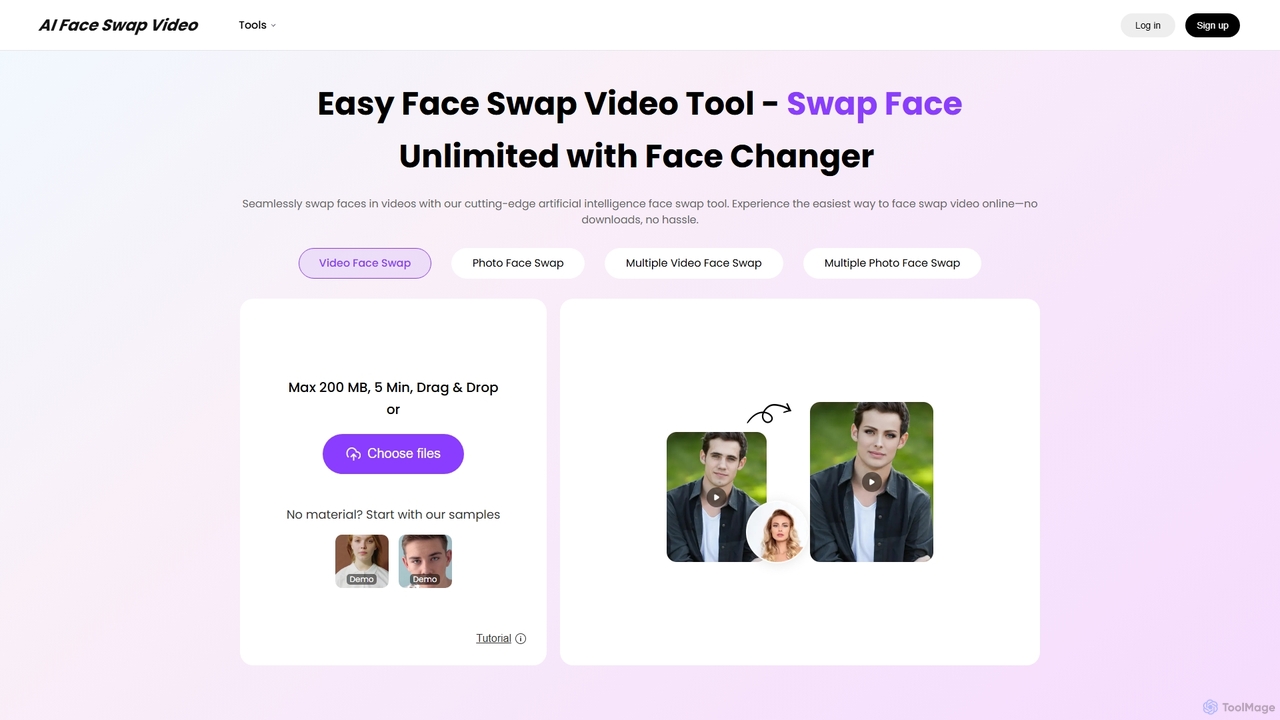
AIFaceSwapVideo is an advanced online AI tool for effortlessly swapping faces in videos, photos, and GIFs. It offers seamless blending, realistic expressions, and precise tracking, making it ideal for creating fun, viral content, or professional edits without any downloads.

3D
Visits 13.4KFavorites 147Likes 169

About Face Swapping

Face Swapping tools are a specialized category of AI photo editors that digitally replace a face in an image or video with another. These tools utilize deep learning models, often Generative Adversarial Networks (GANs), to analyze facial features, lighting, and head pose for a realistic integration. They are primarily used for entertainment, meme creation, and creative content production, enabling users to generate humorous or imaginative visuals with high fidelity. The technology allows for precise mapping of expressions and movements, resulting in dynamic and believable swaps.

Core Features

  • High-Fidelity Face Replacement: Accurately maps one face onto another while preserving the original expressions and head angle.
  • Video Face Swapping: Applies the face swap to video clips, tracking movement and expressions frame-by-frame for consistency.
  • Multi-Face Swapping: Supports swapping multiple faces within a single image or video scene simultaneously.
  • Lighting & Color Adaptation: Automatically adjusts the swapped face's lighting, shadows, and color tone to match the target environment.
  • Identity Protection Features: Some tools offer features to create realistic avatars or blur faces to protect privacy.

Use Cases

These tools are widely used by social media content creators, meme makers, video editors, and digital artists. In marketing, they can be used to create engaging ad creatives. For personal entertainment, users can insert their faces into famous movie scenes or historical photos. It's a popular technique for generating viral content and humorous short-form videos for platforms like TikTok and Instagram.

How to Choose

When selecting a Face Swapping tool, consider the output quality and realism; some tools produce more seamless results than others. Evaluate whether you need image-only or video swapping capabilities. Check the processing speed and ease of use, as some tools offer one-click solutions while others provide more manual control. Finally, review the platform's privacy policy regarding how your uploaded images are handled and stored.

Face Swapping use cases

1

Creating Viral Social Media Content

Social media managers and content creators use AI Face Swapping tools to produce engaging and shareable posts. For example, they can place a recognizable face onto a historical figure for a humorous meme or insert their own face into a popular movie scene for a TikTok video. This process involves uploading a source face and a target image or video, letting the AI handle the complex mapping and blending. The result is high-quality, attention-grabbing content that can significantly boost engagement without requiring advanced video editing skills.

2

Personalized Greetings and E-Cards

Individuals use face swapping to create unique and personal digital greeting cards for birthdays, holidays, or special occasions. By swapping their face or a friend's face onto a character in a festive scene (like an elf or a superhero), they can generate a fun and memorable e-card. This adds a layer of personalization that static templates cannot offer. The process is typically fast, requiring only a clear photo of the person's face and a target image, making it an accessible way to create custom greetings.

3

Pre-visualization for Film and Video Production

In the film and advertising industries, directors and concept artists use face swapping for pre-visualization. They can quickly place an actor's face onto a stunt double's body in test footage or onto a character model to see how they might look in a specific role or costume. This helps in making casting decisions and refining the visual style of a project before committing to expensive production shoots. It provides a fast and cost-effective way to experiment with different looks and actor pairings.

4

Educational and Historical Reenactments

Educators and documentary creators can use face swapping to bring history to life. By placing the faces of historical figures onto actors in a video, they can create more immersive and engaging educational content. For example, a history lesson could feature a video where Abraham Lincoln, with his actual face mapped onto an actor, delivers the Gettysburg Address. This technique helps students visualize historical events and figures more vividly than static portraits or simple reenactments, making learning more impactful.

5

Creating Custom Avatars for Gaming and VR

Gamers and users of virtual reality (VR) platforms can use face swapping to create highly personalized avatars. Instead of using generic character creators, they can upload a photo of themselves and have their face realistically mapped onto a 3D game character or VR avatar. This enhances the sense of immersion and personal identity within the digital world. Some advanced tools can even capture facial expressions and apply them to the avatar in real-time, creating a more dynamic and expressive virtual presence.

6

Satirical Content and Parody Creation

Content creators specializing in satire and parody, such as those on YouTube, use face swapping to produce comedic commentary on current events or pop culture. By swapping the faces of public figures into absurd scenarios or onto different characters, they can create powerful visual metaphors and critiques. This allows for a unique form of storytelling and political cartooning in a video format. The technology enables them to react quickly to news cycles, producing timely and relevant satirical content that resonates with their audience.

Face Swapping FAQ

What are AI Face Swapping tools?

AI Face Swapping tools are applications that use artificial intelligence, specifically deep learning and computer vision, to replace a person's face in an image or video with another face. Unlike manual photo editing, these tools automate the process by analyzing facial landmarks, expressions, and lighting to create a seamless and realistic blend. They are commonly used for creating memes, special effects, and entertaining social media content.

How to choose a good AI Face Swapping tool?

When selecting a tool, consider these factors:

  • Quality and Realism: Look for tools that produce natural-looking results with accurate lighting and seamless edges.
  • Video Support: If you need to swap faces in videos, ensure the tool explicitly supports video files and maintains consistency across frames.
  • Ease of Use: Choose a tool with a user-friendly interface that matches your technical skill level. Some offer one-click swaps, while others provide more control.
  • Privacy Policy: Since you'll be uploading personal images, carefully review the tool's privacy policy to understand how your data is used and stored.
Is AI Face Swapping the same as 'deepfake' technology?

Yes, AI face swapping is the core technology behind what is commonly known as 'deepfakes'. The term 'deepfake' comes from 'deep learning' and 'fake'. While the technology itself is neutral and has many creative and legitimate uses (like in film production or entertainment), the term 'deepfake' often carries a negative connotation due to its misuse for creating malicious or misleading content. Responsible use of face swapping technology is crucial.

What's the difference between Face Swapping and a general Photo Editor?

A general photo editor (like Photoshop) provides a broad set of tools for manual image manipulation, such as cropping, color correction, and layering. To swap a face, a user would need to manually cut out, resize, blend, and color-match the face, which requires significant skill. A dedicated Face Swapping tool is a specialized application within the broader photo editing category. It automates this entire process using AI, specifically designed to perform the single, complex task of realistically replacing a face with minimal user input.

Do I need high-quality photos for face swapping?

Yes, the quality of the output is highly dependent on the quality of the input images. For best results, use clear, well-lit, high-resolution photos where the face is clearly visible and facing forward. Blurry, low-resolution, or poorly lit images can result in distorted or unrealistic swaps. Similarly, the target image or video should also be of good quality to ensure the swapped face can be blended in properly.