
ToolMage
Sign in

Best 1 Effects AI tools for Photo Editing

Popular Effects AI tools in Photo Editing include Fast Image, helping you work more efficiently.

Fast Image
Freemium

Fast Image

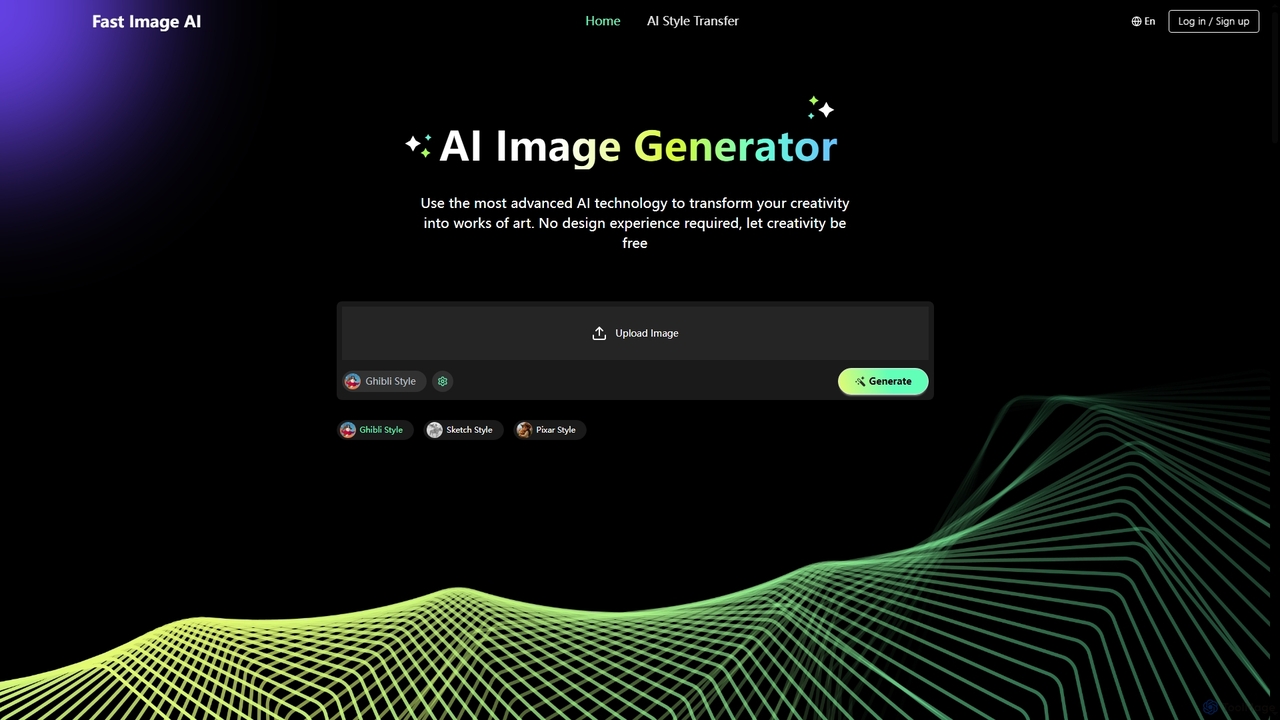
Fast Image is an intuitive online AI image generator that transforms your creativity into stunning artwork. It allows users to convert photos into various artistic styles like Ghibli, Sketch, and Pixar, or generate unique images from text descriptions. With a user-friendly interface and no design experience required, Fast Image makes AI art creation accessible and fast, operating directly in your browser.

Digital Art
Visits 16KFavorites 138Likes 125

About Effects

AI Effects tools are specialized AI-powered applications within photo editing that apply various visual modifications and stylistic enhancements to images. These tools leverage deep learning and computer vision to intelligently analyze image content, enabling the application of sophisticated filters, artistic styles, and transformative effects. They help users transform ordinary photos into artistic masterpieces, correct imperfections, or create specific moods and aesthetics for diverse creative and professional applications.

Core Features

  • Artistic Style Transfer: Apply the aesthetic style of famous paintings or specific artistic movements to your photos.
  • Intelligent Color Grading: Automatically adjust color palettes, contrast, and saturation to achieve desired moods and tones.
  • Special Visual Filters: Add unique visual elements like glitches, light leaks, vintage looks, or cinematic overlays.
  • Context-Aware Background Effects: Blur, replace, or stylize backgrounds while intelligently preserving the main subject.
  • Facial Feature Stylization: Apply subtle or dramatic effects to facial elements, such as cartooning, aging, or enhancing expressions.

Applicable Scenarios

AI Effects tools are widely used by content creators, marketers, and artists. They enable social media managers to quickly apply trending filters for engaging posts, digital artists to transform photos into painterly styles as a base for illustrations, and advertisers to create eye-catching visuals with unique stylistic effects for campaigns.

How to Choose

When selecting an AI Effects tool, consider the variety and quality of available effects, ensuring they align with your creative vision. Evaluate the customization options for fine-tuning effect intensity and parameters. Check the processing speed and output resolution to meet your project requirements. Finally, assess its integration capabilities with your existing photo editing workflows.

Effects use cases

1

Transforming Portraits into Digital Paintings

Digital artists use AI effects tools to convert photographs of subjects into various painterly styles (e.g., oil, watercolor, sketch), providing a unique artistic foundation for illustrations or character designs. This saves significant manual effort in replicating complex artistic textures.

2

Creating Thematic Social Media Posts

Social media managers apply seasonal or trending visual effects (e.g., vintage, cyberpunk, dreamy glow) to product photos or lifestyle images. This ensures brand consistency and engages their audience with fresh, eye-catching content, often generating multiple variations quickly.

3

Enhancing Real Estate Photography with Mood Lighting

Real estate agents or photographers use AI effects to simulate different lighting conditions (e.g., golden hour, twilight) or add atmospheric elements to interior and exterior property photos. This makes listings more appealing without complex manual editing or reshooting.

4

Developing Unique Game Assets from Photos

Game developers or concept artists leverage AI effects to stylize real-world textures or object photos into specific game art styles (e.g., pixel art, cartoon, sci-fi). This accelerates asset creation, maintains visual coherence, and offers rapid prototyping capabilities.

5

Personalizing Event Photos with Artistic Filters

Event organizers or photographers use AI effects to apply a consistent artistic filter across a large batch of event photos. This creates a cohesive visual narrative and adds a memorable, branded aesthetic to galleries, enhancing the overall event experience.

6

Designing Album Covers with Abstract Visuals

Musicians or graphic designers utilize AI effects to generate abstract, surreal, or distorted visual interpretations from source images. This helps create unique and evocative album art that stands out, often exploring multiple creative directions efficiently.

Effects FAQ

What are AI Effects tools?

AI Effects tools are advanced software applications that use artificial intelligence, particularly deep learning and computer vision, to apply sophisticated visual modifications and artistic styles to images. Unlike basic filters, these tools intelligently analyze image content to deliver context-aware enhancements, transforming photos into various artistic forms, correcting visual elements, or creating specific moods and aesthetics.

How do AI Effects tools differ from traditional photo filters?

Traditional photo filters apply predefined, static adjustments uniformly across an entire image. In contrast, AI Effects tools leverage intelligent algorithms to understand the image content, such as objects, faces, and scenes. This allows them to apply effects selectively, adjust intensity based on context, and even transfer complex artistic styles, resulting in more nuanced, realistic, or creatively sophisticated outcomes than simple overlays.

What types of visual effects can AI tools generate?

AI Effects tools can generate a wide array of visual effects. These include artistic style transfers (e.g., turning a photo into a painting), intelligent color grading and toning, adding special visual filters (like glitches, light leaks, or vintage looks), context-aware background modifications (blurring or stylizing), and even facial feature enhancements or stylization (e.g., cartooning, aging effects). The possibilities are constantly expanding with AI advancements.

Who can benefit most from using AI Effects tools?

A diverse range of users can benefit from AI Effects tools. This includes content creators (for social media, blogs), digital artists and illustrators (for concept art, stylistic bases), marketing professionals (for campaign visuals), photographers (for quick stylistic edits and batch processing), and even hobbyists looking to add a creative flair to their personal photos. Anyone seeking to quickly and intelligently enhance or stylize images will find these tools valuable.

What should I consider when choosing an AI Effects tool?

When selecting an AI Effects tool, consider the breadth and quality of the effects offered, ensuring they match your creative needs. Evaluate the level of customization available, as some tools allow fine-tuning of effect parameters. Check the processing speed and the maximum output resolution to ensure it meets your project's technical requirements. Finally, assess its ease of use, pricing model, and compatibility with your existing creative software ecosystem.