
Photo & Image Best in category 1 results Image Organizer AI Tool

Popular AI tools in the Image Organizer field of Photo & Image include AI Renamer, etc., helping you quickly improve efficiency.

AI Renamer

AI Renamer

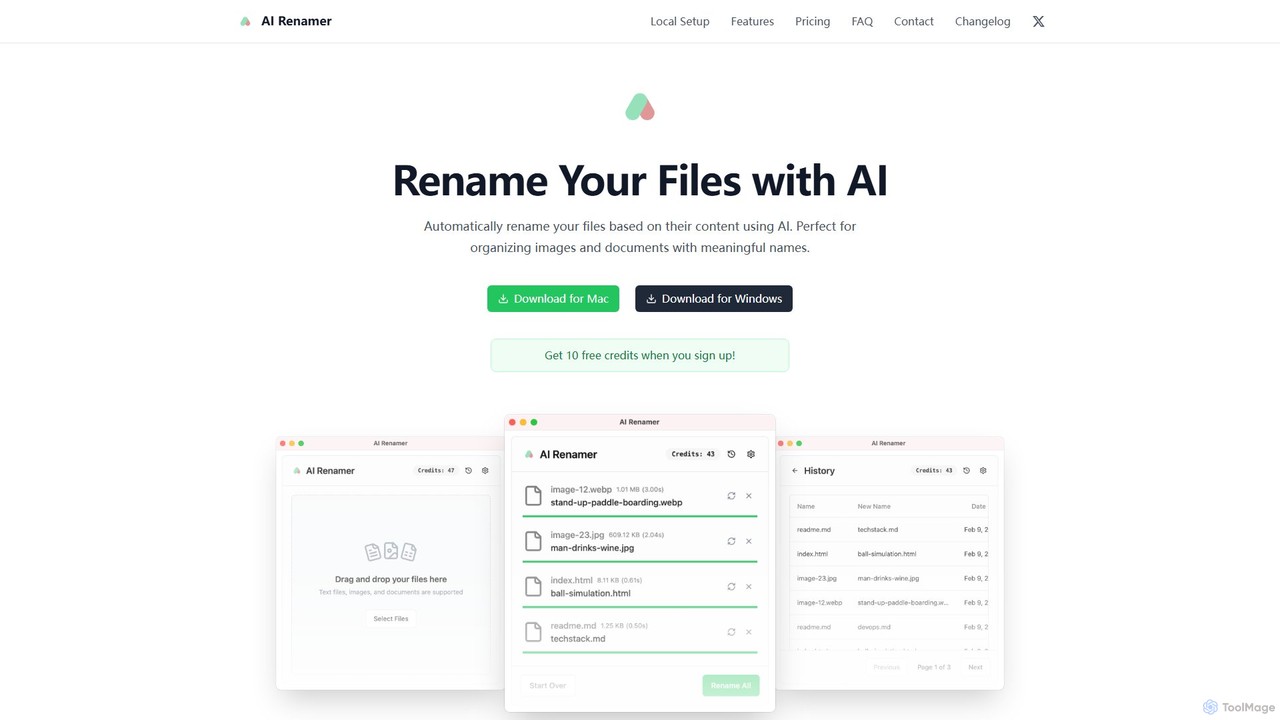
AI Renamer is a smart desktop application for Mac and Windows that automatically renames files based on their …

6.0K

About Image Organizer

AI Image Organizers are tools that use artificial intelligence to automatically analyze, tag, and manage large digital photo collections. Leveraging computer vision technology, these applications can identify objects, faces, scenes, and even text within images, transforming a chaotic library into a structured and searchable database. This automated process saves significant time compared to manual sorting and allows for intuitive content discovery. They are essential for efficiently handling extensive visual assets for both personal and professional use.

Core Features

  • Automatic Tagging: AI analyzes image content to generate relevant keywords and tags without manual input.
  • Semantic Search: Enables searching for images using natural language descriptions (e.g., 'dogs playing at the beach') instead of just filenames.
  • Duplicate & Similar Detection: Identifies and groups identical or visually similar images to help declutter and manage storage space.
  • Smart Curation: Automatically creates albums or collections based on events, locations, people, or recurring themes.
  • Advanced Filtering: Allows users to sort and find images based on AI-generated tags, camera metadata (EXIF), color palettes, and composition.

Use Cases

AI Image Organizers are widely used by professional photographers to manage vast archives, marketing teams to control brand assets (Digital Asset Management - DAM), and stock photo contributors to optimize keyword generation. They are also invaluable for individuals looking to bring order to decades of personal photos, making memories easily accessible.

How to Choose

When selecting an AI Image Organizer, consider the accuracy of its AI tagging and recognition. Evaluate its search capabilities—does it support semantic search? Assess whether it operates locally on your device for privacy or in the cloud for accessibility. Also, check its ability to handle your library's size (scalability) and its integration with other software like photo editors.

Image OrganizerUse Cases

1

Streamlining a Professional Photographer's Workflow

A wedding photographer returns from a shoot with over 3,000 raw images. Instead of spending days manually sorting and tagging, they import the entire collection into an AI Image Organizer. The tool automatically detects and groups similar shots, identifies key moments by analyzing facial expressions (smiles, laughter), and tags images with relevant keywords like 'bride', 'groom', 'ceremony', and 'reception'. Using semantic search, the photographer can instantly find all photos where 'the bride is smiling at the groom', reducing culling and editing time by over 60% and enabling faster client delivery.

2

Managing a Corporate Digital Asset Library

A marketing team for a global brand manages a library of over 100,000 images, including product shots, event photos, and ad campaign visuals. Using an AI Image Organizer as their Digital Asset Management (DAM) system, new assets are automatically tagged with product names, campaign codes, and usage rights upon upload. Team members can quickly find approved images by searching for 'lifestyle photos of our new sneaker model in an urban setting'. The tool's duplicate detection feature also prevents multiple versions of the same asset from cluttering the system, ensuring brand consistency across all channels.

3

Organizing a Lifetime of Personal Photos

An individual has accumulated over 50,000 digital photos from various phones, cameras, and scanned prints over 20 years. The collection is a chaotic mix of duplicates, blurry shots, and unsorted events. By using an AI Image Organizer, they can automatically scan the entire library. The software identifies and suggests deleting thousands of duplicates and low-quality images. It also recognizes faces, allowing them to create smart albums for each family member. Furthermore, it groups photos by event and location, automatically creating collections like 'Hawaii Vacation 2018' and 'John's Graduation', making it easy to rediscover and share cherished memories.

4

Optimizing E-commerce Product Catalogs

An e-commerce manager oversees a catalog with thousands of products, each with multiple images. Using an AI Image Organizer, they can batch-process all product photos. The AI automatically tags images with attributes like 'red t-shirt', 'long sleeve', 'cotton', and 'front view'. This structured data is then used to power the website's faceted search filters, improving customer experience. The tool also helps identify products that are missing specific image types (e.g., a back view or a close-up shot), ensuring a complete and consistent visual presentation across the entire online store.

5

Accelerating Keyword Generation for Stock Photos

A stock photography contributor needs to upload hundreds of images to multiple platforms, each requiring detailed and accurate keywords to be discoverable. Manually generating 20-50 keywords per image is a time-consuming bottleneck. By using an AI Image Organizer, the contributor can get AI-suggested keywords based on the image's content, style, and concepts. The AI might identify 'business team', 'collaboration', 'office meeting', and 'diversity' from a single photo. The contributor can then review, edit, and quickly apply these comprehensive keyword sets, drastically speeding up their submission process and increasing the visibility and sales potential of their portfolio.

6

Preparing Datasets for AI Model Training

A machine learning engineer is tasked with building a computer vision model to identify different types of vehicles. They start with a raw dataset of millions of street-view images. An AI Image Organizer is used to pre-process this data. The tool's duplicate detection feature removes redundant images, ensuring a clean dataset. Then, its auto-tagging capability performs a first-pass classification, sorting images into rough categories like 'car', 'truck', and 'bus'. This initial organization allows the engineer to focus their manual annotation efforts on correctly labeled subsets, saving hundreds of hours in data preparation and leading to a more accurately trained model.

Image OrganizerFrequently Asked Questions