
ToolMage
Sign in

Best 1 Slide Creation AI tools for Presentation

Popular Slide Creation AI tools in Presentation include Edvora, helping you work more efficiently.

Edvora
Freemium

Edvora

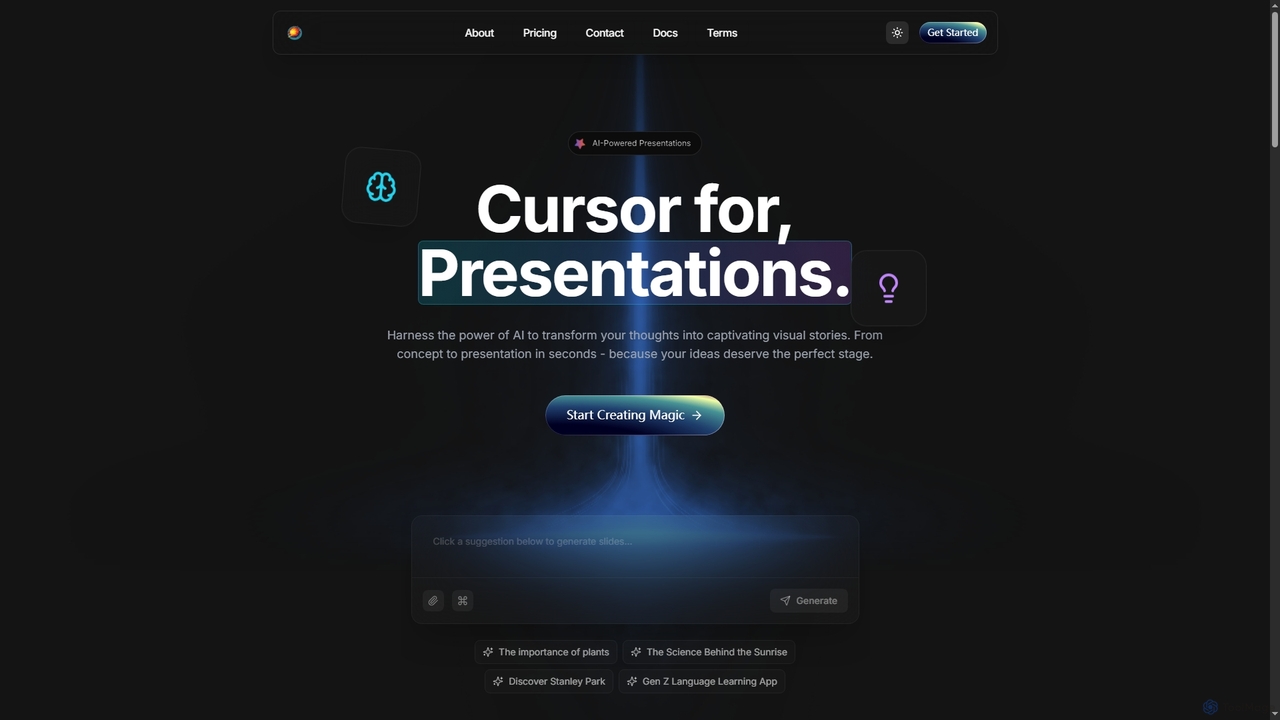
Edvora is an AI-powered presentation builder that transforms ideas into captivating visual stories rapidly. It leverages artificial intelligence for intelligent content generation, design assistance, and real-time editing, enabling users to create professional presentations in seconds.

Generation
Visits 4.8KFavorites 124Likes 125

About Slide Creation

AI-powered Slide Creation tools are specialized applications designed to automate and enhance the process of generating presentations. Leveraging artificial intelligence, these tools transform raw content, data, and media into visually cohesive and structured slides, significantly streamlining the entire presentation workflow from content ideation to final design.

Core Features

  • Content Summarization: Automatically extracts key information from documents or notes to populate slides.
  • Design Automation: Applies intelligent layouts, themes, and visual elements based on content and user preferences.
  • Visual Generation: Integrates or generates relevant images, icons, and charts to enhance visual appeal.
  • Brand Kit Integration: Ensures presentations adhere to specific brand guidelines, including colors, fonts, and logos.
  • Multi-format Export: Allows exporting presentations to various formats like PPTX, PDF, or web-based slides.

Use Cases

Professionals across various sectors utilize AI slide creation tools to quickly produce high-quality presentations. This includes marketing teams needing rapid campaign decks, sales professionals preparing customized client pitches, and educators developing engaging lecture materials. The automation reduces manual design effort, allowing users to focus more on content strategy and delivery.

How to Choose

When selecting an AI slide creation tool, consider its AI capabilities for content understanding and design automation, the level of customization offered for branding and visual styles, integration with other productivity tools (e.g., Google Drive, Microsoft Office), and the pricing model. Evaluate the ease of use and the quality of generated output to ensure it meets your professional standards.

Featured tool rankings

Slide Creation use cases

1

Business Pitch Deck Generation

Startup founders and sales teams can rapidly create compelling pitch decks for investors or clients. By inputting key business information, market data, and value propositions, the AI tool automatically structures the narrative, suggests relevant visuals, and applies a professional design, saving hours of manual design work and ensuring a consistent brand image.

2

Educational Lecture Slide Creation

Educators and trainers can quickly transform lesson plans or research papers into engaging lecture slides. The AI summarizes complex topics, generates illustrative diagrams or images, and formats the content into an easy-to-follow presentation, allowing instructors to focus on delivering impactful lessons rather than tedious slide design.

3

Marketing Campaign Presentation

Marketing professionals need to present campaign strategies and results frequently. AI slide creation tools enable them to input campaign data, objectives, and creative assets, generating visually rich presentations that highlight key metrics, audience insights, and future plans, ensuring clear communication to stakeholders.

4

Project Status Report Automation

Project managers can automate the creation of weekly or monthly project status reports. By feeding in project updates, task progress, and upcoming milestones, the AI tool compiles a concise and visually clear presentation, making it easier to communicate progress, challenges, and resource needs to team members and senior management.

5

Conference Talk Preparation

Speakers preparing for conferences or webinars can leverage AI to structure their talks and design visually appealing slides. The tool helps organize complex ideas, suggests appropriate visuals to support talking points, and ensures a polished, professional look, allowing speakers to concentrate on refining their delivery.

6

Personal Portfolio Presentation

Designers, artists, and freelancers can quickly assemble professional portfolio presentations to showcase their work. By uploading project descriptions, images, and client testimonials, the AI tool creates a cohesive and aesthetically pleasing visual narrative, making it easier to present their skills and achievements to potential employers or clients.

Slide Creation FAQ

What are AI Slide Creation tools?

AI Slide Creation tools are software applications that use artificial intelligence to automate and assist in the design and generation of presentation slides. They analyze user input, such as text, data, or outlines, and then automatically create visually appealing layouts, suggest relevant images, and structure content into a coherent presentation, significantly speeding up the creation process.

How do AI Slide Creation tools differ from traditional presentation software?

Traditional presentation software (like PowerPoint or Google Slides) provides a blank canvas and manual controls for design, requiring users to build slides from scratch. AI Slide Creation tools, however, automate much of the design and content organization. They use AI to interpret content, suggest designs, and even generate visuals, reducing manual effort and design expertise needed, making the process faster and more accessible.

What are the key benefits of using AI for slide creation?

The primary benefits include significant time savings by automating design and content structuring, enhanced visual consistency through AI-driven design suggestions and brand kit integration, and improved accessibility for users without extensive design skills. These tools also help maintain focus on content quality by handling the visual presentation aspects efficiently.

How can I choose the best AI Slide Creation tool for my needs?

To choose the best tool, consider your specific requirements: evaluate its AI capabilities for content understanding and design automation, check for customization options to match your brand, assess its integration with other tools you use (e.g., cloud storage, project management), review the available export formats, and compare pricing models. User reviews and trial versions can also provide valuable insights into ease of use and output quality.

Can AI Slide Creation tools generate slides from existing documents?

Yes, a core feature of many AI Slide Creation tools is their ability to ingest existing documents such as Word files, PDFs, or even web articles. The AI then analyzes the content, identifies key points, and automatically generates a structured presentation, often with suggested visuals, based on the information extracted from the source document. This capability is a major time-saver for content repurposing.