ToolMage
Sign in

Best 1 Website Analytics AI tools for Seo & Marketing

Popular Website Analytics AI tools in Seo & Marketing include ga4auditor, helping you work more efficiently.

ga4auditor
Paid

ga4auditor

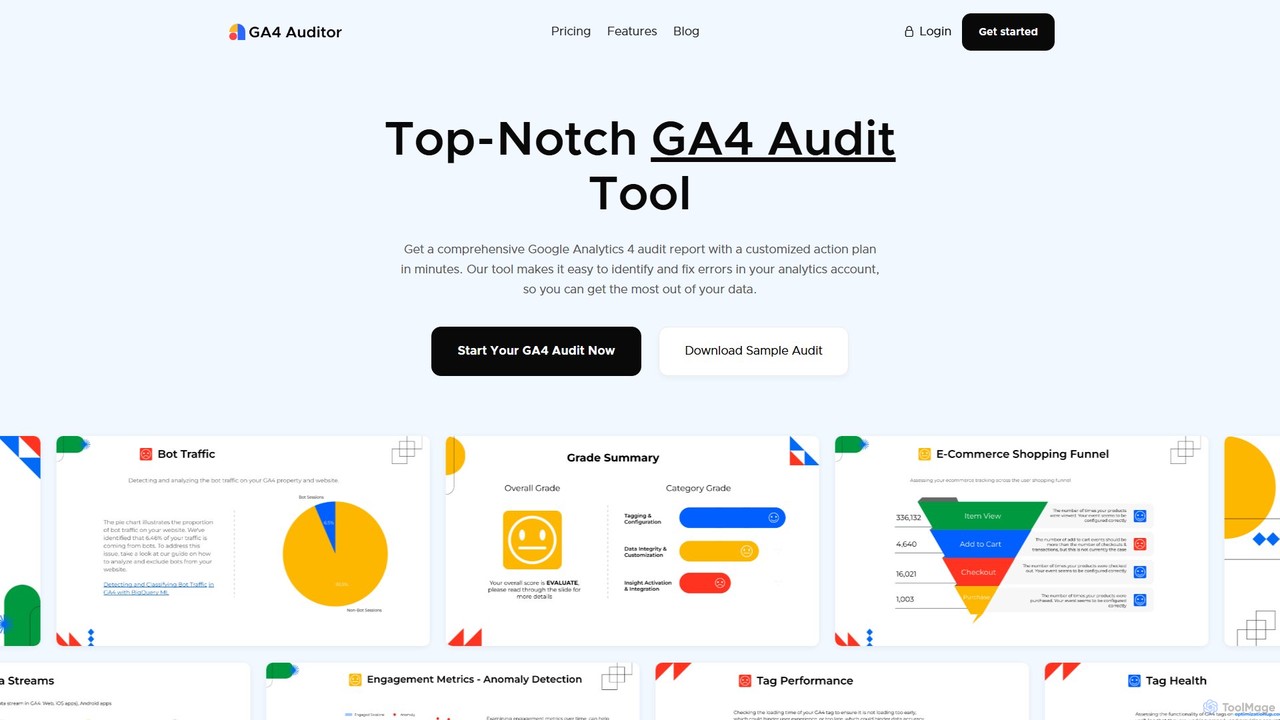
GA4 Auditor is an automated tool that provides a comprehensive Google Analytics 4 audit in minutes. It identifies errors, checks data integrity, and offers a customized, actionable plan to optimize your analytics setup, ensuring data accuracy for better business decisions. Ideal for brands, agencies, and enterprises.

Analytics
Visits 8.4KFavorites 132Likes 129

About Website Analytics

Website Analytics tools are AI-powered platforms designed to automatically collect, process, and interpret data about visitor behavior. Leveraging machine learning, these tools go beyond traditional data reporting by identifying hidden patterns, predicting user trends, and generating actionable insights in plain language. They empower marketers, product managers, and business owners to deeply understand user journeys, optimize conversion funnels, and enhance overall website performance without requiring extensive data science expertise. Unlike standard analytics that present raw numbers, these AI-driven solutions provide automated reports, anomaly detection, and proactive recommendations to guide strategic decisions.

Core Features

  • Predictive Analytics: Forecasts future traffic, user behavior, and conversion rates based on historical data patterns.
  • Automated Insights: Automatically surfaces significant trends, correlations, and anomalies that would require manual analysis to find.
  • Natural Language Querying: Allows users to ask complex data questions in plain language (e.g., "which country had the highest conversion rate last week?").
  • User Journey Mapping: Visually tracks and analyzes complex, multi-session user paths to identify friction points and opportunities.
  • Funnel Optimization Analysis: Automatically identifies the biggest drop-off points in conversion funnels and suggests potential causes.

Use Cases

These tools are widely used by e-commerce businesses to reduce cart abandonment, SaaS companies to improve user onboarding and reduce churn, and content publishers to guide their editorial strategy by understanding audience engagement. They are also valuable for digital marketing agencies seeking to provide deeper, more efficient reporting and strategic advice to clients.

How to Choose

When selecting a tool, consider its integration capabilities with your existing stack (CMS, CRM, marketing platforms). Evaluate the depth and actionability of its AI-generated insights—does it provide non-obvious recommendations? Also, assess its data privacy compliance (e.g., GDPR, CCPA) and the overall ease of use for non-technical team members.

Website Analytics use cases

1

Optimizing E-commerce Conversion Funnels

An e-commerce manager notices a high cart abandonment rate but is unsure of the cause. By implementing an AI Website Analytics tool, the platform automatically analyzes thousands of user sessions. It identifies that the highest drop-off occurs on the payment page specifically for mobile users attempting to enter credit card details manually. The AI suggests that the form fields are too small on mobile devices. Based on this insight, the team A/B tests a redesigned, mobile-friendly payment form with larger fields and options like Apple Pay, resulting in a 15% reduction in cart abandonment within a month.

2

Improving SaaS User Onboarding Experience

A Product Manager for a SaaS company is struggling with low user activation rates after signup. The AI analytics tool maps the user journeys of both activated and non-activated users. An automated insight reveals that users who engage with the 'Create First Project' tutorial within their first session are 70% more likely to become long-term active users. The tool also highlights that the tutorial button is not prominent. The product team then redesigns the dashboard to feature the tutorial more visibly, leading to a 25% increase in user activation rates over the next quarter.

3

Guiding Content Strategy with Predictive Analytics

A content strategist for a large media publisher needs to plan the editorial calendar. Instead of relying solely on past performance, they use an AI analytics tool's predictive features. The tool analyzes historical engagement data, seasonal trends, and emerging search queries to forecast which topics are likely to gain traction in the next month. It predicts a rising interest in 'sustainable travel'. The editorial team produces a series of articles on this topic, which quickly rank on search engines and result in a 40% increase in organic traffic to that content category compared to other new topics.

4

Identifying Technical SEO Issues with Anomaly Detection

An SEO specialist observes a sudden, unexplained drop in organic traffic. Manually diagnosing the issue across a large website could take days. The AI analytics tool's anomaly detection feature automatically flags the traffic drop within hours. It correlates the event with a spike in 404 errors and a higher bounce rate originating from a specific subdirectory that was recently updated. This allows the specialist to immediately pinpoint the source of the problem—broken internal links from the update—and fix them, restoring traffic levels quickly and preventing a significant, long-term loss in search rankings.

5

Personalizing User Experience in Real-Time

A digital marketer for an online travel agency wants to increase bookings by showing more relevant offers. Their AI analytics tool analyzes a visitor's real-time behavior, such as pages viewed and time spent on destination guides. Based on this data, the tool segments the visitor into an 'interested in beach holidays' category. It then integrates with the website's personalization engine to dynamically change the homepage banner to display tailored offers for tropical vacation packages, leading to a measurable 10% uplift in conversions for visitors who see the personalized content.

6

Generating Automated Reports for Stakeholders

A marketing agency account manager spends hours each week manually pulling data from various sources to create performance reports for clients. By using an AI analytics tool, they set up automated weekly summaries. The tool's Natural Language Generation (NLG) feature translates complex charts and metrics into easy-to-understand text highlights, such as "Organic traffic increased by 12% this week, driven by the new blog post on X." This reduces report generation time by 90%, freeing up the manager to focus on strategic planning and client communication instead of tedious data compilation.

Website Analytics FAQ

What are AI Website Analytics tools?

AI Website Analytics tools are advanced platforms that use artificial intelligence, particularly machine learning, to interpret website data. Unlike traditional analytics that simply report on metrics like pageviews and bounce rates, these tools automatically analyze data to uncover the 'why' behind the numbers. They provide actionable insights, identify significant trends you might miss, detect anomalies, and even predict future user behavior. Essentially, they act as an automated data analyst, making deep data insights accessible to users without a background in data science.

How do AI Website Analytics tools differ from traditional analytics (like Google Analytics)?

The primary difference lies in automation and insight generation. Traditional tools like Google Analytics are excellent at collecting and presenting data, but require a human analyst to interpret it, find correlations, and draw conclusions. AI analytics tools automate this interpretation process. Key differences include:

  • Proactive vs. Reactive: AI tools proactively alert you to anomalies and opportunities, while traditional tools require you to manually search for them.
  • Insight vs. Data: AI tools provide plain-language insights and recommendations, whereas traditional tools provide raw data and dashboards.
  • Predictive vs. Historical: Many AI tools can forecast future trends, while traditional analytics are purely focused on past performance.
  • Accessibility: Features like natural language queries allow non-analysts to get answers from data without needing to build complex reports.
Who should use AI Website Analytics tools?

These tools are valuable for a wide range of roles and businesses. Key users include:

  • Marketers: To optimize campaign performance, understand customer journeys across different channels, and improve conversion rates.
  • Product Managers: To analyze feature adoption, identify user friction points in the product, and improve the overall user experience.
  • E-commerce Store Owners: To reduce cart abandonment, understand purchasing behavior, and personalize the shopping experience.
  • Business Owners & Executives: To get high-level, easy-to-understand summaries of website performance without needing to dive into complex data.
  • Content Creators & SEOs: To identify content gaps, understand audience engagement, and detect technical issues affecting performance.
What are the key features to look for in an AI Website Analytics tool?

When choosing a tool, prioritize features that automate analysis and provide clear, actionable guidance. Look for:

  • Automated Insights & Anomaly Detection: The ability to automatically surface important events without you having to look for them.
  • Predictive Analytics: Features that help you forecast future outcomes, such as traffic or conversions, to inform your strategy.
  • User Journey & Funnel Analysis: Tools that can visualize complex user paths and automatically identify where and why users are dropping off.
  • Natural Language Querying (NLQ): The option to ask questions in plain English and get immediate, data-backed answers.
  • Strong Integration Capabilities: Ensure it can connect seamlessly with other tools in your marketing and sales stack, like your CRM, ad platforms, and CMS.
Is it difficult to set up and use AI Website Analytics tools?

Generally, no. Most modern AI analytics tools are designed with user-friendliness in mind. The initial setup typically involves adding a small piece of tracking code (a script) to your website's header, which is a similar process to installing Google Analytics. Once installed, the real advantage is in their use. The AI-driven interfaces, automated reports, and natural language queries are specifically designed to be more intuitive and less intimidating than traditional analytics dashboards, reducing the technical barrier for marketing, product, and business teams to access and understand their data.