Smart Home Best in category 2 results Automation AI Tool

Popular AI tools in the Automation field of Smart Home include Zerofy、Bottomless, etc., helping you quickly improve efficiency.

Zerofy

Zerofy

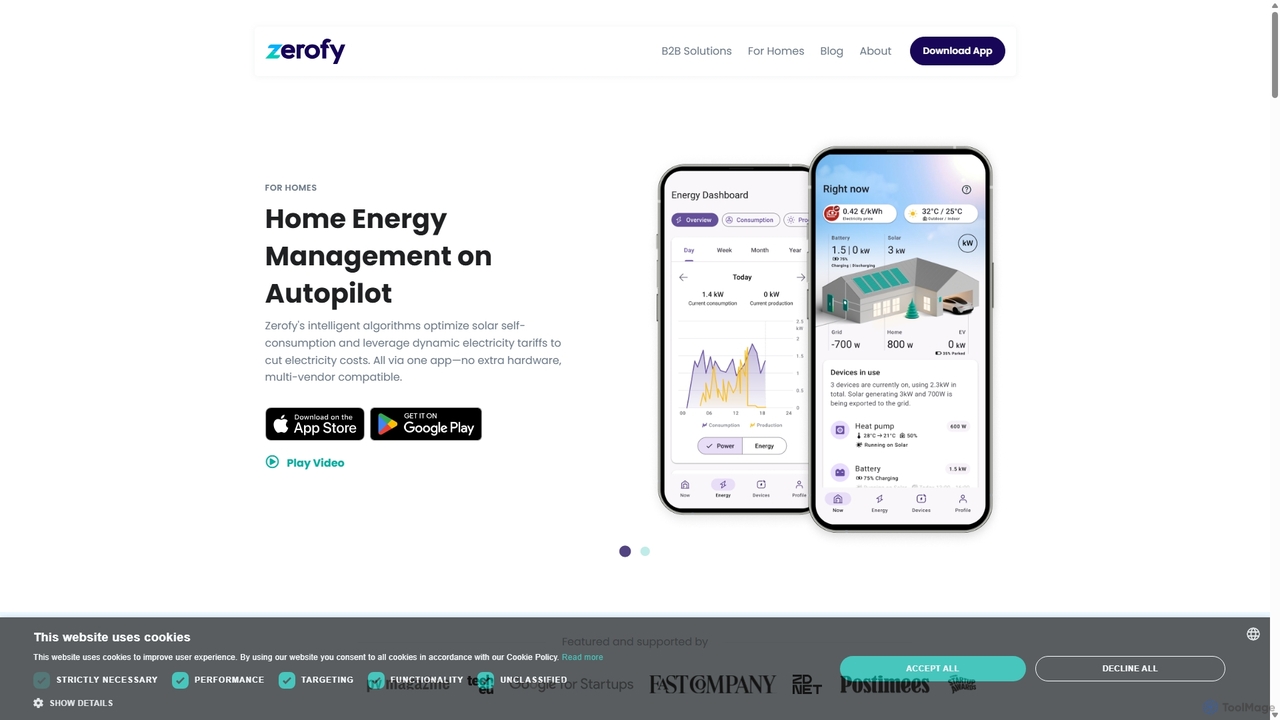
Zerofy is an AI-powered Home Energy Management System (HEMS) that intelligently optimizes your home's energy use. By connecting …

30.2K
Bottomless

Bottomless

Bottomless is an AI-powered subscription service that uses a smart WiFi scale to automatically reorder products like coffee …

17.1K

About Automation

Smart Home Automation tools are platforms or software that orchestrate the actions of multiple smart devices based on predefined rules and triggers. These tools act as the central nervous system for a connected home, using inputs like time of day, sensor data, or user location to execute a sequence of commands automatically. This enables the creation of personalized 'scenes' and 'routines' that enhance convenience, security, and energy efficiency without requiring constant manual input. They transform a collection of individual smart gadgets into a truly intelligent and responsive living environment.

Core Features

  • Rule and Trigger Engine: Establishes 'if-this-then-that' (IFTTT) logic, where a trigger (e.g., a door opening) initiates one or more actions (e.g., lights turn on).
  • Scene Creation: Bundles multiple device actions into a single command, such as a 'Movie Night' scene that dims lights, lowers blinds, and turns on the TV.
  • Scheduling and Timers: Automates device operations based on specific times, sunrise/sunset, or countdown timers for predictable daily tasks.
  • Multi-Device Integration: Connects devices from different brands and protocols (like Wi-Fi, Zigbee, Z-Wave) to work together seamlessly within a single system.
  • Conditional Logic: Allows for more complex automations that only run if certain conditions are met (e.g., turn on sprinklers only if it hasn't rained).

Use Cases

These tools are essential for homeowners seeking to create a cohesive and automated living experience. They are used by tech enthusiasts to build complex, customized routines, and by everyday users to simplify daily tasks like managing lighting, climate control, and home security. For example, creating a 'Good Morning' routine that gradually brightens lights, starts the coffee maker, and reads the day's weather forecast.

How to Choose

When selecting a smart home automation tool, consider its device compatibility and support for different communication protocols (Matter, Zigbee, Z-Wave). Evaluate the complexity of its rule engine—some are simple and user-friendly, while others offer advanced scripting for power users. Also, assess whether it relies on the cloud or can operate locally, which impacts reliability and privacy. Finally, consider the user interface and ease of creating and managing automations.

AutomationUse Cases

1

Automated 'Good Morning' Routine

For busy professionals or families, an automation platform can create a seamless morning experience. At a set time (e.g., 6:30 AM on weekdays), the system initiates a sequence: smart blinds gradually open, bedroom lights slowly brighten to mimic sunrise, the thermostat adjusts to a comfortable temperature, and the smart coffee maker starts brewing. A smart speaker can then announce the day's weather forecast and calendar appointments. This eliminates the need to interact with multiple devices, saving time and creating a gentle, stress-free start to the day.

2

Enhanced Home Security with 'Away Mode'

Homeowners can use automation to bolster security when they are away. By creating an 'Away Mode', the system can be triggered by geofencing (detecting when all residents' phones have left the house). This mode automatically locks all smart locks, arms the security cameras, and closes the garage door. To simulate occupancy and deter potential intruders, it can also schedule random lights and a TV to turn on and off throughout the evening. If a motion sensor or door sensor is triggered, the system can flash all house lights and send an immediate alert to the owner's phone.

3

Creating the Perfect 'Movie Night' Scene

For entertainment enthusiasts, automation tools can set the perfect ambiance with a single command. A user can create a 'Movie Night' scene, activated by a voice command like "Hey Google, start movie night" or a button press. This triggers a series of coordinated actions: the main living room lights dim to 10%, accent LED strips change to a cinematic blue, the smart TV and sound system turn on, and the smart blinds close completely. This creates an immersive viewing experience instantly, removing the hassle of adjusting multiple settings manually before settling in to watch a film.

4

Energy Efficiency and Cost Savings Automation

Environmentally conscious users or those looking to reduce utility bills can implement energy-saving automations. For example, smart thermostats can learn occupancy patterns and automatically lower the heat or AC when no one is home, adjusting back to a comfortable level just before arrival. Smart plugs can automatically turn off electronics like TVs and game consoles that draw phantom power overnight. Additionally, motion sensors in unoccupied rooms can be set to turn off lights after a few minutes of inactivity, ensuring electricity is never wasted on empty spaces.

5

Automated 'Welcome Home' Sequence

For anyone returning home after a long day, an automation platform can create a welcoming and convenient arrival. Triggered by their smartphone connecting to the home's Wi-Fi or by geofencing detecting their approach, the system can initiate a 'Welcome Home' sequence. This can include opening the garage door, disarming the security system, turning on entryway and kitchen lights, and adjusting the thermostat. For users arriving after dark, pathway lights can illuminate the walk to the front door. This sequence provides both convenience and a sense of security, making the transition from outside to inside seamless and pleasant.

6

Dynamic Lighting Based on Time of Day

Home automation systems can be used by health-conscious individuals to align their home's lighting with their circadian rhythm. Using tunable white smart bulbs, an automation can be set to change the color temperature of the lights throughout the day. In the morning, the lights can emit a cool, blue-toned white light to promote alertness and energy. As the day progresses, the light can gradually shift to a warmer, more yellow tone. In the evening, the system can automatically dim the lights and set them to a very warm, amber color to help signal the body it's time to wind down and prepare for sleep.

AutomationFrequently Asked Questions