
ToolMage
Sign in

Best 1 Software Design AI tools for Software Development

Popular Software Design AI tools in Software Development include DevBlogs, helping you work more efficiently.

DevBlogs

DevBlogs

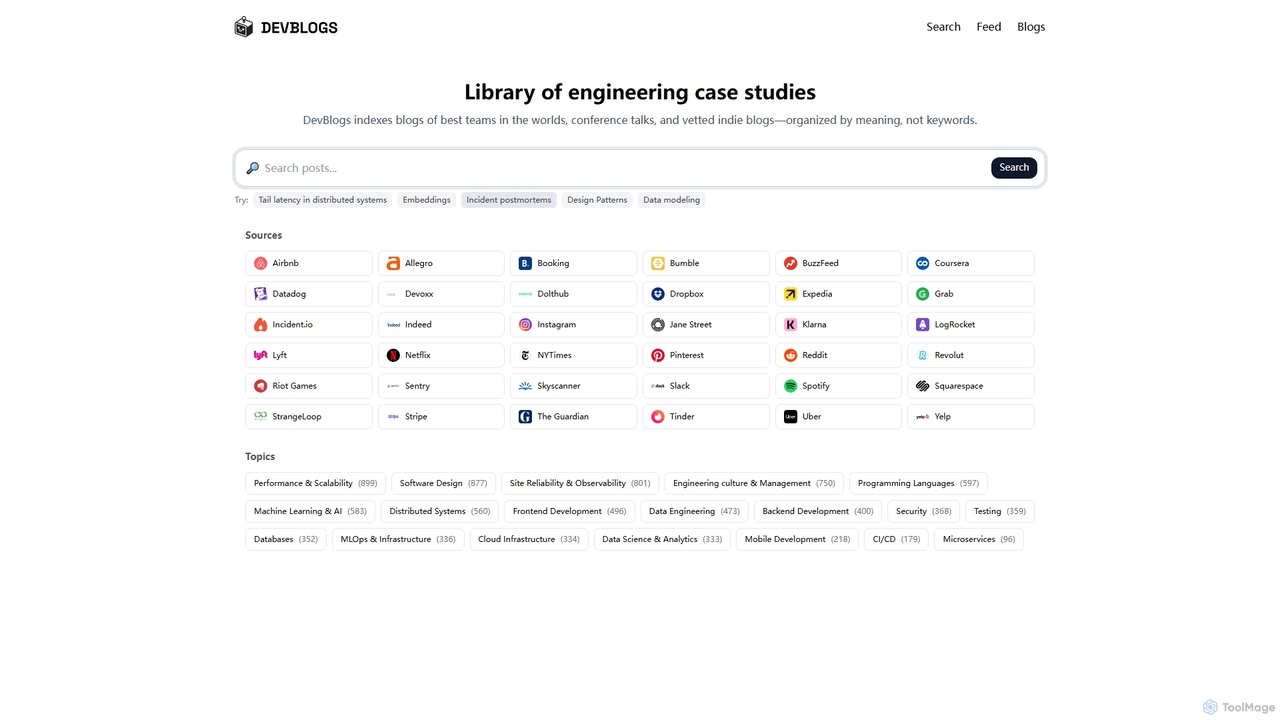
DevBlogs is a curated library indexing engineering case studies, tech blogs, and conference talks from leading global teams. It organizes content by meaning and specific technical topics, providing a valuable resource for developers and engineers to discover insights and best practices.

Infrastructure
Visits 4KFavorites 112Likes 118

About Software Design

Software Design tools leverage AI to assist in the crucial planning and architectural phases of software creation. These tools utilize advanced algorithms to automate diagram generation, suggest optimal architectural patterns, and translate requirements into structured designs. They significantly streamline the pre-coding stage, enhancing efficiency and consistency within the broader software development lifecycle.

Core Features

  • Automated Diagram Generation: Creates UML diagrams, flowcharts, and architectural blueprints from natural language or specifications.
  • Architecture Pattern Suggestion: Recommends suitable design patterns and architectural styles based on project requirements and constraints.
  • Code Structure & API Stub Generation: Automatically generates boilerplate code, API interfaces, and component structures from design models.
  • UI/UX Wireframe & Prototype Generation: Transforms textual descriptions or sketches into initial wireframes, mockups, or interactive prototypes.
  • Design Documentation Automation: Generates comprehensive design documents, keeping them synchronized with evolving design models.

Applicable Scenarios

Software architects use these tools to visualize complex systems, while system designers leverage them for rapid prototyping and pattern selection. UI/UX designers benefit from accelerated wireframe creation, and development teams ensure consistent design documentation throughout the project lifecycle.

How to Choose

Consider the tool's integration capabilities with existing development environments and version control systems. Evaluate its support for various design methodologies and output formats (e.g., UML, OpenAPI). Assess the sophistication of its AI models for accurate suggestions and generation, along with customization options to fit specific project needs.

Featured tool rankings

Software Design use cases

1

Automated UML Diagram Generation from Text

A software architect needs to quickly visualize the structure and behavior of a new system. By inputting natural language descriptions of components, relationships, and interactions, an AI Software Design tool can automatically generate detailed UML class, sequence, or component diagrams. This saves hours of manual diagramming, allowing the architect to iterate on design concepts faster and communicate complex ideas more effectively to the development team.

2

Rapid API Design and Stub Generation

A backend development team is starting a new microservices project and needs to define numerous API endpoints. Using an AI Software Design tool, they can describe the desired API functionalities, data models, and authentication requirements. The tool then generates OpenAPI specifications and corresponding code stubs in various programming languages, accelerating the initial setup phase by up to 50% and ensuring consistency across all API definitions.

3

Generating UI Wireframes from User Stories

A UI/UX designer is tasked with creating initial wireframes for a new mobile application based on a set of user stories. Instead of manually sketching or using traditional design software, the designer feeds the user stories into an AI Software Design tool. The tool interprets the requirements and generates a series of low-fidelity wireframes, allowing for rapid exploration of layout options and user flows, significantly reducing the time spent on initial conceptualization.

4

Optimizing Microservices Architecture for Scalability

A DevOps engineer or architect is reviewing an existing microservices architecture to identify potential bottlenecks and improve scalability. By feeding the current architectural diagrams and performance metrics into an AI Software Design tool, the AI can analyze the dependencies, data flows, and resource utilization. It then suggests optimizations, such as re-partitioning services, recommending different communication patterns, or identifying areas for caching, leading to a more robust and scalable system design.

5

Translating Requirements into Design Specifications

A business analyst has gathered extensive user requirements and functional specifications, but translating these into technical design documents is time-consuming. An AI Software Design tool can ingest these textual requirements, identify key entities, actions, and constraints, and then generate preliminary design specifications, including data models, component interfaces, and interaction flows. This bridges the gap between business needs and technical implementation, ensuring alignment from the outset and reducing misinterpretations.

6

Automating Design Documentation Updates

Maintaining up-to-date design documentation is a common challenge for development teams, often leading to outdated or incomplete records. An AI Software Design tool can integrate with design models and even code repositories. As changes are made to the system's architecture or components, the AI automatically updates corresponding sections in the design documents, ensuring that documentation accurately reflects the current state of the software. This significantly reduces manual effort and improves compliance.

Software Design FAQ

What are AI Software Design tools?

AI Software Design tools are applications that use artificial intelligence to assist in the planning, architecture, and conceptualization phases of software development. They leverage machine learning to automate tasks like diagram generation, suggest design patterns, and translate high-level requirements into detailed design specifications. These tools aim to streamline the pre-coding process, enhance design quality, and improve collaboration among development teams.

How do AI tools assist in software design?

AI tools assist software design by automating repetitive tasks, providing intelligent suggestions, and performing complex analyses. They can generate visual diagrams (like UML) from text, recommend optimal architectural patterns based on project constraints, and even create initial code structures or API stubs. Furthermore, AI can help translate abstract requirements into concrete design specifications and keep design documentation synchronized with evolving project changes, significantly boosting efficiency and consistency.

What is the difference between AI Software Design and general AI Software Development tools?

AI Software Design tools specifically focus on the *pre-coding* phases, such as architectural planning, system modeling, and UI/UX conceptualization. They help create the blueprint for the software. In contrast, general AI Software Development tools encompass a broader range, including AI-powered coding assistants (for writing actual code), testing automation, debugging, and deployment optimization. While design is a part of development, these design-specific tools are tailored to the initial, conceptual stages.

What should I consider when choosing an AI Software Design tool?

When selecting an AI Software Design tool, prioritize its integration capabilities with your existing development ecosystem, including IDEs, version control, and project management platforms. Evaluate the range of design methodologies it supports (e.g., Agile, Waterfall) and its output formats (e.g., UML, BPMN, OpenAPI). Assess the sophistication of its AI models for accuracy in suggestions and generation, and consider the level of customization it offers to align with your team's specific workflows and standards. Finally, review its learning curve and community support.

Can AI Software Design tools generate complete, production-ready code?

While AI Software Design tools can generate code *structures*, API stubs, and boilerplate code, they typically do not produce complete, production-ready application code. Their primary focus is on the design phase: creating architectural blueprints, UI/UX wireframes, and detailed specifications that guide human developers. The generated code is usually a starting point, requiring further refinement, business logic implementation, and integration by developers to meet specific project requirements and quality standards for deployment.