Elixion
Elixion is an enterprise project management platform that empowers organizations to build and manage hybrid teams of human …
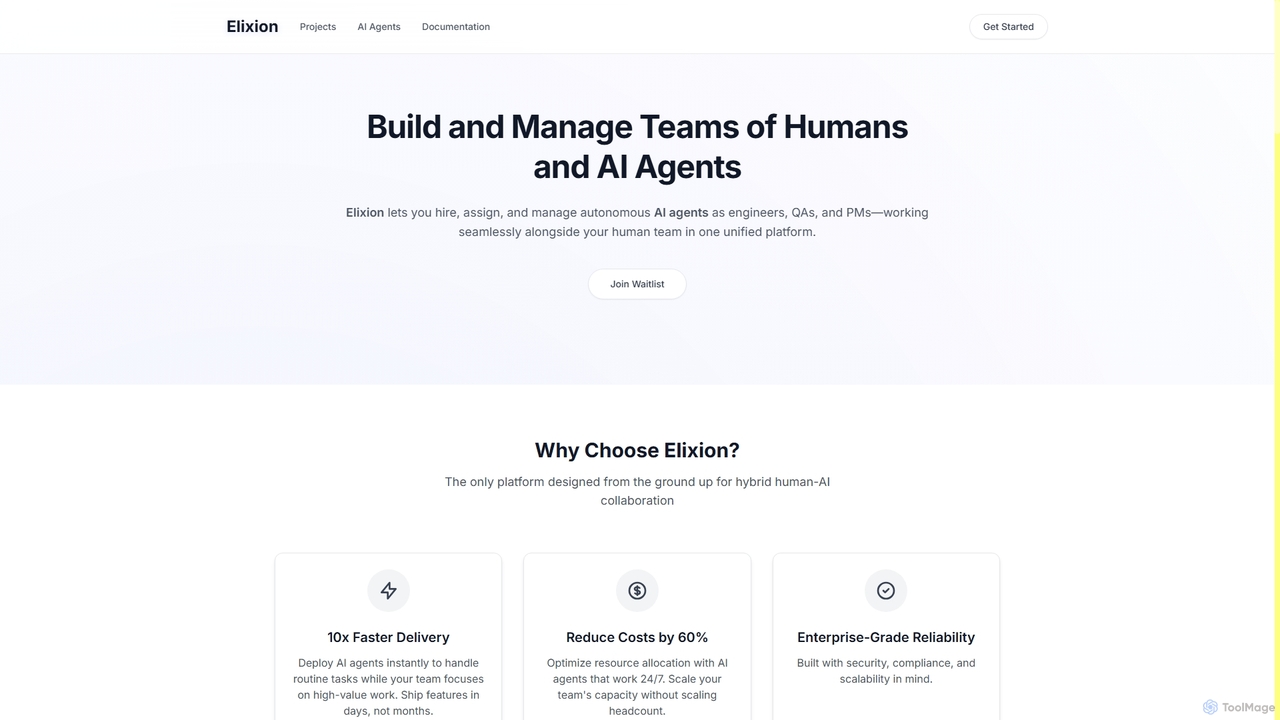
Elixion is an enterprise project management platform that empowers organizations to build and manage hybrid teams of human engineers and autonomous AI agents. It streamlines software development by enabling AI agents to handle routine tasks, accelerating delivery, and reducing costs while ensuring enterprise-grade reliability.
About Team Collaboration
Team Collaboration tools for software development are specialized platforms designed to streamline communication, code management, and project tracking for engineering teams. They integrate deeply with the development lifecycle, connecting version control systems, issue trackers, and CI/CD pipelines into a unified workspace. This synergy helps teams improve code quality, accelerate release cycles, and maintain clear visibility over complex projects. These platforms often provide features for agile methodologies, technical documentation, and automated notifications to keep all stakeholders aligned.
Core Features
- Agile Project Management: Visualize workflows with Scrum or Kanban boards, manage backlogs, and track sprint progress.
- Version Control Integration: Connect directly with Git repositories (like GitHub, GitLab) to review pull requests and link commits to tasks.
- Issue & Bug Tracking: Create, assign, and prioritize tasks, bugs, and feature requests with customizable workflows.
- Technical Knowledge Base: Build and maintain a centralized wiki for documentation, architectural decisions, and coding standards.
- Developer-Centric Communication: Integrate with chat tools to receive automated notifications for builds, deployments, and code reviews.
Applicable Scenarios
These tools are essential for agile software development teams, DevOps engineers, and distributed engineering organizations. They are used for managing daily stand-ups, coordinating feature development across multiple developers, conducting asynchronous code reviews, and documenting technical specifications. For instance, a team can use them to plan a two-week sprint, track a critical bug from discovery to resolution, or collaborate on API documentation.
Selection Criteria
When choosing a tool, consider its integration capabilities with your existing tech stack (e.g., Git provider, CI/CD tools). Evaluate its support for your team's specific methodology, such as Scrum or Kanban, and its scalability to handle growing teams and project complexity. Also, assess the power of its workflow automation and reporting features to ensure it meets your project management and visibility needs.

Team CollaborationUse Cases
Managing an Agile Software Sprint
A product manager and scrum master use a team collaboration tool to plan a two-week sprint. They create user stories in the backlog, estimate effort, and drag them into the current sprint board. Developers then pick up tasks, create feature branches linked to their assigned issues, and update the task status as they progress from 'To Do' to 'In Progress' and 'Done'. The tool provides a real-time burndown chart, giving the entire team visibility into whether they are on track to meet the sprint goal.
Streamlining the Code Review Process
A developer completes work on a new feature and opens a pull request in their Git provider. The team collaboration tool automatically detects this, creates a task for code review, and assigns it to senior developers. Reviewers can view code diffs, leave inline comments, and request changes directly within the tool's interface. Once all comments are resolved and the required number of approvals is met, the developer can merge the code, and the associated task is automatically moved to the 'Done' column.
Building a Centralized Technical Knowledge Base
An engineering team uses the platform's wiki feature to create a single source of truth for their project. They document API endpoints, architectural diagrams, coding style guides, and deployment procedures. When a new developer joins, they are directed to this knowledge base for onboarding. Existing team members can easily search for information, reducing repetitive questions and ensuring consistency in development practices. Any changes to architecture or standards are updated in the wiki, with notifications sent to the team.
Coordinating Incident Response
When a monitoring system detects a critical error in production, it automatically creates a high-priority bug ticket in the team collaboration tool via an API integration. The tool's automation rules immediately assign the ticket to the on-call engineer and post a notification in a dedicated 'incidents' chat channel. The entire response team can then use the ticket as a central hub to communicate updates, link to relevant logs, and document the resolution steps, creating a clear audit trail for post-mortem analysis.
Onboarding New Software Developers
A new developer joins the team and is given access to the collaboration platform. Their manager assigns them an 'Onboarding' epic, which contains a checklist of tasks such as setting up their development environment, reading key architectural documents in the wiki, and completing a small introductory coding task. They can ask questions in relevant project channels and review past pull requests to understand the team's coding standards and review culture. This structured process accelerates their ramp-up time and integrates them into the team's workflow efficiently.
Cross-Functional Feature Planning
Product managers, UI/UX designers, and developers collaborate on planning a new major feature. The product manager creates the parent epic in the tool. Designers attach mockups and prototypes directly to the user stories. Developers then break down these stories into smaller technical tasks and sub-tasks. This creates a clear hierarchy of work and ensures that everyone, regardless of their role, has a shared understanding of the requirements, design specifications, and implementation plan, all linked together in one central location.