
ToolMage
Sign in

Best 1 Course Creation AI tools for Teaching

Popular Course Creation AI tools in Teaching include QuizCanvasAI, helping you work more efficiently.

QuizCanvasAI
Freemium

QuizCanvasAI

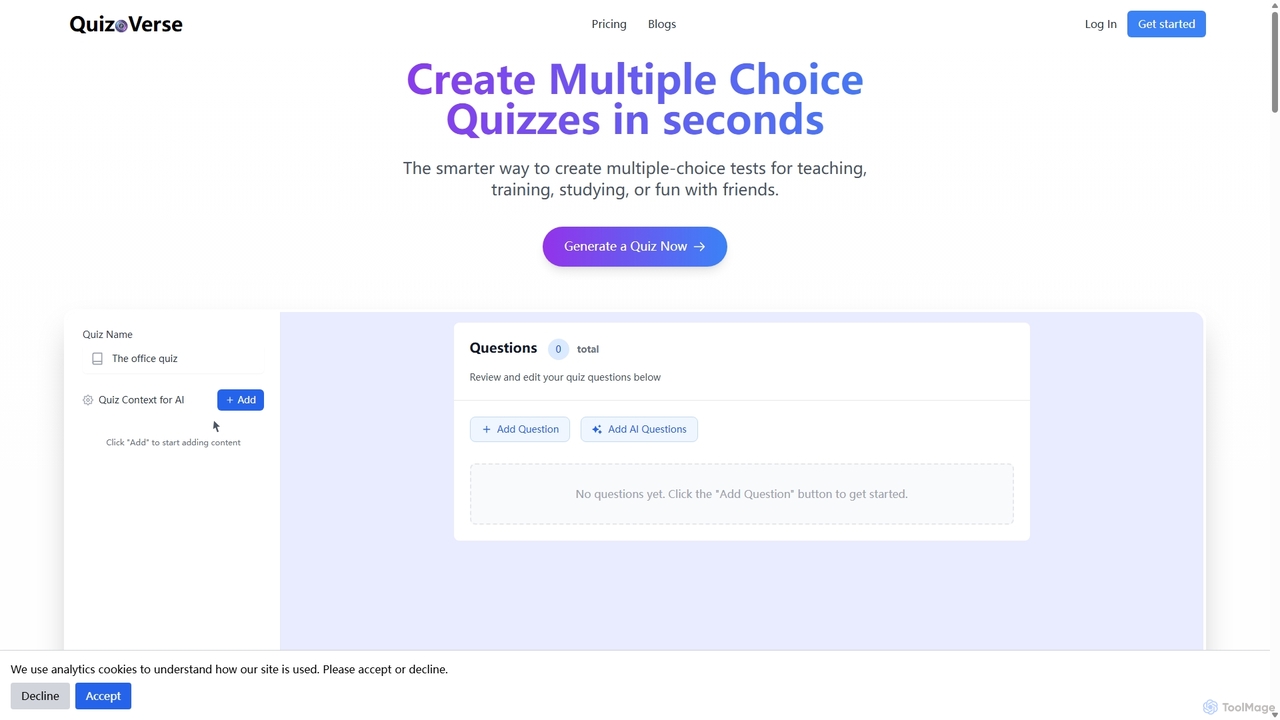
QuizCanvasAI is an AI-powered quiz maker that instantly generates high-quality multiple-choice questions from your content. Designed for teachers, trainers, and students, it saves hours of manual work, offers live and self-paced quiz modes, provides detailed analytics, and supports advanced features like multiple correct answers. Streamline your assessment creation process and create engaging learning experiences in minutes.

Assessment
Visits 3.6KFavorites 98Likes 96

About Course Creation

AI Course Creation tools are specialized platforms that automate and streamline the development of educational content. Leveraging generative AI, these tools can produce comprehensive course outlines, lesson scripts, video presentations, and interactive quizzes from a simple topic prompt. They are designed to significantly reduce the time and effort required for instructional design, enabling educators and experts to efficiently transform their knowledge into structured learning experiences. This focus on content generation distinguishes them from broader teaching platforms that handle student management or live delivery.

Core Features

  • Curriculum Generation: Automatically creates a logical course structure with modules, lessons, and learning objectives.
  • Multimedia Content Creation: Generates presentation slides, voiceovers, and video scripts from text inputs.
  • Assessment Authoring: Instantly designs quizzes, assignments, and discussion prompts to test learner comprehension.
  • Content Repurposing: Transforms existing materials like articles or videos into a complete, structured course.
  • Interactive Element Design: Adds engaging elements like scenarios, case studies, and interactive exercises.

Use Cases

These tools are ideal for corporate trainers building internal compliance or skill-based programs, subject matter experts creating commercial online courses, and academic instructors developing digital learning materials. They empower users without formal instructional design backgrounds to produce professional-quality educational content quickly.

How to Choose

When selecting a tool, consider the scope of content generation (text, video, quizzes), integration with Learning Management Systems (LMS), customization options for branding, and the supported languages. Also, evaluate the AI's ability to handle niche or complex topics accurately and the overall ease of use for non-technical creators.

Featured tool rankings

Course Creation use cases

1

Rapid Development of Corporate Training Modules

An HR manager needs to create a mandatory cybersecurity training program. Instead of spending weeks scripting and designing, they use an AI Course Creation tool. They input the topic 'Cybersecurity Best Practices for Employees.' The AI generates a full curriculum, including modules on phishing and password security. It also creates presentation slides with voiceovers and a final quiz for each module, reducing the development cycle from a month to a few days.

2

Transforming Expert Knowledge into a Sellable Course

A financial consultant wants to monetize their expertise by selling an online course on 'Personal Budgeting.' Lacking video production skills, they use an AI tool. They provide a detailed outline, and the AI generates engaging lesson scripts and visual aids. The tool's AI voiceover feature creates a professional narration, allowing the consultant to launch a high-quality course on platforms like Teachable or Kajabi without hiring a production team.

3

Creating Supplementary Materials for Academic Courses

A university professor wants to supplement their history lectures with interactive online materials. They upload their lecture notes into an AI Course Creation platform. The tool summarizes key points into digestible micro-lessons, generates flashcards for important dates, and creates discussion prompts for the online student forum. This helps students review content at their own pace and enhances engagement outside the classroom.

4

Repurposing Blog Content into a Mini-Course

A marketing blogger has a popular series of articles on 'SEO for Small Businesses.' To create a lead magnet, they use an AI tool to repurpose this content. By providing the URLs of the blog posts, the AI organizes the information into a logical 5-day email course. It rewrites the content into daily lessons and adds a short quiz for each day, effectively turning existing assets into a new, structured educational product.

5

Standardizing New Hire Onboarding Programs

A fast-growing startup needs to standardize its onboarding process. The Head of Sales uses an AI tool to build a comprehensive 'Sales Playbook' course. They input key documents and product information. The AI structures this into modules covering product knowledge, CRM usage, and sales scripts, complete with role-playing scenarios and assessments. This ensures every new hire receives consistent, high-quality training from day one.

6

Building Interactive Language Learning Lessons

An independent language tutor wants to create interactive lessons for students learning Spanish. They use an AI Course Creation tool to design modules for different proficiency levels. For a beginner's module on 'Ordering Food,' they input vocabulary and grammar rules. The AI generates interactive dialogues, fill-in-the-blank exercises, and pronunciation guides with AI-generated audio, providing a dynamic way for students to practice.

Course Creation FAQ

What are AI Course Creation tools?

AI Course Creation tools are applications that use artificial intelligence to automate the generation of educational content. They can take a simple topic or existing material and produce a complete course structure, including lesson plans, scripts, presentations, and quizzes. Their primary goal is to drastically speed up the instructional design process and make it accessible to subject matter experts without a background in education.

How do I choose the right AI Course Creation tool?

To choose the right tool, evaluate these factors:

  • Content Output: Does it generate only text, or does it also create slides, voiceovers, and videos?
  • Customization: How much control do you have over the branding, style, and content of the generated course?
  • LMS Integration: Can it easily export courses in formats like SCORM for use in your existing Learning Management System?
  • Subject Matter Accuracy: Test the tool with a niche topic in your field to check the quality and accuracy of the AI-generated content.
What is the difference between an AI Course Creation tool and an LMS?

The key difference is their primary function. An AI Course Creation tool is a content authoring platform focused on generating the educational materials (the course itself). A Learning Management System (LMS) is a platform for delivering, managing, and tracking that content and the learners' progress. You would use an AI tool to build the course, and then upload it to an LMS to enroll students.

What kind of content can AI generate for a course?

AI can generate a wide variety of course content. This typically includes a structured curriculum with modules and lessons, detailed text-based lesson content or scripts, presentation slides with relevant images, AI-generated voiceovers for narration, and assessments like multiple-choice questions, true/false statements, and open-ended discussion prompts. Some advanced tools can even create simple animated videos or interactive scenarios.

Who can benefit from using AI Course Creation tools?

These tools are beneficial for a wide range of users. This includes corporate trainers and HR professionals developing internal training, entrepreneurs and coaches turning their expertise into online courses, educators creating digital learning resources, and content creators looking to repurpose their existing content into educational products. Essentially, anyone who needs to create structured learning content quickly without a large team or budget can benefit.