ToolMage
Sign in

Best 1 Cloud Computing AI tools for Technology

Popular Cloud Computing AI tools in Technology include Google Skills, helping you work more efficiently.

Freemium

Google Skills

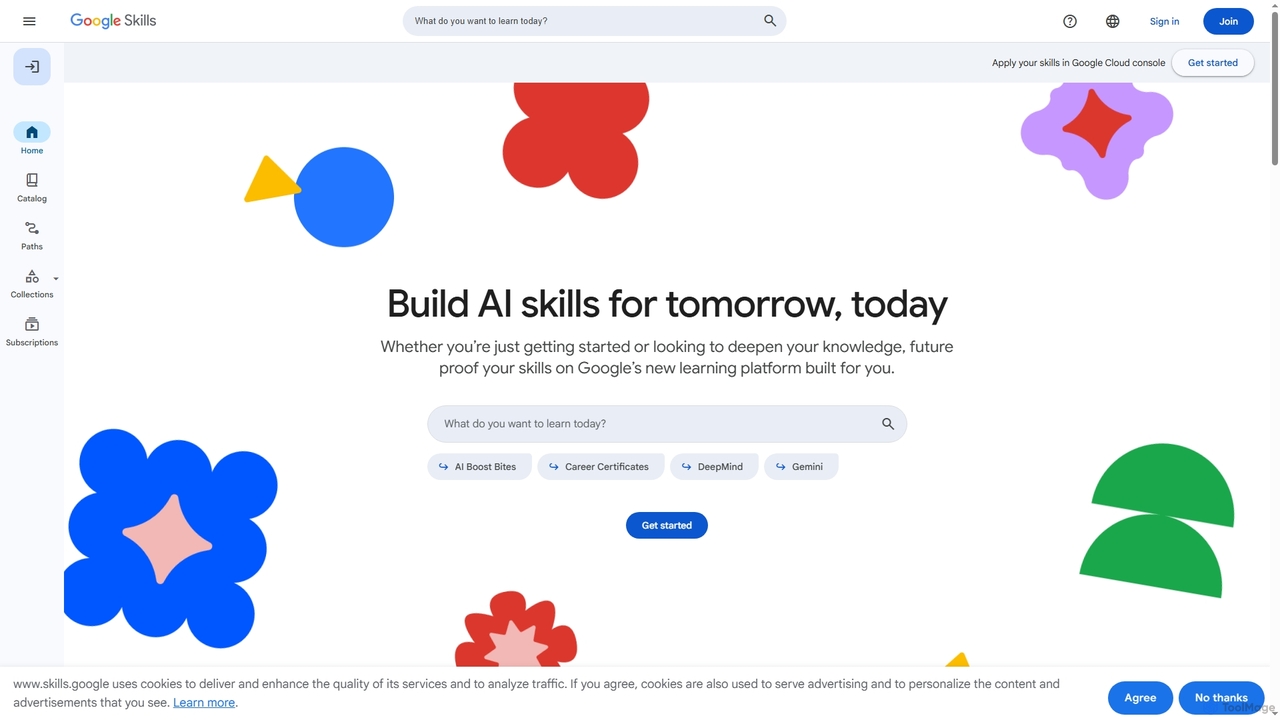
Google Skills is an online learning platform designed to help individuals and teams build and validate in-demand technical skills, particularly in AI and cloud technologies. It offers a range of learning paths, including hands-on labs, courses, skill badges, and industry-recognized certifications from Google experts, enabling users to future-proof their careers and enhance workforce capabilities.

Machine Learning Training
Visits 6.9MFavorites 119Likes 118

About Cloud Computing

Cloud Computing is a model for delivering on-demand computing services—including servers, storage, databases, networking, software, analytics, and intelligence—over the Internet. This approach allows users to access and manage IT resources remotely, eliminating the need for direct ownership and maintenance of physical infrastructure. It offers unparalleled scalability, flexibility, and cost-efficiency, transforming how businesses and individuals consume technology.

Core Features

  • On-Demand Self-Service: Users can provision computing resources like server time and network storage as needed, automatically, without human interaction.
  • Rapid Elasticity: Resources can be quickly and elastically provisioned, scaled up or down, to rapidly and flexibly increase or decrease available resources.
  • Resource Pooling: Computing resources are pooled to serve multiple consumers using a multi-tenant model, with different physical and virtual resources dynamically assigned.
  • Measured Service: Cloud systems automatically control and optimize resource use by leveraging a metering capability at some level of abstraction appropriate to the service type.

Use Cases

Cloud computing is widely adopted across various sectors, from startups to large enterprises. It supports web hosting, data backup, software development, and complex data analytics. This technology enables businesses to innovate faster and operate more efficiently by providing flexible, scalable infrastructure.

How to Choose

When selecting a cloud computing solution, consider the required service model (IaaS, PaaS, SaaS), deployment model (public, private, hybrid), scalability needs, security and compliance requirements, and the pricing structure. Evaluate provider ecosystems like AWS, Azure, or Google Cloud for specific service offerings and integration capabilities that align with your business goals.

Featured tool rankings

Cloud Computing use cases

1

Hosting Scalable Web Applications

Developers deploy web applications on cloud platforms, leveraging auto-scaling features to handle fluctuating traffic without manual intervention. This ensures high availability and performance during peak loads, reducing operational overhead for infrastructure management. Cloud computing provides the underlying infrastructure that can automatically adjust to user demand, from a few users to millions.

2

Secure Data Storage and Disaster Recovery

Businesses utilize cloud storage services for cost-effective, highly available data backup and archival. In case of local data loss or system failure, cloud-based disaster recovery solutions enable rapid restoration of critical operations, ensuring business continuity. This approach enhances data security and reduces the risk of permanent data loss.

3

Big Data Analytics and AI/ML Workloads

Data scientists and analysts use cloud computing to process massive datasets and train complex AI/ML models. Cloud platforms provide powerful, on-demand computational resources like GPUs and specialized services, accelerating insights and innovation without significant upfront hardware investment. This democratizes access to advanced computing power for data-intensive tasks.

4

Software Development and Testing Environments

Development teams provision isolated cloud environments for building, testing, and deploying applications. This allows for rapid iteration, consistent environments across teams, and easy scaling of testing infrastructure, significantly speeding up the software development lifecycle. Cloud computing facilitates DevOps practices by providing flexible and reproducible environments.

5

Internet of Things (IoT) Backend Management

Companies deploy IoT solutions using cloud platforms to collect, process, and analyze data from millions of connected devices. Cloud services offer robust messaging queues, data lakes, and analytics tools to manage device connectivity, ingest data, and derive actionable intelligence from IoT ecosystems. This enables real-time monitoring and automation for smart devices.

6

Enterprise Resource Planning (ERP) and CRM Hosting

Large organizations migrate their critical business applications like ERP and CRM systems to the cloud. This provides enhanced accessibility for global teams, reduces the burden of on-premise maintenance, and offers robust security and compliance features managed by the cloud provider. Cloud hosting ensures these vital systems are always available and performant.

Cloud Computing FAQ

What is Cloud Computing?

Cloud Computing is an on-demand delivery model for IT resources over the internet with pay-as-you-go pricing. Instead of owning and maintaining physical data centers and servers, you can access technology services—such as computing power, storage, and databases—from a cloud provider like Amazon Web Services (AWS), Google Cloud, or Microsoft Azure. It offers flexibility, scalability, and cost-efficiency, allowing businesses to focus on innovation rather than infrastructure.

How does Cloud Computing differ from traditional on-premise IT?

Cloud Computing differs from traditional on-premise IT primarily in resource ownership and management. With cloud computing, a third-party provider owns and maintains the infrastructure, and users pay for resources as they consume them. On-premise IT requires organizations to purchase, install, and manage all hardware and software themselves, leading to higher upfront costs and maintenance responsibilities but offering full control over the physical environment.

What are the main service models in Cloud Computing?

The main service models in Cloud Computing are Infrastructure as a Service (IaaS), Platform as a Service (PaaS), and Software as a Service (SaaS). IaaS provides fundamental computing resources like virtual machines and networks. PaaS offers a complete development and deployment environment. SaaS delivers fully functional applications over the internet, managed by the provider. Each model offers different levels of control and management responsibilities.

Who benefits most from Cloud Computing?

Cloud Computing benefits a wide range of users, from startups seeking to minimize upfront IT costs and scale rapidly, to large enterprises needing global reach and robust disaster recovery solutions. Developers leverage it for flexible environments, data scientists for powerful analytics, and businesses of all sizes for enhanced collaboration, data storage, and operational efficiency. Essentially, any entity requiring flexible, scalable, and cost-effective IT resources can benefit.

What are the key considerations for choosing a Cloud Computing provider?

When choosing a Cloud Computing provider, key considerations include the range and quality of services offered (e.g., compute, storage, networking, AI/ML), pricing models, security features, compliance certifications (e.g., GDPR, HIPAA), global presence, and the ease of integration with existing systems. Vendor lock-in, support quality, and community resources are also important factors to evaluate to ensure long-term suitability and flexibility.