ToolMage
Sign in

Best 1 Mobile App for Technology

Popular Mobile App in Technology include Open Tutor, helping you work more efficiently.

Open Tutor
Freemium

Open Tutor

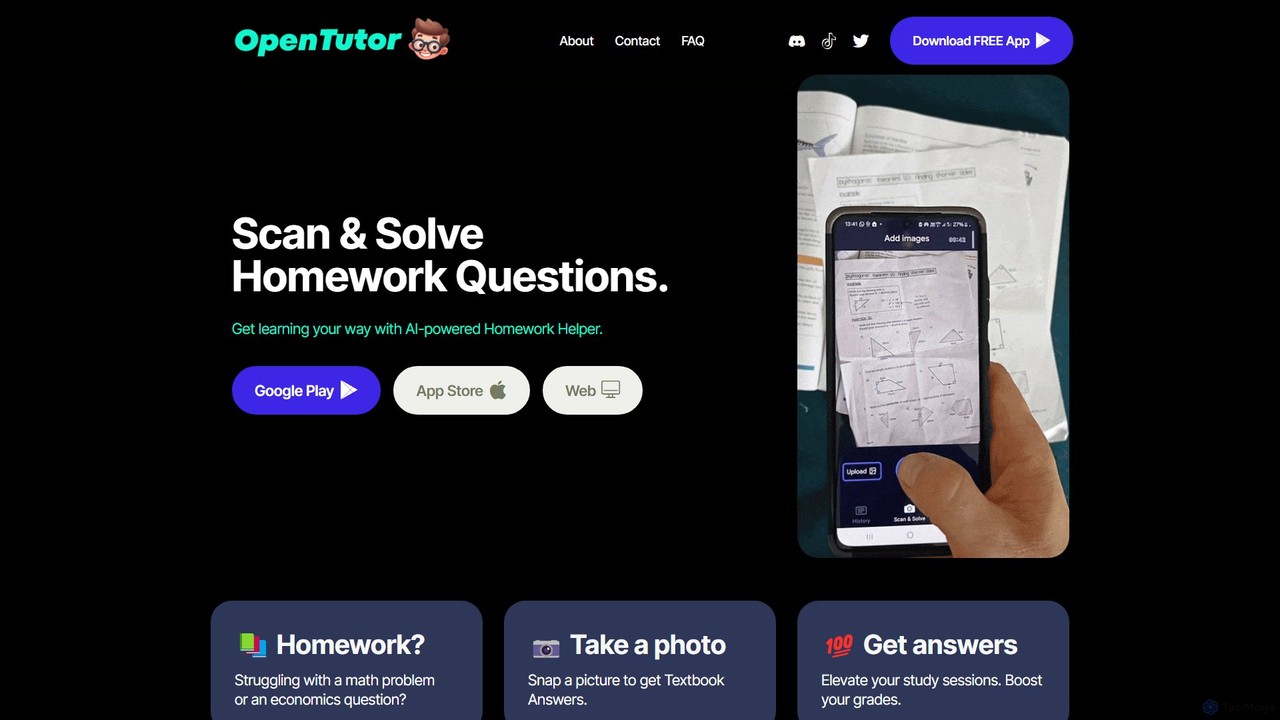
Open Tutor is an AI-powered homework helper that instantly solves academic problems. Simply snap a photo of a question from any subject, like math or economics, and the app provides detailed, step-by-step solutions. It's designed to reduce study stress, enhance understanding, and make learning more accessible and efficient for students of all levels.

Homework Helper
Visits 6.3KFavorites 140Likes 136

About Mobile App

AI Mobile App tools are platforms that leverage artificial intelligence to streamline the development, enhancement, and management of mobile applications. These tools integrate AI capabilities for tasks such as code generation, UI/UX design optimization, predictive analytics for user behavior, and automated testing. They empower developers and businesses to create more intelligent, personalized, and efficient mobile experiences. By automating complex processes and providing data-driven insights, they accelerate time-to-market and improve app quality within the broader technology landscape.

Core Features

  • AI-Powered Code Generation: Automates snippets, functions, or entire components based on natural language descriptions or design inputs.
  • UI/UX Design Optimization: Uses AI to analyze user interaction patterns and suggest improvements for app layouts, navigation, and visual elements.
  • Personalized User Experiences: Implements AI algorithms to tailor app content, recommendations, and features based on individual user preferences and behavior.
  • Automated Testing & Debugging: Leverages AI to identify bugs, performance bottlenecks, and security vulnerabilities more efficiently than manual methods.
  • Predictive Analytics for User Engagement: Analyzes user data to forecast engagement trends, identify churn risks, and optimize push notifications or in-app promotions.

Applicable Scenarios

Mobile app developers use AI code assistants to quickly prototype new features or fix bugs, significantly reducing manual coding effort. Mobile marketers employ AI to personalize in-app content and notifications, keeping users engaged longer. QA teams utilize AI-driven testing tools to automatically detect and resolve performance issues before release, ensuring app stability.

How to Choose

When selecting an AI Mobile App tool, consider its integration capabilities with existing development environments and backend services. Evaluate if the AI models can be fine-tuned with proprietary data for specific app needs. Check for supported platforms (iOS, Android, cross-platform frameworks) and assess its scalability to handle growing user bases and complex AI tasks without compromising app speed.

Mobile App use cases

1

Automated UI/UX Design Iteration

Mobile app designers and product managers can rapidly test and iterate on different UI layouts and user flows. By inputting design requirements, AI generates multiple design variations, analyzes user feedback data, and suggests optimal designs for A/B testing. This significantly reduces design cycle time and improves user satisfaction metrics by ensuring data-driven design decisions.

2

Intelligent Code Completion and Bug Detection

Mobile app developers writing complex code or debugging large codebases benefit from AI. An AI assistant provides context-aware code suggestions, identifies potential errors or security vulnerabilities in real-time, and suggests fixes. This boosts coding efficiency by an estimated 30% and significantly reduces post-release bug reports, leading to more robust applications.

3

Personalized In-App Content Delivery

Marketing managers and content strategists for mobile apps can deliver highly relevant content or product recommendations to individual users. AI analyzes user behavior, preferences, and demographics to dynamically adjust content feeds, promotions, or feature visibility within the app. This increases user engagement by 25% and drives higher conversion rates for in-app purchases by tailoring the experience.

4

Automated Cross-Platform Compatibility Testing

QA engineers and mobile development teams ensure an app functions flawlessly across various devices, OS versions, and screen sizes. AI-driven testing tools simulate user interactions on a multitude of virtual devices, automatically identifying UI glitches, crashes, or performance issues specific to certain environments. This drastically reduces manual testing effort and ensures a consistent user experience across the diverse mobile ecosystem.

5

Predictive User Churn Analysis and Intervention

Product managers and growth hackers can identify users at risk of uninstalling or becoming inactive. AI models analyze usage patterns, in-app events, and historical data to predict potential churn, then trigger targeted re-engagement campaigns (e.g., personalized push notifications, special offers). This improves user retention rates by proactively addressing dissatisfaction or disengagement before it leads to loss.

6

Voice-Enabled App Interaction Development

Developers building hands-free or accessibility-focused mobile apps can integrate natural language understanding (NLU) for voice commands. AI tools provide frameworks and APIs to easily implement voice recognition, intent parsing, and natural language generation, allowing users to control the app with spoken instructions. This enhances accessibility and offers a more intuitive, hands-free user experience, expanding the app's reach to a broader audience.

Mobile App FAQ

What are AI Mobile App tools?

AI Mobile App tools are software solutions that integrate artificial intelligence to assist in various stages of the mobile application lifecycle. They leverage machine learning, natural language processing, and computer vision to automate tasks, personalize user experiences, and provide data-driven insights. These tools help streamline everything from design and development to testing, deployment, and post-launch optimization, making apps smarter and more efficient.

How do AI Mobile App tools enhance app development?

AI Mobile App tools significantly enhance app development by automating repetitive coding tasks, suggesting optimal UI/UX designs, and providing intelligent debugging assistance. They can generate code snippets, identify performance bottlenecks, and streamline testing processes. This allows developers to focus on innovation and complex problem-solving, ultimately accelerating time-to-market and improving the overall quality and robustness of mobile applications.

What's the difference between traditional mobile app development and AI-powered development?

Traditional mobile app development relies heavily on manual coding, design, and testing, often following predefined rules and static logic. AI-powered development, however, integrates intelligent automation and data analysis throughout the process. It uses AI to learn from data, predict user behavior, personalize experiences, and proactively identify issues, leading to more adaptive, efficient, and user-centric applications compared to purely rule-based approaches. AI introduces dynamic intelligence that traditional methods lack.

Who benefits most from using AI Mobile App tools?

Mobile app developers, UI/UX designers, QA engineers, product managers, and marketing teams all benefit significantly. Developers gain coding assistance and faster debugging; designers get data-driven layout suggestions; QA teams achieve automated, comprehensive testing; and product/marketing teams leverage AI for personalized user engagement, predictive analytics, and improved retention strategies. Essentially, anyone involved in the mobile app lifecycle can find value.

What should I consider when choosing an AI Mobile App tool?

When selecting an AI Mobile App tool, consider its compatibility with your existing tech stack (e.g., iOS, Android, specific frameworks like React Native or Flutter). Evaluate the specific AI capabilities it offers, such as code generation, UI/UX optimization, automated testing, or personalization features. Assess its scalability for future growth, the level of customization allowed for AI models, its ease of integration with other systems, pricing structure, and the quality of community or vendor support. Choose a tool that aligns with your project's specific needs and long-term vision.