ToolMage
Sign in

Best 1 Wordpress Plugins AI tools for Website Development

Popular Wordpress Plugins AI tools in Website Development include WC Contour, helping you work more efficiently.

WC Contour
Freemium

WC Contour

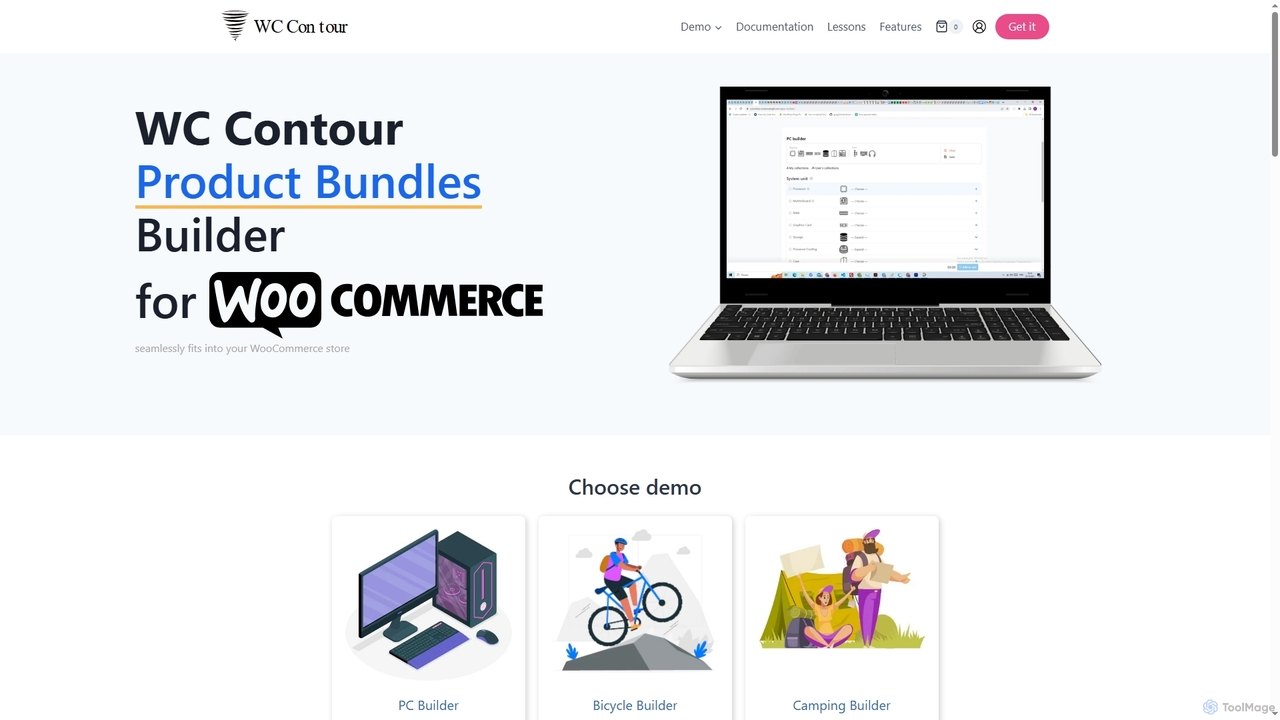
WC Contour is a powerful WooCommerce plugin designed to help shop owners create dynamic and interactive product bundles and configurators. It enables customers to build personalized product collections, enhancing cross-selling and improving the shopping experience directly on a single page.

Product Bundling
Visits 3.5KFavorites 124Likes 126

About Wordpress Plugins

AI WordPress Plugins are extensions that integrate artificial intelligence capabilities directly into a WordPress website. These tools leverage machine learning models to automate and enhance tasks such as content creation, SEO optimization, and user engagement. By processing data and generating outputs intelligently, they help site owners improve efficiency, create better content, and deliver personalized experiences without requiring deep technical expertise. This makes advanced functionalities accessible directly within the familiar WordPress dashboard.

Core Features

  • AI Content Generation: Automatically create blog posts, product descriptions, and marketing copy based on simple prompts.
  • Automated SEO Analysis: Provide real-time suggestions for keywords, meta descriptions, and readability to improve search rankings.
  • Intelligent Image Handling: Generate alt text for accessibility, optimize image sizes without quality loss, and create unique featured images.
  • AI-Powered Chatbots: Integrate conversational agents to provide 24/7 customer support and answer user queries automatically.
  • Content Personalization: Dynamically display content, products, or recommendations tailored to individual visitor behavior.

Applicable Scenarios

These plugins are ideal for content creators, bloggers, and marketing teams looking to scale content production and optimize their SEO workflow. E-commerce businesses use them to generate compelling product descriptions and personalize shopping experiences. Additionally, any business website can benefit from AI chatbots for customer service automation and lead generation.

Selection Criteria

When choosing an AI WordPress Plugin, evaluate the specific features offered—whether you need content creation, SEO, or customer support. Check for compatibility with your existing theme and plugins to avoid conflicts. Consider the pricing model, such as one-time fees, subscriptions, or pay-per-use credits based on API calls. Finally, assess the user interface and ease of use to ensure it fits your team's workflow.

Featured tool rankings

Wordpress Plugins use cases

1

Automated Blog Post Generation

A content marketing manager for a small tech company needs to publish three new blog posts per week to drive organic traffic. Using an AI WordPress plugin, they input a topic keyword and a target audience. The plugin generates a structured article draft, including an introduction, headings, and a conclusion. The manager then spends about 30% of their usual time editing and adding brand-specific insights, rather than writing from scratch. This process allows them to meet their content goals consistently and focus more on strategy and promotion.

2

Real-Time SEO Optimization for Writers

A freelance writer is creating content directly within the WordPress editor for a client's website. An AI SEO plugin runs in the background, providing real-time feedback. It suggests relevant keywords to include, flags sentences that are too long or complex, and automatically generates a meta description based on the content. This guidance helps the writer optimize the article for search engines as they write, ensuring it meets the client's SEO standards without needing a separate tool or extensive post-writing checks. The result is higher quality, SEO-friendly content delivered faster.

3

AI-Powered Customer Support Chatbot

A small e-commerce store owner installs an AI chatbot plugin on their WordPress site to handle common customer inquiries. The chatbot is trained on the store's FAQ page and product information. When a visitor asks, "Do you ship to Canada?" or "What is your return policy?", the chatbot provides an instant, accurate answer. For complex issues, it collects the user's contact information and creates a support ticket. This frees up the owner from answering repetitive questions and provides 24/7 support, improving customer satisfaction and leading to more sales.

4

Automated Image Alt Text and Optimization

A photography blogger uploads dozens of high-resolution images for each new post. Manually writing descriptive alt text and compressing each image is time-consuming. They install an AI WordPress plugin that automatically analyzes each uploaded image. It generates accurate, descriptive alt text for accessibility and SEO, and intelligently compresses the image file to reduce page load times without a noticeable loss in quality. This automation saves the blogger hours each week, improves site performance, and makes their content more accessible to all users.

5

Generating Unique E-commerce Product Descriptions

An online store manager has to add 50 new products, many of which are similar variations of each other. Writing unique, engaging, and SEO-friendly descriptions for each is a daunting task. They use an AI WordPress plugin integrated with WooCommerce. For each product, they input key features like material, color, and size. The AI then generates several description variants. The manager quickly reviews, selects the best one, and makes minor tweaks. This avoids duplicate content penalties from search engines and saves dozens of hours of repetitive writing, allowing the new products to go live much faster.

6

Personalizing Content for Membership Sites

The operator of a WordPress membership site with different subscription tiers wants to increase user engagement. They use an AI plugin that tracks user behavior, such as articles read and courses completed. Based on this data, the plugin dynamically adjusts the homepage for each logged-in member, showcasing a personalized feed of recommended articles, new courses, and relevant community discussions. This tailored experience makes members feel the platform understands their needs, leading to higher retention rates and increased likelihood of them upgrading their subscription.

Wordpress Plugins FAQ

What are AI WordPress Plugins?

AI WordPress Plugins are extensions that add artificial intelligence functionalities to a WordPress website. Instead of relying solely on manual input or fixed rules, they use machine learning models to perform tasks like generating content, optimizing for SEO, automating customer service with chatbots, and personalizing user experiences. Essentially, they bring the power of AI directly into your WordPress dashboard to automate complex or time-consuming tasks.

How to choose the right AI WordPress Plugin?

To choose the right plugin, first identify your primary need: content creation, SEO, customer support, or something else. Then, consider these factors:

  • Feature Set: Does the plugin offer the specific AI tools you require?
  • Compatibility: Check if it's compatible with your WordPress version, theme, and other essential plugins like WooCommerce.
  • Ease of Use: Look for a plugin with an intuitive interface that integrates well into your existing workflow.
  • Pricing Model: Understand the cost structure. Is it a one-time purchase, a monthly subscription, or based on usage (e.g., API credits)?
  • Reviews and Support: Check user reviews for reliability and performance, and ensure the developer offers good customer support.
AI vs. traditional WordPress plugins: What's the difference?

The key difference lies in how they operate. Traditional plugins (like a standard SEO or caching plugin) function based on pre-defined rules and manual configuration. You set the rules, and they execute them. AI WordPress plugins, however, use machine learning models to analyze context, learn from data, and make intelligent decisions. For example, a traditional SEO plugin might check for a keyword you entered, while an AI SEO plugin can suggest related keywords, analyze semantic relevance, and even rewrite sentences for better clarity and impact.

Can AI WordPress plugins slow down my website?

Any plugin has the potential to affect site performance. However, many high-quality AI plugins are designed to minimize impact. They often perform heavy processing on their own external servers via an API, rather than on your website's server. This means the AI tasks (like generating text) don't consume your server's resources. When choosing a plugin, look for ones that are well-coded, have good reviews regarding performance, and consider using a caching plugin to further optimize your site's speed.

Do I need technical skills to use AI WordPress Plugins?

Generally, no. Most AI WordPress plugins are designed to be user-friendly and integrate seamlessly into the WordPress dashboard. The goal of these tools is to make complex AI technology accessible to non-technical users like marketers, writers, and business owners. While some may have advanced settings for developers, the core functionalities, such as generating content or optimizing a post, are typically straightforward and require no coding knowledge.