ToolMage
Sign in

Best 1 Chatbot AI tools for Website Tools

Popular Chatbot AI tools in Website Tools include Word.Chat, helping you work more efficiently.

Freemium

Word.Chat

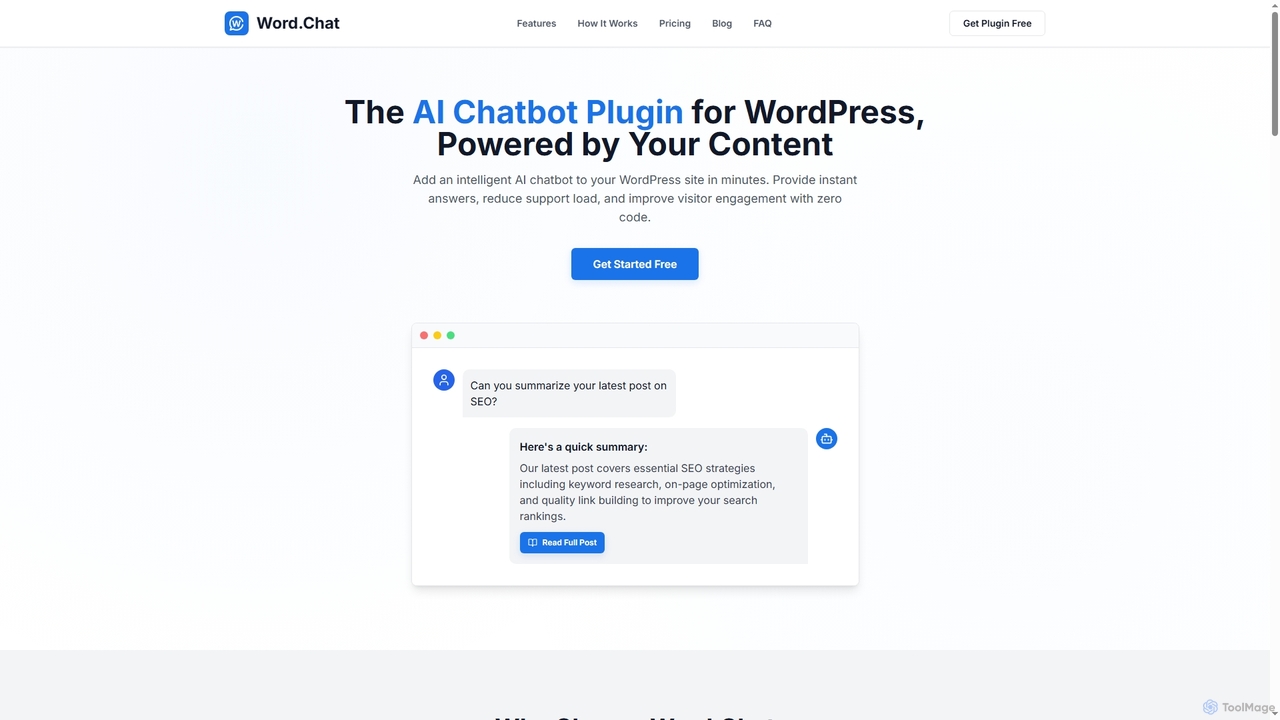
Word.Chat is an AI-powered WordPress plugin that integrates an intelligent chatbot directly into your website. It's trained on your site's content to deliver instant, accurate answers, significantly reducing support load and enhancing visitor engagement with a zero-code setup.

Wordpress Plugins
Visits 4.3KFavorites 95Likes 107

About Chatbot

Chatbots are AI-powered conversational interfaces designed to simulate human-like interactions on websites and messaging platforms. They leverage Natural Language Processing (NLP) to understand user queries, provide instant answers, and execute tasks automatically. As a key component of modern website tools, chatbots automate customer support, generate leads, and guide users 24/7. Unlike static forms or FAQs, they offer dynamic, personalized engagement that improves user experience and operational efficiency.

Core Features

  • Natural Language Processing (NLP): Understands and interprets user intent, slang, and typos in conversations.
  • 24/7 Automated Support: Provides instant, consistent responses to common questions at any time of day.
  • Lead Generation & Qualification: Engages website visitors, collects contact information, and qualifies leads through conversation.
  • Backend Integration: Connects with CRM, helpdesk, and other business systems to perform actions and retrieve data.
  • Customizable Conversation Flows: Allows designing specific dialogue paths for different user journeys without extensive coding.

Applicable Scenarios

Chatbots are widely used across various industries. In e-commerce, they assist with order tracking and product recommendations. For B2B companies, they qualify sales leads and schedule demos. In customer service, they handle a high volume of initial inquiries, freeing up human agents for more complex issues.

Selection Criteria

When choosing a chatbot, consider its core technology (rule-based vs. AI-powered) based on your needs. Evaluate its integration capabilities with your existing software stack (e.g., CRM, Shopify). Assess the ease of use of its conversation builder and the quality of its analytics for measuring performance.

Featured tool rankings

Chatbot use cases

1

Automate E-commerce Order & Shipping Inquiries

An e-commerce store manager often handles repetitive questions like 'Where is my order?'. A chatbot integrated with the store's backend (e.g., Shopify) can instantly answer these queries. When a user provides their order number, the bot retrieves and displays the real-time shipping status, tracking link, and estimated delivery date. This approach can deflect up to 70% of common support tickets, freeing up human agents for complex issues and improving customer satisfaction with immediate answers.

2

Qualify B2B Website Leads 24/7

A marketing team at a SaaS company needs to capture and qualify leads from their website, even outside business hours. A chatbot can engage visitors proactively, asking qualifying questions like company size, role, and specific needs. Based on the answers, it can identify high-intent leads, schedule a demo directly on a sales representative's calendar, or route the conversation to the appropriate team. This shortens the sales cycle and ensures no potential lead is lost.

3

Guide New Users Through Software Onboarding

A product manager for a complex web application wants to improve user activation rates. An in-app chatbot can act as an interactive guide. It can proactively point out key features, answer 'how-to' questions in context, and walk users through their first critical tasks step-by-step. This provides a personalized onboarding experience, reduces initial user friction, and helps users discover the product's value faster without needing to read lengthy documentation.

4

Conduct Conversational Customer Feedback Surveys

Instead of using static forms, a customer experience manager can deploy a chatbot to collect feedback in a more engaging way. After a purchase or support interaction, the chatbot can initiate a conversation, asking for ratings and open-ended feedback. The conversational format feels more natural, leading to higher completion rates and more detailed qualitative insights compared to traditional email surveys. The data can be automatically tagged and sent to a central analytics platform.

5

Provide Instant Answers to Internal HR Questions

An HR department is frequently asked the same questions about company policies, vacation days, and benefits. An internal chatbot on the company intranet or Slack can serve as an instant knowledge base. Employees can ask questions in natural language, and the bot provides accurate, pre-approved answers immediately. This reduces the burden on the HR team, empowers employees with self-service information, and ensures consistent communication of company policies.

6

Automate Appointment Booking for Service Businesses

For businesses like clinics, salons, or consultancies, a chatbot on their website can handle appointment scheduling. It can show available time slots, collect necessary client information (name, contact, service required), and confirm the booking directly within the chat interface. It can also send automated reminders. This streamlines the booking process, reduces no-shows, and allows staff to focus on serving clients rather than managing phone calls and emails.

Chatbot FAQ

What is a Chatbot?

A chatbot is an AI software that simulates human conversation through text or voice on websites, apps, and messaging platforms. Its core function is to understand user queries using Natural Language Processing (NLP) and provide automated responses, perform tasks, or guide users. They are commonly used for 24/7 customer support, lead generation, and providing instant information, making them a versatile website tool.

How do I choose the right chatbot for my website?

To choose the right chatbot, consider these factors:

  • Purpose: Define your primary goal (e.g., support, sales, information). This determines the features you need.
  • AI vs. Rule-Based: AI chatbots handle complex, varied queries, while rule-based bots are better for simple, predictable FAQs.
  • Integrations: Ensure it connects with your essential tools like CRM, helpdesk, or e-commerce platform to automate workflows.
  • Ease of Use: Look for a no-code or low-code builder if you don't have a development team to simplify setup and maintenance.
What is the difference between a chatbot and live chat?

The main difference is automation. A chatbot is an automated program that provides instant, 24/7 responses without human intervention. Live chat involves a real human agent talking to a customer in real-time. Chatbots excel at handling high volumes of repetitive questions and are always available. Live chat is better for resolving complex, nuanced, or empathetic issues. Many platforms offer a hybrid approach where a chatbot handles initial queries and can escalate to a live agent if needed.

What are the key features of a modern AI chatbot?

Modern AI chatbots typically include several key features:

  • Natural Language Processing (NLP): The ability to understand user intent, context, and variations in language.
  • Omnichannel Support: Can be deployed across multiple platforms like websites, Facebook Messenger, and WhatsApp.
  • Proactive Engagement: Can initiate conversations with website visitors based on their behavior (e.g., time on page).
  • Backend Integrations: Connects to other software to pull data (like order status) or push data (like new leads).
Who should use a chatbot on their website?

Chatbots are valuable for a wide range of businesses. E-commerce stores use them to answer order questions and recommend products. SaaS companies use them to qualify leads and onboard new users. Educational institutions use them to answer admission queries. Essentially, any website with significant visitor traffic and repetitive inquiries can benefit from a chatbot to improve efficiency and user experience by providing instant, 24/7 assistance.