ToolMage
Sign in

AI TOOL COMPARISON

Angular vs Dyad

What is the difference, and which fits your workflow? Compare features, usage, pricing models and traffic side by side.

Jump to key differences

Product overview

Angular Product overview

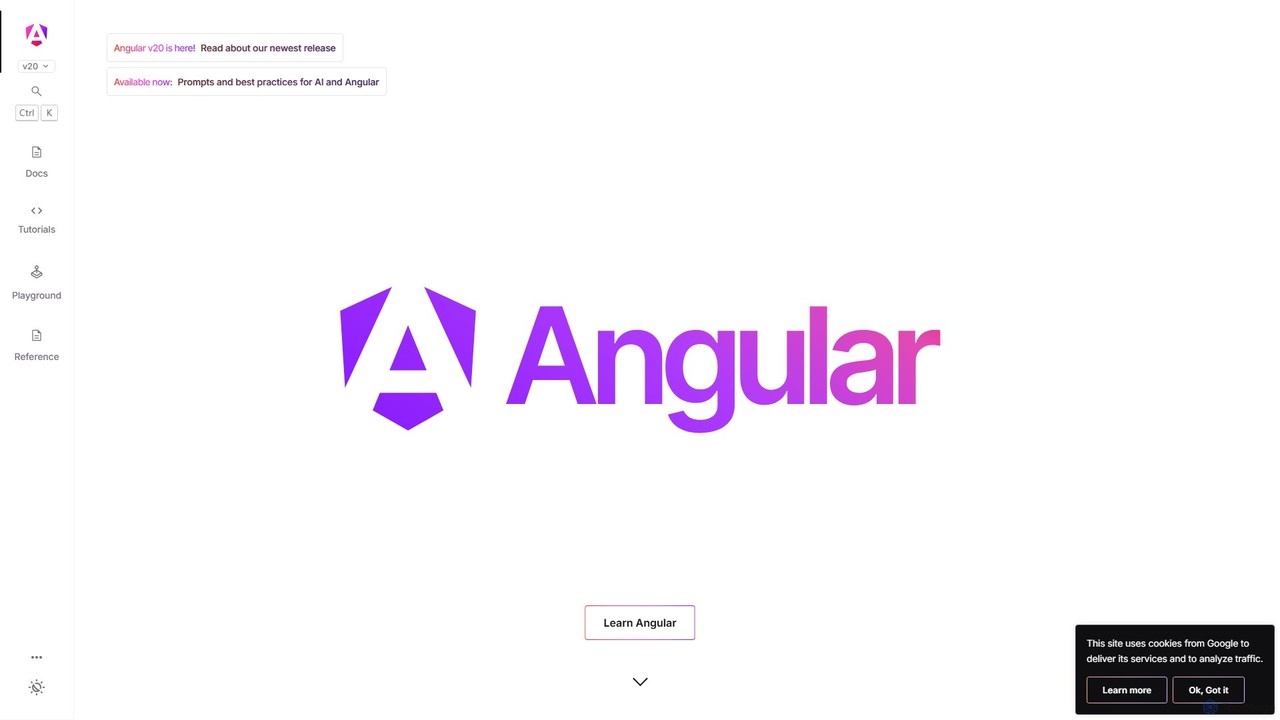
Angular is a powerful, open-source web application framework led by the Angular Team at Google. It empowers developers to build scalable, high-performance single-page applications (SPAs) using TypeScript and a component-based architecture. With a comprehensive ecosystem including a powerful CLI, built-in state management, and advanced tooling, Angular is ideal for creating complex enterprise-grade applications.

Preview

Dyad Product overview

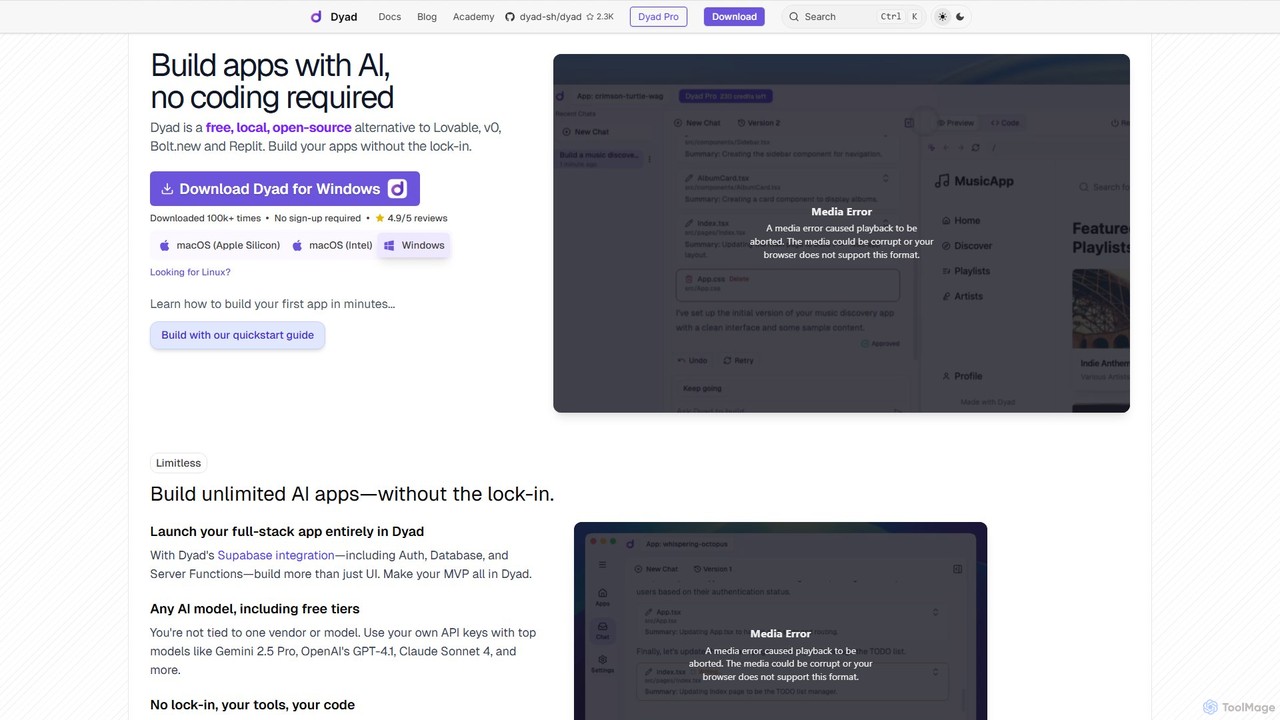
Dyad is a free, local, and open-source AI app builder that allows you to create full-stack applications without coding. It runs directly on your machine, ensuring privacy and no vendor lock-in, while supporting various AI models like GPT-4, Gemini, and local models via Ollama.

Preview

Quick facts

Compare product focus, pricing models and audiences. Highlighted rows indicate different listed information; unknown pricing does not mean free.

Angular VS Dyad — Quick facts
Quick factsAngularDyad
Pricing modelFreeFreemium
Product typeWebApp
Primary focusFrameworkLow Code No Code
Audience and rolesNo data availableNo data available
CategoriesFramework · Web DevelopmentLow Code No Code · Web Development · App Builder
AddedAug 1, 2025Aug 11, 2025
UpdatedNov 19, 2026Nov 19, 2026

Features, usage and use cases

Explore the listed product descriptions, features and workflows. Taxonomy labels alone are not feature evaluations.

Angular

Angular is a development platform and framework for building efficient and sophisticated single-page applications. Maintained by a dedicated team at Google and a vibrant open-source community, Angular provides a structured, opinionated approach to web development that ensures scalability and maintainability. It leverages TypeScript, a superset of JavaScript, to provide robust typing and tooling, which helps in building large-scale applications with fewer errors.

The framework is built on a component-based architecture, where applications are composed of encapsulated, reusable components. This modular approach simplifies development, testing, and maintenance. Angular's latest versions have introduced significant performance improvements, including a new fine-grained reactivity model with Signals, which simplifies state management and boosts rendering speed. It also offers advanced features like server-side rendering (SSR), static site generation (SSG), and declarative lazy loading with `@defer` blocks, enabling developers to build exceptionally fast and SEO-friendly websites.

How to use Angular

Getting started with Angular is streamlined thanks to the Angular CLI (Command Line Interface). First, ensure you have Node.js and npm installed. Then, install the Angular CLI globally by running npm install -g @angular/cli in your terminal. Once installed, you can create a new project with ng new my-app, which sets up a complete starter project with all the necessary configurations. Navigate into your new project directory (cd my-app) and run ng serve to start a local development server with live reloading. From there, you can start building your application by creating new components (ng generate component my-component), services, and routes. The official website, angular.dev, offers comprehensive tutorials and in-depth documentation to guide you through every feature, from basic concepts to advanced topics like dependency injection, routing, and animations.

Core Features of Angular

  • Component-Based Architecture: Build encapsulated components that manage their own templates, data, and logic, promoting reusability and organization.
  • Fine-Grained Reactivity with Signals: A modern state management system that tracks where and how state is used, enabling highly optimized and fast UI updates.
  • Powerful CLI: The Angular CLI automates development tasks like project creation, code generation, testing, building, and deployment.
  • Integrated Tooling: Includes first-party libraries for routing, forms management (template-driven and reactive), and a robust HTTP client.
  • Server-Side Rendering (SSR) & SSG: Improve performance and SEO by pre-rendering pages on the server or at build time, with seamless hydration on the client.
  • Built-in Internationalization (i18n): Tools to make your application accessible to a global audience by easily translating and formatting content.
  • Advanced Security: Built-in protections against common web vulnerabilities like cross-site scripting (XSS) and cross-site request forgery (CSRF).
  • Angular DevTools: A browser extension for debugging and profiling applications, providing insights into component structure and performance.
  • AI Integration: Provides prompts and best practices for integrating AI and Large Language Models (LLMs) into your Angular applications, streamlining development and enabling new features.

Use Cases for Angular

Angular's robust and scalable nature makes it an excellent choice for a wide range of applications. It is particularly well-suited for large-scale, complex enterprise applications, such as internal dashboards, customer relationship management (CRM) systems, and data analytics platforms. Many of Google's own large products, like Google Cloud and Google Fonts, are built with Angular. It is also a great choice for building sophisticated Single-Page Applications (SPAs) that require rich interactivity and complex state management. Furthermore, with its support for Progressive Web Apps (PWAs), developers can use Angular to create reliable, fast, and engaging web experiences that work offline and can be installed on a user's device.

Advantages of Angular

The primary advantage of Angular is its comprehensive and opinionated nature. It provides a complete solution out-of-the-box, reducing the need to piece together multiple third-party libraries for routing, state management, or data fetching. This leads to a more consistent and stable development experience, especially in large teams. Being backed by Google ensures long-term support (LTS), predictable release schedules, and thorough testing against Google's massive codebase. The use of TypeScript enhances code quality and maintainability. The powerful CLI and integrated tools significantly boost developer productivity, while features like SSR and fine-grained reactivity ensure top-tier application performance.

Pricing and Plans

Angular is a completely free and open-source framework, distributed under the MIT license. There are no fees, subscriptions, or hidden costs associated with using the framework itself. You can freely use it for personal, commercial, or enterprise projects. The entire ecosystem, including the Angular CLI, documentation, and first-party libraries, is available at no cost.

Dyad

Dyad is a revolutionary AI-powered application builder designed for developers and creators who value privacy, ownership, and flexibility. As a free, local, and open-source alternative to cloud-based platforms like Lovable and v0, Dyad empowers you to build unlimited full-stack applications directly on your computer. This local-first approach eliminates vendor lock-in and ensures that your source code and data remain private and secure on your machine.

With Dyad, the app creation process is as simple as having a conversation. You describe the application you want to build in a chat interface, and Dyad's AI engine generates the necessary code. You can then preview the changes in real-time, approve the code, and see your app come to life. This seamless workflow makes it an ideal tool for rapid prototyping, building Minimum Viable Products (MVPs), and creating custom internal tools without writing a single line of code.

How to use Dyad

Getting started with Dyad is a straightforward process designed to get you building in minutes:

  1. Download and Install: Download the Dyad application for your operating system (macOS or Windows) from the official website.
  2. Initial Setup: The app will guide you through two essential setup steps: installing Node.js (the JavaScript runtime for your apps) and setting up AI access.
  3. Connect AI Models: Provide your own API keys for leading AI models like Google's Gemini, OpenAI's GPT-4, or Anthropic's Claude. Dyad also supports local models through Ollama for complete offline functionality and data privacy.
  4. Start Building: In the chat input, describe the app or feature you want to create. For example, 'Create a to-do list app with a button to add new tasks.'
  5. Review and Approve: Dyad's AI will generate the code. Once you approve it, the code is saved to your local machine, and a live preview of your application appears instantly.
  6. Iterate and Refine: Continue chatting with the AI to add more features, modify the design, or debug issues. You can also open the source code in your favorite IDE (like VS Code) for advanced customization.
  7. Deploy: Once your app is ready, you can use the provided guides to publish it using services like GitHub and Vercel.

Core Features of Dyad

  • Local & Open-Source: Runs entirely on your machine, giving you full control, privacy, and speed. The open-source nature ensures transparency and community-driven development.
  • No-Code AI App Generation: Build applications by describing them in natural language through a chat interface.
  • Full-Stack Capabilities: Integrates seamlessly with Supabase for backend features like authentication, databases, and server functions, allowing you to build more than just UIs.
  • AI Model Flexibility: Bring your own API keys for popular models (Gemini, GPT-4, Claude) or connect to local models via Ollama. You are never tied to a single AI vendor.
  • Complete Code Ownership: All generated source code is stored locally on your computer. You own it and can modify it with your preferred tools.
  • Real-Time Preview: Instantly see the results of your prompts and edits in a live preview panel.
  • Cross-Platform: Available for both Windows and macOS (Apple Silicon and Intel).
  • Active Community: Strong support and engagement through Reddit and GitHub, where user feedback directly influences the product roadmap.

Use Cases for Dyad

Dyad is versatile and can be used by a wide range of users, from non-developers to seasoned programmers:

  • Rapid Prototyping: Quickly build and visualize UI/UX concepts for web applications.
  • MVP Development: Create and launch a fully functional Minimum Viable Product (MVP) for your startup idea, complete with a backend and database.
  • Internal Tools: Develop custom applications for your business, such as dashboards, data entry forms, or internal portals.
  • Personal Projects: Build fun and useful apps, like the poker game mentioned by a user, or a personal finance tracker.
  • Learning and Experimentation: An excellent tool for those new to development to understand how applications are built by observing the AI-generated code.

Advantages of Dyad

Dyad stands out from other AI builders due to its core principles:

  • No Vendor Lock-In: As an open-source, local tool, you are free to use, modify, and move your projects without being tied to a proprietary platform.
  • Enhanced Privacy and Security: Since everything runs locally, your sensitive data and proprietary code never leave your machine.
  • Unmatched Speed and Responsiveness: The local environment eliminates network latency, providing an instant and fluid user experience.
  • Cost-Effective: The generous free plan and the ability to use free tiers of AI models make it highly accessible. You only pay for what you use.
  • True Ownership: You are not 'renting' a platform; you are the true owner of the builder and the code it produces.

Pricing and Plans

Dyad offers flexible plans to suit different needs, with a commitment to keeping the core product free and open-source.

  • Dyad Free: Perfect for getting started. It includes the full local, open-source AI App Builder, is downloadable for macOS & Windows, requires no sign-up, and allows you to bring your own API key. Support is available through the community.
  • Dyad Pro ($30/month): Unlocks powerful features for professional builders. Includes everything in the Free plan, plus exclusive AI Pro modes, 300 AI credits per month, direct support from the creator, and full access to the Dyad Academy.
  • Dyad Max ($79/month): Designed for building large, complex applications. Includes everything in the Pro plan, but with 900 AI credits per month (a 12% saving compared to Pro) and the ability to reload credits at any time.

Positioning

Their taxonomy shows where the products overlap and where each one has a more distinct focus. Unknown fields are shown explicitly and are never filled with assumptions.

Categories

Shared
Web Development
Only Angular
Framework
Only Dyad
Low Code No CodeApp Builder

Tags

Shared
open sourceweb development
Only Angular
component-basedframeworkfrontendgooglejavascriptsingle page applicationtypescriptweb app
Only Dyad
AI developer toolapp builderfull-stacklocal AIlow-codeno-codeOllamaprivacySupabase

Audience and roles

Shared
No listed items
Only Angular
No listed items
Only Dyad
No listed items

Traffic comparison

Traffic is shown on the same scale so differences in market visibility are not visually understated.

How to interpret the traffic data

Both charts share the same months and vertical scale. Each tool identifies its latest reporting month; missing months are left blank, not counted as zero. Regional and source visit counts are estimates calculated from the reported shares.

Angular monthly traffic:

Latest traffic · 2026-05

Monthly visits
1.1M
Avg. visit duration
2:48
Pages per visit
3.28
Bounce rate
44.54%
Data updated 2026-06-15

Monthly traffic trend

  • 2025-09: 1.6M
  • 2026-01: 1.5M
  • 2026-02: 1.4M
  • 2026-03: 1.4M
  • 2026-04: 1.2M
  • 2026-05: 1.1M

Top regions

Top 5 countries/regions
Country/regionPercentageEstimated visits
🇺🇸United States31.49%335.3K
🇮🇳India29.05%309.4K
🇩🇪Germany17.84%190K
🇵🇱Poland10.89%116K
🇷🇺Russia10.73%114.3K

Traffic sources

Source typePercentageEstimated visits
Direct72.47%771.7K
Referral25.98%276.7K
Email1.55%16.5K

Search keywords

angularangular cliangular materialangular versionsmaterial angular

Dyad monthly traffic:

Latest traffic · 2026-05

Monthly visits
245.1K
Avg. visit duration
0:31
Pages per visit
1.83
Bounce rate
44.69%
Data updated 2026-06-11

Monthly traffic trend

  • 2025-09: 276.9K
  • 2026-01: 325.6K
  • 2026-02: 238.3K
  • 2026-03: 248.3K
  • 2026-04: 250.2K
  • 2026-05: 245.1K

Top regions

Top 5 countries/regions
Country/regionPercentageEstimated visits
🇺🇸United States27.71%67.9K
🇮🇳India23.04%56.5K
🇧🇷Brazil21.5%52.7K
🇬🇧United Kingdom17.28%42.4K
🇮🇹Italy10.47%25.7K

Traffic sources

Source typePercentageEstimated visits
Direct86.11%211K
Referral13.03%31.9K
Email0.86%2.1K

Search keywords

ai app builder open sourcedayaddyaddyad aifree software builder ai

Community signals

Ratings, comments, favorites, and likes are community signals—not a substitute for product fit.

Angular

Rating
No data available
Comments
0
Favorites
172
Likes
180

Dyad

Rating
No data available
Comments
0
Favorites
143
Likes
139

Angular vs Dyad · Comparison FAQ

What do Angular and Dyad have in common?
Both tools are listed under Web Development. These categories indicate overlapping use cases; compare their detailed descriptions for workflows, capabilities and limitations.
Are Angular and Dyad free?
Listed pricing models: Angular — Free; Dyad — Freemium. Missing pricing is not proof of a free plan, and freemium does not mean every feature is free. Check official sites for current plans, limits and trials.
How should I choose between Angular and Dyad?
The primary listed category is Framework for Angular, and Low Code No Code for Dyad. Compare features, steps and use cases, then verify pricing, data permissions and deployment needs. This page does not include hands-on testing and does not declare a winner from traffic or tags.

Sources and comparison methodology

This page is assembled from ToolMage product listings, taxonomy, traffic statistics and on-site user feedback. It is not a hands-on test or an independent review.
  • Feature and plan descriptions reflect information in the listings, not real-time guarantees. Verify pricing, quotas, availability and privacy terms on the official sites.
  • Traffic uses the reporting months shown. Missing statistics do not mean zero visits, and different periods do not establish growth or superiority. Regional and source visit counts are estimates based on shares.
  • Different tags indicate differences in the listings, not proof that the other product lacks a capability. Ratings, favorites and visits are not used to declare a winner.

Related comparisons