ToolMage
Sign in

AI TOOL COMPARISON

Baseten vs Tensorfuse

What is the difference, and which fits your workflow? Compare features, usage, pricing models and traffic side by side.

Jump to key differences

Product overview

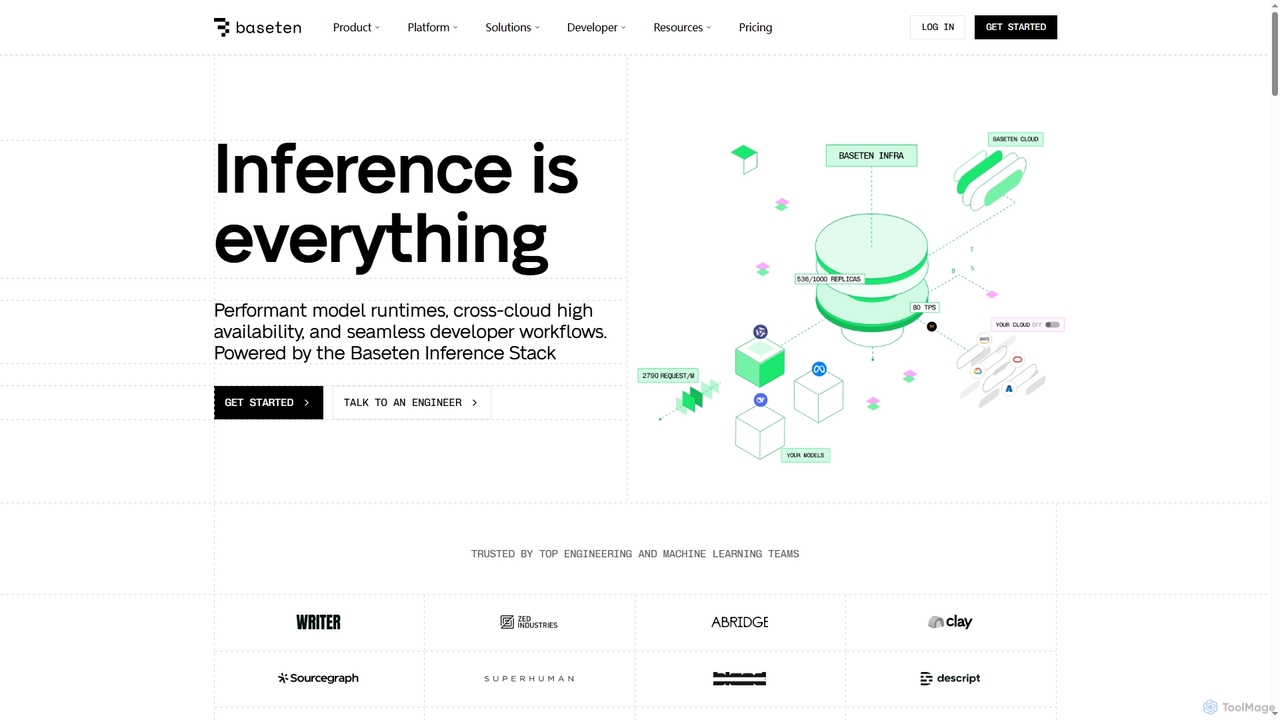
Baseten Product overview

Baseten is a production-grade inference platform for deploying, scaling, and managing AI models. It offers high-performance runtimes, seamless developer workflows, and flexible deployment options (cloud, self-hosted, hybrid). Ideal for engineering and ML teams building mission-critical AI applications.

Preview

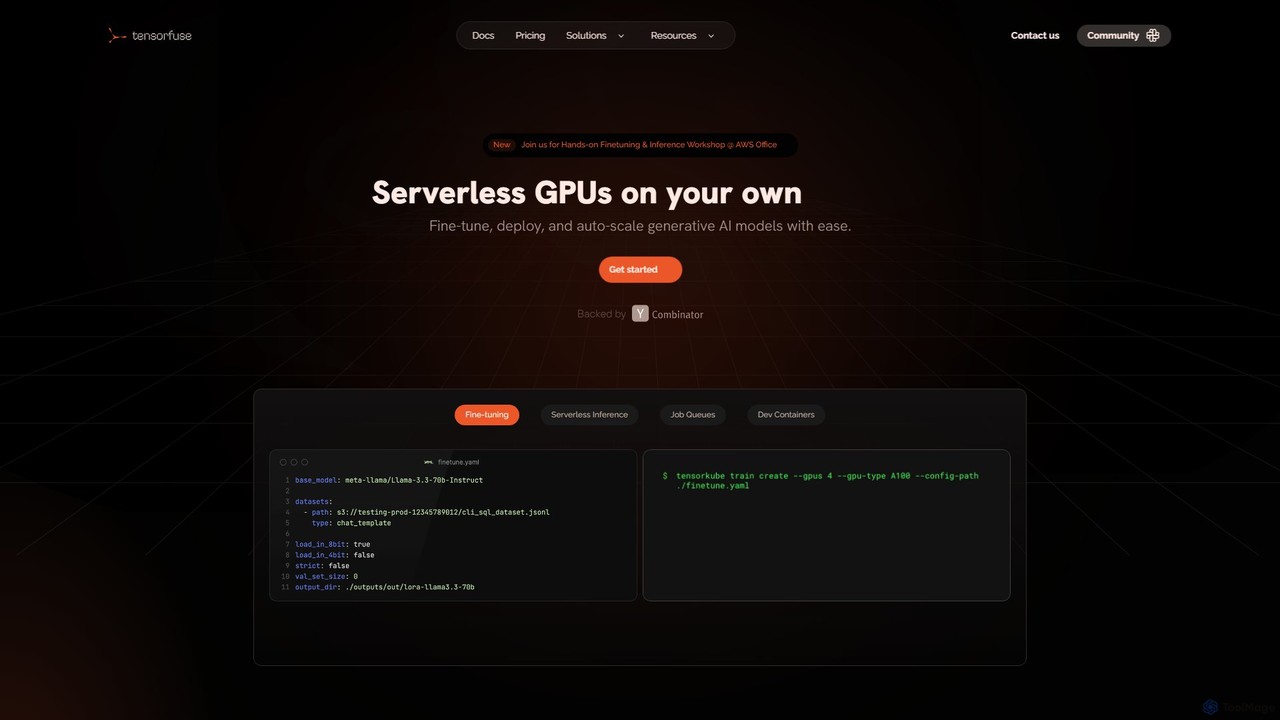
Tensorfuse Product overview

Tensorfuse is a serverless GPU platform that allows developers to fine-tune, deploy, and auto-scale generative AI models on their own AWS cloud. It simplifies infrastructure management, offering features like serverless inference, job queues, and dev containers to accelerate development, reduce costs, and eliminate DevOps overhead.

Preview

Quick facts

Compare product focus, pricing models and audiences. Highlighted rows indicate different listed information; unknown pricing does not mean free.

Baseten VS Tensorfuse — Quick facts
Quick factsBasetenTensorfuse
Pricing modelFreemiumFreemium
Product typeWebWeb
Primary focusDeploymentDeployment
Audience and rolesAI Researcher · CTO · Data Scientist · Machine Learning Engineer · Product Manager · Software DeveloperNo data available
CategoriesDeployment · Machine Learning · Cloud ComputingDeployment · Mlops · Cloud Computing
AddedNov 1, 2025Aug 15, 2025
UpdatedNov 19, 2026Nov 19, 2026

Features, usage and use cases

Explore the listed product descriptions, features and workflows. Taxonomy labels alone are not feature evaluations.

Baseten

Baseten is a comprehensive platform designed to deploy, serve, and scale AI models in production environments. It provides the necessary infrastructure, tooling, and expertise to bring AI products to market quickly and efficiently. Powered by the Baseten Inference Stack, it delivers performant model runtimes, cross-cloud high availability, and a developer-centric experience for mission-critical inference workloads.

How to use Baseten

1. Choose your deployment method: Utilize the Model APIs for instant access to pre-optimized models for prototyping, or create a Dedicated Deployment for custom, fine-tuned, or open-source models.
2. Package your model using Truss, Baseten's open-source standard, which supports any machine learning framework.
3. Deploy your model to your preferred environment: Baseten's fully-managed cloud, your own VPC for self-hosting, or a hybrid setup that combines both.
4. Scale your application automatically based on traffic, benefiting from features like fast cold starts and 99.99% uptime.
5. Optionally, leverage Baseten's inference-optimized infrastructure to train your models for the best possible production performance.

Core Features of Baseten

  • Baseten Inference Stack: A high-performance engine with custom kernels, advanced caching, and the latest decoding techniques for lower latency and higher throughput.
  • Flexible Deployment Options: Choose between Baseten Cloud (fully-managed), Self-hosted (in your VPC), and Hybrid deployments to meet security and performance needs.
  • Broad Model Support: Deploy any custom, proprietary, or open-source model, including LLMs, image generation models (like ComfyUI workflows), transcription, and text-to-speech.
  • Production-Ready Model APIs: Instantly access and evaluate a library of popular models like DeepSeek, Kimi, and Qwen with production-grade performance.
  • Cloud-Native Infrastructure: Features auto-scaling, global region support across any cloud provider, blazing-fast cold starts, and a 99.99% uptime guarantee.
  • Compound AI Chains: Enables granular hardware control and autoscaling for complex, multi-model AI workflows, improving GPU utilization and reducing latency.
  • Expert Engineering Support: Access to forward-deployed engineers for hands-on assistance from prototype to production.

Use Cases for Baseten

Baseten is ideal for building demanding, real-time AI applications. Use cases include powering low-latency AI phone agents, developing generative AI products for image and text creation, serving high-throughput embedding models for search and retrieval, and deploying custom-built LLMs for specialized industries like finance and healthcare.

Advantages of Baseten

The primary advantages of Baseten are its exceptional performance, cost-efficiency, and scalability. By optimizing the entire inference stack, it significantly reduces latency and increases throughput, as demonstrated by helping clients like Bland AI achieve sub-400ms response times. Its pay-for-what-you-use model eliminates costs for idle time, while traffic-based autoscaling ensures reliability during rapid growth. The platform is also SOC 2 Type II certified and HIPAA compliant, ensuring enterprise-grade security.

Pricing and Plans

Baseten offers a tiered pricing structure designed for growth:
- Basic: A pay-as-you-go plan starting at $0 per month. It includes access to Dedicated Deployments, Model APIs, fast cold starts, and is SOC 2 Type II and HIPAA compliant.
- Pro: A custom-quoted plan that adds priority access to high-demand GPUs, dedicated compute, higher rate limits, and hands-on support via Slack and Zoom.
- Enterprise: A custom-quoted plan for full control, offering self-hosting in your VPC, custom SLAs, advanced security, and the ability to use existing cloud commitments.

Usage is billed based on two models:
- Model APIs: Priced per 1 million input and output tokens. For example, Kimi K2 costs $0.60/1M input tokens and $2.50/1M output tokens.
- Dedicated Deployments: Billed per minute of compute time. For instance, an A10G GPU instance is priced at $0.02012 per minute, and an H100 GPU is $0.10833 per minute.

Tensorfuse

Tensorfuse provides a powerful platform for developers and organizations to manage serverless GPUs directly on their own AWS cloud infrastructure. It is designed to streamline the entire lifecycle of generative AI models, from fine-tuning and experimentation to deployment and auto-scaling in production. By abstracting away the complexities of Kubernetes, Docker, and infrastructure provisioning, Tensorfuse allows teams to focus on building AI applications, significantly reducing time-to-market and operational costs.

The platform is built to offer the best of both worlds: the simplicity of a serverless architecture and the security and control of running on your private cloud. This means your proprietary data and model weights never leave your private S3 buckets, ensuring maximum security and compliance. Tensorfuse is engineered for efficiency, with an optimized container runtime that enables fast cold starts for heavy GPU workloads, allowing services to scale from zero in seconds.

How to use Tensorfuse

Getting started with Tensorfuse is designed to be a straightforward process:

  1. Sign Up & Connect AWS: Begin by signing up for a plan (including a free 'Hacker' tier) and connecting your AWS account. Tensorfuse will then set up the necessary resources within your cloud environment.
  2. Use Dev Containers for Experimentation: Connect your local IDE (like VS Code) directly to a cloud GPU using Tensorfuse's Dev Containers. This eliminates the need for SSH, code copying, and dependency management. Any changes to your local code are instantly synced, allowing for rapid real-time experimentation.
  3. Fine-tune Models: Utilize popular training libraries like Axolotl, Unsloth, or Hugging Face to fine-tune open-source models on your proprietary datasets. You can also write custom training loops. The platform handles the underlying GPU provisioning and management.
  4. Deploy for Inference: Deploy your trained or pre-trained models as serverless endpoints. These endpoints automatically scale based on incoming traffic, from zero to handle high concurrency, ensuring cost-efficiency and performance. Models can be exposed as OpenAI-compatible APIs.
  5. Manage with Job Queues: For asynchronous tasks like batch processing or offline inference, use the Job Queues feature. You can programmatically queue jobs, define minimum and maximum scaling parameters for efficient resource allocation, and monitor their status via a simple CLI command.

Core Features of Tensorfuse

  • Serverless Inference: Automatically scales GPU deployments in response to traffic, with fast cold boots (starting containers in seconds) and the ability to scale down to zero to save costs.
  • Efficient Fine-tuning: Securely fine-tune models on your private data using your cloud's S3. It offers flexible integration with popular frameworks like Axolotl and Huggingface.
  • Job Queues: Deploy and queue jobs programmatically for batch processing, with efficient resource allocation and cost control through configurable scaling.
  • Dev Containers: Connect local code to cloud GPUs without SSH for quick, iterative development and experimentation directly from your favorite IDE.
  • Multi-LoRA Inference: Out-of-the-box support to train and hot-swap thousands of LoRA adapters on a single GPU, maximizing hardware utilization and reducing inference costs.
  • Broad Hardware Support: Run workloads on a variety of hardware, including NVIDIA GPUs (A10G, A100, H100), AWS Trainium/Inferentia chips, TPUs, and FPGAs.
  • Private Cloud Security: All data, datasets, and model weights remain within your private AWS S3 buckets, ensuring full control and security.

Use Cases for Tensorfuse

Tensorfuse is ideal for a wide range of AI/ML applications:

  • Startups and Small Teams: Rapidly build and deploy AI-powered features without a dedicated DevOps team, moving from idea to production 20x faster.
  • Large-Scale Inference: Serve generative AI models for applications with spiky or unpredictable traffic, paying only for the compute you use.
  • Custom Model Fine-tuning: Companies can fine-tune base models like Llama or Mistral on their proprietary data to create specialized, high-performing models for specific business needs.
  • Batch Processing Workloads: Efficiently run non-real-time tasks such as data analysis, report generation, or large-scale offline inference using the cost-effective job queue system.
  • ML Research and Experimentation: Researchers and ML engineers can use Dev Containers to quickly iterate on models without waiting for infrastructure setup.

Advantages of Tensorfuse

Users choose Tensorfuse for its significant benefits, including a reported 30% reduction in cloud GPU spending and a 20x faster time to production. It eliminates the need for complex, self-managed DevOps solutions, freeing up engineering resources. The platform provides the performance and scalability of a managed service with the security and cost benefits of running on your own cloud. Testimonials highlight the exceptional and responsive support team, which assists with migration and ongoing issues, making the onboarding process smooth and efficient.

Pricing and Plans

Tensorfuse offers a tiered pricing structure to suit different needs:

  • Hacker (Free): For indie developers and side projects. Includes 100 Managed GPU Hours (MGH), Serverless Inference, Dev Containers, and community support.
  • Starter ($249/month): For small teams. Includes 2,000 MGH, all Hacker features, plus Fine-tuning, GitHub Actions, Custom Domains, and private Slack support. A 14-day free trial is available.
  • Growth ($799/month): For scaling startups. Includes 5,000 MGH, all Starter features, plus Batch Jobs & Job Queues, Environments, Multi-LoRA inference, and premium support. A 14-day free trial is available.
  • Enterprise (Custom): For large organizations needing advanced features. Includes custom MGH with volume discounts, all Growth features, plus Role-Based Access Control (RBAC), SSO, enterprise-grade security (SOC2, HIPAA), and dedicated engineering support.
  • Startup Deal: Early-stage startups with less than $500K in funding may be eligible for 10,000 hours of free GPU compute management for 6 months.

Positioning

Their taxonomy shows where the products overlap and where each one has a more distinct focus. Unknown fields are shown explicitly and are never filled with assumptions.

Categories

Shared
DeploymentCloud Computing
Only Baseten
Machine Learning
Only Tensorfuse
Mlops

Tags

Shared
ai model deploymentcloud computinginferenceMLOpsserverless GPU
Only Baseten
developer toolsGPU infrastructureLLM hostingmachine learningmodel serving
Only Tensorfuse
awsdockerfine-tuninggenerative AIkubernetes

Audience and roles

Shared
No listed items
Only Baseten
AI ResearcherCTOData ScientistMachine Learning EngineerProduct ManagerSoftware Developer
Only Tensorfuse
No listed items

Traffic comparison

Traffic is shown on the same scale so differences in market visibility are not visually understated.

How to interpret the traffic data

Both charts share the same months and vertical scale. Each tool identifies its latest reporting month; missing months are left blank, not counted as zero. Regional and source visit counts are estimates calculated from the reported shares.

Baseten monthly traffic:

Latest traffic · 2026-05

Monthly visits
265.6K
Avg. visit duration
2:11
Pages per visit
4.02
Bounce rate
36%
Data updated 2026-06-15

Monthly traffic trend

  • 2025-09: No data available
  • 2026-01: 197.3K
  • 2026-02: 205K
  • 2026-03: 246.2K
  • 2026-04: 247.6K
  • 2026-05: 265.6K

Top regions

Top 5 countries/regions
Country/regionPercentageEstimated visits
🇺🇸United States70.97%188.5K
🇨🇦Canada8.11%21.5K
🇻🇳Vietnam7.87%20.9K
🇮🇳India7%18.6K
🇩🇪Germany6.05%16.1K

Traffic sources

Source typePercentageEstimated visits
Direct85.63%227.4K
Referral10.77%28.6K
Email3.6%9.6K

Search keywords

basetenbaseten careersfireworks aikimi aitogether ai

Tensorfuse monthly traffic:

Latest traffic · 2026-05

Monthly visits
6.7K
Avg. visit duration
1:01
Pages per visit
1.8
Bounce rate
44.71%
Data updated 2026-06-15

Monthly traffic trend

  • 2025-09: 10.1K
  • 2026-01: 5.4K
  • 2026-02: 4.2K
  • 2026-03: 4.9K
  • 2026-04: 5.3K
  • 2026-05: 6.7K

Top regions

Top 5 countries/regions
Country/regionPercentageEstimated visits
🇺🇸United States38.24%2.6K
🇻🇳Vietnam36.56%2.5K
🇮🇳India25.2%1.7K

Search keywords

aws serverless gpubrew install aws clillama.cpp serverlessllm inference servers compared: vllm vs tgi vs sglang vs tritontensorfuse

Community signals

Ratings, comments, favorites, and likes are community signals—not a substitute for product fit.

Baseten

Rating
No data available
Comments
0
Favorites
185
Likes
142

Tensorfuse

Rating
No data available
Comments
0
Favorites
170
Likes
144

Baseten vs Tensorfuse · Comparison FAQ

What do Baseten and Tensorfuse have in common?
Both tools are listed under Deployment、Cloud Computing. These categories indicate overlapping use cases; compare their detailed descriptions for workflows, capabilities and limitations.
Are Baseten and Tensorfuse free?
Listed pricing models: Baseten — Freemium; Tensorfuse — Freemium. Missing pricing is not proof of a free plan, and freemium does not mean every feature is free. Check official sites for current plans, limits and trials.
How should I choose between Baseten and Tensorfuse?
The primary listed category is Deployment for Baseten, and Deployment for Tensorfuse. Compare features, steps and use cases, then verify pricing, data permissions and deployment needs. This page does not include hands-on testing and does not declare a winner from traffic or tags.

Baseten · Comparison FAQ

What types of models can I deploy on Baseten?

You can deploy both open-source and custom models on Baseten. The platform supports any model built in any framework through Truss, its open-source standard for packaging and serving models. You can also start with off-the-shelf models from the Baseten model library.

Which GPUs are available on Baseten?

You have control over which GPUs your models use. Baseten provides a full list of currently available GPUs in its instance type reference. If you need a specific GPU type that is not listed, you can reach out to their team to request it.

Do I pay for idle time on Baseten?

No, you do not pay for idle time. You only pay for the time your model is actively using compute on Baseten, which includes when it is deploying, scaling up or down, or making predictions. You have full control over your model's scaling behavior.

Is Baseten secure?

Yes, Baseten is SOC 2 Type II certified and HIPAA compliant, ensuring it meets high standards for security and data protection suitable for enterprise and healthcare applications.

Can I deploy Baseten on my own infrastructure?

Yes, with the Enterprise plan, you can self-host Baseten in your own VPCs. This allows you to maintain full control over security, data residency, and use your existing cloud commitments.

Sources and comparison methodology

This page is assembled from ToolMage product listings, taxonomy, traffic statistics and on-site user feedback. It is not a hands-on test or an independent review.

  • Feature and plan descriptions reflect information in the listings, not real-time guarantees. Verify pricing, quotas, availability and privacy terms on the official sites.
  • Traffic uses the reporting months shown. Missing statistics do not mean zero visits, and different periods do not establish growth or superiority. Regional and source visit counts are estimates based on shares.
  • Different tags indicate differences in the listings, not proof that the other product lacks a capability. Ratings, favorites and visits are not used to declare a winner.

Related comparisons