ToolMage
Sign in

AI TOOL COMPARISON

BLACKBOX.AI vs Codespell

What is the difference, and which fits your workflow? Compare features, usage, pricing models and traffic side by side.

Jump to key differences

Product overview

BLACKBOX.AI Product overview

BLACKBOX.AI is an autonomous AI coding agent designed to accelerate software development. It helps developers write code faster, debug efficiently, and can even build full applications from images or text descriptions, integrating seamlessly with popular IDEs like JetBrains.

Preview

Codespell Product overview

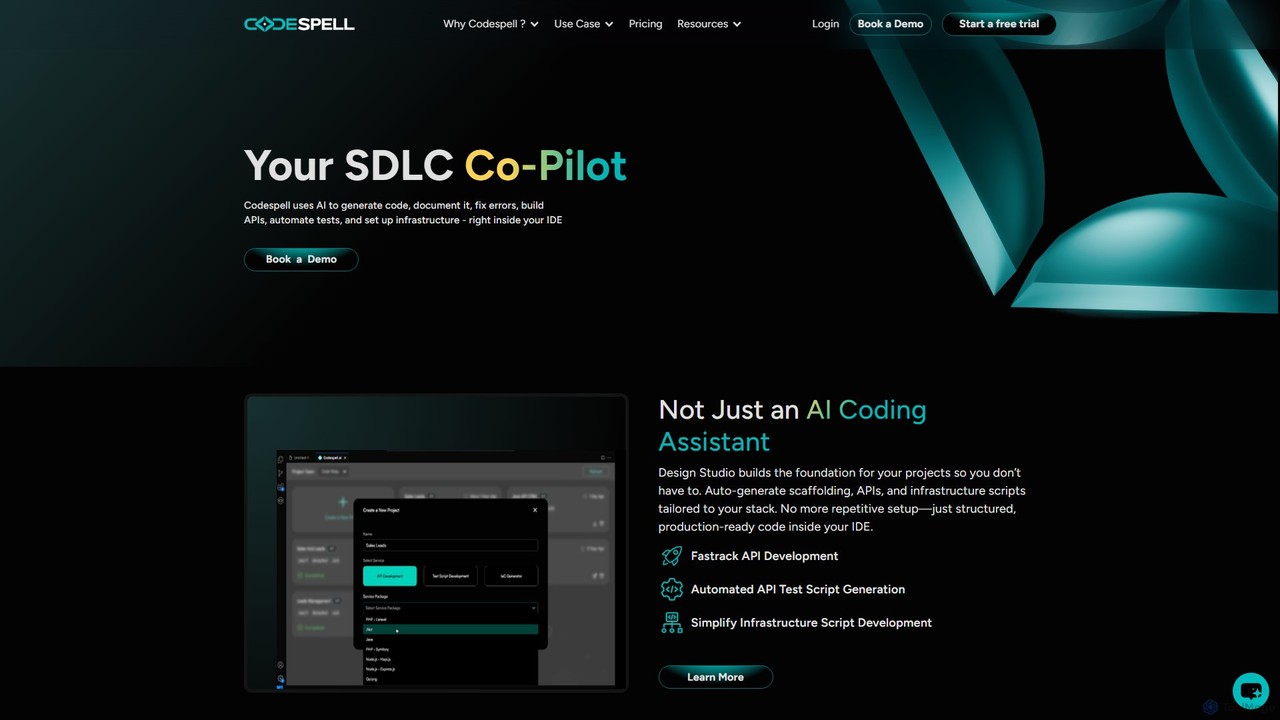
Codespell is an AI-powered SDLC co-pilot that integrates into your IDE to accelerate software development. It goes beyond code completion, helping generate code, create APIs, automate tests, document logic, and fix errors, streamlining the entire development lifecycle.

Preview

Quick facts

Compare product focus, pricing models and audiences. Highlighted rows indicate different listed information; unknown pricing does not mean free.

BLACKBOX.AI VS Codespell — Quick facts
Quick factsBLACKBOX.AICodespell
Pricing modelFreemiumFreemium
Product typeWebExtensions
Primary focusCode AssistantCode Assistant
Audience and rolesNo data availableNo data available
CategoriesCode Assistant · Low Code No Code · AutomationCode Assistant · Low Code No Code · Testing · Automation
AddedAug 12, 2025Aug 16, 2025
UpdatedNov 19, 2026Nov 19, 2026

Features, usage and use cases

Explore the listed product descriptions, features and workflows. Taxonomy labels alone are not feature evaluations.

BLACKBOX.AI

BLACKBOX.AI is a revolutionary AI-powered coding assistant designed to function as an autonomous partner for developers, significantly enhancing productivity and streamlining the entire software development lifecycle. It goes beyond simple code completion, offering a suite of advanced features that empower users to build, debug, and deploy software with unprecedented speed and efficiency. By understanding natural language prompts, analyzing images, and integrating directly into the developer's workflow, BLACKBOX.AI acts as a force multiplier for individuals and teams alike.

At its core, BLACKBOX.AI is built to understand complex requests and translate them into high-quality, production-ready code. Whether you need to generate a complex algorithm, create a boilerplate for a new project, or find a subtle bug in your existing codebase, the AI agent is equipped to handle the task. Its autonomous nature means it can perform deep research, reason through problems, and present complete solutions, not just snippets.

How to use BLACKBOX.AI

Getting started with BLACKBOX.AI is straightforward and designed for immediate integration into your existing habits. Here’s a typical workflow:

  1. Installation and Setup: Users can access BLACKBOX.AI through its web platform, a dedicated desktop application, or by installing the extension directly into their favorite IDE, such as those from the JetBrains suite (IntelliJ IDEA, PyCharm, etc.).
  2. AI Chat for Coding Assistance: Use the intuitive chat interface to ask any coding-related question. You can describe a function you need, paste an error message for debugging, or ask for an explanation of a complex code block. The AI provides detailed answers and code examples.
  3. Code Generation: Simply describe the functionality you want to build in plain English. For example, 'Create a Python script that scrapes a website and saves the data to a CSV file.' BLACKBOX.AI will generate the complete, executable code.
  4. Image to App: This is a standout feature. Upload a screenshot, wireframe, or UI design of an application. The AI agent will analyze the visual components and generate the corresponding frontend and backend code to create a functional application.
  5. Autonomous App Builder: For more complex projects, you can use the Auto App Builder. Provide a detailed description of your application's features, architecture, and user flow, and the AI agent will work autonomously to build the entire application, including file structures and dependencies.
  6. IDE Integration: When used within an IDE, BLACKBOX.AI can read your project's context, suggest relevant code, and help you refactor existing code seamlessly without leaving your development environment.

Core Features of BLACKBOX.AI

  • Autonomous AI Coding Agents: Intelligent agents that can understand high-level goals, conduct research, and write complete applications autonomously.
  • Image to App Builder: A groundbreaking feature that converts visual designs, screenshots, or wireframes directly into functional application code.
  • Natural Language to Code: Translate plain English descriptions into code in dozens of programming languages.
  • Seamless IDE Integration: Deep integration with popular IDEs like the JetBrains suite and VS Code, allowing for in-context code generation and assistance.
  • Deep Research and Problem-Solving: The AI can research external libraries, APIs, and documentation to solve complex programming challenges.
  • Multi-Model Support: Users can select from various advanced AI models to best suit their specific task, balancing speed and capability.
  • Full-Stack Application Generation: Capable of creating both frontend and backend code, including database schemas and API endpoints.
  • API Access: A robust API platform allows developers to integrate BLACKBOX.AI's capabilities into their own custom applications and workflows.

Use Cases for BLACKBOX.AI

BLACKBOX.AI is versatile and can be applied across various scenarios:

  • Rapid Prototyping: A product manager or developer can turn a UI mockup from Figma into a clickable prototype in minutes.
  • Accelerating Development: Senior developers can offload repetitive coding tasks, such as writing API clients or database models, to focus on complex business logic.
  • Learning and Education: Junior developers can use it as a learning tool to understand new programming languages, frameworks, and design patterns by seeing best-practice code generated instantly.
  • Debugging and Troubleshooting: Developers can paste error stacks or describe buggy behavior to get precise explanations and corrected code, significantly reducing debugging time.
  • Automation Scripting: System administrators and data scientists can quickly generate scripts for data processing, system maintenance, or workflow automation.

Advantages of BLACKBOX.AI

The primary advantage of BLACKBOX.AI is its ability to dramatically increase development velocity. By automating a significant portion of the coding process, it frees up developers to focus on creativity and high-level architecture. The 'Image to App' feature is a major differentiator, bridging the gap between design and development. Furthermore, its autonomous capabilities make it more than just a tool—it's a collaborative partner that can independently solve problems, reducing the cognitive load on developers and lowering the barrier to entry for creating complex software.

Pricing and Plans

BLACKBOX.AI operates on a freemium model, making it accessible to everyone while offering powerful features for professional users.

  • Free Plan: Ideal for students, hobbyists, and developers who want to try the core features. This plan typically includes a limited number of AI chat queries and basic code generation capabilities.
  • Pro Plan: Aimed at individual professional developers. This plan usually offers unlimited code generation, access to the most advanced AI models, higher priority processing, and full access to features like the Image to App builder.
  • Teams/Enterprise Plan: Designed for development teams and businesses. It includes all Pro features, plus collaborative tools, centralized billing, dedicated support, and options for on-premise deployment or enhanced security features.

Specific pricing details are available on the official website, but the tiered structure ensures that users can scale their usage as their needs grow.

Codespell

Codespell presents itself as a comprehensive AI Co-Pilot for the Software Development Life Cycle (SDLC), designed to significantly accelerate the journey from concept to deployment. Unlike standard AI coding assistants that focus solely on code completion, Codespell offers a holistic suite of tools that integrate directly into your development environment. It aims to reduce manual coding effort by 30-50% by automating repetitive and complex tasks across the development spectrum.

The platform is built on two core pillars: the Design Studio and the AI Coding Sidekick. The Design Studio acts as a foundational tool, automatically generating project scaffolding, APIs, and infrastructure scripts tailored to your specific technology stack. This eliminates the tedious setup phase, allowing developers to start with structured, production-ready code. The AI Coding Sidekick assists with day-to-day coding tasks through simple commands called "spells." These spells enable developers to instantly generate documentation, explain complex logic, refactor code for optimization, create unit tests, and clean up errors, all without leaving the IDE.

How to use Codespell

Using Codespell is designed to be a seamless part of a developer's existing workflow. First, you install the Codespell extension into your preferred IDE, such as VS Code, JetBrains, or Eclipse. Once integrated, you can interact with the AI in several ways:

  1. Inline Code Suggestions: As you type, Codespell provides intelligent, context-aware code completions to speed up writing.
  2. AI Chat & Spells: You can open a chat interface within the IDE to ask questions or use specific commands (spells). For example, highlighting a block of code and typing /doc will generate comprehensive documentation for it. Using /unit will create corresponding unit tests, and /optimize will suggest structural improvements.
  3. Design Studio: For new projects, you can use the Design Studio to define your requirements and technology stack. Codespell then generates the initial project structure, API endpoints, and infrastructure scripts, providing a solid foundation to build upon.
  4. Team Collaboration: Teams can save and share effective prompts and designs, ensuring consistency and leveraging collective knowledge across projects.

Core Features of Codespell

  • Design to Code (Design Studio): Automatically generates project scaffolding, APIs, and infrastructure scripts from design inputs, tailored to your tech stack.
  • AI Coding Sidekick: An in-IDE assistant that uses simple commands (spells) like /explain, /doc, /unit, /optimize, and /clear to perform complex tasks.
  • Automated Test Generation: Simplifies the creation of API test scripts and unit tests, improving code quality and coverage.
  • Intelligent Code Documentation: Automatically generates clear and concise documentation for your code, making it easier to maintain and understand.
  • Seamless IDE Integration: Works directly within popular IDEs including VS Code, JetBrains IDEs (like IntelliJ IDEA, PyCharm), and Eclipse.
  • Broad Tech Stack Support: Compatible with major languages and frameworks such as Java, .NET, Node.js, and PHP.
  • Team-Oriented Features: Includes a user management console, usage tracking reports, and the ability to share prompts and designs across teams.
  • Task Completions & Spell Credits: A system for handling complex generation tasks and design-to-code actions, with usage shared across team licenses.

Use Cases for Codespell

Codespell is valuable for individual developers, small teams, and large enterprises looking to boost productivity. Key use cases include:

  • Rapid Prototyping: Quickly scaffold new applications and APIs using the Design Studio to validate ideas faster.
  • Legacy Code Modernization: Use the /explain and /doc spells to understand and document old codebases before refactoring.
  • Improving Code Quality: Consistently apply best practices by using /optimize for code structure and /unit for test coverage.
  • Accelerating API Development: Automate the creation of API boilerplate code and corresponding test scripts.
  • Onboarding New Developers: Help new team members get up to speed faster by using Codespell to explain existing code logic and structures.

Advantages of Codespell

The primary advantage of Codespell is its focus on the entire SDLC, not just coding. By automating setup, documentation, and testing, it frees up developers to focus on building core features. Its deep integration into the IDE means less context-switching, leading to higher efficiency. The collaborative features make it a powerful tool for teams, ensuring consistency and shared standards. Finally, the promise of reducing manual coding effort by up to 50% presents a significant return on investment by accelerating delivery times and reducing development costs.

Pricing and Plans

Codespell offers a freemium model with a 1-month free trial to get started.

  • Starter Plan: Priced at $12 per user/month (billed annually). This plan includes unlimited inline AI code suggestions, chat & spells usage, local chat history, 10 Task Completions (coming soon), and the ability to save up to 10 prompts.
  • Growth Plan: Priced at $20 per user/month (billed annually). It includes everything in the Starter plan, plus an increased limit of 20 Task Completions, 5 Design Studio uses, saving up to 20 prompts, and team collaboration features for sharing designs.
  • Enterprise Plan: Custom pricing is available for large organizations requiring advanced security, support, and management features. Interested parties can book a demo for more details.

Usage counts for features like Task Completions and Design Studios are pooled and shared across the entire team for multi-license purchases.

Positioning

Their taxonomy shows where the products overlap and where each one has a more distinct focus. Unknown fields are shown explicitly and are never filled with assumptions.

Categories

Shared
Code AssistantLow Code No CodeAutomation
Only BLACKBOX.AI
No listed items
Only Codespell
Testing

Tags

Shared
code assistantcode generationIDE pluginsoftware development
Only BLACKBOX.AI
AI developerautonomous agentdebuggingimage to appjetbrainsprogramming
Only Codespell
api generationcode documentationcode optimizationdeveloper productivityjava.NETnode.jsphpsldcunit testing

Audience and roles

Shared
No listed items
Only BLACKBOX.AI
No listed items
Only Codespell
No listed items

Traffic comparison

Traffic is shown on the same scale so differences in market visibility are not visually understated.

How to interpret the traffic data

Both charts share the same months and vertical scale. Each tool identifies its latest reporting month; missing months are left blank, not counted as zero. Regional and source visit counts are estimates calculated from the reported shares.

BLACKBOX.AI monthly traffic:

Latest traffic · 2026-05

Monthly visits
3.9M
Avg. visit duration
3:37
Pages per visit
5.23
Bounce rate
36.46%
Data updated 2026-06-11

Monthly traffic trend

  • 2025-09: 9.6M
  • 2026-01: 5.2M
  • 2026-02: 5.5M
  • 2026-03: 5.6M
  • 2026-04: 5.1M
  • 2026-05: 3.9M

Top regions

Top 5 countries/regions
Country/regionPercentageEstimated visits
🇮🇳India37.7%1.5M
🇮🇩Indonesia25.11%978.6K
🇵🇭Philippines17.52%682.8K
🇧🇷Brazil10.02%390.5K
🇵🇰Pakistan9.65%376.1K

Traffic sources

Source typePercentageEstimated visits
Direct92.97%3.6M
Referral6.01%234.2K
Email1.02%39.8K

Search keywords

black boxblackboxblack box aiblackbox aiblackboxai

Codespell

No data available

Community signals

Ratings, comments, favorites, and likes are community signals—not a substitute for product fit.

BLACKBOX.AI

Rating
No data available
Comments
0
Favorites
182
Likes
177

Codespell

Rating
No data available
Comments
0
Favorites
190
Likes
205

BLACKBOX.AI vs Codespell · Comparison FAQ

What do BLACKBOX.AI and Codespell have in common?
Both tools are listed under Code Assistant、Low Code No Code、Automation. These categories indicate overlapping use cases; compare their detailed descriptions for workflows, capabilities and limitations.
Are BLACKBOX.AI and Codespell free?
Listed pricing models: BLACKBOX.AI — Freemium; Codespell — Freemium. Missing pricing is not proof of a free plan, and freemium does not mean every feature is free. Check official sites for current plans, limits and trials.
How should I choose between BLACKBOX.AI and Codespell?
The primary listed category is Code Assistant for BLACKBOX.AI, and Code Assistant for Codespell. Compare features, steps and use cases, then verify pricing, data permissions and deployment needs. This page does not include hands-on testing and does not declare a winner from traffic or tags.

Sources and comparison methodology

This page is assembled from ToolMage product listings, taxonomy, traffic statistics and on-site user feedback. It is not a hands-on test or an independent review.

  • Feature and plan descriptions reflect information in the listings, not real-time guarantees. Verify pricing, quotas, availability and privacy terms on the official sites.
  • Traffic uses the reporting months shown. Missing statistics do not mean zero visits, and different periods do not establish growth or superiority. Regional and source visit counts are estimates based on shares.
  • Different tags indicate differences in the listings, not proof that the other product lacks a capability. Ratings, favorites and visits are not used to declare a winner.

Related comparisons