ToolMage
Sign in

AI TOOL COMPARISON

Chatbot UI vs ChatWise

What is the difference, and which fits your workflow? Compare features, usage, pricing models and traffic side by side.

Jump to key differences

Product overview

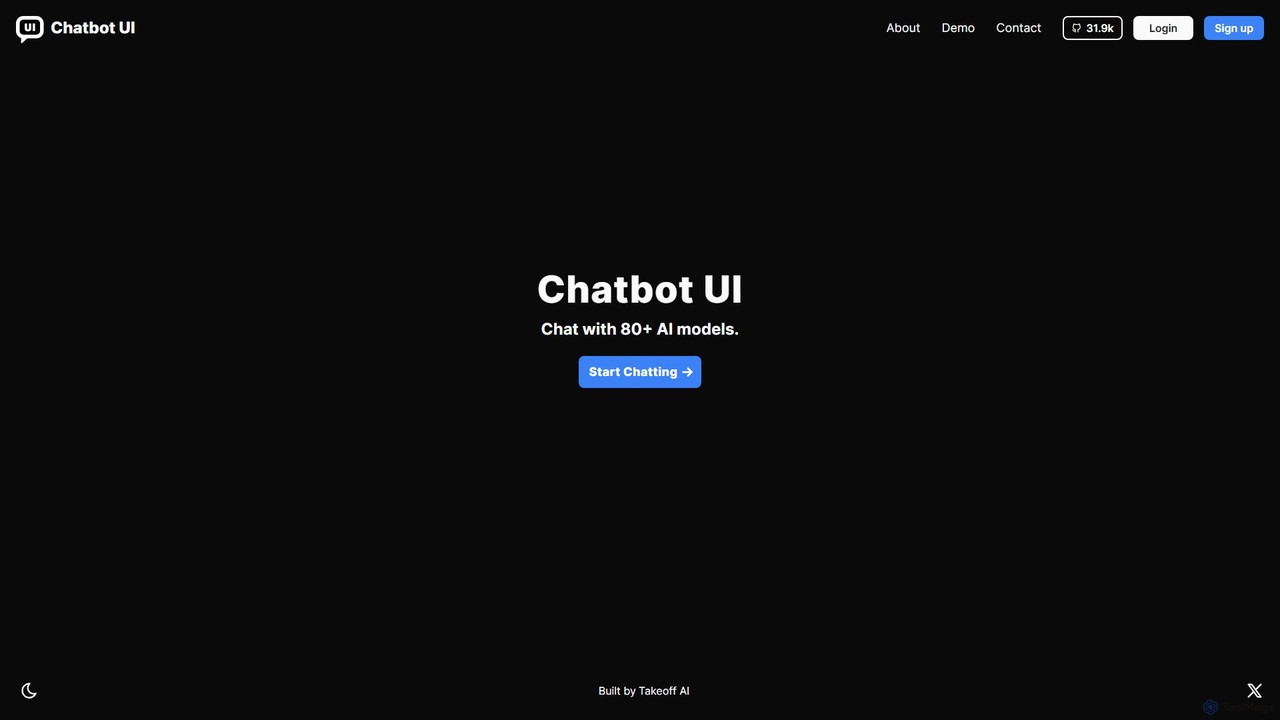
Chatbot UI Product overview

Chatbot UI is an open-source chatbot interface that allows you to connect with over 80 AI models, including those from OpenAI, Google, and Anthropic. It offers a self-hostable, customizable alternative to proprietary chat platforms, giving users full control over their data and conversations. Organize chats, create prompts, and seamlessly switch between models in a single, unified workspace.

Preview

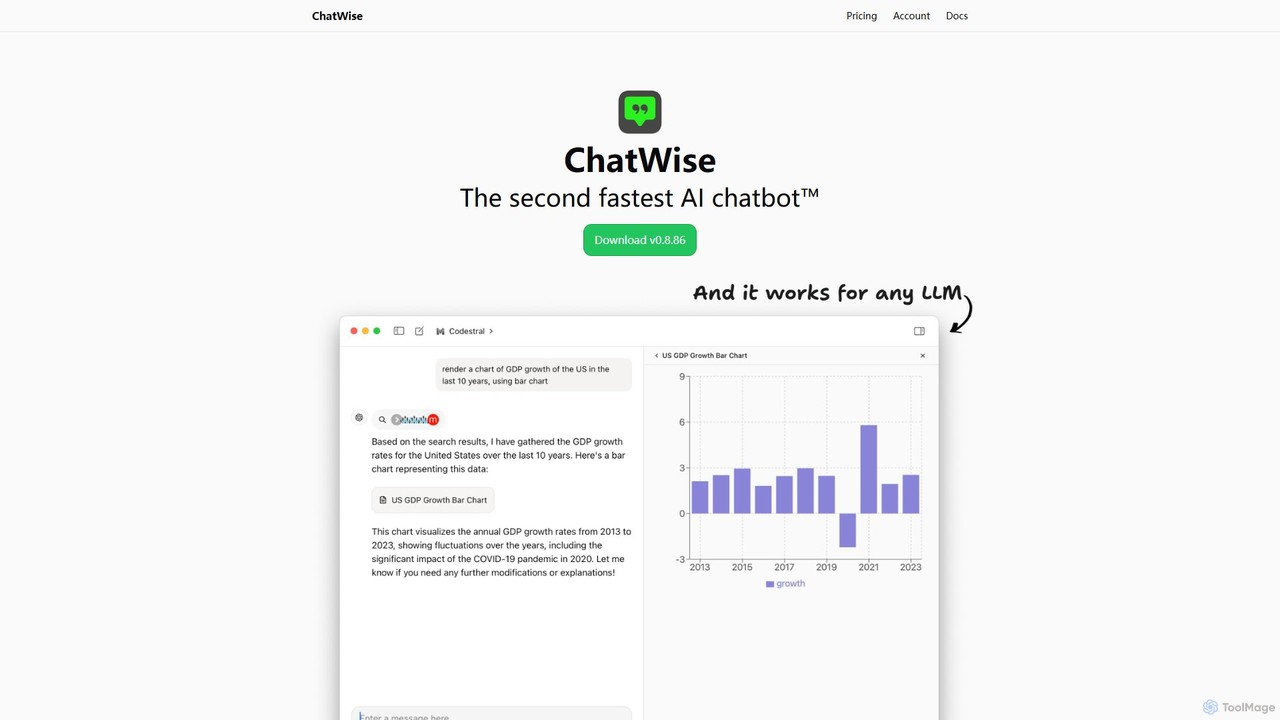
ChatWise Product overview

ChatWise is a high-performance, privacy-focused desktop application that provides a unified interface for interacting with various LLMs like ChatGPT, Claude, Gemini, and Llama. It supports multi-modal inputs, web search, and tool integration, storing all your data locally.

Preview

Quick facts

Compare product focus, pricing models and audiences. Highlighted rows indicate different listed information; unknown pricing does not mean free.

Chatbot UI VS ChatWise — Quick facts
Quick factsChatbot UIChatWise
Pricing modelFreemiumFree
Product typeWebApp
Primary focusApi ManagementApi Management
Audience and rolesNo data availableNo data available
CategoriesApi Management · Chatbot · ProductivityApi Management · Chatbot · Desktop Application
AddedAug 11, 2025Aug 16, 2025
UpdatedNov 19, 2026Nov 19, 2026

Features, usage and use cases

Explore the listed product descriptions, features and workflows. Taxonomy labels alone are not feature evaluations.

Chatbot UI

Chatbot UI is a leading open-source chat interface designed for interacting with a wide array of Large Language Models (LLMs). As a powerful alternative to closed-source platforms like ChatGPT, it provides users with the flexibility to connect to over 80 different AI models from top providers such as OpenAI, Google, Anthropic, Mistral, and even local models via Ollama. Built by Takeoff AI, Chatbot UI empowers developers, teams, and individuals to create a customized and secure chatbot experience, either by self-hosting the application on their own infrastructure or by using the convenient cloud-hosted version.

The core philosophy behind Chatbot UI is to provide a unified, powerful, and privacy-focused front-end for AI interaction. By bringing multiple models under one roof, it eliminates the need to constantly switch between different services. Users can directly compare model outputs, find the best tool for a specific task, and manage all their AI-driven conversations in a structured and efficient manner.

How to use Chatbot UI

Getting started with Chatbot UI is flexible and caters to different user needs:

  1. Choose Your Deployment Method: You can opt for the fully open-source, self-hosted version by cloning the repository from GitHub. This gives you maximum control and data privacy. Alternatively, you can sign up for the official cloud-hosted version for a quick, maintenance-free setup.
  2. Configure AI Models: In the application settings, you can add your API keys from various AI providers (e.g., OpenAI, Anthropic, Google AI). The interface allows you to enable or disable specific models you want to access.
  3. Start Chatting: Create a new chat and select your desired AI model from a dropdown list. You can also adjust model-specific parameters like temperature and max tokens to fine-tune the responses.
  4. Organize Your Workspace: Use folders to group related conversations. The search functionality allows you to quickly find past chats. You can also create and save reusable prompts in the prompt library to streamline repetitive tasks.
  5. Utilize Advanced Features: For supported models, you can attach files (images, documents) for analysis, expanding the range of possible interactions.

Core Features of Chatbot UI

  • Extensive Model Support: Natively supports over 80 LLMs, including the GPT series, Claude models, Google's Gemini, and open-source models.
  • Open-Source and Self-Hostable: Provides full access to the source code, allowing for complete customization and deployment on your own servers for ultimate data privacy.
  • Cloud Version Available: A managed, ready-to-use version for those who prefer not to handle hosting and maintenance.
  • Advanced Chat Management: Organize conversations with folders, search chat history, and archive old chats.
  • Prompt Library: Create, manage, and share reusable prompts to improve efficiency and consistency.
  • Multi-modal Capabilities: Supports file uploads (images, PDFs) for analysis with vision-enabled models.
  • Local Model Integration: Connect to local models running via Ollama, enabling offline and private AI usage.
  • Team Collaboration: The cloud version offers features for teams to share chats and prompts, fostering a collaborative AI environment.

Use Cases for Chatbot UI

Chatbot UI is a versatile tool suitable for a wide range of users:

  • Developers: Use it as a development and testing workbench to compare the performance and outputs of different LLMs for their applications.
  • Content Creators: Leverage multiple AI models for brainstorming, drafting articles, translating text, and generating creative copy, all within a single interface.
  • Businesses and Enterprises: Deploy a secure, self-hosted version for internal use, ensuring that sensitive company data remains private. It can be used for customer support, internal knowledge bases, and data analysis.
  • AI Researchers and Enthusiasts: Experiment with various models and their parameters in a controlled environment to explore the frontiers of AI capabilities.

Advantages of Chatbot UI

The primary advantages of using Chatbot UI include:

  • Unparalleled Flexibility: Avoid vendor lock-in by easily switching between dozens of AI models to find the best one for any task.
  • Enhanced Data Privacy: The self-hosting option ensures that your conversations and data never leave your own infrastructure.
  • Cost Control: By using your own API keys, you pay the providers directly for your usage, which can be more cost-effective than fixed subscription plans. The open-source software itself is free.
  • Full Customizability: As an open-source project, it can be forked and modified to add custom features, branding, or integrations.
  • Unified and Efficient Workflow: Manages all AI interactions in one place, saving time and improving productivity.

Pricing and Plans

Chatbot UI operates on a freemium model:

  • Open-Source (Self-Hosted): This version is completely free to download and use. Users are only responsible for their own hosting costs and the API usage fees charged by the AI model providers they use.
  • Cloud Version (Hosted by Takeoff AI): The managed service typically offers several subscription tiers:
    • Free Plan: Ideal for individuals, offering limited access to basic features and a certain number of monthly messages.
    • Pro Plan: A paid monthly subscription for professionals and power users, offering higher usage limits, access to all premium models, and priority support.
    • Team/Business Plan: Custom pricing for organizations, including features like user management, shared workspaces, SSO integration, and dedicated support.

ChatWise

ChatWise is a sophisticated and powerful desktop client designed for users who want a streamlined, fast, and private way to interact with a multitude of Large Language Models (LLMs). It serves as a central hub, eliminating the need to switch between different web interfaces for models like GPT-4, Claude 3, Gemini, Llama, and DeepSeek. Built with performance as a top priority, ChatWise offers a native desktop experience that is significantly faster and more responsive than browser-based alternatives. A cornerstone of its design is privacy; all your chat history, prompts, and API keys are stored exclusively on your local machine, ensuring your data never leaves your device except when sending requests to your chosen LLM provider.

The application is not just a simple chat window. It's a versatile tool that supports multi-modal interactions. Users can seamlessly chat using text, audio, images, and even upload documents like PDFs and text files for analysis and summarization. This makes it an incredibly flexible tool for a wide range of tasks. Furthermore, ChatWise integrates a powerful web search capability, allowing the AI to access real-time information from the internet either through the Tavily Search API or by using your local browser, ensuring your conversations are always informed by the latest data.

How to use ChatWise

Using ChatWise is straightforward, designed to get you up and running quickly:

  1. Download and Install: First, download the latest version of the ChatWise application from its official website (chatwise.app) and install it on your desktop computer (Windows, macOS, or Linux).
  2. Configure API Keys: Open the application and navigate to the settings menu. Here, you will add the API keys for the LLM providers you wish to use (e.g., OpenAI, Anthropic, Google, OpenRouter). This is a one-time setup for each provider.
  3. Select a Model: In the main chat interface, you can choose your desired model from a dropdown list of all the providers you've configured. You can easily switch between models for different tasks.
  4. Start Chatting: Begin your conversation by typing in the input box. To use multi-modal features, simply drag and drop an image, PDF, or audio file into the chat window.
  5. Leverage Advanced Features: For real-time information, enable the web search feature. To render complex data, observe how the app handles artifacts like charts and HTML. For automation, explore the MCP (Model-Connect-Platform) to connect the AI to external tools like Notion or Google Sheets.

Core Features of ChatWise

  • Universal LLM Support: Connect to virtually any LLM provider, including OpenAI (GPT-4), Anthropic (Claude), Google (Gemini), as well as open-source models through platforms like OpenRouter and Together AI.
  • Privacy First: All sensitive data, including conversations and API keys, is stored locally on your device, guaranteeing maximum privacy and control.
  • High Performance: As a native desktop application, it's optimized for speed and low latency, providing a smooth and efficient user experience.
  • Multi-modal Capabilities: Interact with the AI using text, audio, images, PDFs, and other file types, making it a versatile tool for diverse needs.
  • Integrated Web Search: Get up-to-date answers by allowing the AI to search the web for free using Tavily or your local browser.
  • Artifact Rendering: The ability to render complex outputs like HTML, React components, charts, and documents directly within the chat interface.
  • Tool Integration (MCP): The Model-Connect-Platform allows the AI to use external tools and applications, such as Notion, Google Sheets, and browsers, enabling powerful automation and workflows.
  • Simplicity and Customization: A clean, intuitive interface that is easy to use, yet offers powerful customization options for prompts and model settings.

Use Cases for ChatWise

ChatWise is suitable for a wide variety of users and professions:

  • Developers: Use it as a unified coding assistant for debugging, writing code, and understanding complex algorithms across different models without leaving their desktop.
  • Researchers and Academics: Quickly summarize research papers (PDFs), analyze data, and conduct literature reviews with the help of real-time web search.
  • Content Creators and Writers: Brainstorm ideas, draft articles, and translate text, leveraging the unique strengths of different LLMs for higher quality output.
  • Power Users and Automators: Create complex, automated workflows by connecting the AI to other applications via MCP, streamlining repetitive tasks.
  • Privacy-Conscious Users: Anyone who wants to harness the power of AI without compromising their data privacy by using a secure, local-first client.

Advantages of ChatWise

The main advantages of ChatWise include its unified approach to managing multiple AIs, its strong commitment to user privacy with local data storage, and its superior performance as a native desktop app. The multi-modal support and innovative features like artifact rendering and tool integration (MCP) set it apart from simple web wrappers, making it a truly powerful and extensible platform for anyone who uses AI regularly.

Pricing and Plans

ChatWise operates on a "Bring Your Own Key" (BYOK) model. The desktop application itself is free to download and use. Users are only responsible for the costs associated with the API usage of the LLM providers they connect to the application. This model provides maximum flexibility and cost-effectiveness, as users can take advantage of free tiers or pay-as-you-go pricing from providers like OpenAI, Anthropic, and others without any additional subscription fees from ChatWise.

Positioning

Their taxonomy shows where the products overlap and where each one has a more distinct focus. Unknown fields are shown explicitly and are never filled with assumptions.

Categories

Shared
Api ManagementChatbot
Only Chatbot UI
Productivity
Only ChatWise
Desktop Application

Tags

Shared
chatbotdeveloper toolsgemini
Only Chatbot UI
ai interfaceClaudedata privacygptllmopen sourceproductivityself-hosted
Only ChatWise
APIchatgpt clientClaude clientdesktop AILlamaLLM clientlocal datamulti-modalprivacy

Audience and roles

Shared
No listed items
Only Chatbot UI
No listed items
Only ChatWise
No listed items

Traffic comparison

Traffic is shown on the same scale so differences in market visibility are not visually understated.

How to interpret the traffic data

Both charts share the same months and vertical scale. Each tool identifies its latest reporting month; missing months are left blank, not counted as zero. Regional and source visit counts are estimates calculated from the reported shares.

Chatbot UI monthly traffic:

Latest traffic · 2026-05

Monthly visits
15.1K
Avg. visit duration
0:20
Pages per visit
2.65
Bounce rate
37.47%
Data updated 2026-06-15

Monthly traffic trend

  • 2025-09: No data available
  • 2026-01: 17.6K
  • 2026-02: 11K
  • 2026-03: 11.1K
  • 2026-04: 12.9K
  • 2026-05: 15.1K

Top regions

Top 5 countries/regions
Country/regionPercentageEstimated visits
🇺🇸United States31.58%4.8K
🇻🇳Vietnam31.27%4.7K
🇮🇳India15.52%2.3K
🇮🇩Indonesia12.08%1.8K
🇩🇪Germany9.55%1.4K

Traffic sources

Source typePercentageEstimated visits
Direct66.67%10K
Referral33.33%5K

Search keywords

ai chat uichainlit alternatives for javascriptchatbot uichatbotuichat ui

ChatWise monthly traffic:

Latest traffic · 2026-05

Monthly visits
25.9K
Avg. visit duration
0:29
Pages per visit
1.55
Bounce rate
43%
Data updated 2026-06-15

Monthly traffic trend

  • 2025-09: 34.3K
  • 2026-01: 23.4K
  • 2026-02: 16.3K
  • 2026-03: 29.3K
  • 2026-04: 33.8K
  • 2026-05: 25.9K

Top regions

Top 5 countries/regions
Country/regionPercentageEstimated visits
🇨🇳China60.93%15.8K
🇺🇸United States15.85%4.1K
🇭🇰Hong Kong8.95%2.3K
🇸🇬Singapore7.22%1.9K
🇮🇳India7.05%1.8K

Traffic sources

Source typePercentageEstimated visits
Direct81.85%21.2K
Referral18.15%4.7K

Search keywords

aihubmixchatwisechatwise rpochatwise 如何调用 mcpchatwsie

Community signals

Ratings, comments, favorites, and likes are community signals—not a substitute for product fit.

Chatbot UI

Rating
No data available
Comments
0
Favorites
176
Likes
180

ChatWise

Rating
No data available
Comments
0
Favorites
150
Likes
140

Chatbot UI vs ChatWise · Comparison FAQ

What do Chatbot UI and ChatWise have in common?
Both tools are listed under Api Management、Chatbot. These categories indicate overlapping use cases; compare their detailed descriptions for workflows, capabilities and limitations.
Are Chatbot UI and ChatWise free?
Listed pricing models: Chatbot UI — Freemium; ChatWise — Free. Missing pricing is not proof of a free plan, and freemium does not mean every feature is free. Check official sites for current plans, limits and trials.
How should I choose between Chatbot UI and ChatWise?
The primary listed category is Api Management for Chatbot UI, and Api Management for ChatWise. Compare features, steps and use cases, then verify pricing, data permissions and deployment needs. This page does not include hands-on testing and does not declare a winner from traffic or tags.

Sources and comparison methodology

This page is assembled from ToolMage product listings, taxonomy, traffic statistics and on-site user feedback. It is not a hands-on test or an independent review.
  • Feature and plan descriptions reflect information in the listings, not real-time guarantees. Verify pricing, quotas, availability and privacy terms on the official sites.
  • Traffic uses the reporting months shown. Missing statistics do not mean zero visits, and different periods do not establish growth or superiority. Regional and source visit counts are estimates based on shares.
  • Different tags indicate differences in the listings, not proof that the other product lacks a capability. Ratings, favorites and visits are not used to declare a winner.

Related comparisons