ToolMage
Sign in

AI TOOL COMPARISON

CodeSnaps vs CopyCoder

What is the difference, and which fits your workflow? Compare features, usage, pricing models and traffic side by side.

Jump to key differences

Product overview

CodeSnaps Product overview

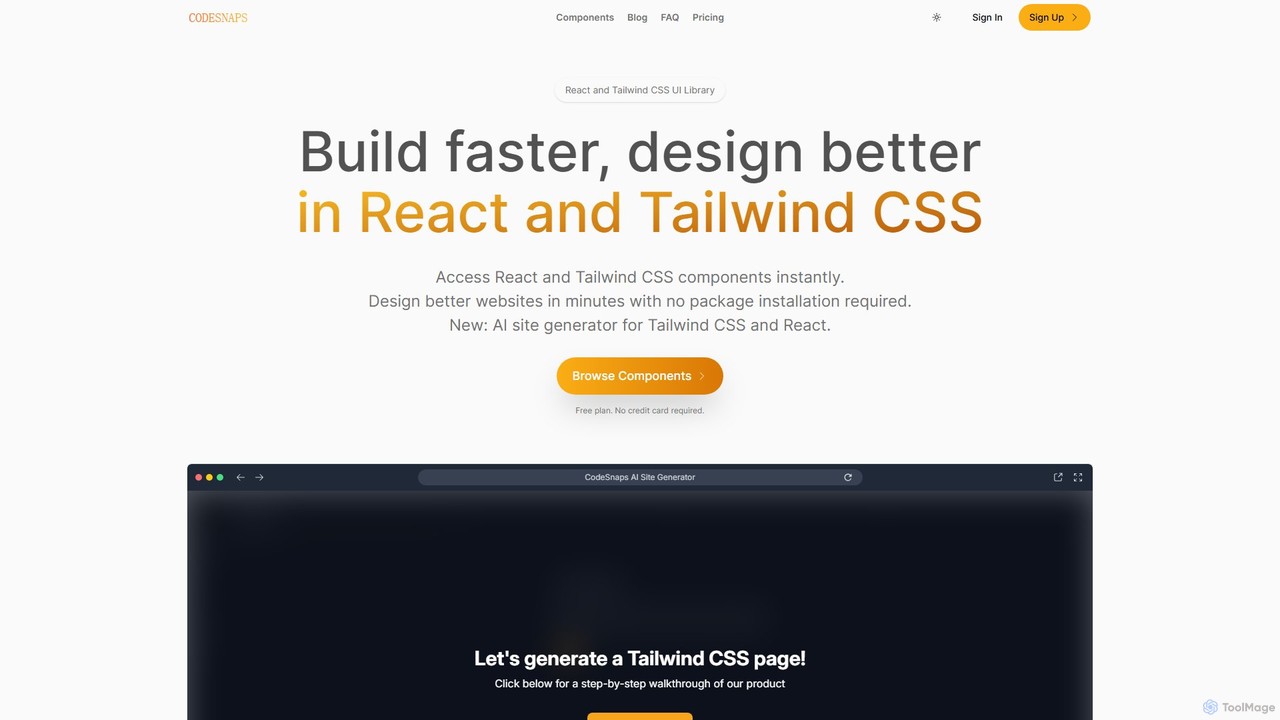
CodeSnaps is an AI-powered UI library for React and Tailwind CSS. It helps developers build websites and MVPs faster with a vast collection of production-ready components and an innovative AI site generator. Simply describe your site, and the AI will generate the structure and code, which you can then customize and download.

Preview

CopyCoder Product overview

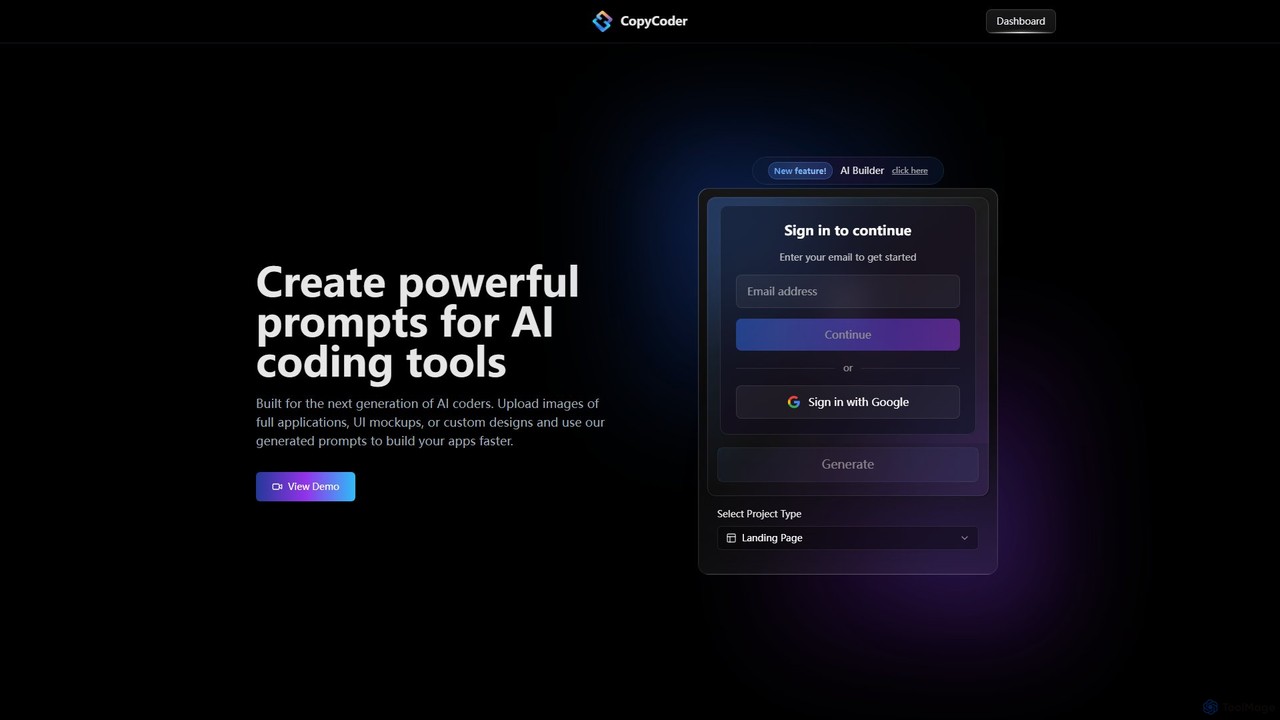
CopyCoder is an AI-powered tool designed for developers that converts UI designs, mockups, and images into powerful, structured prompts for AI coding assistants like Cursor. It streamlines the development process by bridging the gap between visual design and code generation, enabling faster app building.

Preview

Quick facts

Compare product focus, pricing models and audiences. Highlighted rows indicate different listed information; unknown pricing does not mean free.

CodeSnaps VS CopyCoder — Quick facts
Quick factsCodeSnapsCopyCoder
Pricing modelFreemiumPaid
Product typeWebWeb
Primary focusUi UxDesign To Code
Audience and rolesNo data availableNo data available
CategoriesUi Ux · Code Assistant · Developer ToolsDesign To Code · Code Assistant · Developer Tools
AddedAug 9, 2025Aug 14, 2025
UpdatedNov 19, 2026Nov 19, 2026

Features, usage and use cases

Explore the listed product descriptions, features and workflows. Taxonomy labels alone are not feature evaluations.

CodeSnaps

CodeSnaps is a comprehensive platform designed to accelerate web development for professionals using React and Tailwind CSS. It bridges the gap between the rapid development of no-code tools and the flexibility of traditional coding. The platform offers two primary features: an extensive library of production-ready UI components and a groundbreaking AI Site Generator. This dual approach empowers developers to build beautiful, functional websites and Minimum Viable Products (MVPs) in a fraction of the time, without compromising on code quality or the tech stacks they prefer.

The core philosophy behind CodeSnaps, as stated by its creator, is to help developers work smarter, not harder. Instead of building common UI elements from scratch or being constrained by the limitations of no-code platforms, developers can leverage CodeSnaps to instantly access clean, minimalist, and fully responsive components. These components are continuously updated, with new additions every week, ensuring the library stays fresh and relevant.

How to use CodeSnaps

Using CodeSnaps is designed to be intuitive and seamlessly integrate into a developer's workflow. There are two main ways to leverage the platform:

1. Using the Component Library:

  • Browse & Filter: Navigate to the component library and use the advanced filtering system. You can search by category (e.g., Headers, Footers, Pricing Sections), layout, text alignment, number of columns, and specific elements (e.g., buttons, forms, modals).
  • Preview & Select: Each component can be previewed in both light and dark modes. Once you find the perfect component, you can inspect its code.
  • Copy & Paste: With a single click, copy the clean, production-ready React and Tailwind CSS code.
  • Integrate: Paste the code directly into your React or Next.js project. No package installation is required, which keeps your project dependencies lean.

2. Using the AI Site Generator:

  • Describe Your Site: Provide a simple text description of the website you want to build. For example, "a landing page for a new SaaS product that helps with project management."
  • Choose a Color: Select a primary color to define your site's branding.
  • Generate Structure: Let the AI process your input and generate a complete site structure, including relevant sections and components from the library.
  • Customize: Fine-tune the generated site. You can adjust margins, padding, and swap out components to better fit your vision.
  • Download Code: Once you are satisfied, download the entire project's source code, ready to be used in a React or Next.js environment.

Core Features of CodeSnaps

  • AI Site Generator: Creates entire website structures from a simple text prompt, generating downloadable React and Next.js code.
  • Extensive Component Library: A vast and growing collection of UI components built with React and Tailwind CSS, covering everything from navbars and hero sections to testimonials and footers.
  • Production-Ready Code: All components feature clean, minimalist, and easy-to-understand code that can be copied and pasted directly into projects.
  • Advanced Filtering: A powerful filtering system allows users to quickly find the exact components they need based on various criteria like category, layout, and elements.
  • No Package Installation: Components are self-contained and don't require installing an external library, preventing package bloat.
  • Built-in Dark Mode: All components are designed with dark mode support from the ground up.
  • Team Collaboration: Paid plans allow you to invite team members to collaborate on projects.
  • Save Favorites: Users can save their most-used components for quick access in the future.

Use Cases for CodeSnaps

CodeSnaps is a versatile tool suitable for a wide range of web development projects:

  • Rapid Prototyping: Quickly assemble functional prototypes and wireframes to validate ideas with stakeholders.
  • Building MVPs: Launch your Minimum Viable Product faster by leveraging pre-built components and the AI generator.
  • Landing Page Creation: Design and build high-converting landing pages for marketing campaigns in minutes.
  • SaaS Application UIs: Develop clean and consistent user interfaces for SaaS products.
  • Freelance Projects: Dramatically increase productivity and deliver high-quality websites to clients on tighter deadlines.
  • Personal Projects & Portfolios: Build and deploy personal websites and developer portfolios with professional polish.

Advantages of CodeSnaps

The primary advantage of CodeSnaps is the significant boost in development speed without sacrificing quality. It combines the best of both worlds: the efficiency of visual builders and the power of a real codebase. Key benefits include design consistency across your project, the flexibility to customize every line of code, and cost-effectiveness by reducing development hours. The continuous addition of new components ensures that developers always have access to modern design trends and functionalities.

Pricing and Plans

CodeSnaps offers a flexible, scalable pricing model with a generous free tier to get started.

  • Free Plan: $0/month. Includes access to a limited selection of components, 50,000 AI tokens per month, the ability to copy/paste code, save favorites, and built-in dark mode. Ideal for getting started and personal projects.
  • Pro Plan: $9/month. The most popular plan, designed for individuals and small teams. Includes unlimited sites, 500,000 AI tokens per month, access to all components, and the ability to invite team members.
  • Business Plan: $29/month. Tailored for teams and businesses looking to scale. Includes everything in Pro, plus unlimited AI tokens and priority support.

CopyCoder

CopyCoder is a revolutionary AI tool built for the next generation of developers, designed to significantly accelerate the application development workflow. It specializes in translating visual designs into high-quality, structured prompts that can be used with AI coding assistants. By simply uploading an image of a UI mockup, a screenshot of an existing application, or a custom design, developers can generate detailed prompts that guide AI tools like Cursor to write the corresponding code. This process eliminates the tedious and time-consuming task of manually describing UI elements and layouts, allowing developers to focus on logic and functionality.

The platform is praised by the developer community for its impressive ability to convert images to code prompts, creating an incredibly efficient 'getting started' workflow. It's not just about speed; it's about precision. CopyCoder generates prompts that include details about component structure, styling, and layout, leading to more accurate and reliable code generation from the target AI assistant. This makes it an indispensable tool for rapid prototyping, front-end development, and for anyone looking to streamline their design-to-code process.

How to use CopyCoder

Using CopyCoder is a straightforward process designed for maximum efficiency:

  1. Sign Up and Log In: Create an account or sign in using your email or Google account.
  2. Select a Project Type: Start by choosing the type of project you are working on, for example, a 'Landing Page'.
  3. Upload Your Design: Drag and drop an image file of your UI mockup, application screenshot, or design concept into the upload area.
  4. Generate the Prompt: CopyCoder's AI will analyze the image, deconstruct its components, and generate a comprehensive, structured prompt.
  5. Use the Prompt: Copy the generated prompt and paste it into your preferred AI coding tool (e.g., Cursor). The AI assistant will then use this detailed prompt to generate the front-end code for your application.
  6. Build and Iterate: Use the generated code as a foundation for your project, iterating and adding functionality as needed.

Core Features of CopyCoder

  • Image-to-Prompt Generation (Clone UI): The core functionality that analyzes any UI image and converts it into a detailed, actionable prompt for AI coders.
  • AI Builder (Beta): An advanced feature that assists in the building process, likely offering more control over prompt generation and project structure.
  • Complete Template Library: Access a library of pre-designed templates to kickstart projects and provide inspiration.
  • Project Management: Organize your work with dedicated project spaces (1 for the Starter plan, unlimited for the Pro plan).
  • Seamless Integration: Designed to work perfectly with leading AI coding assistants, enhancing their capabilities.

Use Cases for CopyCoder

CopyCoder is versatile and can be used in various development scenarios:

  • Rapid Prototyping: Quickly transform design ideas from tools like Figma or Sketch into interactive web prototypes.
  • Frontend Development: Accelerate the creation of landing pages, dashboards, and complex UI components for web applications.
  • Design Handoff: Streamline the collaboration between designers and developers by providing a clear, machine-readable translation of visual designs.
  • Learning and Training: Helps developers understand how to effectively prompt AI coding tools by showing how visual elements are described textually.
  • Modernizing Legacy UIs: Take screenshots of older applications and use the generated prompts to quickly rebuild them with modern frameworks.

Advantages of CopyCoder

Developers choose CopyCoder for several key benefits:

  • Increased Productivity: Drastically reduces the time spent on writing boilerplate code and translating visual designs into code specifications.
  • Enhanced Accuracy: Generates specific and structured prompts, leading to higher quality and more predictable code output from AI assistants.
  • Simplified Workflow: Offers an intuitive drag-and-drop interface that simplifies the initial stages of development.
  • Empowers AI Assistants: Unlocks the full potential of tools like Cursor by providing them with superior input.
  • Strong Community Trust: Highly regarded and recommended by developers for its effectiveness and innovation.

Pricing and Plans

CopyCoder offers two straightforward subscription plans. There is no free trial available, as the platform incurs costs from AI model providers for every use.

  • Starter Plan: $15/month. Includes 1 project, full access to Clone UI, CopyCoder Builder (Beta), the complete template library, and standard customer support. Ideal for individuals and small projects.
  • Pro Plan: $39/month. Includes unlimited projects, full access to all features including Clone UI and CopyCoder Builder (Beta), the complete template library, and priority customer support. Best for serious developers and professional use.

Users can upgrade, downgrade, or cancel their plan at any time, with changes taking effect in the next billing cycle. Payments are processed securely through Stripe and accept all major credit cards.

Positioning

Their taxonomy shows where the products overlap and where each one has a more distinct focus. Unknown fields are shown explicitly and are never filled with assumptions.

Categories

Shared
Code AssistantDeveloper Tools
Only CodeSnaps
Ui Ux
Only CopyCoder
Design To Code

Tags

Shared
code generatordeveloper toolsfrontend development
Only CodeSnaps
AI website builderMVPNextJSreactTailwind CSSUI componentsweb design
Only CopyCoder
ai coding assistantCursorimage to codeprompt generatorrapid prototypingUI to codeweb development

Audience and roles

Shared
No listed items
Only CodeSnaps
No listed items
Only CopyCoder
No listed items

Traffic comparison

Traffic is shown on the same scale so differences in market visibility are not visually understated.

How to interpret the traffic data

Both charts share the same months and vertical scale. Each tool identifies its latest reporting month; missing months are left blank, not counted as zero. Regional and source visit counts are estimates calculated from the reported shares.

CodeSnaps

No data available

CopyCoder monthly traffic:

Latest traffic · 2026-05

Monthly visits
693
Avg. visit duration
0:04
Pages per visit
1.09
Bounce rate
82.71%
Data updated 2026-06-15

Monthly traffic trend

  • 2025-09: 18.6K
  • 2026-01: 5.9K
  • 2026-02: 3.4K
  • 2026-03: 1.1K
  • 2026-04: 1.7K
  • 2026-05: 693

Top regions

Top 5 countries/regions
Country/regionPercentageEstimated visits
🇺🇸United States100%693

Search keywords

copycoder.icopy coders

Community signals

Ratings, comments, favorites, and likes are community signals—not a substitute for product fit.

CodeSnaps

Rating
No data available
Comments
0
Favorites
190
Likes
166

CopyCoder

Rating
No data available
Comments
0
Favorites
191
Likes
168

CodeSnaps vs CopyCoder · Comparison FAQ

What do CodeSnaps and CopyCoder have in common?
Both tools are listed under Code Assistant、Developer Tools. These categories indicate overlapping use cases; compare their detailed descriptions for workflows, capabilities and limitations.
Are CodeSnaps and CopyCoder free?
Listed pricing models: CodeSnaps — Freemium; CopyCoder — Paid. Missing pricing is not proof of a free plan, and freemium does not mean every feature is free. Check official sites for current plans, limits and trials.
How should I choose between CodeSnaps and CopyCoder?
The primary listed category is Ui Ux for CodeSnaps, and Design To Code for CopyCoder. Compare features, steps and use cases, then verify pricing, data permissions and deployment needs. This page does not include hands-on testing and does not declare a winner from traffic or tags.

Sources and comparison methodology

This page is assembled from ToolMage product listings, taxonomy, traffic statistics and on-site user feedback. It is not a hands-on test or an independent review.

  • Feature and plan descriptions reflect information in the listings, not real-time guarantees. Verify pricing, quotas, availability and privacy terms on the official sites.
  • Traffic uses the reporting months shown. Missing statistics do not mean zero visits, and different periods do not establish growth or superiority. Regional and source visit counts are estimates based on shares.
  • Different tags indicate differences in the listings, not proof that the other product lacks a capability. Ratings, favorites and visits are not used to declare a winner.

Related comparisons