ToolMage
Sign in

AI TOOL COMPARISON

Cursor vs Qwen3 Coder

What is the difference, and which fits your workflow? Compare features, usage, pricing models and traffic side by side.

Jump to key differences

Product overview

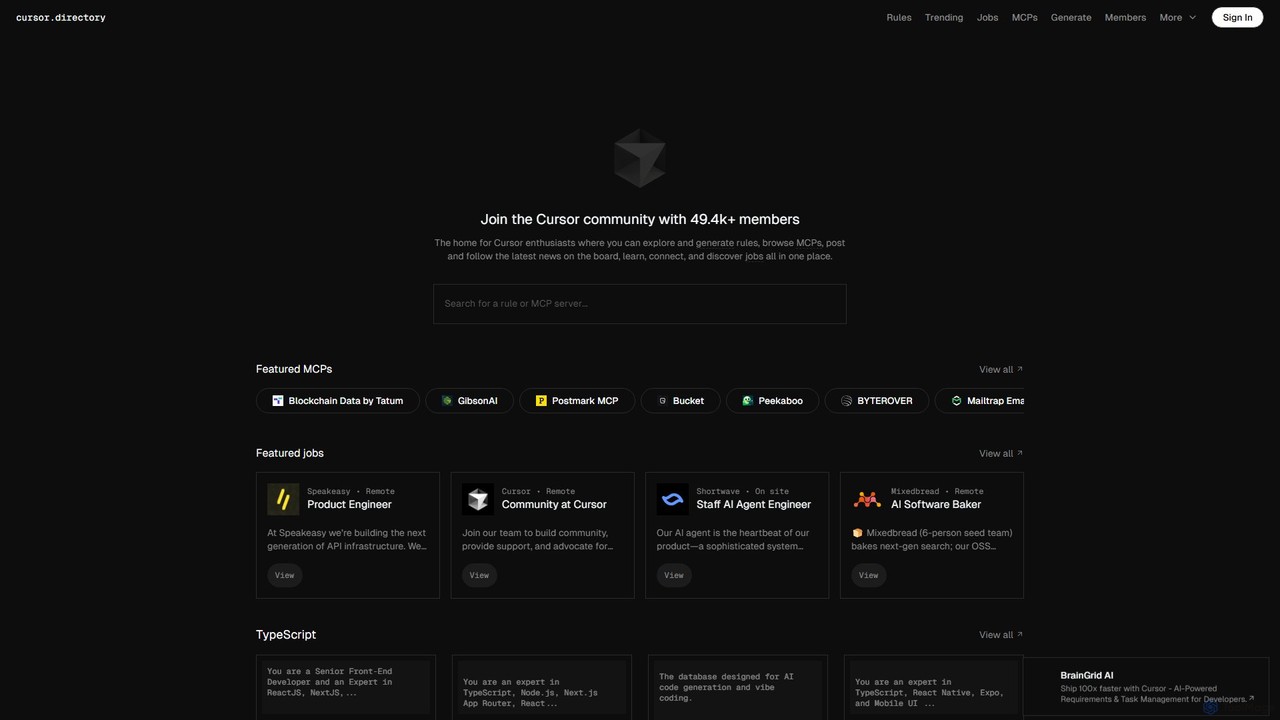
Cursor Product overview

Cursor is an AI-first code editor designed for modern software development. Built as a fork of VS Code, it integrates powerful AI capabilities directly into the editing experience, allowing developers to chat with their codebase, generate, edit, and debug code with unprecedented speed and context-awareness.

Preview

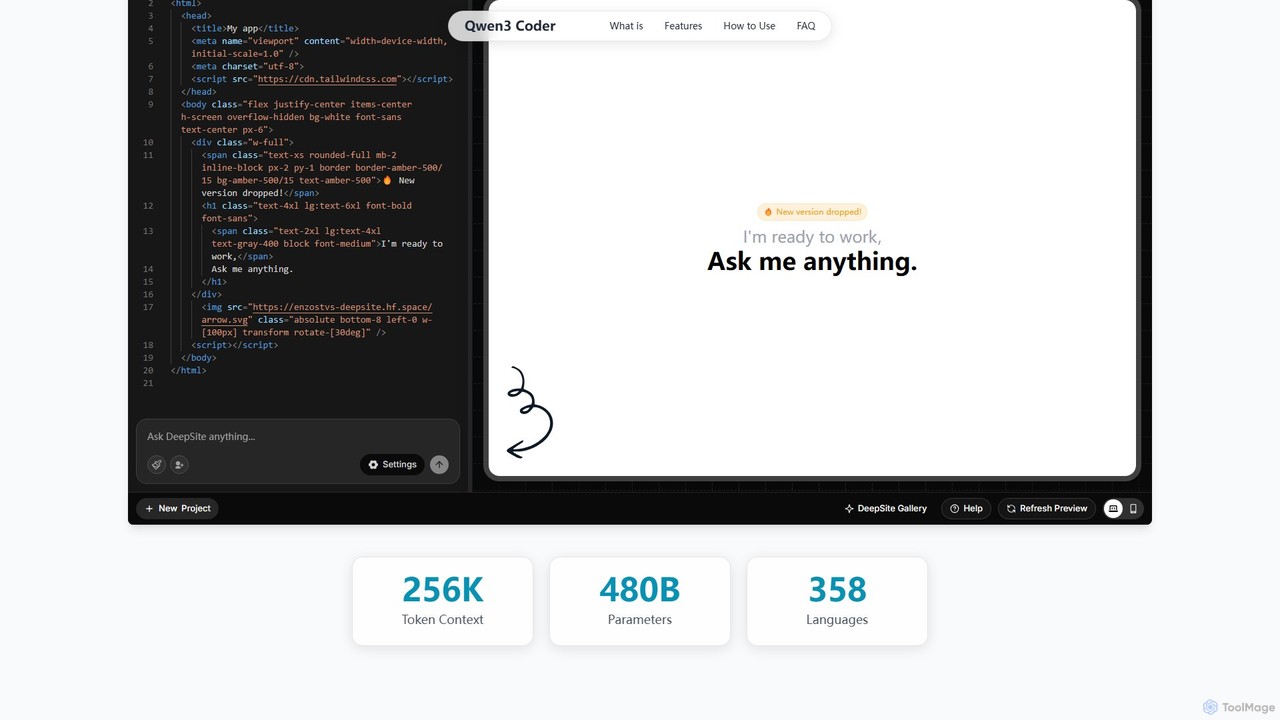
Qwen3 Coder Product overview

Qwen3 Coder is a state-of-the-art, open-source large language model by Alibaba Cloud, engineered for advanced code generation, comprehension, and agentic tasks. Featuring a 480B Mixture-of-Experts architecture and trained on 7.5 trillion tokens, it achieves GPT-4 level performance across 358 programming languages. It supports a massive 256K context window and is designed for complex, multi-step software development workflows.

Preview

Quick facts

Compare product focus, pricing models and audiences. Highlighted rows indicate different listed information; unknown pricing does not mean free.

Cursor VS Qwen3 Coder — Quick facts
Quick factsCursorQwen3 Coder
Pricing modelFreemiumFreemium
Product typeAppWeb
Primary focusCode GenerationLarge Language Model
Audience and rolesNo data availableNo data available
CategoriesCode Generation · Code Assistant · Developer ToolsLarge Language Model · Code Assistant · Developer Tools
AddedAug 2, 2025Aug 17, 2025
UpdatedNov 19, 2026Nov 19, 2026

Features, usage and use cases

Explore the listed product descriptions, features and workflows. Taxonomy labels alone are not feature evaluations.

Cursor

Cursor is a revolutionary AI-native code editor engineered to significantly accelerate the software development lifecycle. It is built on the solid foundation of Visual Studio Code, which means developers can enjoy a familiar interface and retain access to their favorite extensions, themes, and keybindings, all while benefiting from deeply integrated, state-of-the-art AI functionalities. Unlike other AI coding assistants that operate in a separate window, Cursor embeds AI directly into the core workflow, making it a seamless and intuitive partner for any programming task.

The editor's standout feature is its ability to understand the entire context of your project. You can point the AI to specific files or folders using the '@' symbol, enabling it to provide highly relevant and accurate suggestions, code generations, or explanations based on your entire codebase. This makes it incredibly powerful for tasks like understanding legacy code, implementing features that span multiple files, or hunting down complex bugs.

How to use Cursor

Getting started with Cursor is straightforward:

  1. Download and install the Cursor application from its official website. It's available for macOS, Windows, and Linux.
  2. Open any of your existing project folders. Since it's a VS Code fork, it will recognize your project structure immediately.
  3. To chat with the AI about your code, press Cmd+L (Mac) or Ctrl+L (Windows/Linux). You can ask it to explain concepts, suggest an implementation plan, or find relevant code snippets.
  4. To generate or edit code, highlight a section of code (or just place your cursor) and press Cmd+K (Mac) or Ctrl+K (Windows/Linux). A prompt will appear, allowing you to describe the changes you want, such as "Refactor this function to be more efficient" or "Add error handling."
  5. Reference your entire codebase by typing '@' in the chat or edit prompt, followed by a file or symbol name. For example: "Based on the schema in @models/user.ts, create an API endpoint for user creation."
  6. Use the built-in AI-powered debugger to identify and fix issues with a single click.
  7. Explore and apply "Cursor Rules" from the Cursor Directory to customize the AI's behavior for specific frameworks or coding standards, such as ensuring all new components follow Next.js best practices.

Core Features of Cursor

  • Codebase-Aware AI Chat: Engage in a conversation with an AI that has full context of your entire project repository.
  • Inline AI Editing & Generation: Generate, refactor, and edit code directly within the editor using natural language prompts.
  • One-Click Bug Fixes: Automatically diagnose and fix linter errors, runtime exceptions, and other bugs.
  • Generate from Scratch: Create new files, components, tests, and documentation from a high-level description.
  • VS Code Extension Compatibility: Continue using all your favorite extensions from the VS Code marketplace.
  • Customizable "Rules": Define specific guidelines and best practices for the AI to follow, ensuring consistent and high-quality code output. This is supported by a community-driven Cursor Directory.
  • Migration & Onboarding: Quickly get up to speed on a new or unfamiliar codebase by asking the AI to explain how different parts work together.

Use Cases for Cursor

Cursor is versatile and can be applied across the development spectrum:

  • Rapid Prototyping: Quickly scaffold new applications or features for frameworks like React, Vue, Next.js, or Django by describing the desired functionality.
  • Legacy Code Maintenance: Safely refactor and modernize old codebases by having the AI explain complex logic and suggest improvements.
  • Test-Driven Development: Generate comprehensive unit and integration tests for your functions and components automatically.
  • Learning New Technologies: Use Cursor as a learning companion to understand new programming languages, frameworks, or libraries by asking for explanations and examples in the context of your project.
  • API Integration: When working with a new API, provide the documentation to Cursor and ask it to write the necessary client-side code.

Advantages of Cursor

The primary advantage of Cursor is its deep, contextual integration of AI into the development workflow. This leads to:

  • Increased Productivity: Automate repetitive and time-consuming tasks, allowing developers to focus on high-level problem-solving.
  • Improved Code Quality: Leverage AI to enforce best practices, catch bugs early, and write cleaner, more maintainable code.
  • Faster Onboarding: New team members can become productive faster by using the AI to navigate and understand existing codebases.
  • Seamless Experience: By building on VS Code, Cursor offers a world-class editor experience without a steep learning curve.

Pricing and Plans

Cursor operates on a freemium model:

  • Free Plan: Offers a limited number of "slow" GPT-3.5 queries and a smaller set of "fast" GPT-4 queries per month, suitable for individual developers or those wanting to try the tool.
  • Pro Plan: A paid monthly subscription for individual professionals, offering a significantly higher number of fast GPT-4 queries, access to the latest AI models, and features like "Codebase-aware context".
  • Business Plan: Designed for teams, this plan includes all Pro features plus team management, centralized billing, and enhanced security and privacy controls.

Qwen3 Coder

Qwen3 Coder is a revolutionary open-source AI model developed by Alibaba Cloud, specifically designed to redefine the boundaries of AI-powered software development. It represents the pinnacle of coding AI, leveraging a sophisticated Mixture-of-Experts (MoE) architecture with a massive 480 billion total parameters. During inference, it efficiently uses only 35 billion active parameters, delivering exceptional performance without prohibitive computational costs. Trained on an enormous 7.5 trillion token corpus, with 70% dedicated to source code from 358 different programming languages, Qwen3 Coder demonstrates performance on par with leading proprietary models like GPT-4.

What sets Qwen3 Coder apart is its evolution from a simple code generator to an active, agentic software development partner. It doesn't just write code; it understands requirements, plans solutions, utilizes tools, executes code, analyzes results, and iteratively debugs its own work. This is made possible by its innovative training methodology, including large-scale reinforcement learning with code execution feedback (Execution-Driven Learning) and long-horizon RL training in 20,000 parallel environments. This allows the model to learn complex, multi-step workflows, making it a true AI software agent.

How to use Qwen3 Coder

Qwen3 Coder is accessible to developers through multiple channels, catering to various needs and technical setups:

  • Cloud API Access: For easy, scalable integration, developers can use Alibaba Cloud's ModelStudio/DashScope service. It provides a hassle-free API compatible with the OpenAI format, eliminating the need for local hardware management.
  • Local Deployment: For full control, customization, and offline use, the model can be downloaded from hubs like Hugging Face and ModelScope. This is ideal for integrating the model deeply into custom applications.
  • Developer Tools Integration: It seamlessly integrates into existing developer workflows. You can use it with VSCode via the Claude Code plugin or interact with it through the terminal using the Qwen Code CLI.
  • Quantized Versions: To make it accessible on consumer-grade hardware, the community provides quantized versions (e.g., 4-bit/8-bit GGUF). These allow the model to run on a single high-end GPU like an RTX 4090 with reduced memory requirements.

Here is a quick start example using the Hugging Face Transformers library:

from transformers import AutoTokenizer, AutoModelForCausalLM

device = "cuda" # Adjust based on your hardware
tokenizer = AutoTokenizer.from_pretrained("Qwen/Qwen3-Coder-480B-A35B-Instruct")
model = AutoModelForCausalLM.from_pretrained("Qwen/Qwen3-Coder-480B-A35B-Instruct", device_map="auto").eval()

input_text = "# Write a quick sort algorithm in Python"
model_inputs = tokenizer([input_text], return_tensors="pt").to(device)
generated_ids = model.generate(model_inputs.input_ids, max_new_tokens=512, do_sample=False)[0]
output = tokenizer.decode(generated_ids[len(model_inputs.input_ids[0]):], skip_special_tokens=True)

print(output)

Core Features of Qwen3 Coder

  • Agentic Coding: Goes beyond simple code generation. It can plan, use tools, self-debug, and execute multi-step development workflows autonomously.
  • State-of-the-Art Performance: Matches or exceeds the performance of proprietary models like GPT-4 on key coding benchmarks such as HumanEval, with an ~85% Pass@1 accuracy.
  • Unprecedented Context Window: Natively supports a 256K token context, expandable to 1 million tokens. This enables it to understand and refactor entire code repositories at once.
  • Polyglot Powerhouse: Masterfully trained on 358 programming languages and file formats, from mainstream languages like Python, Rust, and SQL to niche ones like Haskell.
  • Execution-Driven RL Training: Learned from millions of run-check-fix cycles, rewarding code that not only looks correct but actually executes and passes tests, ensuring higher reliability.
  • Open & Accessible: Released under the permissive Apache 2.0 license, allowing for free commercial use. It is readily available on Hugging Face and ModelScope.
  • Tool Integration: Features native function-calling capabilities for seamless integration with developer tools, APIs, and external documentation.

Use Cases for Qwen3 Coder

Qwen3 Coder is a versatile tool for a wide range of software development tasks:

  • Complex Code Generation: Generate entire functions, classes, or applications from natural language descriptions.
  • Bug Detection and Fixing: Analyze code snippets or entire files to identify bugs and automatically propose correct solutions.
  • Repository-Level Refactoring: Perform large-scale code refactoring, such as migrating a codebase to a new framework or updating dependencies across multiple files, thanks to its large context window.
  • Multi-Step Problem Solving: Tackle complex programming challenges that require planning, tool usage (e.g., running a compiler or linter), and iterative debugging.
  • Automated Documentation: Generate clear and concise documentation for existing codebases.
  • Learning and Prototyping: Quickly prototype ideas or learn new programming languages by asking the model to generate examples and explain concepts.

Advantages of Qwen3 Coder

Qwen3 Coder offers significant advantages over other coding models:

  • Truly Agentic Capabilities: It's one of the first open-source models to move from passive generation to active, autonomous software development, mimicking a human developer's workflow.
  • Superior Real-World Performance: The execution-driven training ensures the generated code is not just syntactically correct but functionally reliable, leading to higher success rates in practical applications.
  • Full Codebase Understanding: The massive context window allows for a holistic understanding of projects, enabling more consistent and context-aware code modifications.
  • Completely Open for Commercial Use: The Apache 2.0 license removes barriers to adoption, allowing businesses of all sizes to build powerful commercial products on top of it without licensing fees.
  • Exceptional Efficiency: The MoE architecture provides the power of a 480B parameter model with the inference efficiency of a 35B model, making it more accessible to run.

Pricing and Plans

Qwen3 Coder is available under a dual-access model:

  • Free (Self-Hosted): The model is released under the Apache 2.0 license, making it completely free for both academic and commercial use when self-hosted. You can download the model weights from Hugging Face or ModelScope and run them on your own hardware.
  • Paid (API Access): For developers who prefer a managed solution, Qwen3 Coder is accessible via a paid API through Alibaba Cloud's DashScope service. This is a usage-based pricing model, providing a hassle-free, scalable way to integrate the model's power into applications. Specific pricing details are available on the Alibaba Cloud DashScope platform.

Positioning

Their taxonomy shows where the products overlap and where each one has a more distinct focus. Unknown fields are shown explicitly and are never filled with assumptions.

Categories

Shared
Code AssistantDeveloper Tools
Only Cursor
Code Generation
Only Qwen3 Coder
Large Language Model

Tags

Shared
code generationdebuggingdeveloper toolsjavascriptpythonrefactoring
Only Cursor
AI assistantcode editorgpt-4ideprogrammingsoftware developmenttypescriptVS Code
Only Qwen3 Coder
agentic AIai coding assistantAlibaba Cloudlarge language modelMoEopen sourceSOTA

Audience and roles

Shared
No listed items
Only Cursor
No listed items
Only Qwen3 Coder
No listed items

Traffic comparison

Traffic is shown on the same scale so differences in market visibility are not visually understated.

How to interpret the traffic data

Both charts share the same months and vertical scale. Each tool identifies its latest reporting month; missing months are left blank, not counted as zero. Regional and source visit counts are estimates calculated from the reported shares.

Cursor monthly traffic:

Latest traffic · 2026-05

Monthly visits
179.4K
Avg. visit duration
0:35
Pages per visit
3.59
Bounce rate
45.07%
Data updated 2026-06-15

Monthly traffic trend

  • 2025-09: 365.8K
  • 2026-01: 329.7K
  • 2026-02: 255K
  • 2026-03: 275.2K
  • 2026-04: 192.2K
  • 2026-05: 179.4K

Top regions

Top 5 countries/regions
Country/regionPercentageEstimated visits
🇺🇸United States49.77%89.3K
🇨🇳China22.85%41K
🇩🇪Germany9.76%17.5K
🇻🇳Vietnam9.67%17.3K
🇦🇷Argentina7.95%14.3K

Traffic sources

Source typePercentageEstimated visits
Direct85.37%153.1K
Referral12.45%22.3K
Email2.18%3.9K

Search keywords

cursorcursor careerscursor directorycursor rulesrobinhood mcp

Qwen3 Coder

No data available

Community signals

Ratings, comments, favorites, and likes are community signals—not a substitute for product fit.

Cursor

Rating
No data available
Comments
0
Favorites
181
Likes
173

Qwen3 Coder

Rating
No data available
Comments
0
Favorites
182
Likes
180

Cursor vs Qwen3 Coder · Comparison FAQ

What do Cursor and Qwen3 Coder have in common?
Both tools are listed under Code Assistant、Developer Tools. These categories indicate overlapping use cases; compare their detailed descriptions for workflows, capabilities and limitations.
Are Cursor and Qwen3 Coder free?
Listed pricing models: Cursor — Freemium; Qwen3 Coder — Freemium. Missing pricing is not proof of a free plan, and freemium does not mean every feature is free. Check official sites for current plans, limits and trials.
How should I choose between Cursor and Qwen3 Coder?
The primary listed category is Code Generation for Cursor, and Large Language Model for Qwen3 Coder. Compare features, steps and use cases, then verify pricing, data permissions and deployment needs. This page does not include hands-on testing and does not declare a winner from traffic or tags.

Sources and comparison methodology

This page is assembled from ToolMage product listings, taxonomy, traffic statistics and on-site user feedback. It is not a hands-on test or an independent review.

  • Feature and plan descriptions reflect information in the listings, not real-time guarantees. Verify pricing, quotas, availability and privacy terms on the official sites.
  • Traffic uses the reporting months shown. Missing statistics do not mean zero visits, and different periods do not establish growth or superiority. Regional and source visit counts are estimates based on shares.
  • Different tags indicate differences in the listings, not proof that the other product lacks a capability. Ratings, favorites and visits are not used to declare a winner.

Related comparisons