ToolMage
Sign in

AI TOOL COMPARISON

Elementary Data vs Lilac

What is the difference, and which fits your workflow? Compare features, usage, pricing models and traffic side by side.

Jump to key differences

Product overview

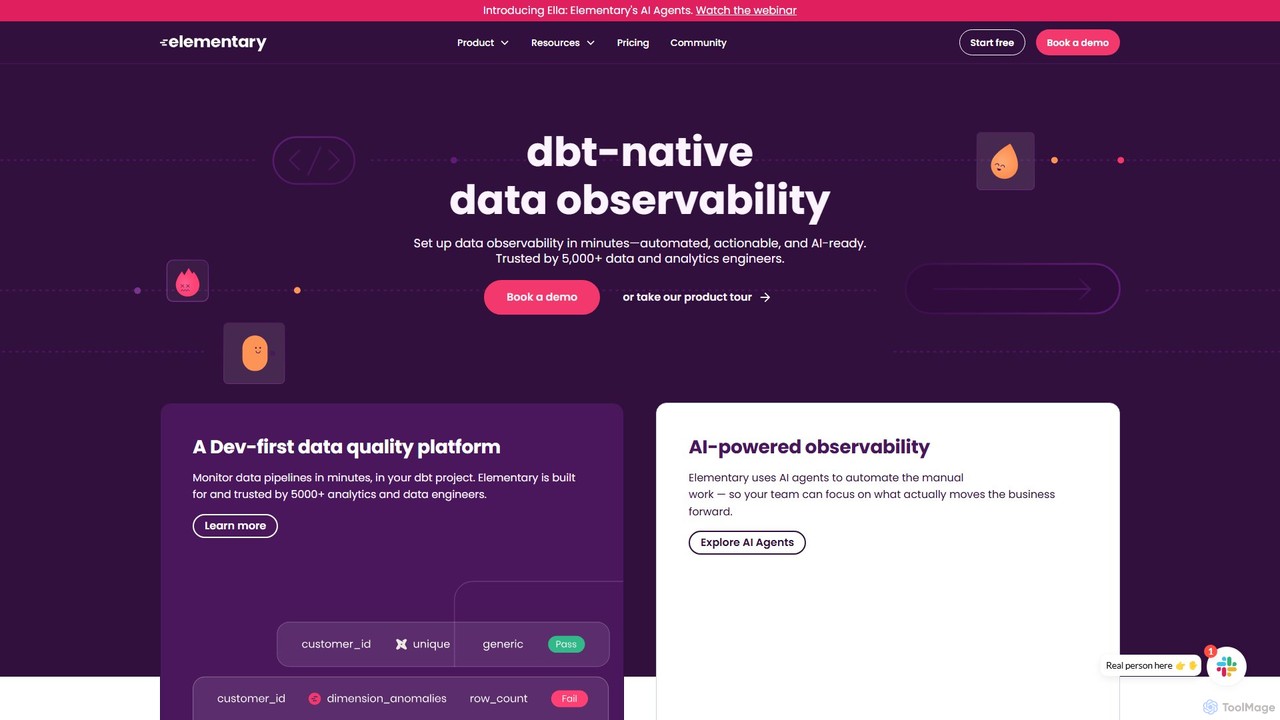
Elementary Data Product overview

Elementary Data is a dbt-native data observability platform designed for data and analytics engineers. It uses AI agents to automate data quality monitoring, detect anomalies, and provide end-to-end lineage. The platform helps teams reduce alert noise, resolve incidents faster, and build trust in their data for AI and analytics applications.

Preview

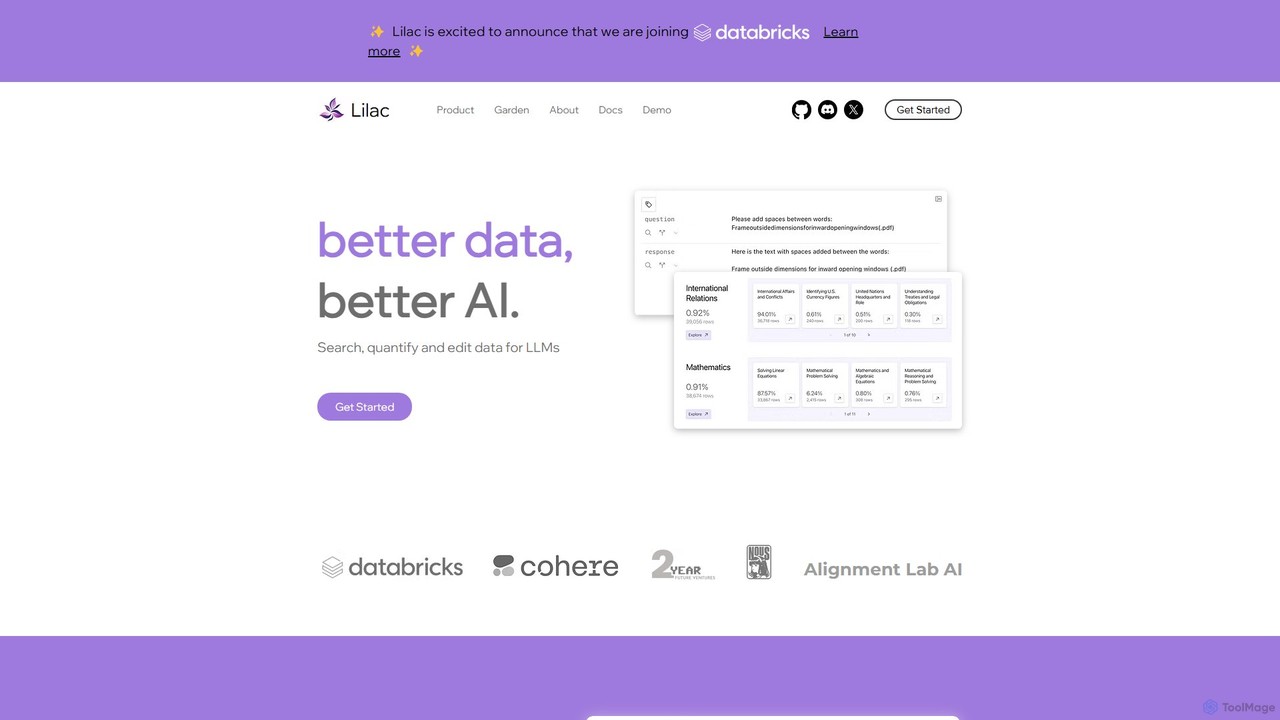
Lilac Product overview

Lilac is an open-source tool for data scientists and ML engineers to explore, clean, and improve datasets for large language models (LLMs). It offers powerful semantic search, data clustering, and quality analysis to build better AI.

Preview

Quick facts

Compare product focus, pricing models and audiences. Highlighted rows indicate different listed information; unknown pricing does not mean free.

Elementary Data VS Lilac — Quick facts
Quick factsElementary DataLilac
Pricing modelFreemiumFree
Product typeWebWeb
Primary focusObservabilityModel Training
Audience and rolesNo data availableNo data available
CategoriesObservability · Data Management · AnalyticsModel Training · Data Analysis · Data Management
AddedAug 12, 2025Aug 6, 2025
UpdatedNov 19, 2026Nov 19, 2026

Features, usage and use cases

Explore the listed product descriptions, features and workflows. Taxonomy labels alone are not feature evaluations.

Elementary Data

Elementary Data is a developer-first, dbt-native data observability platform trusted by thousands of data and analytics engineers. It is designed to operationalize data quality across the entire data lifecycle, from detection to resolution. By leveraging AI agents, Elementary automates manual tasks, allowing data teams to focus on high-impact activities that drive business value. The platform addresses the critical challenge of data quality, which is often the primary blocker to successful AI implementation and data product adoption, ensuring that bad inputs do not lead to broken models or untrustworthy decisions.

How to use Elementary Data

Getting started with Elementary Data is designed to be quick and seamless, especially for teams already using dbt. The process typically involves:

  1. Installation: Install the open-source Elementary dbt package as an SDK within your existing dbt project. This can be done in minutes.
  2. Configuration: Set up your environments and connect your data sources. Elementary only requires read access to metadata and test results, not your raw data, ensuring security and compliance (SOC-2 Type II certified).
  3. Monitoring: Once configured, Elementary automatically starts monitoring your data pipelines. It captures dbt test failures, detects anomalies in data freshness and volume, and collects performance metrics.
  4. Alerting & Triage: Use the Elementary Cloud Platform to manage alerts. You can customize routing rules to notify the right people or teams via Slack or other channels. The platform provides context, including lineage and owners, to help triage and resolve issues faster.
  5. Exploration & Governance: Utilize the native data catalog to explore schemas, view column-level lineage, and understand data health. AI agents can assist with test coverage discovery and automated triage.

Core Features of Elementary Data

  • AI Agents (Ella): Automate manual work such as incident triage, test coverage discovery, performance optimization, and data governance to drive efficiency.
  • Data Quality Tests: Manage dbt tests, native Elementary tests, and custom SQL tests from a single, unified platform.
  • Automated Anomaly Detection: Proactively monitor data for freshness, volume, and schema anomalies without manual configuration.
  • End-to-End Data Lineage: Visualize column-level lineage to understand data dependencies, trace issues to their source, and assess the impact of changes.
  • Incident & Alerting Management: Cut through the noise with simplified, context-rich alerting. Route notifications to the right stakeholders and manage incidents from detection to resolution.
  • Data Health Scores: Get a quick, high-level overview of your data's quality and reliability across different quality dimensions.
  • Performance & Cost Monitoring: Identify and resolve bottlenecks in your data pipelines, track execution times, and monitor performance trends to optimize costs.
  • Native Data Catalog: An enriched alternative to dbt docs, providing a centralized place for data discovery, metadata management, and understanding data assets.

Use Cases for Elementary Data

Elementary Data is versatile and supports various data-driven initiatives. For example, a company like Flock Safety used Elementary to establish a practical data governance program. By focusing on data quality and discovery, they built trust among business partners and analytics engineers. This led to increased data consumption, better collaboration, and more reliable decision-making. Other use cases include:

  • Preventing AI Hallucinations: Ensuring high-quality data inputs for AI and machine learning models to prevent erroneous outputs and build trustworthy systems.
  • Reducing Alert Fatigue: Data teams at companies like Hippo use Elementary to filter out noise and receive alerts only for genuine production failures, eliminating the 'nightmare' of constant, irrelevant notifications.
  • Improving Stakeholder Confidence: Providing stakeholders with a clear, daily overview of data health, giving them confidence in the quality of the data they use for decisions.
  • Establishing Data Trust: Using Elementary's testing, tagging, and metadata capabilities to create a 'golden standard' of trust in data assets.

Advantages of Elementary Data

The primary advantage of Elementary is its deep, native integration with the dbt ecosystem, making it a natural choice for modern data teams. Its developer-first approach ensures it fits seamlessly into existing workflows. The use of AI agents for automation significantly reduces manual effort and improves team efficiency. Furthermore, its comprehensive coverage of the entire data quality lifecycle—from testing and monitoring to incident resolution and governance—makes it an all-in-one solution. The platform is secure by design, never accessing raw data, and offers both a powerful open-source version and scalable cloud plans for enterprises.

Pricing and Plans

Elementary offers a flexible pricing model based on user seats, with a free open-source option and paid cloud plans. A 30-day free trial of the Essentials plan is available.

  • Open Source (OSS): A self-hosted, free community version that thousands of teams use in production.
  • Starter Plan: $650/month. Includes up to 2 users, detection and triage of data issues, automated anomaly detection, column-level lineage, and performance monitoring.
  • Essentials Plan: $1600/month. Includes everything in Starter for up to 8 users, plus collaboration features, all AI agents, incident management, end-to-end lineage, and dedicated Slack support.
  • Enterprise Plan: Custom pricing. Includes everything in Essentials with flexible seats, enterprise-grade security (RBAC, SCIM), advanced deployment options, premium support SLAs, and integrations with tools like Jira and PagerDuty.

Lilac

Lilac is a powerful open-source platform designed to revolutionize how developers and data scientists interact with data for AI model development. Built on the principle of "Better data, better AI," Lilac provides a comprehensive suite of tools to search, quantify, and edit datasets, particularly those used for training and fine-tuning Large Language Models (LLMs). It addresses the critical need for high-quality data by making the process of data exploration, cleaning, and curation more efficient, intuitive, and scalable.

The platform is trusted by leading organizations like Alignment Lab AI and NousResearch, empowering teams to move beyond simple keyword searches and gain a deep, conceptual understanding of their data. With its blazing-fast computation engine, Lilac can process massive datasets with remarkable speed, such as clustering one million data points in just 20 minutes or embedding data at a rate of half a billion tokens per minute. This performance makes it a critical component in any serious data quality evaluation pipeline.

How to use Lilac

Getting started with Lilac is straightforward, especially for those familiar with the Python ecosystem. The primary method of use involves a local installation and a web-based user interface for exploration.

  1. Installation: Begin by installing the Lilac library using pip, the Python package installer. Open your terminal or command prompt and run the command: pip install lilac.
  2. Launch Lilac: After installation, you can start the Lilac server from your terminal. This is typically done by running a command like lilac start [path_to_your_project_dir]. This command will process your datasets and launch a local web server.
  3. Load Data: Point Lilac to your dataset. It can handle various data formats and sources, allowing you to import data from local files (CSV, JSON, etc.) or directly from hubs like Hugging Face.
  4. Explore and Analyze: Once the server is running, open the provided URL in your web browser to access the Lilac UI. Here, you can use its powerful features to explore your data. Perform semantic searches, view data clusters, and analyze signals like PII or language.
  5. Curate and Edit: Use the interface to tag, filter, and even edit data points directly. You can create new labels, remove duplicates, or clean up noisy entries.
  6. Export and Utilize: After curating your dataset, you can export the improved version or the generated insights (e.g., a list of IDs to remove) for use in your model training pipeline.

Core Features of Lilac

  • Semantic & Keyword Search: Go beyond basic text matching. Lilac allows you to search your dataset using natural language queries to find conceptually similar entries, in addition to traditional keyword search.
  • Automatic Data Clustering: Lilac automatically groups similar data points and assigns titles to these clusters, giving you an instant high-level overview of the topics and themes present in your data.
  • Fuzzy-Concept Search: Search for abstract or nuanced concepts that are difficult to define with specific keywords, allowing for more sophisticated data slicing and exploration.
  • Built-in Data Quality Signals: The platform comes with pre-built signals to automatically detect Personally Identifiable Information (PII), near-duplicates, text complexity, and the language of the text.
  • Custom Signal Creation: Users can extend Lilac's capabilities by defining and running their own custom signals and transformations on their datasets, tailoring the analysis to their specific needs.
  • Data Editing and Comparison: Directly edit data fields within the UI and compare different fields or versions of your dataset side-by-side to understand the impact of your changes.
  • High-Performance Engine: Engineered for speed and scale, Lilac can handle datasets with billions of tokens, making large-scale data curation feasible.

Use Cases for Lilac

Lilac is a versatile tool applicable across the entire AI development lifecycle:

  • Pre-training Data Curation: Analyze and clean massive web-scale datasets to remove low-quality content, duplicates, and PII before pre-training a foundation model.
  • Fine-Tuning Dataset Improvement: For tasks like instruction fine-tuning, use Lilac to analyze the quality of instruction-response pairs, identify biases, and ensure diversity in the data.
  • Model Evaluation and Debugging: Discover and analyze specific data slices where your model performs poorly. By clustering and examining failure cases, you can understand the model's weaknesses and target them with better data.
  • Data Exploration and Understanding: Quickly get a qualitative feel for any new text dataset. Understand its composition, identify major topics, and spot potential issues before any code is written.
  • Content Moderation and Safety: Use semantic search and custom signals to efficiently identify and tag toxic, harmful, or otherwise sensitive content within a dataset.

Advantages of Lilac

Lilac offers significant advantages for teams working with LLMs:

  • Improved Model Performance: By systematically improving data quality, Lilac helps you build more accurate, reliable, and less biased AI models.
  • Accelerated Development Workflow: It dramatically reduces the time and manual effort required for data exploration and cleaning, allowing teams to iterate faster.
  • Democratization of Data Insights: The intuitive UI makes deep dataset analysis accessible to all team members, including product managers and domain experts, not just ML engineers.
  • Open Source and Extensible: Being free and open-source fosters transparency, community collaboration, and allows for complete customization to fit unique project requirements.
  • Scalability for Real-World Data: Its efficient architecture ensures that you can apply the same rigorous data quality processes to both small and massive, production-scale datasets.

Pricing and Plans

Lilac is an open-source project, making its core library and user interface completely free to use. You can install and run it on your local machine or private infrastructure without any cost. The project is sustained by its community and contributors. While the core tool is free, there may be future enterprise-level offerings, such as the mentioned "Lilac Garden," which could provide managed cloud services, dedicated support, or advanced features for commercial use. However, for individual developers, researchers, and most teams, the open-source version provides full functionality.

Positioning

Their taxonomy shows where the products overlap and where each one has a more distinct focus. Unknown fields are shown explicitly and are never filled with assumptions.

Categories

Shared
Data Management
Only Elementary Data
ObservabilityAnalytics
Only Lilac
Model TrainingData Analysis

Tags

Shared
data quality
Only Elementary Data
AI agentanalytics engineeringanomaly detectiondata catalogdata lineagedata monitoringdata observabilitydbt
Only Lilac
data analysisdata cleaningdata explorationdatasetdeveloper toolsllmmachine learningopen sourcesemantic search

Audience and roles

Shared
No listed items
Only Elementary Data
No listed items
Only Lilac
No listed items

Traffic comparison

Traffic is shown on the same scale so differences in market visibility are not visually understated.

How to interpret the traffic data

Both charts share the same months and vertical scale. Each tool identifies its latest reporting month; missing months are left blank, not counted as zero. Regional and source visit counts are estimates calculated from the reported shares.

Elementary Data monthly traffic:

Latest traffic · 2026-05

Monthly visits
16K
Avg. visit duration
0:21
Pages per visit
1.54
Bounce rate
47.25%
Data updated 2026-06-15

Monthly traffic trend

  • 2025-08: No data available
  • 2025-09: 18.7K
  • 2026-01: 17K
  • 2026-02: 16.9K
  • 2026-03: 18.3K
  • 2026-04: 12.1K
  • 2026-05: 16K

Top regions

Top 5 countries/regions
Country/regionPercentageEstimated visits
🇺🇸United States48.18%7.7K
🇩🇪Germany25.01%4K
🇧🇷Brazil11.23%1.8K
🇮🇳India8.01%1.3K
🇫🇷France7.57%1.2K

Search keywords

dbt test accepted valuesdbt tests relationshipelementary dataelementary performance alertsnowflake summit

Lilac monthly traffic:

Latest traffic · 2026-05

Monthly visits
16.7K
Avg. visit duration
1:00
Pages per visit
1.12
Bounce rate
80.5%
Data updated 2026-06-15

Monthly traffic trend

  • 2025-08: 682
  • 2025-09: 504
  • 2026-01: No data available
  • 2026-02: 693
  • 2026-03: 0
  • 2026-04: 709
  • 2026-05: 16.7K

Top regions

Top 5 countries/regions
Country/regionPercentageEstimated visits
🇺🇸United States100%16.7K

Search keywords

lilac data managementsportwetten ohne lugas

Community signals

Ratings, comments, favorites, and likes are community signals—not a substitute for product fit.

Elementary Data

Rating
No data available
Comments
0
Favorites
153
Likes
163

Lilac

Rating
No data available
Comments
0
Favorites
171
Likes
175

Elementary Data vs Lilac · Comparison FAQ

What do Elementary Data and Lilac have in common?
Both tools are listed under Data Management. These categories indicate overlapping use cases; compare their detailed descriptions for workflows, capabilities and limitations.
Are Elementary Data and Lilac free?
Listed pricing models: Elementary Data — Freemium; Lilac — Free. Missing pricing is not proof of a free plan, and freemium does not mean every feature is free. Check official sites for current plans, limits and trials.
How should I choose between Elementary Data and Lilac?
The primary listed category is Observability for Elementary Data, and Model Training for Lilac. Compare features, steps and use cases, then verify pricing, data permissions and deployment needs. This page does not include hands-on testing and does not declare a winner from traffic or tags.

Sources and comparison methodology

This page is assembled from ToolMage product listings, taxonomy, traffic statistics and on-site user feedback. It is not a hands-on test or an independent review.

  • Feature and plan descriptions reflect information in the listings, not real-time guarantees. Verify pricing, quotas, availability and privacy terms on the official sites.
  • Traffic uses the reporting months shown. Missing statistics do not mean zero visits, and different periods do not establish growth or superiority. Regional and source visit counts are estimates based on shares.
  • Different tags indicate differences in the listings, not proof that the other product lacks a capability. Ratings, favorites and visits are not used to declare a winner.

Related comparisons