ToolMage
Sign in

AI TOOL COMPARISON

FireCMS vs Unshift

What is the difference, and which fits your workflow? Compare features, usage, pricing models and traffic side by side.

Jump to key differences

Product overview

FireCMS Product overview

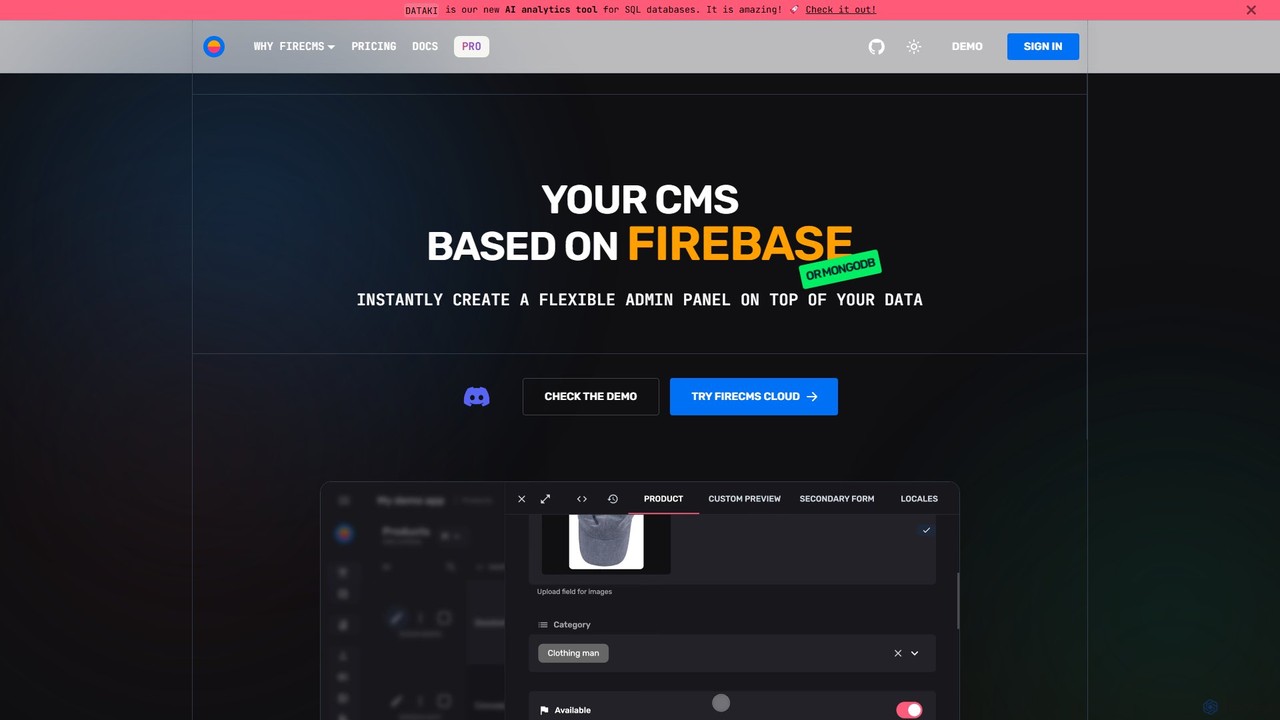
FireCMS is an open-source, headless CMS and admin panel builder for Firebase and MongoDB. It enables developers and startups to instantly create flexible, powerful back-office applications with an intuitive, Airtable-like interface. Featuring AI-powered data queries, automatic schema detection, extensive customization with React, and a rich content editor, FireCMS streamlines development and content management, offering both cloud and self-hosted solutions.

Preview

Unshift Product overview

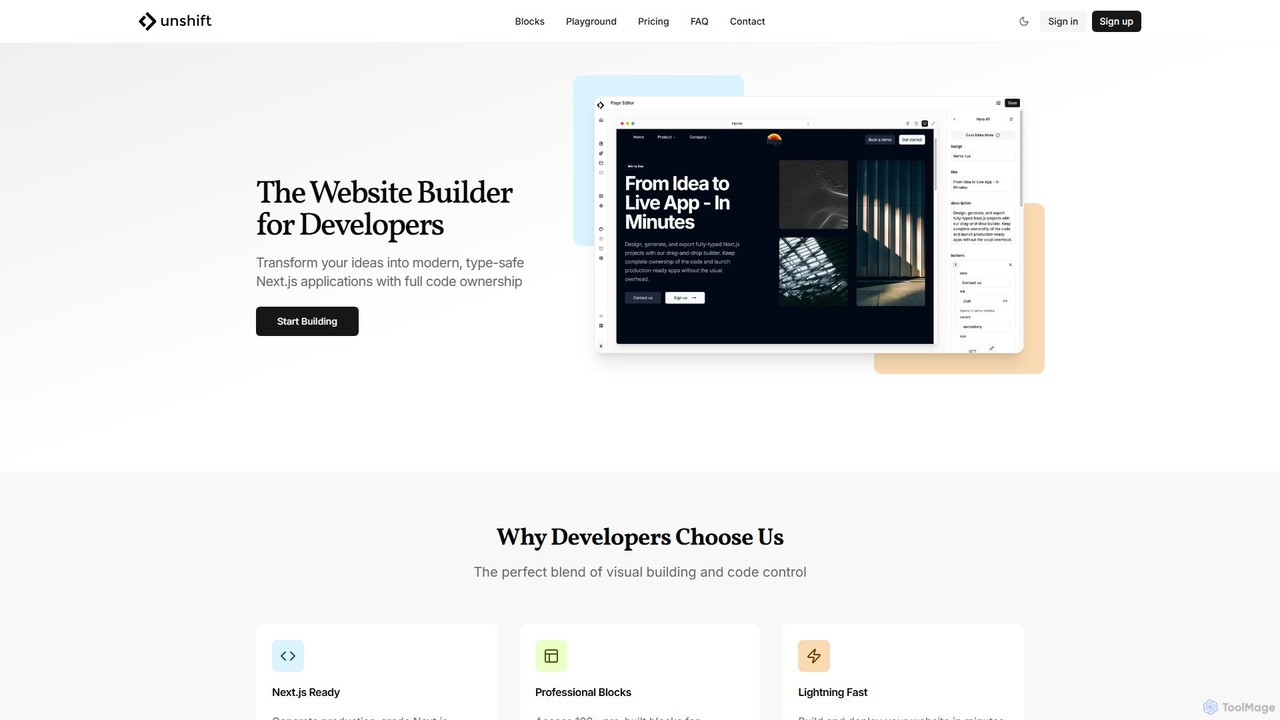
Unshift is a website builder designed for developers, blending visual editing with full code control. It generates production-grade Next.js applications with TypeScript and TailwindCSS, offering complete code ownership via a clean Git repository. With over 100 pre-built blocks and a developer-first approach, it accelerates the process of turning ideas into modern, type-safe web applications without vendor lock-in.

Preview

Quick facts

Compare product focus, pricing models and audiences. Highlighted rows indicate different listed information; unknown pricing does not mean free.

FireCMS VS Unshift — Quick facts
Quick factsFireCMSUnshift
Pricing modelFreemiumFreemium
Product typeWebWeb
Primary focusContent Management SystemUi Ux
Audience and rolesNo data availableNo data available
CategoriesContent Management System · Database · No Code & Low CodeUi Ux · Website Builder · No Code & Low Code
AddedAug 12, 2025Aug 12, 2025
UpdatedNov 19, 2026Nov 19, 2026

Features, usage and use cases

Explore the listed product descriptions, features and workflows. Taxonomy labels alone are not feature evaluations.

FireCMS

FireCMS is a comprehensive, open-source platform designed to build powerful back-office applications and admin panels on top of Firebase or MongoDB backends. It transcends the traditional definition of a CMS, offering a highly extensible and customizable headless solution for developers, startups, and agencies. By providing an intuitive, Airtable-like user interface with inline editing and real-time updates, FireCMS significantly simplifies data management and content creation, allowing teams to focus on their core application logic rather than building internal tools from scratch.

How to use FireCMS

Getting started with FireCMS is designed to be a swift and straightforward process, whether you opt for the managed cloud service or a self-hosted solution.

  1. Connect Your Project: For the Cloud version, you simply connect your Firebase or MongoDB project. FireCMS can help set up a Service Account to establish a secure connection.
  2. Define Your Data Models: You have two powerful options. Let FireCMS automatically infer your data structure from your existing database, or use the intuitive visual schema editor to manually define collections, fields, and relationships. For developers, schemas can be defined in TypeScript for complete type safety.
  3. Go Live Instantly: Once your models are defined, your fully functional, production-ready admin panel or CMS is immediately accessible. For self-hosted versions, you can initialize a fully customizable project using the command npx create-firecms-app, giving you granular control over components, business logic, and authentication.

Core Features of FireCMS

  • AI-Powered Data Interaction: Engage with your data using natural language. The "DataTalk" feature allows you to ask questions like "Count users who signed up last month," and it generates the necessary code and results instantly. It also offers AI-powered content autofill using GPT models to streamline data entry.
  • Flexible Data Modeling: Features automatic schema detection, an intuitive drag-and-drop schema editor, and the ability to define schemas in TypeScript for robust type safety. It supports over 20 field types and advanced validation options.
  • Advanced Editing Experience: Provides a best-in-class UX with a choice between a spreadsheet-like view for quick edits and powerful, detailed forms. It also includes a Notion-style rich text editor for creating articles, blogs, and documentation.
  • High Extensibility and Customization: Built with React, FireCMS allows you to extend the CMS with your own custom components. Create custom property fields, entity views, or navigation items to perfectly match your project's needs.
  • Seamless Backend Integration: Natively supports Firebase/Firestore and MongoDB Atlas, leveraging their full power and scalability. It does not impose any specific data structure, making it compatible with any existing project.
  • Efficient Data Management: Includes streamlined tools for data import and export. You can easily import data from CSV, JSON, or Excel files, with automatic data type detection and conversion.
  • Comprehensive Change History: Tracks all modifications made to your data, ensuring data integrity and allowing you to revert to previous states if necessary.
  • User and Role Management: Provides tools to manage users and define roles, ensuring secure and granular access control to your data.

Use Cases for FireCMS

FireCMS is versatile and caters to a wide range of users:

  • Developers: Rapidly build internal tools, CRUD interfaces, and complex back-offices without the hassle of frontend development, allowing them to focus on core business logic.
  • Startups: Get an MVP's admin panel or a basic CMS up and running in minutes instead of weeks, enabling fast iteration and efficient data management from day one.
  • Agencies: Deliver custom, reliable, and scalable back-office solutions for clients, built on the robust infrastructure of Google Cloud and MongoDB Atlas.
  • Content Managers: Enjoy a best-in-class user experience for managing application data and rich content through an intuitive and easy-to-use interface.

Advantages of FireCMS

FireCMS stands out for its speed, flexibility, and developer-first approach. Its ability to generate a functional admin panel instantly saves significant development time. The open-source nature provides transparency and freedom, while the high level of customization with React ensures it can be tailored to any specific requirement. Testimonials from users at Microsoft and IKEA highlight its superior user experience compared to competitors and its flexibility in integration.

Pricing and Plans

FireCMS offers a flexible pricing structure to suit different needs:

  • Community (Free): A self-hosted, MIT-licensed plan. It includes the first-class CMS/admin panel, integration with Firebase/MongoDB, access to 40+ components, and full CMS customization. Ideal for individual developers and open-source projects.
  • FireCMS Cloud (€9.99/user/month): A fully managed, no-code/low-code solution with a one-month free trial. It includes everything in the Community plan plus user and role management, data import/export, theme customization, and AI content generation.
  • PRO (€49.99/project/month): The ultimate self-hosted solution for startups, agencies, and enterprises. It unlocks all features, including the visual schema editor, advanced data import/export, custom authentication, priority support, and full access to all FireCMS plugins.

Unshift

Unshift is a revolutionary website builder platform created specifically for developers who seek the perfect balance between the speed of visual construction and the power of full code control. Born from the common frustrations with traditional website builders and from-scratch development, Unshift's mission is to democratize web development. It empowers developers, freelancers, and digital agencies to build and launch sophisticated, modern Next.js applications with unprecedented efficiency and flexibility.

The platform is built on a modern tech stack, including Next.js, TypeScript, TailwindCSS, and shadcn/ui, ensuring that the generated code is not only clean and production-ready but also adheres to the latest best practices. Unshift eliminates the typical trade-offs, allowing for rapid prototyping and development without sacrificing code quality or locking users into a proprietary ecosystem. You get complete ownership of your code, exported to a clean Git repository, giving you the freedom to host anywhere and extend the application with custom business logic as needed.

How to use Unshift

Unshift streamlines the development workflow into four simple, intuitive steps:

  1. Plan Your Website: Begin by using the integrated app planner. This tool helps you quickly generate a first draft of your website, complete with a professional layout and logical structure, providing a solid foundation to build upon.
  2. Edit Your Content: Once the structure is in place, you can easily edit every page. Customize text, replace images, and adjust layouts using the intuitive visual editor to perfectly match your brand's identity and messaging.
  3. Customize Components: Dive deeper by customizing components. You can either modify any of the 100+ pre-built blocks from the extensive library or create entirely new component blocks from scratch to meet your specific requirements. The built-in Monaco editor, with TypeScript IntelliSense and Tailwind autocomplete, makes this process seamless.
  4. Get Production-Ready Code: When you're satisfied with your design and content, export the entire project. Unshift generates a fully functional Next.js application with clean, well-organized, and production-ready code. You receive a full Git repository, ready for deployment on any platform.

Core Features of Unshift

  • Next.js Ready: Automatically generates production-grade Next.js applications using the App Router, server components, and streaming for optimal performance.
  • Full Code Ownership: Export a clean, complete Git repository with a clear commit history. Your code is yours to own, modify, and deploy anywhere.
  • Extensive Block Library: Access over 100 professionally designed, pre-built blocks for marketing, CTAs, FAQs, headers, footers, and more. E-commerce and dashboard blocks are coming soon.
  • Built-in Code Editor: Features an integrated Monaco editor with TypeScript IntelliSense and TailwindCSS autocomplete for a superior coding experience.
  • Type-Safe Components: All components are built with TypeScript and modern React patterns, ensuring type safety and maintainability.
  • Git Integration: Full integration with Git allows for seamless version control and collaboration.
  • Premium Integrations: Upcoming premium data connectors will allow you to connect to your favorite services and APIs.
  • AI-Powered Features (Upcoming): The Pro plan will introduce AI layout scaffolding to further accelerate the design process.

Use Cases for Unshift

Unshift is versatile and ideal for a wide range of projects, including:

  • Startups & MVPs: Launch a Minimum Viable Product (MVP) in record time with a professional look and a solid codebase that can be easily extended.
  • Marketing Websites: Digital agencies and marketing teams can quickly build and deploy high-performance, SEO-friendly marketing sites for clients.
  • Developer Portfolios & Blogs: Individual developers can create and customize personal websites to showcase their work and share their knowledge.
  • Prototyping: Rapidly prototype complex application UIs with the visual builder while ensuring the underlying code is production-quality for a smooth transition to development.
  • Small Business Websites: Create professional and modern websites for small businesses without the limitations of traditional website builders.

Advantages of Unshift

The primary advantage of Unshift is its developer-first philosophy. It combines the efficiency of a visual builder with the power and flexibility of code. This results in lightning-fast development cycles, high-quality and maintainable code, and zero vendor lock-in. The platform's use of modern technologies like Next.js and TypeScript ensures that your projects are performant, scalable, and future-proof.

Pricing and Plans

Unshift offers a simple and transparent pricing model:

  • Free Plan ($0): Perfect for getting started. This plan includes the visual website builder, access to an extensive library of blocks, full GitHub repository access, TypeScript + TailwindCSS + shadcn/ui, Next-auth integration, and REST API data connectors.
  • Pro Plan (Coming Soon): Designed for teams and professionals. This plan will include everything in the Free plan, plus premium blocks, AI layout scaffolding, advanced data connectors, and a form builder.

Positioning

Their taxonomy shows where the products overlap and where each one has a more distinct focus. Unknown fields are shown explicitly and are never filled with assumptions.

Categories

Shared
No Code & Low Code
Only FireCMS
Content Management SystemDatabase
Only Unshift
Ui UxWebsite Builder

Tags

Shared
developer toolslow-codereacttypescript
Only FireCMS
admin paneldatabase managementFirebasefirestoreheadless CMSmongodbno-codeopen source
Only Unshift
code generationfrontend developmentgit integrationNextJStailwindcssvisual editorwebsite builder

Audience and roles

Shared
No listed items
Only FireCMS
No listed items
Only Unshift
No listed items

Traffic comparison

Traffic is shown on the same scale so differences in market visibility are not visually understated.

How to interpret the traffic data

Both charts share the same months and vertical scale. Each tool identifies its latest reporting month; missing months are left blank, not counted as zero. Regional and source visit counts are estimates calculated from the reported shares.

FireCMS monthly traffic:

Latest traffic · 2026-05

Monthly visits
28.4K
Avg. visit duration
1:19
Pages per visit
2.75
Bounce rate
39.17%
Data updated 2026-06-15

Monthly traffic trend

  • 2025-08: No data available
  • 2025-09: 28.6K
  • 2026-01: 17.6K
  • 2026-02: 15.7K
  • 2026-03: 14.8K
  • 2026-04: 21.2K
  • 2026-05: 28.4K

Top regions

Top 5 countries/regions
Country/regionPercentageEstimated visits
🇩🇪Germany39.19%11.1K
🇮🇳India20.68%5.9K
🇷🇺Russia15.93%4.5K
🇺🇸United States13.31%3.8K
🇧🇷Brazil10.89%3.1K

Traffic sources

Source typePercentageEstimated visits
Direct98.93%28.1K
Email1.07%304

Search keywords

firebasefirecmsfirecms docsfriecms playconsole firebasegradient generator

Unshift monthly traffic:

Latest traffic · 2026-05

Monthly visits
360
Avg. visit duration
0:18
Pages per visit
1.35
Bounce rate
34.02%
Data updated 2026-06-15

Monthly traffic trend

  • 2025-08: 100
  • 2025-09: 404
  • 2026-01: No data available
  • 2026-02: 0
  • 2026-03: 0
  • 2026-04: 899
  • 2026-05: 360

Top regions

Top 5 countries/regions
Country/regionPercentageEstimated visits
🇨🇦Canada100%360

Community signals

Ratings, comments, favorites, and likes are community signals—not a substitute for product fit.

FireCMS

Rating
No data available
Comments
0
Favorites
156
Likes
156

Unshift

Rating
No data available
Comments
0
Favorites
189
Likes
190

FireCMS vs Unshift · Comparison FAQ

What do FireCMS and Unshift have in common?
Both tools are listed under No Code & Low Code. These categories indicate overlapping use cases; compare their detailed descriptions for workflows, capabilities and limitations.
Are FireCMS and Unshift free?
Listed pricing models: FireCMS — Freemium; Unshift — Freemium. Missing pricing is not proof of a free plan, and freemium does not mean every feature is free. Check official sites for current plans, limits and trials.
How should I choose between FireCMS and Unshift?
The primary listed category is Content Management System for FireCMS, and Ui Ux for Unshift. Compare features, steps and use cases, then verify pricing, data permissions and deployment needs. This page does not include hands-on testing and does not declare a winner from traffic or tags.

Sources and comparison methodology

This page is assembled from ToolMage product listings, taxonomy, traffic statistics and on-site user feedback. It is not a hands-on test or an independent review.

  • Feature and plan descriptions reflect information in the listings, not real-time guarantees. Verify pricing, quotas, availability and privacy terms on the official sites.
  • Traffic uses the reporting months shown. Missing statistics do not mean zero visits, and different periods do not establish growth or superiority. Regional and source visit counts are estimates based on shares.
  • Different tags indicate differences in the listings, not proof that the other product lacks a capability. Ratings, favorites and visits are not used to declare a winner.

Related comparisons