ToolMage
Sign in

Best 1 Workflow Generation AI tools for Ai Assistant

Popular Workflow Generation AI tools in Ai Assistant include FlowForma, helping you work more efficiently.

FlowForma
Paid

FlowForma

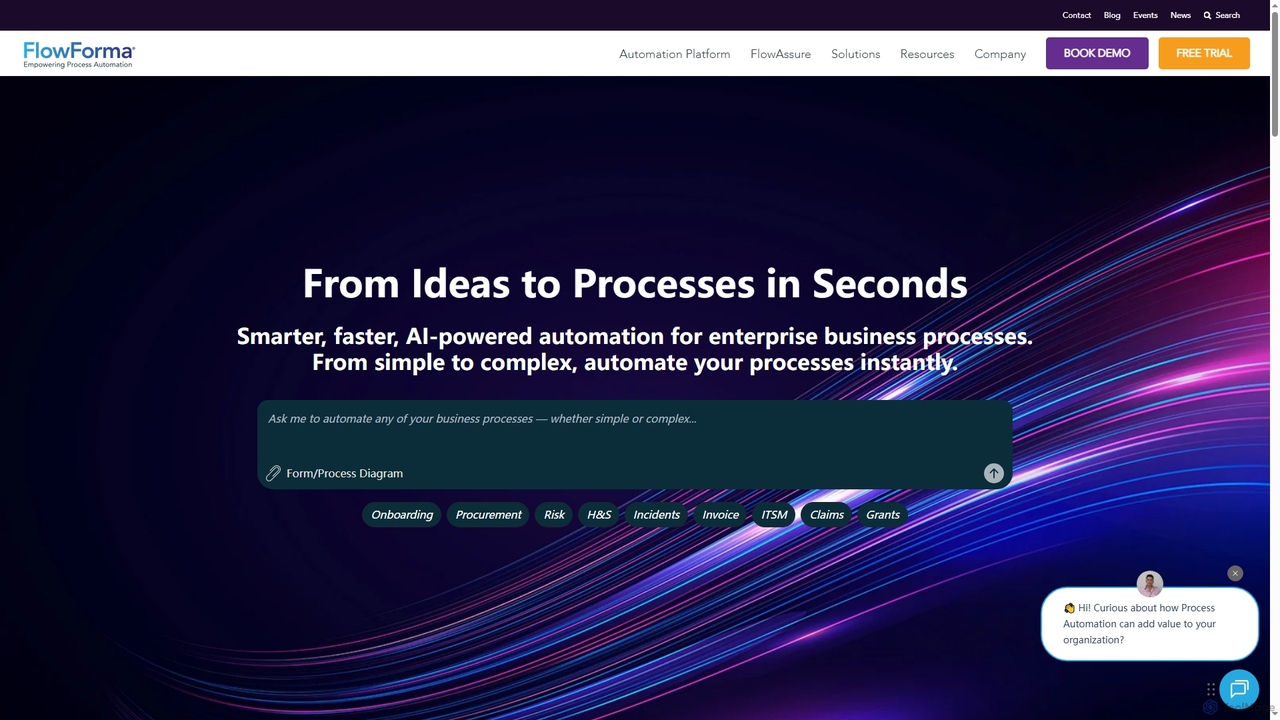
FlowForma is an AI-powered Digital Process Automation (DPA) platform designed for enterprises to rapidly automate business processes. It leverages AI Copilot and Agents to streamline workflows, manage routine tasks, and generate documents, enabling faster delivery, improved compliance, and significant operational efficiency across various departments.

3D
Visits 23.6KFavorites 118Likes 109

About Workflow Generation

Workflow Generation tools are AI-powered platforms designed to automate and optimize complex, multi-step processes. They leverage various AI models and services to create seamless, intelligent sequences of tasks, from data processing to content creation. These tools significantly streamline operations, reduce manual effort, and enhance decision-making across diverse business functions. Their unique advantage lies in integrating intelligent decision points and adaptive logic within automated flows, moving beyond simple task execution to intelligent orchestration.

Core Features

  • Visual Workflow Builder: Intuitive drag-and-drop interfaces for designing and visualizing complex automation sequences.
  • AI Task Orchestration: Seamlessly connect and manage different AI models (e.g., NLP, computer vision, generative AI) within a single flow.
  • Conditional Logic & Branching: Implement intelligent decision points that adapt the workflow path based on real-time data or AI analysis.
  • Data Transformation & Routing: Automatically process, transform, and route data between various applications and AI services.
  • Monitoring & Analytics: Track workflow performance, identify bottlenecks, and gain insights for continuous optimization and improvement.

Use Cases

Businesses looking to automate repetitive tasks, content creators needing to generate and distribute content across platforms, or developers building intelligent backend processes can greatly benefit. For instance, a marketing team can automate the entire content lifecycle from idea generation to multi-channel publishing, while customer service can use it for intelligent inquiry triage and personalized response drafting.

How to Choose

When selecting a Workflow Generation tool, consider the complexity of workflows you need to automate, the range of AI models and third-party integrations supported, and the flexibility of conditional logic. Evaluate the ease of use (visual builder), scalability for future needs, and the robustness of monitoring and analytics features to ensure continuous improvement and adaptability.

Workflow Generation use cases

1

Automate Customer Onboarding Processes

For SaaS companies or service providers, manually onboarding new customers can be time-consuming and prone to errors. Workflow Generation tools allow HR and customer success teams to automate the entire process, from sending welcome emails and setting up accounts to scheduling initial training sessions and assigning success managers. This ensures a consistent, efficient, and personalized onboarding experience, reducing churn and improving customer satisfaction from day one.

2

Automate Customer Onboarding Workflows

A SaaS company's sales team can use workflow generation tools to automate the entire customer onboarding process. From sending welcome emails and setting up accounts to scheduling initial training sessions and assigning a dedicated account manager, the tool ensures every step is completed promptly and consistently. This reduces manual administrative tasks by up to 70%, allowing sales reps to focus on nurturing relationships and closing deals, while ensuring a smooth and professional customer experience.

3

Automate Content Creation & Distribution

For content creators and marketing teams, a workflow generation tool can automate the entire content lifecycle. It can start by generating blog post ideas based on trending topics, then draft the article using an LLM, create accompanying images with an AI image generator, schedule social media posts, and even translate content for different regions, all within a single, interconnected workflow. This significantly reduces manual effort and accelerates content output.

4

Automate Multi-Channel Marketing Campaigns

Marketing teams utilize workflow generation tools to automate the entire lifecycle of multi-channel campaigns. This involves setting up sequences for email marketing, social media posts, ad triggers, and content distribution based on customer segments and engagement. By defining conditional logic, marketers ensure timely and personalized interactions, freeing up valuable time for strategic planning and creative development, leading to higher conversion rates and consistent brand messaging.

5

Automated Content Creation & Distribution

Marketing teams and content creators can leverage these tools to automate the entire content lifecycle. From a single prompt or data source, the workflow orchestrates AI writing, image generation, and translation, then automatically schedules and publishes blog posts, social media updates, and email newsletters across various platforms, saving significant time and ensuring consistent brand messaging.

6

Automate Content Marketing Campaigns

Content creators can design workflows that automatically generate blog post outlines, draft social media updates, schedule posts, and analyze performance, all triggered by a single input. This allows marketing teams to maintain a consistent online presence and engage their audience without manual oversight for every step, saving significant time and ensuring brand consistency across platforms.

7

Streamline Content Publishing Workflows

Content creators and marketing teams often manage complex publishing schedules involving multiple steps: drafting, editing, SEO optimization, image selection, scheduling, and distribution across various platforms. Workflow Generation tools can automate these sequences, ensuring content moves smoothly through each stage, triggering approvals, and automatically posting to social media or blogs at scheduled times. This significantly reduces manual oversight and accelerates content delivery.

8

Streamline New Customer Onboarding

Sales and customer success departments leverage workflow generation to create seamless onboarding experiences for new clients. The process can include automated welcome emails, scheduling initial consultation calls, assigning dedicated account managers, provisioning software access, and sending follow-up resources. This ensures every new customer receives a consistent, high-quality introduction to the service, reducing churn and improving customer satisfaction from day one.

9

Streamline Content Publishing Pipelines

Content marketing teams can leverage workflow generation tools to automate their content creation and publishing process. This includes automatically assigning tasks to writers and editors, routing content for review and approval, scheduling posts on social media platforms, and updating website CMS. By automating these steps, teams can reduce publishing time by 50% and ensure brand consistency across all channels, allowing them to produce more high-quality content efficiently.

10

Intelligent Customer Support Triage

Customer service departments can use Workflow Generation tools to intelligently manage incoming inquiries. The system automatically analyzes customer emails or chat messages using NLP to classify intent and urgency. It then generates personalized draft responses using generative AI and routes complex cases to the appropriate human agent, providing them with a concise summary of the interaction history and context.

11

Streamline Customer Service Ticket Resolution

Customer support departments can use these tools to automate initial ticket handling. A workflow might analyze incoming customer queries, categorize them, generate a personalized first-response draft, search a knowledge base for relevant solutions, and then route the ticket to the appropriate human agent with a summarized context. This ensures faster response times and frees up agents for more complex issues.

12

Streamline Customer Onboarding

SaaS companies can create workflows that automatically send welcome emails, provision accounts, assign training modules, and schedule follow-up calls based on new customer sign-ups. This ensures a smooth and consistent onboarding experience for every new user, reducing churn and freeing up customer success teams to focus on more complex support issues rather than repetitive administrative tasks.

13

Optimize Data Extraction & Report Generation

Data analysts and business intelligence teams can automate the process of extracting data from various sources (e.g., emails, documents, web pages), cleaning and transforming it, and then generating comprehensive reports. A workflow could use OCR to extract text from PDFs, an LLM to summarize key findings, and then integrate with a BI tool to visualize data, providing timely insights without manual data manipulation.

14

Enhance Lead Nurturing and Sales Follow-ups

Sales and marketing departments can leverage workflow generation to automate lead qualification and nurturing. When a new lead enters the CRM, the tool can automatically send personalized follow-up emails, assign the lead to the appropriate sales representative based on predefined criteria, and schedule reminder tasks. This ensures no lead falls through the cracks, improving conversion rates and allowing sales teams to focus on high-value interactions.

15

Data Processing & Report Generation

Data analysts and business intelligence teams can automate tedious data tasks. The workflow automatically extracts data from diverse sources like PDFs or web pages, cleans and transforms it, and performs AI-driven analysis such as sentiment analysis or trend prediction. Finally, it generates customized reports or updates dashboards, ensuring timely and accurate insights without manual intervention.

16

Automate Lead Nurturing Campaigns

Marketing and sales professionals can use workflow generation tools to create automated lead nurturing campaigns. When a lead interacts with specific content (e.g., downloads an e-book), the tool can automatically trigger a series of personalized emails, assign the lead to the appropriate sales representative, and update the CRM system. This ensures timely follow-ups and tailored communication, increasing lead conversion rates by an average of 20% and improving sales efficiency.

17

Automate HR Leave Request Approvals

Human Resources departments can significantly reduce administrative burden by automating leave request and approval workflows. Employees submit requests through a portal, which then automatically routes to their direct manager for approval. If approved, it proceeds to HR for final processing and updates the employee's leave balance. This eliminates manual paperwork, speeds up the approval process, and ensures compliance with company policies, enhancing overall HR efficiency.

18

Intelligent Lead Nurturing

Sales teams can build workflows that analyze lead behavior, personalize email sequences, update CRM records, and notify sales reps for high-priority leads, adapting based on engagement. This ensures that leads receive relevant communications at the right time, increasing conversion rates and allowing sales personnel to focus their efforts on the most promising prospects, optimizing the entire sales funnel.

19

Build Automated Data Processing Pipelines

Data analysts and operations teams employ workflow generation tools to construct robust data processing pipelines. These workflows can automatically extract data from various sources (databases, APIs), transform it according to predefined rules (cleaning, aggregation), and load it into data warehouses or business intelligence tools. This automation ensures data consistency, reduces manual errors, and provides timely, accurate insights for decision-making without constant manual intervention.

20

Automate Invoice Processing and Approval

Finance departments frequently deal with high volumes of invoices requiring multi-level approvals. Workflow Generation tools can automate the entire invoice lifecycle: receiving invoices, extracting key data, matching them with purchase orders, routing them to the correct approvers based on amount or department, and finally initiating payment. This reduces processing time, minimizes manual data entry errors, and ensures compliance with financial policies.

21

Personalized Sales Outreach Automation

Sales teams can streamline their lead nurturing and outreach efforts. Based on CRM data, the workflow identifies potential leads, uses AI to research company information, and generates highly personalized email drafts or LinkedIn messages. It then schedules follow-ups and tracks engagement, allowing sales professionals to focus on high-value interactions rather than repetitive administrative tasks.

22

Personalize Marketing Campaign Execution

Marketing professionals can deploy workflow generation for highly personalized campaigns. This involves segmenting customer lists based on behavior, generating tailored email subject lines and body content, creating dynamic ad creatives, and scheduling delivery across multiple channels. The workflow can adapt based on user engagement, automatically triggering follow-up actions or A/B tests to optimize campaign performance.

23

Automate Financial Report Generation

Finance departments can set up workflows to automatically pull data from various sources (e.g., accounting software, bank statements, investment platforms), generate monthly or quarterly financial reports, and distribute them to stakeholders. This reduces manual data entry errors, ensures timely reporting, and frees up financial analysts to focus on strategic insights rather than data compilation, enhancing accuracy and compliance.

24

Automate IT Incident Response

IT operations teams can deploy workflow generation tools to automate incident response. Upon detecting a system anomaly or receiving an alert from monitoring software, the tool can automatically create a ticket in the helpdesk system, notify the on-call engineer via Slack or SMS, initiate diagnostic scripts, and even escalate the issue if not resolved within a set timeframe. This significantly reduces response times by 40% and minimizes service disruptions, ensuring business continuity.

25

Automate Data Processing and Reporting

Data analysts and business intelligence teams can utilize workflow generation tools to automate complex data processing and reporting tasks. This involves automatically extracting data from various sources (databases, APIs), transforming it into a usable format, loading it into a data warehouse, and then generating daily or weekly reports. Automation ensures data accuracy, reduces manual data manipulation errors by 80%, and frees up analysts to focus on insights rather than repetitive data preparation, accelerating decision-making.

26

Optimize IT Incident Management

IT support teams can use workflow generation to automate incident response and resolution. When a new support ticket is logged, the tool can automatically categorize it, assign it to the relevant technician, trigger diagnostic scripts, send notifications to affected users, and escalate unresolved issues based on severity and time limits. This leads to faster resolution times, improved service levels, and reduced operational burden on IT staff.

27

Accelerate Software Development & Testing

Developers can leverage workflow generation to automate parts of their development lifecycle. A workflow could be triggered by a code commit, automatically generate unit tests, run code reviews using an AI assistant, identify potential bugs, and then update project management tools with status reports. This speeds up development cycles and improves code quality by integrating AI into CI/CD pipelines.

28

HR Onboarding & Offboarding Automation

HR departments can significantly improve efficiency and employee experience by automating onboarding and offboarding processes. Triggered by a new hire event, the workflow automatically sends welcome emails, document signing reminders, sets up system access, and assigns initial training. For offboarding, it automates access revocation, exit surveys, and final payroll procedures, ensuring compliance and a smooth transition.

29

Automate Content Publishing and Distribution

Content creators and digital publishers use workflow generation to manage the end-to-end process of content creation, approval, and distribution. A workflow might involve automatically sending drafts to editors for review, scheduling posts across multiple social media platforms, updating website content, and notifying subscribers via email. This ensures a consistent publishing schedule, broadens content reach, and significantly reduces the manual effort involved in content management.

30

Expedite IT Incident Response

IT operations teams can configure workflows that automatically detect system anomalies, create incident tickets, notify relevant personnel via multiple channels (email, Slack), and initiate diagnostic scripts. This significantly reduces mean time to resolution (MTTR) for critical incidents, minimizes downtime, and ensures a consistent, rapid response to potential system failures, improving overall system reliability and security posture.

31

Simplify Employee Expense Report Management

Managing employee expense reports can be a tedious process for both employees and finance teams. Workflow Generation tools can automate the submission, review, and approval of expense reports. Employees upload receipts, the AI extracts data, verifies policy compliance, routes the report to the manager for approval, and then to finance for reimbursement. This streamlines the entire process, reduces manual checks, and ensures timely reimbursements.

32

Automate HR Onboarding and Offboarding

Human Resources departments can significantly benefit from workflow generation tools to automate employee onboarding and offboarding processes. For onboarding, this includes automatically sending welcome kits, setting up IT access, enrolling in benefits, and scheduling initial meetings. For offboarding, it covers revoking access, scheduling exit interviews, and processing final payments. This ensures compliance, reduces HR administrative burden by 60%, and provides a consistent, positive experience for employees throughout their lifecycle.

33

Automate IT Incident Response Protocols

IT operations teams can enhance their incident management capabilities by automating response protocols using workflow generation tools. Upon detecting an alert (e.g., server outage, security breach), a workflow can automatically create an incident ticket, notify the on-call team, initiate diagnostic scripts, and even trigger automated remediation actions. This drastically reduces mean time to resolution (MTTR), minimizes service disruption, and ensures a standardized, efficient response to critical events.

34

Automate HR Onboarding Processes

HR departments can use workflow generation to streamline the new employee onboarding experience. A workflow might automatically generate offer letters, create necessary accounts in various internal systems, send welcome emails with relevant information, schedule initial training sessions, and notify relevant department heads, ensuring a smooth and efficient start for new hires while reducing administrative burden.

35

Supply Chain Anomaly Detection & Alerting

Supply chain managers and operations teams can enhance resilience and responsiveness. The workflow continuously monitors real-time data from logistics and inventory systems. Using predictive analytics AI, it detects unusual patterns or potential disruptions, such as sudden demand spikes or supplier delays. It then automatically triggers alerts to relevant personnel or initiates predefined contingency plans, minimizing impact.

36

Personalized E-commerce Product Recommendations

E-commerce platforms can use workflows to analyze customer browsing history and purchase patterns, then automatically generate and send personalized product recommendations via email or in-app notifications. This enhances the customer shopping experience, increases conversion rates by presenting highly relevant products, and drives repeat business, all while reducing the manual effort required for individual customer engagement strategies.

Workflow Generation FAQ

What are Workflow Generation tools?

Workflow Generation tools are AI-powered platforms that automate and optimize multi-step processes by designing, executing, and managing sequences of tasks. They leverage AI to understand inputs, make intelligent decisions, and generate outputs, significantly improving efficiency and consistency across operations. These tools are a specialized form of AI Assistant focused on orchestrating complex operational sequences.

What are AI-powered Workflow Generation tools?

AI-powered Workflow Generation tools are sophisticated platforms that use artificial intelligence to design, automate, and optimize multi-step business processes. Unlike simple automation, they incorporate intelligent decision-making, content generation, and data analysis capabilities within the workflow. Their core purpose is to create adaptive, efficient, and intelligent sequences of tasks, reducing manual intervention and enhancing operational agility.

What are Workflow Generation tools?

Workflow Generation tools are AI-powered platforms that automate and optimize multi-step business processes. They leverage artificial intelligence to design, execute, and manage sequences of tasks, from simple data transfers to complex decision-making flows. These tools aim to reduce manual intervention, improve efficiency, and ensure consistency across operations, making them a crucial component of modern AI Assistants.

What are Workflow Generation tools?

Workflow Generation tools are AI-powered platforms that automate and orchestrate multi-step business processes by intelligently connecting various AI models, applications, and services. Unlike simple automation, they can incorporate complex logic, adapt to changing data, and perform intelligent tasks like content creation, data analysis, or decision-making within a sequence. They aim to create end-to-end automated operational flows.

What are Workflow Generation tools?

Workflow Generation tools are AI-powered platforms that enable users to design, automate, and execute multi-step processes and tasks across various applications. They allow for the creation of interconnected sequences of actions, often involving conditional logic and data mapping. Their core purpose is to streamline operations, improve efficiency, and ensure consistency in repetitive or complex business functions, transforming manual efforts into intelligent, automated flows.

What are Workflow Generation tools?

Workflow Generation tools are AI-powered platforms that automate and optimize multi-step processes across various applications. They leverage AI to analyze tasks, design efficient sequences, and execute them automatically, often involving conditional logic and data transformations. These tools are crucial for reducing manual effort, improving operational consistency, and enabling businesses to scale their automation efforts effectively.

How do AI-powered Workflow Generation tools differ from traditional automation?

Traditional automation often relies on predefined rules and scripts, executing tasks in a rigid, linear fashion. AI-powered Workflow Generation tools, however, incorporate machine learning and natural language processing to understand context, adapt to changing conditions, and even suggest process improvements. They can handle unstructured data, make intelligent decisions, and learn from past executions, offering a more dynamic and resilient automation solution compared to static rule-based systems.

How do Workflow Generation tools differ from traditional automation (RPA/Zapier)?

While traditional automation tools like RPA (Robotic Process Automation) and integration platforms (e.g., Zapier) focus on automating repetitive, rule-based tasks, Workflow Generation tools integrate advanced AI capabilities. They go beyond simple "if-then" logic to include generative AI, natural language processing, and machine learning, allowing for more intelligent decision-making, content creation, and dynamic adaptation within complex workflows, rather than just executing predefined scripts or connecting APIs.

How do I choose the right Workflow Generation tool for my business?

To choose the right tool, first assess your specific automation needs and the complexity of your workflows. Consider the tool's integration capabilities with your existing systems (CRM, ERP, etc.), the range of AI models it supports, and its flexibility in handling conditional logic. Evaluate the user-friendliness of its visual builder, its scalability for future growth, and the quality of its monitoring and analytics features for continuous optimization.

How do I choose the right Workflow Generation tool?

When selecting a Workflow Generation tool, consider several key factors. First, assess its integration capabilities with your existing software ecosystem. Second, evaluate the complexity of logic it can handle, especially if your workflows involve intricate conditional branching. Third, prioritize ease of use, looking for intuitive visual builders. Finally, consider scalability for future growth, security features for data protection, and the overall cost-effectiveness of the solution.

How do Workflow Generation tools differ from simple task automation?

While simple task automation focuses on single, repetitive actions, Workflow Generation tools offer a more comprehensive and intelligent approach. They can design, manage, and execute complex, multi-step processes involving conditional logic, data routing, and integrations across multiple systems. AI-driven workflow generation can adapt to changing conditions, learn from past executions, and even suggest optimizations, going beyond mere rule-based execution to provide dynamic and adaptive automation solutions.

How do Workflow Generation tools differ from traditional automation?

Traditional automation often relies on rigid, rule-based scripts for repetitive tasks. Workflow Generation tools, powered by AI, can handle more complex, dynamic scenarios, adapt to changing data, make intelligent decisions, and even generate content or actions. This offers greater flexibility and intelligence beyond simple task execution, allowing for more sophisticated process optimization and problem-solving.

What are the main benefits of using AI Workflow Generation?

The primary benefits include significant improvements in operational efficiency, reduced manual errors, and accelerated task completion. These tools enable businesses to scale operations without proportionally increasing headcount, free up human employees for more strategic tasks, and ensure consistency in process execution. They also foster innovation by allowing rapid experimentation with new automated processes and AI capabilities.

What are the key benefits of using AI for Workflow Generation?

Utilizing AI for workflow generation brings several significant benefits. Firstly, it enhances efficiency by automating repetitive tasks, freeing up human resources for strategic work. Secondly, it improves accuracy and consistency by minimizing human error in complex processes. Thirdly, AI-driven workflows can adapt dynamically to changing data or conditions, making them more resilient. Lastly, they offer scalability, allowing businesses to expand operations without proportionally increasing manual overhead, leading to substantial cost savings and faster execution times.

Who can benefit from using Workflow Generation tools?

Anyone looking to streamline repetitive, multi-step processes can benefit. This includes marketing professionals automating campaigns, sales teams nurturing leads, HR departments managing onboarding, customer service automating responses, and IT teams handling incident management. Essentially, any role or department with recurring, structured tasks that could be made more efficient through intelligent automation stands to gain significantly.

What are the main benefits of using AI-powered Workflow Generation?

The main benefits include significant improvements in operational efficiency by automating repetitive and complex tasks, leading to reduced costs and faster execution. These tools enhance accuracy by minimizing human error, boost productivity by freeing up human resources for strategic work, and enable greater scalability. They also foster innovation by allowing businesses to create dynamic, intelligent processes that adapt to changing conditions and data insights.

What are the key capabilities of Workflow Generation tools?

Key capabilities of Workflow Generation tools include visual workflow builders for intuitive design, robust task orchestration to manage sequences of actions, and extensive integration capabilities with third-party applications. They also feature advanced conditional logic and branching for dynamic decision-making, comprehensive data mapping for seamless information flow, and powerful monitoring and analytics to track performance and identify areas for optimization. Error handling and notification systems are also crucial.

What are the key benefits of using Workflow Generation tools?

The primary benefits include significant improvements in operational efficiency by automating repetitive tasks, leading to cost savings and reduced human error. They enhance productivity by freeing up employees for more strategic work and ensure process consistency and compliance. Furthermore, these tools offer real-time visibility into operations, enabling better decision-making and continuous process optimization through data analytics and adaptive learning capabilities.

Can Workflow Generation tools integrate with existing systems?

Yes, most AI Workflow Generation tools are designed for extensive integration with existing business systems. They typically offer a wide array of connectors, APIs, and webhooks to link with popular applications like CRM (e.g., Salesforce), ERP (e.g., SAP), communication platforms (e.g., Slack), cloud storage (e.g., Google Drive), and various AI services. This ensures seamless data flow and process orchestration across your entire tech stack.

What are the main benefits of using Workflow Generation tools?

The primary benefits of using Workflow Generation tools are significant. They lead to increased operational efficiency by automating repetitive tasks, reduced manual errors through standardized processes, and improved consistency in task execution. Furthermore, these tools enable faster process execution, better resource utilization, and enhanced scalability, allowing businesses to handle larger volumes of work without proportional increases in human effort. This ultimately frees up employees to focus on more strategic, value-added activities.

What are the key features to look for in a Workflow Generation tool?

Essential features include robust integration capabilities with your existing tech stack, an intuitive workflow design interface, advanced AI for decision-making and content generation, and conditional logic for dynamic paths. Comprehensive monitoring and analytics for performance tracking, along with scalability, security, and flexible pricing models, are also critical considerations to ensure the tool meets both current and future operational needs.

Who can benefit most from Workflow Generation tools?

Virtually any organization with repetitive, rule-based, or multi-step processes can benefit. This includes small businesses looking to scale efficiently, large enterprises aiming to optimize complex operations, and specific departments like HR, finance, marketing, IT, and customer service. Roles such as operations managers, business analysts, and process owners will find these tools particularly valuable for designing and implementing automated workflows.

What features should I look for in a Workflow Generation tool?

When evaluating Workflow Generation tools, prioritize features like a visual workflow builder for ease of design, robust integration capabilities with your existing tech stack (CRM, ERP, communication tools), and advanced conditional logic for dynamic decision-making. Look for AI-powered suggestions for optimization, comprehensive reporting and analytics, and strong security protocols. Scalability, user-friendly interfaces, and responsive customer support are also crucial for long-term success and adoption within your organization.

Who can benefit most from Workflow Generation tools?

Organizations and individuals dealing with repetitive, multi-step processes that involve data processing, content creation, customer interaction, or decision-making can benefit significantly. This includes marketing teams, customer service departments, HR professionals, data analysts, and developers. Essentially, anyone looking to automate sequences of intelligent tasks that currently require manual oversight or complex coordination across multiple systems.

Can Workflow Generation tools integrate with my existing software?

Yes, most modern Workflow Generation tools are designed with extensive integration capabilities. They typically offer connectors for popular CRM, ERP, marketing automation, communication, and project management platforms, allowing seamless data flow and action triggers across your entire software ecosystem. This ensures that new workflows can be built upon and enhance your current operational infrastructure without requiring a complete overhaul.

What should I consider when implementing AI Workflow Generation?

Key considerations include clearly defining the processes you want to automate, understanding the data flow between steps, and assessing the integration capabilities of the tool with your existing tech stack. Start with smaller, well-defined workflows to gain experience, ensure robust error handling and monitoring are in place, and continuously evaluate the workflow's performance and impact on business objectives. Data security and compliance are also paramount.

What's the difference between AI Workflow Generation and traditional Robotic Process Automation (RPA)?

While both aim to automate tasks, AI Workflow Generation goes beyond traditional RPA. RPA primarily automates repetitive, rule-based tasks by mimicking human interactions with user interfaces. AI Workflow Generation, however, integrates advanced AI capabilities like natural language processing, machine learning, and generative AI to handle complex, unstructured data, make intelligent decisions, and generate content within the workflow. It focuses on orchestrating intelligent processes rather than just replicating human clicks.

Can Workflow Generation tools integrate with existing business systems?

Yes, integration with existing business systems is a core capability of most Workflow Generation tools. They typically offer a wide range of connectors and APIs to link with popular CRM, ERP, marketing automation, communication, and project management platforms. This seamless integration allows for the flow of data and tasks across different applications, creating a unified and automated ecosystem. The ability to connect with your current software stack is a critical factor in maximizing the value and efficiency of these AI-powered workflow solutions.

What should I consider when integrating Workflow Generation tools with existing systems?

When integrating, prioritize tools with extensive API support and pre-built connectors for your core business applications (CRM, ERP, project management, communication platforms). Ensure the tool supports secure data transfer protocols and offers robust error handling and logging capabilities. Evaluate its ability to manage data synchronization and transformation between different systems, and consider the ease of setting up and maintaining these integrations without extensive coding.

How do Workflow Generation tools differ from general AI Assistants?

While both leverage AI, Workflow Generation tools specifically focus on orchestrating and automating multi-step, interconnected processes and sequences of tasks. They are designed to build and execute structured flows based on triggers and logic. In contrast, general AI Assistants are broader, often focusing on individual task completion, information retrieval, or conversational interaction. An AI Assistant might be a component within a generated workflow (e.g., an AI chatbot handling a step), but the Workflow Generation tool is responsible for the overall design, management, and execution of the entire process.