
Superinbox
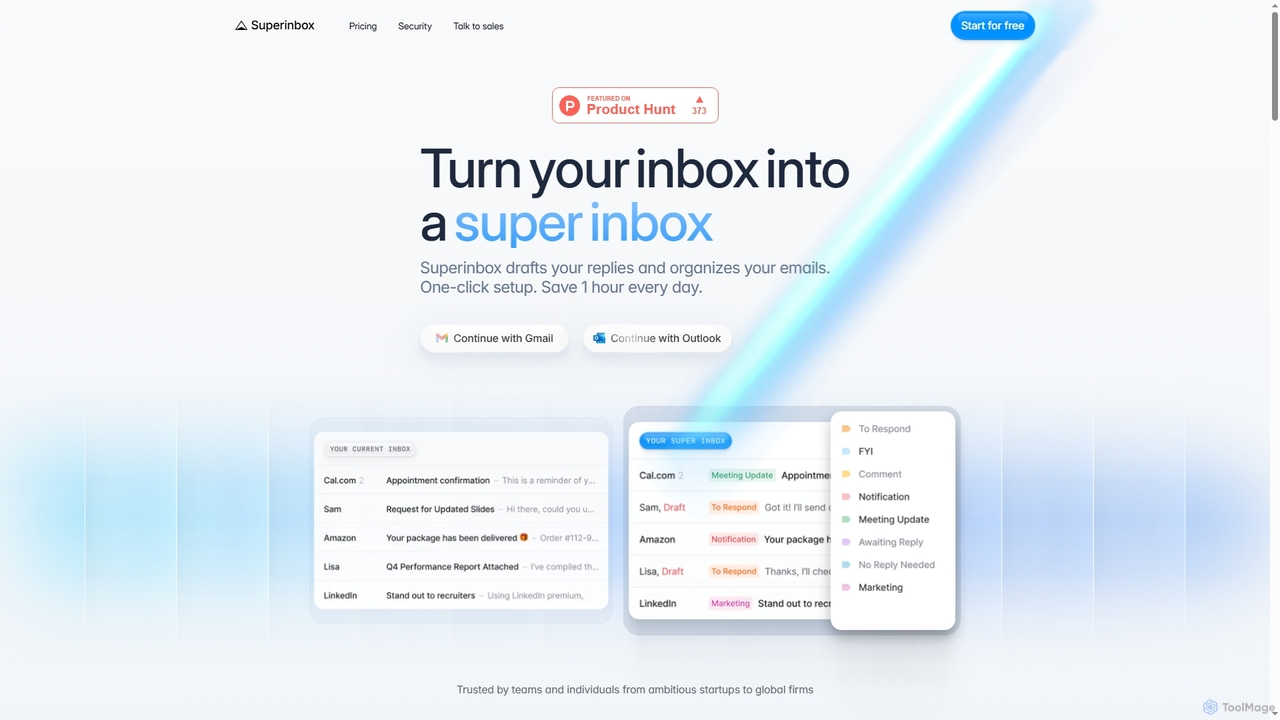
Superinbox is an AI-powered email assistant for Gmail and Outlook that automates email management. It drafts context-aware replies …
Superinbox is an AI-powered email assistant for Gmail and Outlook that automates email management. It drafts context-aware replies in your voice, automatically categorizes your inbox, and integrates with your calendar to streamline scheduling. Designed to save you time, it offers enterprise-grade security and a one-click setup.
About Automation
AI Automation tools are a specialized type of AI assistant designed to connect different applications and automate multi-step workflows without manual intervention. They operate by using API integrations and trigger-action logic, allowing users to build custom processes that move data and perform tasks across various software platforms. The primary value of these tools is the elimination of repetitive digital tasks, which significantly reduces human error, saves time, and accelerates business operations. Unlike simple task schedulers, advanced automation platforms can handle complex conditional logic to manage diverse scenarios.
Core Features
- Visual Workflow Builder: An intuitive, often drag-and-drop, interface for designing and visualizing automation sequences.
- Extensive App Integration: A large library of pre-built connectors for popular SaaS applications, databases, and services.
- Trigger and Action System: Automations are initiated by a specific event (trigger) in one app, which then executes a series of pre-defined tasks (actions) in others.
- Conditional Logic: The ability to create sophisticated workflows with "if-then" branches and filters to handle different outcomes.
- Data Mapping and Transformation: Tools to extract, format, and transfer specific data fields between applications seamlessly.
Applicable Scenarios
AI Automation tools are widely used across various departments. Marketing teams use them to automate lead nurturing campaigns and social media posting. Sales operations rely on them to sync customer data between CRMs and email platforms. E-commerce businesses automate order processing, inventory updates, and customer notifications to streamline fulfillment.
Selection Criteria
When choosing an AI Automation tool, first evaluate its integration library to ensure it supports the apps critical to your workflow. Assess the platform's capacity for handling complex, multi-step logic. Consider the user interface—whether it's a no-code solution for non-technical users or a low-code platform for developers. Finally, analyze the pricing model, which is often based on the number of tasks executed or active workflows.
AutomationUse Cases
Automating Social Media Content Publishing
A marketing manager needs to maintain a consistent posting schedule across multiple social media channels. Instead of manually copying and pasting content for each platform, they use an AI automation tool. They set up a workflow where a new row added to a Google Sheet acts as a trigger. The tool automatically pulls the text, image URL, and scheduled time from the sheet, formats it for platforms like Twitter and LinkedIn, and then schedules the posts. This process saves hours of manual work each week and eliminates scheduling errors.
Streamlining Sales Lead Management
A sales team receives new leads from a website contact form. Manually entering each lead into the CRM is time-consuming. They implement an automation where the form submission triggers a workflow. The tool instantly creates a new contact in their CRM (e.g., Salesforce), assigns the lead to a sales representative based on territory, and sends a personalized welcome email. This ensures rapid lead follow-up and keeps the CRM data consistently updated without manual effort.
Automating Customer Support Ticket Routing
A support team uses an automation platform to manage incoming requests. A workflow monitors the support inbox. When a new email arrives, the tool uses AI to analyze its content for keywords (e.g., "billing," "technical issue"). Based on the analysis, it automatically creates a ticket in their helpdesk system (e.g., Zendesk), assigns it the correct priority, and routes it to the appropriate support department. This ensures tickets are addressed by the right experts quickly, improving response times.
E-commerce Order Fulfillment Automation
An online store owner on Shopify needs to streamline their order fulfillment. They use an automation tool to connect Shopify, their shipping provider, and accounting software. When a new order is placed, it triggers a workflow. The tool automatically sends order details to the shipping provider to generate a label, updates inventory levels in real-time, and creates a new invoice in the accounting software. This end-to-end automation minimizes manual data entry and accelerates the shipping process.
Generating Weekly Business Reports
A business analyst creates a weekly performance report by compiling data from multiple sources like Google Analytics and a sales CRM. This manual process is tedious. They build an automation that runs every Monday morning. The workflow fetches key metrics (website traffic, new leads) from each platform's API, consolidates the data into a structured Google Sheet, and then emails a summary report to all stakeholders. This provides timely insights without manual data collection.
Automating New Employee Onboarding
An HR manager wants to improve the onboarding experience for new hires. They create an automation that triggers when a new employee is marked as "Hired" in their HR system. The workflow automatically performs a series of actions: it creates user accounts in essential tools like Slack and Google Workspace, sends a welcome email with links to important documents, and schedules introductory meetings on the new hire's calendar. This ensures a smooth and consistent onboarding process for every new team member.