
ToolMage
Sign in

Best 1 Accessibility AI tools for Ai For Good

Popular Accessibility AI tools in Ai For Good include Reading Coach, helping you work more efficiently.

Reading Coach
Free

Reading Coach

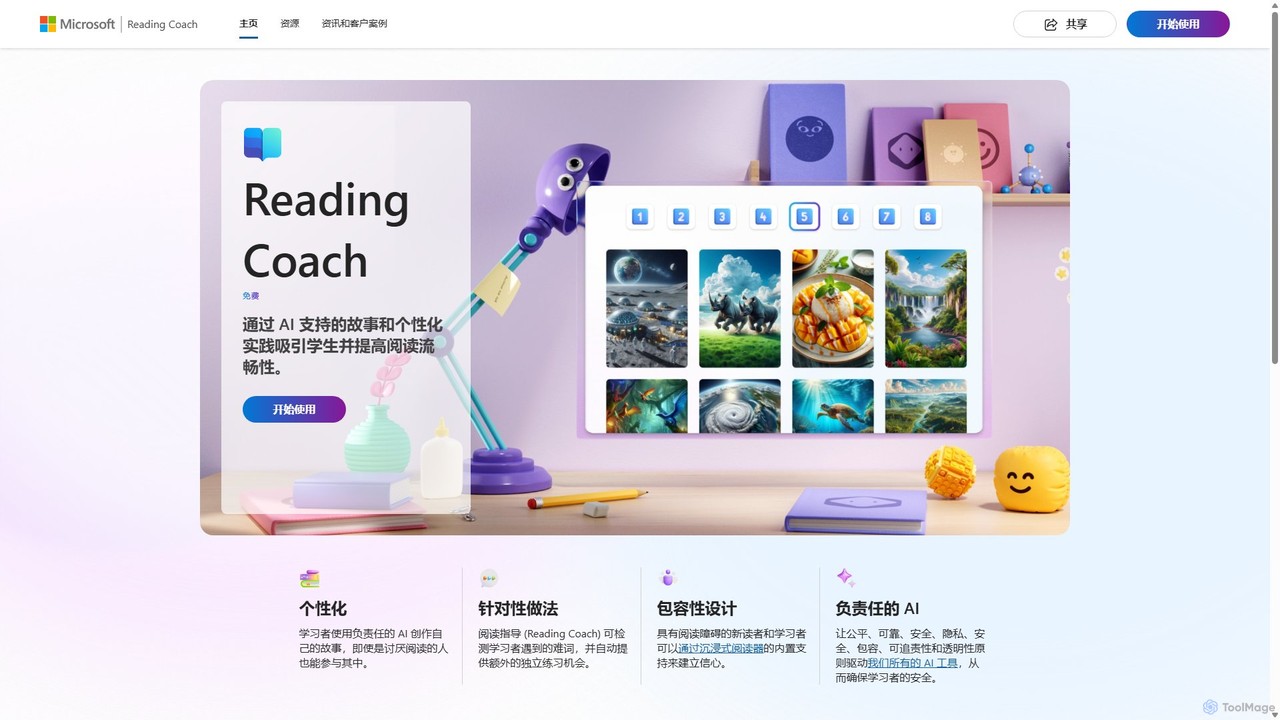
Reading Coach is a free AI-powered tool from Microsoft designed to improve reading fluency and confidence. It engages learners through personalized, AI-generated stories and provides real-time feedback on pronunciation. With targeted practice for challenging words and integration with Immersive Reader, it offers an inclusive and motivating learning experience for students, teachers, and parents.

Accessibility
Visits 130.6KFavorites 159Likes 150

About Accessibility

AI Accessibility tools are a class of software that uses artificial intelligence to make digital content and environments more accessible to people with disabilities. These tools leverage technologies like computer vision and natural language processing to interpret and convert information into accessible formats, such as audio descriptions or text captions. Their primary value lies in automating the creation of inclusive experiences, helping organizations meet compliance standards like WCAG and ensuring equitable access to information for everyone. This technology bridges gaps for users with visual, auditory, motor, or cognitive impairments.

Core Features

  • Automated Alt Text Generation: Analyzes images and automatically creates descriptive text for screen readers.
  • Real-time Transcription & Captioning: Converts spoken audio from videos or live events into text in real-time.
  • Advanced Text-to-Speech (TTS): Reads digital text aloud with natural-sounding voices for users with visual impairments or reading difficulties.
  • Voice-activated Navigation: Allows users to control devices and software using voice commands, aiding those with motor disabilities.
  • Accessibility Auditing: Scans websites and applications to automatically identify and suggest fixes for accessibility barriers.

Use Cases

These tools are essential for web developers, content creators, and UX designers focused on building inclusive products. Educational institutions use them to make learning materials accessible to all students. Corporations also rely on them to ensure their internal and external communications comply with accessibility regulations and reach a wider audience.

How to Choose

When selecting an AI Accessibility tool, consider the specific needs it addresses (e.g., vision, hearing, motor). Evaluate its accuracy and reliability, especially for transcription and image description. Check for seamless integration with your existing platforms, such as content management systems or development workflows. Finally, assess its ability to help meet specific compliance standards like WCAG 2.1 AA.

Accessibility use cases

1

Automate Alt Text for E-commerce Websites

An e-commerce manager is responsible for a site with thousands of product images, many of which lack descriptive alt text. This makes the site inaccessible to visually impaired shoppers using screen readers and negatively impacts SEO. By integrating an AI Accessibility tool, the manager can automatically scan all images and generate contextually accurate alt text. The AI analyzes visual elements like color, shape, and product type to create meaningful descriptions, such as 'Red leather handbag with gold buckle.' This process saves hundreds of hours of manual work and ensures the website is compliant with accessibility standards, improving the user experience for all customers.

2

Provide Live Captions for Online Meetings and Webinars

A global corporation frequently holds virtual meetings and webinars for its employees and clients. To ensure inclusivity for participants who are deaf or hard of hearing, they employ an AI-powered real-time transcription tool. As speakers talk, the tool instantly converts their speech into text, which is displayed on the screen as captions. The AI model is trained to handle various accents and technical jargon specific to their industry. This not only makes the content accessible but also benefits attendees in noisy environments or non-native speakers who find it easier to follow along with written text. The saved transcript also serves as an accurate record of the meeting.

3

Convert Educational Texts into Audiobooks for Dyslexic Students

An educator at a university wants to support students with dyslexia and other reading difficulties. Instead of relying on limited pre-recorded audiobooks, the educator uses an advanced AI Text-to-Speech (TTS) tool. They can upload entire textbooks, research papers, and lecture notes in digital format. The AI tool then converts this text into high-quality, natural-sounding audio files. Students can listen to the materials on their devices, control the playback speed, and choose from various voices. This empowers them to absorb complex information through listening, leveling the playing field and promoting a more inclusive learning environment.

4

Enable Hands-Free Control for Users with Motor Impairments

A software developer with a motor disability that limits their use of a keyboard and mouse needs an effective way to code and navigate their computer. They use an AI-powered voice command tool that allows for complete hands-free control. They can dictate code, navigate between files, execute commands in the terminal, and browse documentation online, all through spoken instructions. The AI is sophisticated enough to distinguish between commands (e.g., 'save file') and dictated content (e.g., 'print hello world'). This assistive technology empowers the developer to work efficiently and independently, removing physical barriers to a technical profession.

5

Conduct a Pre-Launch Website Accessibility Audit

A web development agency is about to launch a new website for a major client. To ensure compliance with WCAG 2.1 AA standards, they use an AI-powered accessibility auditing tool. The tool crawls the entire website, simulating how assistive technologies would interact with it. It automatically flags issues such as low color contrast, missing ARIA labels on interactive elements, empty links, and improper heading structures. For each issue, the tool provides a detailed report with code snippets and specific recommendations for remediation. This automated audit allows the team to identify and fix dozens of potential barriers quickly, ensuring a compliant and accessible website from day one.

6

Describe Surroundings for Visually Impaired Users

A person who is blind or has low vision uses a mobile app powered by AI to navigate their daily life. By pointing their phone's camera at their surroundings, the app provides real-time audio descriptions. The AI can identify objects ('a chair is in front of you'), read text from signs or menus ('the sign says 'Exit''), recognize faces ('your friend Jane is approaching'), and even describe scenes ('a park with children playing on a sunny day'). This technology acts as a virtual pair of eyes, providing crucial information that enhances their independence, safety, and ability to interact with the world around them more fully.

Accessibility FAQ

What are AI Accessibility tools?

AI Accessibility tools are software applications that use artificial intelligence to help people with disabilities access digital information and physical environments. They work by automating tasks that traditionally required human intervention or complex rule-based software. Key technologies include computer vision for describing images, natural language processing for understanding and generating text, and speech recognition for transcription and voice control. Common examples are tools that generate alt text for images, provide real-time captions for videos, and enable hands-free computer navigation.

How to choose the right AI Accessibility tool?

Choosing the right tool depends on your specific needs. Consider the following factors:

  • Primary Function: Identify the main barrier you want to address. Do you need image description (for visual impairment), live captioning (for hearing impairment), or voice control (for motor impairment)?
  • Accuracy and Reliability: For tasks like transcription or image recognition, the accuracy of the AI model is critical. Look for reviews or trial versions to test its performance.
  • Integration: Ensure the tool integrates smoothly with your existing workflow or platforms, such as your website's CMS, video conferencing software, or operating system.
  • Compliance Needs: If you are an organization, choose a tool that helps you meet specific legal standards like WCAG (Web Content Accessibility Guidelines) or ADA (Americans with Disabilities Act).
What's the difference between AI Accessibility tools and traditional assistive technology?

Traditional assistive technology, like a basic screen reader or a magnifying tool, often relies on pre-defined rules and direct user commands. They are powerful but can be rigid. AI Accessibility tools introduce a layer of intelligence and adaptability. For example, a traditional screen reader can read text, but an AI-powered one can also describe the content of an image that lacks alt text. Similarly, a traditional captioning service might require a human transcriber, whereas an AI tool can generate captions automatically and in real-time. In essence, AI enhances assistive technology by making it more context-aware, automated, and capable of handling unstructured data.

Can AI tools fully automate web accessibility compliance?

AI tools are powerful allies in achieving web accessibility, but they cannot fully automate compliance on their own. Automated tools can typically detect between 30% and 50% of WCAG issues, such as missing alt text or color contrast errors. However, they cannot assess issues that require human judgment, like whether alt text is truly meaningful, if the reading order is logical, or if complex interactions are usable with a keyboard. Therefore, the best practice is to use AI tools for initial audits and to catch common errors, followed by manual testing and expert review to ensure comprehensive compliance.

Who benefits from AI Accessibility tools besides people with disabilities?

While the primary beneficiaries are people with disabilities, many others benefit as well. This is known as the 'curb-cut effect.' For example:

  • Businesses and Developers: By making websites and products accessible, they reach a wider audience (including the aging population) and often improve their SEO, as many accessibility practices overlap with search engine best practices.
  • All Users: Features like captions benefit people in noisy environments or non-native speakers. Good color contrast and clear layouts improve readability for everyone.
  • Content Creators: AI tools automate tedious tasks like transcription and adding alt text, saving significant time and effort while ensuring their content is inclusive.