ToolMage
Sign in

Best 1 No Code Builder AI tools for Ai Platform

Popular No Code Builder AI tools in Ai Platform include Swiftask, helping you work more efficiently.

Swiftask
Freemium

Swiftask

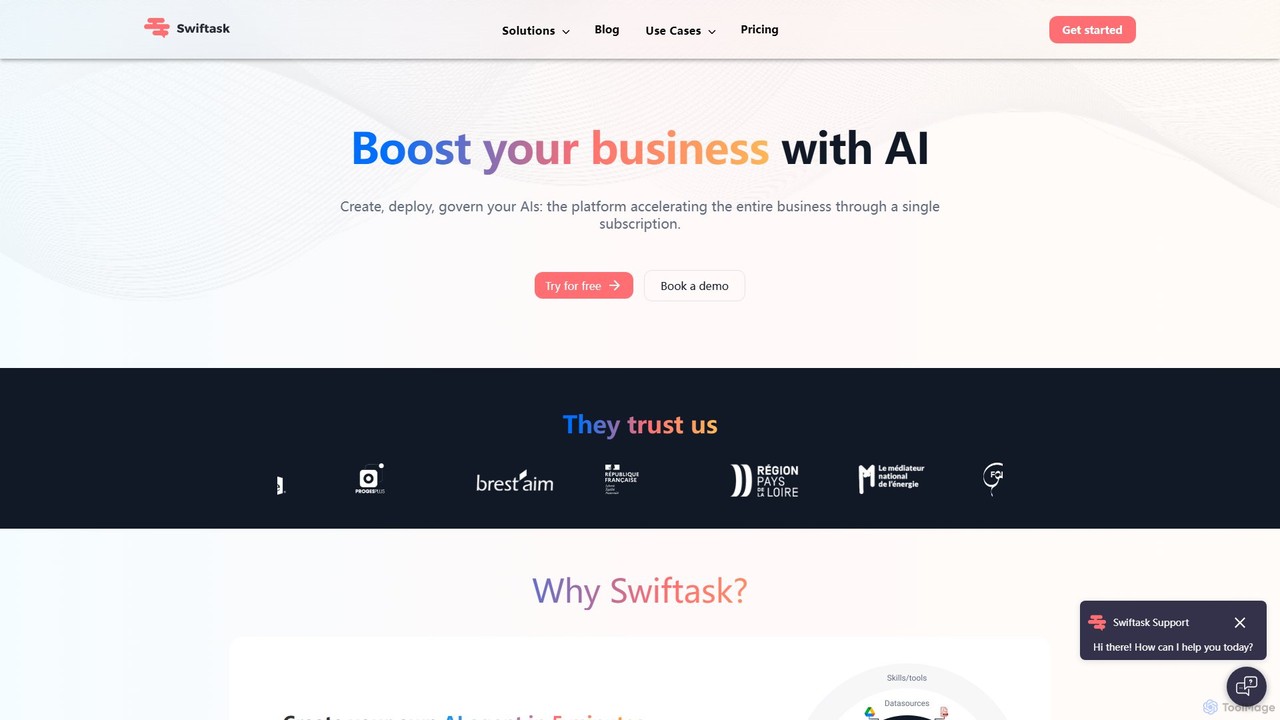
Swiftask is an all-in-one AI workspace designed for businesses to create, deploy, and govern custom AI agents without any coding. It integrates over 80 leading AI models, allowing teams to automate workflows, enhance productivity, and leverage company data securely through a single, cost-effective subscription.

No Code Builder
Visits 28.1KFavorites 127Likes 112

About No Code Builder

No Code Builders are a category of AI-powered tools that enable users to create applications, websites, and automated workflows without writing a single line of code. These platforms leverage visual development interfaces, drag-and-drop components, and pre-built modules to simplify the entire development process. They democratize software creation, allowing entrepreneurs, business users, and non-technical individuals to rapidly bring their ideas to life, often integrating with AI services for enhanced functionality within the broader AI platform ecosystem.

Core Features

  • Visual Development Interface: Intuitive drag-and-drop editors for designing user interfaces and defining logic.
  • Pre-built Components & Templates: Ready-to-use elements and customizable templates for common application types.
  • Workflow Automation: Tools to define and automate business processes and data flows without coding.
  • Data Integration: Capabilities to connect with various databases, APIs, and third-party services.
  • Deployment & Hosting: Built-in options for publishing applications to web, mobile, or internal servers.

Applicable Scenarios

No Code Builders are ideal for rapid prototyping, developing internal business tools, and launching minimum viable products (MVPs). They empower small businesses to create custom CRM systems, marketing teams to automate lead generation, and individual creators to build interactive portfolios or membership sites, significantly reducing development time and costs.

How to Choose

When selecting a No Code Builder, consider the complexity of your project, the required level of customization, and the platform's scalability. Evaluate its integration capabilities with existing tools, the learning curve for your team, and the pricing model. For AI-enhanced projects, assess its native AI features or ease of integrating external AI services.

Featured tool rankings

No Code Builder use cases

1

Building Custom Internal Tools for Operations

Operations managers can utilize No Code Builders to create bespoke internal tools, such as inventory trackers, project management dashboards, or employee onboarding portals. By visually assembling components and integrating with existing data sources, they can quickly deploy solutions tailored to specific business needs, significantly reducing reliance on IT departments and accelerating operational efficiency.

2

Rapid MVP Development for Startups

Entrepreneurs can use No Code Builders to quickly develop and launch a Minimum Viable Product (MVP) for their startup idea. By leveraging visual interfaces and pre-built components, they can build functional web or mobile applications in weeks, not months, allowing for early market testing and investor feedback without significant upfront coding investment. This accelerates validation and iteration cycles.

3

Developing Lead Generation Landing Pages

Marketing teams frequently use No Code Builders to rapidly design and launch high-converting landing pages for campaigns. With drag-and-drop editors and pre-designed templates, they can A/B test different layouts, integrate forms for lead capture, and connect with CRM systems, enabling agile marketing strategies and faster campaign execution without developer intervention.

4

Building Custom Internal Business Tools

Small to medium-sized businesses can create bespoke internal tools, such as project management dashboards, inventory trackers, or HR portals, tailored to their specific operational needs. Non-technical department heads can design and deploy these applications, streamlining workflows and improving data management without relying on a dedicated IT development team, thus reducing operational bottlenecks.

5

Automating Customer Support Workflows with AI

Customer service departments can leverage AI-powered No Code Builders to automate routine support tasks. This involves creating chatbots that answer common queries, setting up automated email responses based on ticket categories, or building internal knowledge bases. Such automation frees up agents for complex issues and ensures consistent, round-the-clock customer assistance.

6

Automating Marketing & Sales Workflows

Marketing and sales teams can utilize No Code Builders to automate repetitive tasks and create interactive customer experiences. This includes building automated email sequences, personalized landing pages, lead capture forms integrated with CRM systems, or even simple chatbots. This frees up staff from manual tasks, allowing them to focus on strategic initiatives and customer engagement.

7

Creating Mobile Apps for Event Management

Event organizers can build custom mobile applications using No Code Builders to manage registrations, schedules, speaker information, and attendee interactions. These apps can be developed quickly, offering features like push notifications for updates and interactive maps, enhancing the overall event experience for participants without requiring extensive coding knowledge.

8

Creating Educational Content & Learning Platforms

Educators, trainers, and content creators can develop interactive learning modules, online courses, or membership sites without programming knowledge. No Code Builders allow them to design engaging user interfaces, integrate multimedia content, manage user access, and track progress, making digital education more accessible and dynamic for a wider audience.

9

Rapid Prototyping for New Business Ideas

Entrepreneurs and product managers can use No Code Builders to quickly prototype and validate new business ideas or product features. By visually constructing functional mockups or minimum viable products (MVPs), they can gather early user feedback, iterate rapidly, and present tangible concepts to stakeholders or investors, significantly accelerating the innovation cycle.

10

Developing Client Portals & Data Dashboards

Consulting firms or service providers can build secure, branded client portals where clients can access project updates, shared documents, or personalized data dashboards. This enhances transparency and client communication, providing a professional and centralized hub for interactions without the need for complex custom software development.

11

Building Data Dashboards for Business Intelligence

Business analysts can employ No Code Builders to create interactive data dashboards that visualize key performance indicators (KPIs) from various sources. These tools allow for easy data integration, custom chart creation, and real-time reporting, empowering decision-makers with accessible insights without needing specialized data science or programming skills.

12

Prototyping AI-Powered Applications

Product managers or data scientists can use No Code Builders to quickly prototype the front-end interfaces for AI models or services developed within an AI Platform. This allows for rapid testing of user interactions with AI functionalities, such as sentiment analysis tools, recommendation engines, or image recognition apps, facilitating faster iteration and user feedback before full-scale development.

No Code Builder FAQ

What are No Code Builders?

No Code Builders are software platforms that enable users to create applications, websites, and automated workflows using visual drag-and-drop interfaces instead of traditional programming. They democratize software development by allowing individuals without coding skills to build functional digital solutions, often integrating with various services, including AI capabilities, to extend their functionality.

What are No Code Builders?

No Code Builders are platforms that enable users to create software applications, websites, and automated processes without writing any traditional programming code. They achieve this through visual development environments, often featuring drag-and-drop interfaces, pre-built components, and intuitive configuration options. These tools democratize software creation, allowing individuals with minimal technical expertise to develop functional digital solutions.

How do No Code Builders differ from traditional coding?

The primary difference lies in the method of development. Traditional coding involves writing explicit instructions in a programming language, requiring specialized technical skills. No Code Builders, conversely, use graphical user interfaces, pre-built components, and visual logic to assemble applications. This makes development significantly faster and more accessible to non-developers, though often with less granular control and customization compared to custom code.

How do No Code Builders differ from traditional coding?

The primary difference lies in the method of development. Traditional coding involves writing lines of text-based instructions in a programming language, requiring specialized skills and knowledge. No Code Builders, conversely, use visual interfaces where users assemble applications by dragging and dropping pre-configured elements and defining logic through graphical workflows. This eliminates the need for coding expertise, significantly speeding up development time and reducing costs.

What types of applications can be built with No Code Builders?

No Code Builders are versatile and can be used to create a wide range of applications. Common examples include internal business tools (e.g., CRM, project management), customer-facing web applications (e.g., booking systems, membership portals), mobile apps (for both iOS and Android), landing pages, e-commerce sites, and automated workflows for tasks like data entry or email marketing. The scope is continuously expanding with platform advancements.

What are the main advantages of using No Code Builders?

No Code Builders offer several key advantages: Speed: Applications can be built and deployed much faster. Accessibility: They empower non-technical users to create software. Cost-effectiveness: Reduces the need for expensive developer resources. Flexibility: Easier to iterate and make changes quickly. They accelerate innovation and allow businesses to respond rapidly to market needs.

What are the limitations of No Code Builders?

While powerful, No Code Builders have limitations. They may offer less flexibility for highly complex or unique functionalities that require deep customization. Scalability can sometimes be a concern for extremely high-traffic applications, and users might face vendor lock-in. Performance for very resource-intensive tasks might also be less optimized than custom-coded solutions.

What are the benefits of using AI-powered No Code Builders?

AI-powered No Code Builders enhance the development process by integrating intelligent functionalities directly into the visual environment. Benefits include automated content generation (e.g., text, images), smarter data analysis and insights, predictive capabilities for workflows, and more intuitive user interfaces that adapt to user behavior. This integration allows for the creation of more sophisticated and intelligent applications with even less effort, further democratizing advanced AI capabilities.

How to choose the best No Code Builder for your project?

To select the best No Code Builder, first define your project's specific requirements, including the type of application, desired features, and target users. Consider the platform's ease of use, its scalability for future growth, and the range of pre-built components and templates it offers. Evaluate its integration capabilities with other tools you use, the level of customization allowed, and the overall pricing structure. Finally, assess the community support and learning resources available.

Can No Code Builders integrate with AI functionalities?

Yes, many No Code Builders are designed to integrate with AI functionalities, either through native features or via API connections to external AI services. This allows users to incorporate AI capabilities like natural language processing, image recognition, data analysis, or predictive modeling into their no-code applications, enhancing their intelligence and automation within an AI platform context.