ToolMage
Sign in

Best 1 Image Generator for Art & Design

Popular Image Generator in Art & Design include ChatHub, helping you work more efficiently.

ChatHub
Freemium

ChatHub

ChatHub is an all-in-one chatbot client that allows you to simultaneously use and compare responses from multiple AI models like GPT-4o, Claude 4, and Gemini 2.5 in a single interface. It enhances productivity by providing diverse perspectives, reducing AI hallucinations, and integrating features like image generation and file analysis.

Image Generator
Visits 560.7KFavorites 125Likes 117

About Image Generator

An AI Image Generator is a tool that creates original, unique images from text descriptions or existing images using artificial intelligence. These tools primarily utilize advanced models like diffusion or GANs to interpret textual prompts and synthesize corresponding visual content. They empower users to produce a vast range of visuals, from photorealistic scenes to abstract art, without needing traditional artistic skills. This technology significantly accelerates creative workflows and opens new possibilities for content creation, design, and conceptualization.

Core Features

  • Text-to-Image Generation: Creates images directly from written descriptions, translating words into detailed visuals.
  • Image-to-Image Transformation: Modifies an existing image based on a text prompt, altering its style, content, or composition.
  • Style Control: Allows users to specify artistic styles, such as photorealistic, anime, watercolor, or 3D render.
  • Parameter Customization: Provides control over aspect ratio, resolution, negative prompts (to exclude elements), and generation models.
  • Inpainting & Outpainting: Edits specific areas within an image or extends the image canvas beyond its original borders.

Use Cases

AI Image Generators are widely used across various industries. Marketers and advertisers use them to create unique visuals for campaigns and social media. Game developers and filmmakers leverage them for rapid concept art and character design. Additionally, content creators, bloggers, and designers use these tools to produce custom illustrations, product mockups, and website graphics, reducing reliance on stock photography.

How to Choose

When selecting an AI Image Generator, consider the image quality and realism it can achieve. Evaluate the diversity of available styles and the tool's ability to accurately interpret complex prompts. Also, assess the user interface's ease of use, the generation speed, and the pricing model (e.g., subscription vs. per-image credits). Finally, check the terms regarding commercial usage rights for the generated images.

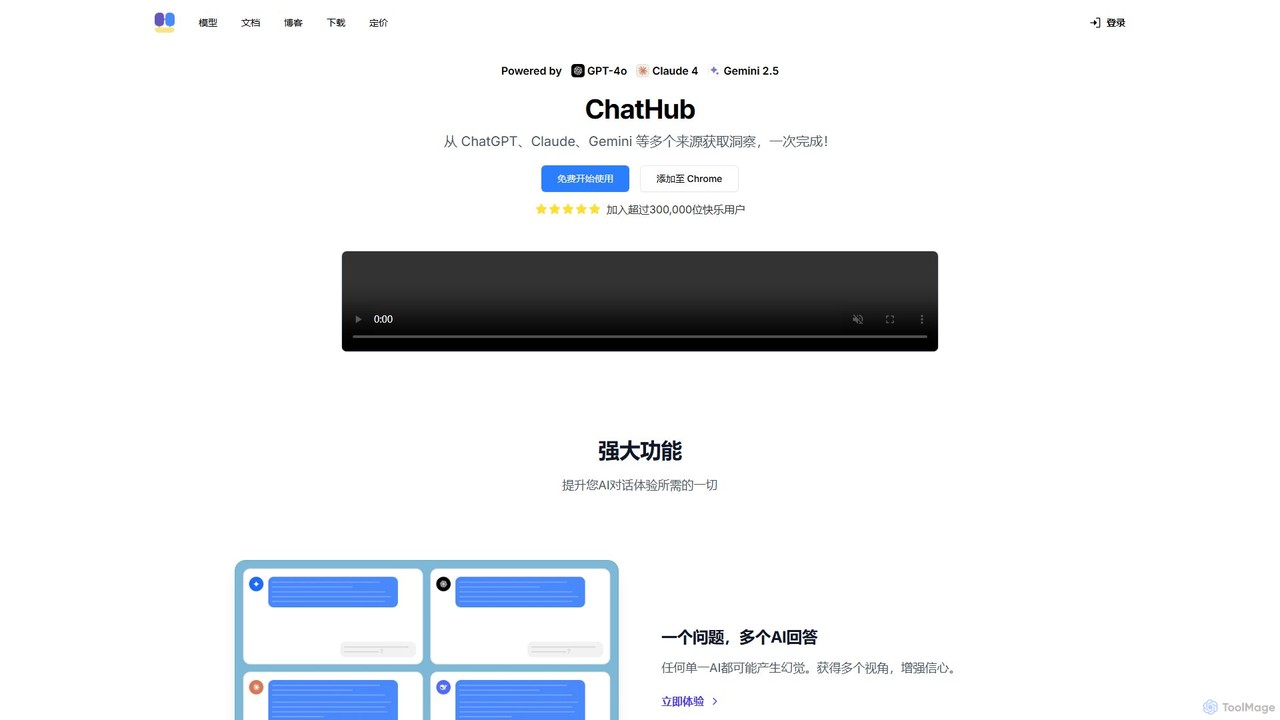
Image Generator use cases

1

Create Ad Creatives for Marketing Campaigns

A marketing manager needs to launch a new social media campaign for a beverage brand but lacks the budget for a professional photoshoot. Using an AI Image Generator, they input prompts like 'a refreshing bottle of soda on a tropical beach at sunset, hyperrealistic, vibrant colors'. The tool generates dozens of high-resolution, unique visual variations in minutes. This allows the team to A/B test different ad creatives to identify the most effective visuals, significantly reducing production costs and time while increasing campaign engagement.

2

Develop Concept Art for Game Characters

A concept artist for a video game studio is tasked with designing a new fantasy hero. Instead of sketching dozens of initial ideas by hand, they use an AI Image Generator. They input a detailed description: 'female elf rogue with leather armor, glowing daggers, in a mystical forest, detailed fantasy art style'. The AI produces a variety of character designs with different poses, armor details, and lighting. The artist can then select the most promising concepts and refine them, accelerating the ideation phase from days to hours and providing a richer set of initial ideas for the team to review.

3

Generate Unique Blog Post Illustrations

A blogger who runs a tech publication needs custom header images for their articles to stand out from competitors who use generic stock photos. For an article about 'The Future of Quantum Computing', they use an AI Image Generator with the prompt 'abstract visualization of quantum bits and circuits, glowing neon lines on a dark background, futuristic'. The tool provides several unique, high-quality images that perfectly match the article's theme. This practice enhances the blog's visual identity, improves reader engagement, and avoids the costs and licensing issues associated with stock photography.

4

Create Product Mockups for E-commerce

An entrepreneur starting a print-on-demand t-shirt business needs to showcase their designs on various models and in different settings. Instead of organizing costly photoshoots, they use an AI Image Generator. First, they generate a base image of a 'person wearing a plain white t-shirt in an urban street style setting'. Then, using the inpainting or image-to-image feature, they overlay their unique graphic designs onto the t-shirt. This process can be repeated to create hundreds of realistic product mockups in diverse styles, helping to build a professional-looking online store quickly and affordably.

5

Visualize Architectural and Interior Designs

An interior designer wants to show a client several potential styles for a living room renovation. They take a photo of the current room and use an AI Image Generator's image-to-image feature. By uploading the photo and providing prompts like 'modern minimalist living room with oak furniture and neutral colors' or 'bohemian style living room with many plants and colorful textiles', they can instantly generate realistic visualizations of the finished space. This allows for rapid iteration on design ideas and helps clients make decisions more confidently by seeing a clear preview of the outcome.

6

Generate Storyboards for Video Production

A film director or YouTuber is planning a short film and needs to create a storyboard to visualize the scenes. Using an AI Image Generator, they can quickly generate images for each key shot. They use prompts that specify the camera angle, character actions, and setting, such as 'wide shot, a detective looking at clues in a dimly lit office, film noir style'. This process allows them to create a consistent and visually detailed storyboard much faster than drawing it by hand or searching for stock images. It helps in planning the shoot, communicating the vision to the crew, and securing project funding.

Image Generator FAQ

What is an AI Image Generator?

An AI Image Generator is a software tool that uses artificial intelligence, typically deep learning models like diffusion or GANs, to create new images from text prompts. You describe what you want to see, and the AI synthesizes a unique image based on that description. These tools can produce a wide variety of styles, from photorealistic photos to paintings and cartoons, making them valuable for artists, designers, marketers, and content creators who need custom visuals quickly.

How to choose the right AI Image Generator?

Choosing the right tool depends on your specific needs. Consider the following factors:

  • Image Quality & Style: Does the generator excel at the style you need (e.g., photorealism, anime, abstract)? Review its gallery of examples.
  • Ease of Use: Is the interface intuitive? Some tools are beginner-friendly, while others offer advanced controls for experts.
  • Prompt Understanding: How well does the AI interpret complex and nuanced descriptions?
  • Speed and Cost: Compare generation times and pricing models. Some are subscription-based, while others use a credit system per image.
  • Usage Rights: Check the terms of service to ensure you can use the generated images for your intended purpose, especially for commercial projects.
What's the difference between an AI Image Generator and an AI Image Editor?

The core difference lies in their primary function: creation versus modification. An AI Image Generator creates entirely new images from scratch based on a text prompt. Its purpose is to generate original content that didn't exist before. An AI Image Editor, on the other hand, works with an existing image to enhance or alter it. Its functions include tasks like upscaling resolution, removing backgrounds, color correction, or deleting unwanted objects. While some advanced tools blend these capabilities, their fundamental purposes are distinct.

How do AI Image Generators work?

Most modern AI Image Generators use a technology called diffusion models. These models are trained on massive datasets containing billions of image-text pairs. The training process involves adding 'noise' to images until they become unrecognizable, and then teaching the AI to reverse the process—reconstructing the original image from the noise. When you provide a text prompt, the AI uses this learned process, starting from random noise and gradually refining it into an image that matches your description. This allows them to create highly detailed and coherent images.

Can I use AI-generated images for commercial purposes?

The ability to use AI-generated images for commercial purposes depends entirely on the terms of service of the specific AI Image Generator you use. Many platforms offer commercial licenses, often as part of their paid subscription plans, which grant you the right to use the images in marketing, products, and other business activities. However, some free or personal-use plans may restrict commercial use. It is crucial to always read and understand the licensing agreement of your chosen tool before using its output for any commercial project to avoid legal issues.