
Apprendo
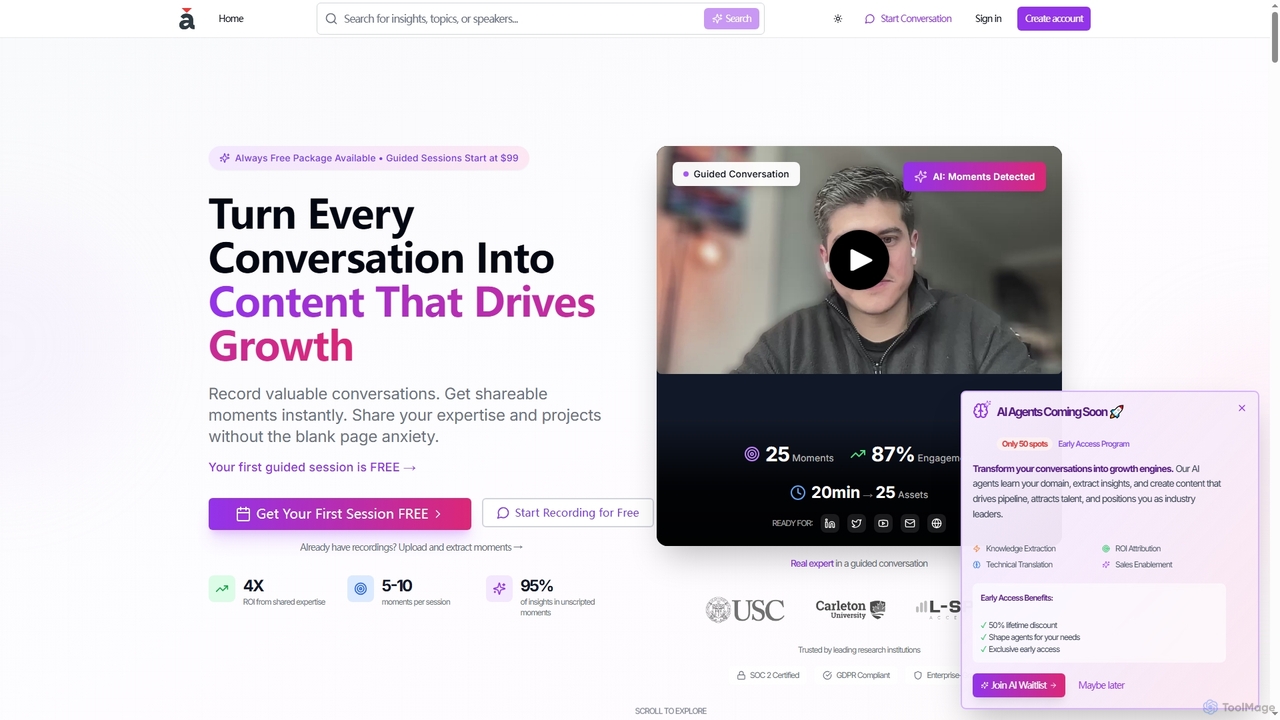
Apprendo is an AI-powered platform that transforms team conversations, meetings, and existing recordings into high-impact content. Designed for …
Apprendo is an AI-powered platform that transforms team conversations, meetings, and existing recordings into high-impact content. Designed for R&D teams and experts, it captures valuable insights, extracts shareable moments, and helps disseminate expertise across various platforms to drive growth, talent acquisition, and thought leadership, all while ensuring enterprise-grade security and compliance.
About Recording & Editing
AI Recording & Editing tools are a class of software that uses artificial intelligence to streamline the entire audio and video production workflow, from capture to final cut. These tools leverage machine learning for automated transcription, intelligent noise reduction, and text-based editing. They transform raw recordings into polished, ready-to-publish content by allowing users to edit media as easily as editing a text document. This approach dramatically reduces the time and technical skill required for post-production.
Core Features
- Text-Based Editing: Edit audio and video by simply deleting words or rearranging sentences in the automatically generated transcript.
- Automated Transcription: Convert spoken words into highly accurate, time-stamped text with speaker identification.
- AI Sound Enhancement: Automatically remove background noise, filler words (e.g., 'um', 'ah'), and long pauses to improve clarity.
- Intelligent Content Segmentation: Automatically identify and create chapters or clips based on topics discussed in the recording.
Use Cases
These tools are widely used by podcasters, video creators, journalists, and researchers. For instance, a podcaster can edit a one-hour interview in minutes by deleting text, while a researcher can quickly search through hours of interview transcripts to find key themes. They are also valuable in corporate settings for transcribing meetings and creating training videos.
How to Choose
When selecting a tool, consider the transcription accuracy and the number of languages supported. Evaluate the editing features—whether it's purely text-based or offers a hybrid timeline view. Also, check for integration capabilities with other software, collaboration features for team workflows, and a pricing model (per-minute vs. subscription) that aligns with your usage volume.
Recording & EditingUse Cases
Accelerate Podcast Production
A podcast creator needs to edit a 60-minute interview recording. Instead of manually listening and cutting segments on a traditional timeline, they upload the audio file to an AI Recording & Editing tool. The tool generates a full transcript in minutes. The creator then edits the podcast by simply deleting text corresponding to mistakes, filler words like 'um' and 'ah', and off-topic conversations. The AI automatically removes the associated audio, smooths the transitions, and enhances speaker audio quality, reducing a 4-hour editing job to less than one hour.
Repurpose Video Content for Social Media
A marketing team wants to create short, engaging clips from a one-hour webinar for platforms like TikTok and Instagram. They upload the webinar video to an AI editing tool. The AI transcribes the entire video and can even suggest key moments or 'viral clips'. The social media manager can then search the transcript for keywords, highlight compelling sentences, and the tool automatically generates short video clips from those selections, complete with animated captions. This allows them to create over a dozen pieces of micro-content from a single long-form video in a fraction of the time.
Analyze Qualitative Research Interviews
A university researcher has conducted 20 hours of in-depth interviews for a study. Manually transcribing and analyzing this data would take weeks. By using an AI Recording & Editing tool, they upload all audio files and receive accurate transcripts with speaker labels within a few hours. The researcher can then use the platform's search function to instantly find every mention of specific themes or keywords across all interviews. This accelerates the data analysis process, enabling them to identify patterns and extract key insights much more efficiently.
Create Actionable Meeting Summaries
A project manager records a weekly team meeting to ensure no details are missed. Using an AI recording tool, the meeting is transcribed in real-time. The AI can identify speakers, and the manager can highlight parts of the transcript to mark them as action items or key decisions. After the meeting, the tool can automatically generate a concise summary, listing all the action items with their assigned owners and deadlines. This creates a searchable, accurate record of every meeting and automates the tedious process of writing and distributing minutes.
Streamline Journalistic Interview Workflow
A journalist on a tight deadline conducts a 30-minute phone interview. Immediately after, they upload the recording to an AI tool. Within five minutes, they receive a full transcript. Instead of re-listening to the entire audio to find key quotes, they can quickly search the text for impactful statements. They can click on any sentence in the transcript to instantly play back the corresponding audio, verifying accuracy and capturing the speaker's tone. This allows them to write their article faster and with greater confidence in the accuracy of their quotes.
Generate Subtitles and Captions for Videos
A content creator produces educational videos for YouTube and wants to make them accessible to a wider audience, including those who are deaf or hard of hearing. They upload their final video edit to an AI tool. The tool automatically transcribes the audio and generates perfectly synchronized subtitles (SRT file). The creator can quickly review and correct any minor errors in the text-based editor before exporting the file. This process automates a previously time-consuming task, improves video SEO, and enhances viewer engagement and accessibility.