
ToolMage
Sign in

Best 1 Hairstyle Simulation AI tools for Beauty

Popular Hairstyle Simulation AI tools in Beauty include FaceHair, helping you work more efficiently.

FaceHair
Free

FaceHair

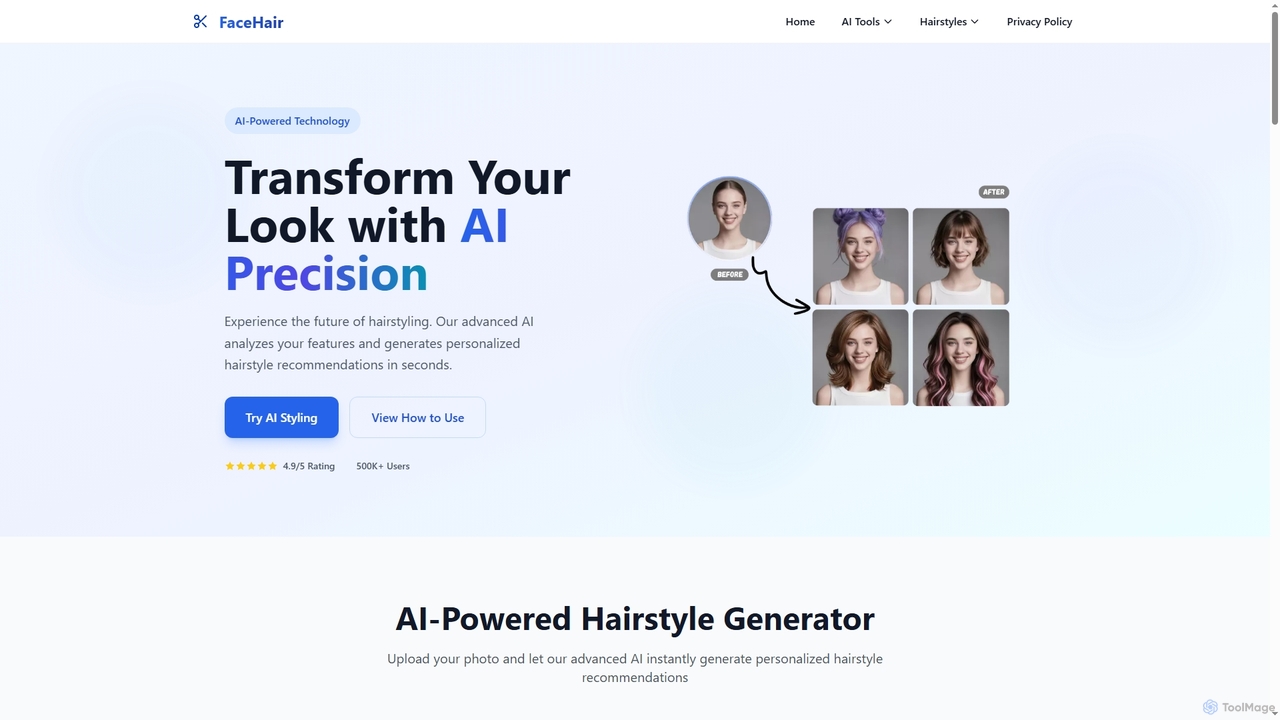
FaceHair is an innovative AI-powered online platform that allows users to virtually try on over 200 hairstyles and receive personalized recommendations. It leverages advanced AI to analyze facial features, suggest suitable haircuts, and provide beauty insights. Ideal for makeovers, event preparation, or simply exploring new looks, FaceHair offers a convenient and private way to visualize style transformations before committing.

Hairstyle Simulation
Visits 6KFavorites 137Likes 128

About Hairstyle Simulation

Hairstyle Simulation tools are a specialized category of AI beauty applications that allow users to virtually try on different hairstyles and colors. These tools utilize computer vision and generative AI (like GANs) to realistically overlay new styles onto a user's photo or live video feed. They provide a risk-free way to experiment with new looks, helping users make confident decisions before visiting a salon. As a key component of virtual try-on technology, they bridge the gap between imagination and reality in personal grooming.

Core Features

  • Realistic Rendering: Uses advanced AI to map hairstyles to the user's head shape, accounting for lighting and hair texture for a natural look.
  • Extensive Style Library: Offers a wide variety of haircuts, styles, and colors, often categorized by length, texture, and trend.
  • Face Shape Analysis: Automatically detects the user's face shape (e.g., oval, round, square) to recommend flattering hairstyles.
  • Real-time & Photo Mode: Supports both uploading a static photo and using a live camera feed for dynamic simulation.
  • Color Customization: Allows fine-tuning of hair colors, including highlights, lowlights, and ombre effects.

Use Cases

These tools are primarily used by individuals planning a new haircut or color. They are also increasingly adopted by hair salons and stylists as a consultation tool to help clients visualize outcomes and manage expectations. Additionally, hair care and dye brands integrate this technology into their websites and apps for e-commerce, allowing customers to 'try before they buy'.

How to Choose

When selecting a Hairstyle Simulation tool, consider the realism of the simulation—how well it adapts to your head and lighting. Evaluate the size and diversity of the hairstyle and color library. Check for features like face shape analysis for personalized recommendations. Finally, consider the platform (mobile app vs. web tool) and review its data privacy policy regarding your photos.

Hairstyle Simulation use cases

1

Personal Hairstyle Exploration Before a Salon Visit

An individual feeling uncertain about a drastic hair change uses a hairstyle simulation app. They upload a clear, front-facing photo of themselves. They then browse through hundreds of options, experimenting with a short bob, long layers, curtain bangs, and various colors from platinum blonde to deep auburn. The app's realistic rendering helps them see how each style complements their face shape and skin tone. After finding a look they love, they save the image and show it to their hairstylist, ensuring clear communication and avoiding a potentially regrettable haircut.

2

Professional In-Salon Client Consultation

A hairstylist uses a tablet with a professional hairstyle simulation tool during a consultation. When a client says they want 'something new but not too short,' the stylist uses the live camera mode to show them various options in real-time. They can instantly adjust the length of a lob, change the color to a warmer balayage, or add bangs. This visual aid helps bridge the communication gap, manages client expectations accurately, and gives the client the confidence to approve a new style, leading to higher satisfaction and trust in the stylist's expertise.

3

Virtual Try-On for Hair Dye E-commerce

A major hair color brand integrates a virtual try-on feature on its product pages. A customer browsing for a new shade can click a 'Try It On' button, which activates their device's camera. They can then see how 'Cherry Red' or 'Ash Blonde' looks on them instantly, without needing to upload a photo. The simulation is realistic enough to show how the color interacts with their current hair and skin tone. This interactive experience increases engagement, boosts conversion rates by reducing purchase anxiety, and lowers product returns from unsatisfied customers.

4

Engaging Content Creation for Social Media

A beauty influencer wants to create a viral video series called 'A Week of New Hairstyles'. Instead of actually cutting or dyeing their hair daily, they use a high-quality hairstyle simulation app. Each day, they post a short video showcasing a different look—from a vibrant pink pixie cut on Monday to elegant brunette waves on Friday. They engage their audience by running polls asking which style looks best. This strategy allows for consistent, creative, and low-cost content production, driving high engagement and follower growth without any permanent hair changes.

5

Character Design for Games and Animation

A concept artist for a video game studio needs to quickly iterate on hairstyle ideas for a new protagonist. Instead of spending hours sketching different options, they use a hairstyle simulation tool on a 3D model of the character's face. They can rapidly test dozens of styles, from rugged ponytails to futuristic updos, and experiment with unnatural colors like electric blue or silver. This process accelerates the ideation phase significantly, providing a strong visual reference for the 3D modeling team and ensuring the final character design is compelling and well-considered.

6

Virtual Try-On for Online Wig and Extension Retailers

An e-commerce store specializing in wigs and hair extensions implements a virtual try-on feature. Customers can see how a specific wig style or a set of extensions would look on them before making a purchase. They can switch between different lengths, colors, and textures in real-time using their camera. This functionality drastically improves the online shopping experience for a product that is highly dependent on appearance. It helps customers make more informed decisions, significantly reducing return rates and increasing overall sales and customer satisfaction.

Hairstyle Simulation FAQ

What is AI Hairstyle Simulation?

AI Hairstyle Simulation is a technology that uses artificial intelligence, primarily computer vision and generative models, to let you virtually try on different hairstyles and colors. You simply upload a photo or use your device's camera, and the tool realistically renders new styles onto your image. It's a risk-free way to experiment with your look, see what suits your face shape, and make confident decisions before committing to a real-life change at the salon.

How do I choose the best Hairstyle Simulation tool?

To choose the right tool, consider these factors:

  • Realism: Look for high-quality rendering that adapts to your head shape and lighting.
  • Variety: A good tool offers a vast and up-to-date library of styles, cuts, and colors.
  • Features: Check for useful additions like face shape analysis for personalized suggestions.
  • Ease of Use: The interface should be intuitive, whether it uses photo uploads or a live camera.
  • Privacy: Review the tool's privacy policy to understand how your images are used and stored.
How accurate are AI Hairstyle Simulations?

The accuracy of AI hairstyle simulations has improved significantly and can be very realistic. Modern tools use advanced algorithms to map hair realistically to your head's contours and adjust for lighting. However, they are best used as a highly accurate preview or guide. Factors like your natural hair texture, thickness, and complex lighting conditions can still create slight differences between the simulation and the real-world result. They are excellent for visualizing a change but may not be a perfect 1:1 replica.

Can these tools suggest hairstyles based on my face shape?

Yes, many advanced Hairstyle Simulation tools include a face shape analysis feature. The AI automatically detects whether your face is oval, round, square, heart-shaped, or another type. Based on this analysis, the application can then recommend specific cuts and styles that are known to be flattering for your particular face shape. This personalized guidance helps narrow down the options and find a look that enhances your natural features.

What's the difference between Hairstyle Simulation and a general photo editor?

A general photo editor provides tools for manual image manipulation, like cropping, filtering, or crudely painting on new colors. Hairstyle Simulation is a specialized AI tool. Instead of manual editing, it uses sophisticated algorithms to automatically detect your head and hair, then realistically renders a new 3D hairstyle onto it. It accounts for shape, perspective, and lighting to create a seamless and believable result, which is far more advanced than what a standard photo editor can achieve for this specific task.