ToolMage
Sign in

Best 3 Virtual Try On AI tools for Beauty

Popular Virtual Try On AI tools in Beauty include Longhair, Hairfilter, and Postplus, helping you work more efficiently.

Postplus
Free

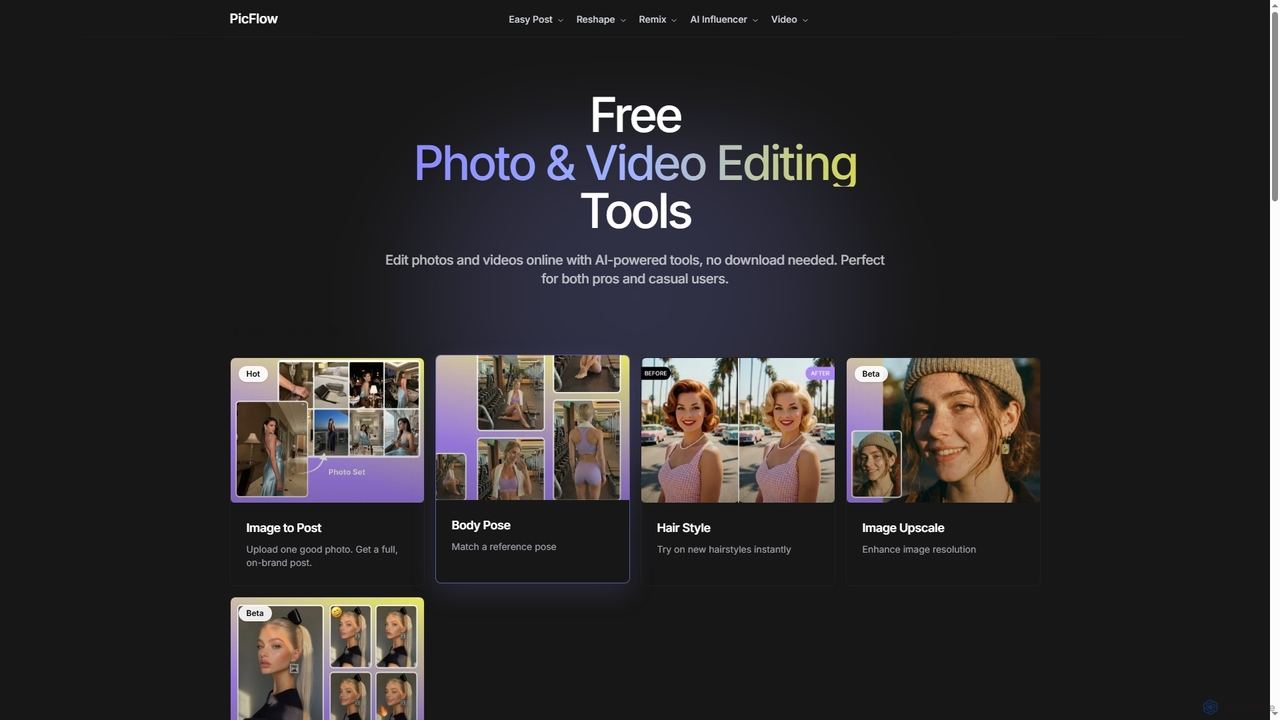
Postplus

Postplus (also known as PicFlow) is a free, AI-powered online platform offering a comprehensive suite of photo and video editing tools. Designed for both professionals and casual users, it helps create stunning social media content without requiring any downloads. From virtual hairstyle try-ons and body reshaping to intelligent image-to-post generation and video templates, Postplus simplifies content creation with advanced AI capabilities.

Virtual Try On
Visits 6KFavorites 48Likes 55
Hairfilter
Freemium

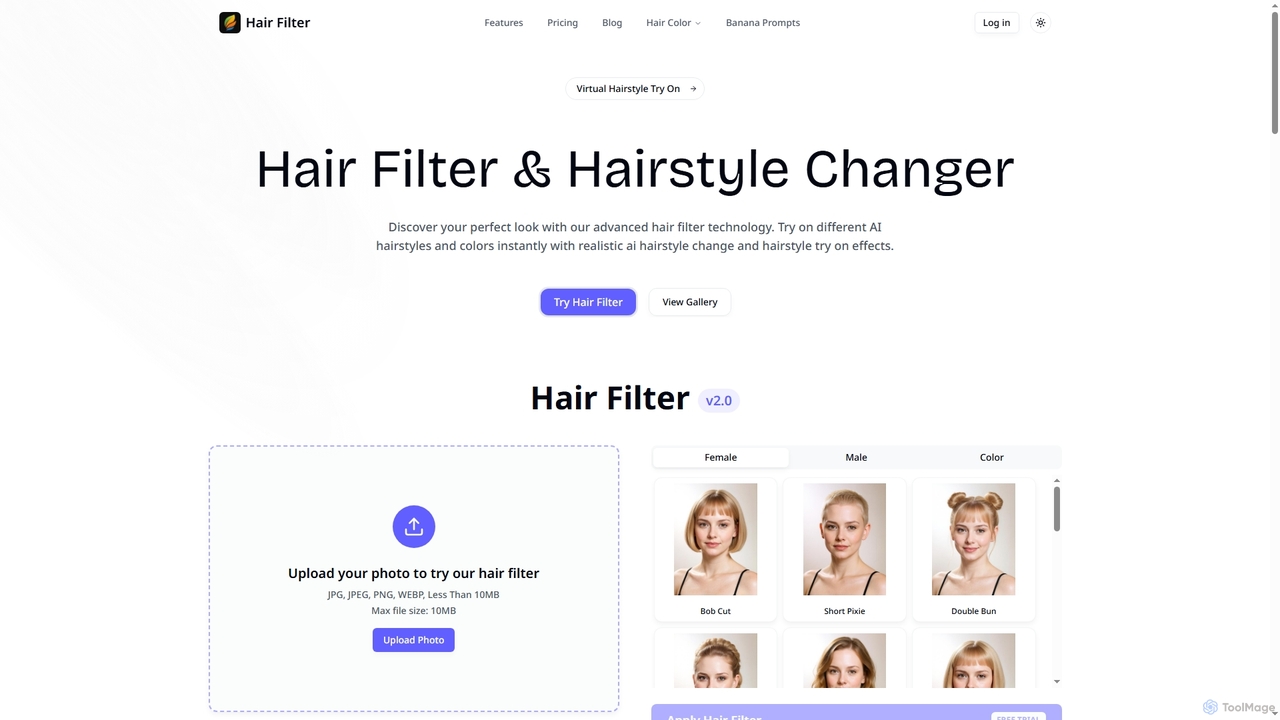
Hairfilter

Hairfilter is an advanced AI-powered virtual hairstyle try-on tool that allows users to instantly experiment with various hairstyles and colors. Upload a photo, choose from a vast library of AI-generated styles, and see realistic transformations in seconds. It's perfect for beauty enthusiasts, salon clients, stylists, and social media influencers looking to visualize new looks effortlessly.

Virtual Try On
Visits 7KFavorites 128Likes 124
Longhair
Freemium

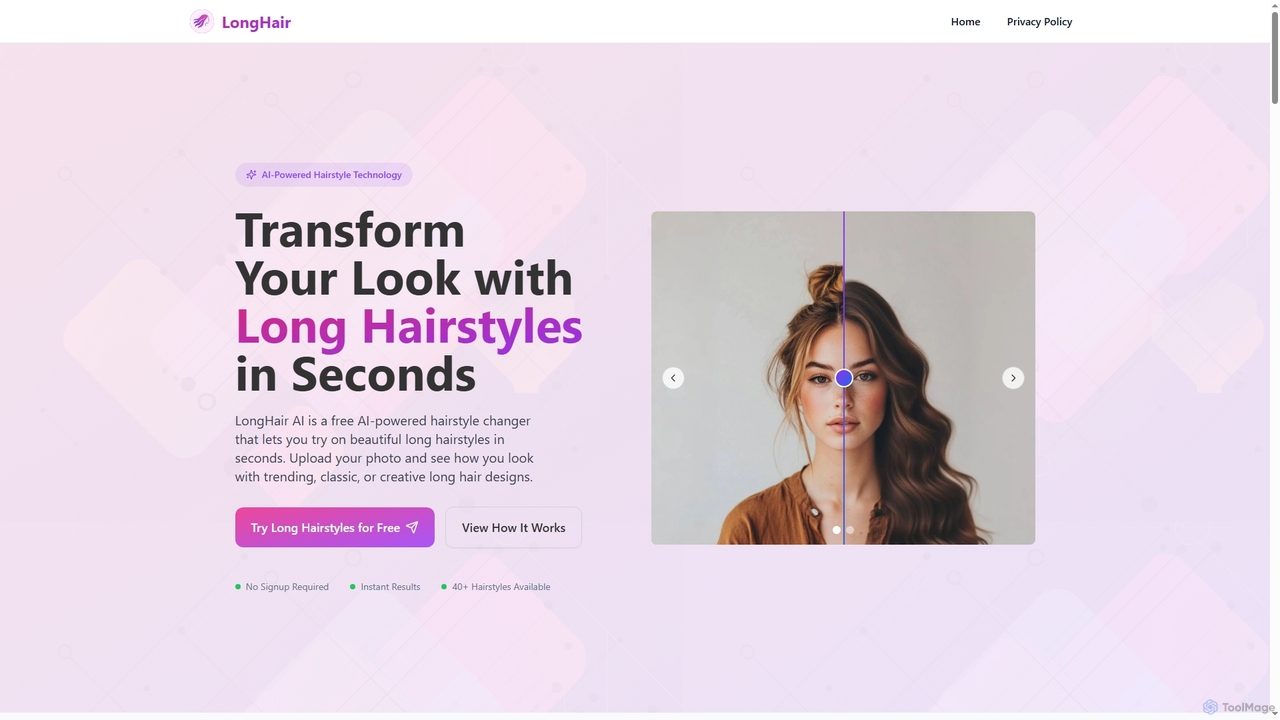
Longhair

Longhair is a free AI-powered online tool that allows users to instantly visualize themselves with various long hairstyles. Simply upload a front-facing photo and experiment with over 40 trending, classic, or creative long hair designs and colors in seconds, all without requiring any signup or app downloads. It's perfect for exploring new looks before committing to a salon visit.

Virtual Try On
Visits 46KFavorites 146Likes 131

About Virtual Try On

Virtual Try On tools are a class of AI applications that use augmented reality (AR) and computer vision to digitally superimpose products onto a user. These tools analyze a user's live camera feed or a static photo to accurately place items like clothing, makeup, or accessories, creating a realistic and interactive preview. This technology bridges the gap between online and in-person shopping by allowing customers to visualize how products look and fit before making a purchase, significantly enhancing the e-commerce experience.

Core Features

  • Real-time AR Overlay: Instantly applies digital products to a user's live video stream, tracking movements for a dynamic preview.
  • Photo-Based Try-On: Allows users to upload a photo and see how various items, such as glasses or hats, look on them.
  • Fit & Size Simulation: Utilizes AI algorithms and user measurements to recommend the best size and visualize the fit of garments.
  • Realistic Texture & Lighting Rendering: Simulates how different materials and colors appear under various lighting conditions for greater accuracy.
  • Multi-Product Comparison: Enables users to try on and compare multiple items or color variations side-by-side.

Use Cases

Virtual Try On tools are primarily used in the e-commerce and retail sectors. Fashion brands use them to reduce return rates, cosmetics companies allow customers to test makeup shades virtually, and eyewear retailers help shoppers find the perfect frames. They are also deployed in physical stores as 'magic mirrors' to provide a seamless and quick try-on experience.

How to Choose

When selecting a Virtual Try On tool, consider the realism and accuracy of the AR overlay. Evaluate its compatibility with your specific product categories (e.g., apparel, jewelry, makeup). Assess the ease of integration with your existing e-commerce platform (like Shopify or Magento) and its performance across different devices, especially mobile. Finally, review the pricing model to ensure it aligns with your business scale.

Virtual Try On use cases

1

Enhancing Online Fashion Shopping

An e-commerce manager for a clothing brand integrates a virtual try-on tool into their product pages. When a customer browses a dress, they can click a 'Virtual Try-On' button, activating their webcam. The tool uses AR to overlay the dress onto their body in real-time, tracking their movements. The customer can see how the fabric drapes and the garment fits from different angles, helping them make a confident purchase decision. This leads to a reduction in return rates by over 30% and an increase in conversion rates.

2

Virtual Makeup and Cosmetics Testing

A cosmetics brand launches a new line of lipsticks. Instead of sending physical samples, they use a virtual try-on tool on their website and social media. A user can use their phone's camera to see how each of the 20 new shades looks on their lips instantly. The AI accurately maps the lips and applies the color with realistic texture and finish (matte, gloss, satin). Users can easily switch between shades, compare them, and share their look, driving engagement and direct sales without the need for physical testers.

3

Finding the Perfect Eyewear Frames Online

An online eyewear retailer helps customers overcome the uncertainty of buying glasses online. Using a photo-based virtual try-on tool, a customer uploads a selfie. The tool's AI measures their pupillary distance and face shape. The customer can then browse hundreds of frames, which are accurately scaled and positioned on their photo. They can see how different styles—aviator, cat-eye, round—complement their facial features. This personalized experience helps them find the perfect pair, drastically reducing decision time and increasing customer satisfaction.

4

In-Store 'Magic Mirror' Retail Experience

A high-end fashion boutique installs a 'magic mirror' in its store. This is a large screen equipped with a camera and virtual try-on software. A shopper stands in front of the mirror and can browse the store's entire digital catalog. With simple hand gestures, they can select different outfits, which are then instantly overlaid on their reflection. This allows them to try dozens of items in minutes without physically changing, saving time and creating a novel, engaging shopping experience that attracts more foot traffic.

5

Visualizing Jewelry and Watches

A luxury watch retailer uses a virtual try-on tool to showcase its collection. A potential buyer can point their phone's camera at their wrist, and the tool's AR technology overlays a 3D model of a watch. The rendering is highly realistic, showing metallic reflections and details of the watch face. The user can rotate their wrist to see the watch from all angles and even compare different models side-by-side. This provides a tangible sense of the product's size and style, crucial for high-value online purchases.

6

Interactive Social Media Marketing Campaigns

A fashion brand launches a new collection of sunglasses and creates an interactive AR filter for Instagram and Snapchat. Users can access the filter to 'try on' the new sunglasses styles directly within the app. The filter accurately tracks their face, allowing them to see how the glasses look as they move and smile. They can then record a video or take a photo of themselves wearing the virtual sunglasses and share it with their followers. This user-generated content acts as a powerful marketing tool, creating viral buzz and driving traffic to the product's online store.

Virtual Try On FAQ

What are Virtual Try On tools?

Virtual Try On tools are applications that use augmented reality (AR) and AI to let users see how products like clothing, makeup, or glasses will look on them through their device's camera. They work by overlaying a 3D or 2D digital model of a product onto a user's live video feed or a photo. The primary goal is to create a realistic, personalized shopping experience, helping customers make more informed decisions and reducing return rates for e-commerce businesses.

How do I choose the right Virtual Try On tool for my business?

To choose the right tool, consider these factors:

  • Product Type: Ensure the tool is optimized for your products (e.g., makeup requires facial tracking, while clothing requires body tracking and fit simulation).
  • Realism and Accuracy: Evaluate the quality of the AR overlay. Does it look natural? Does it track movement well?
  • Integration: Check if it easily integrates with your e-commerce platform (e.g., Shopify, Magento, WooCommerce) via a plugin or SDK.
  • Platform Support: Confirm it works smoothly on web browsers and mobile devices (iOS/Android) where your customers shop.
  • Cost: Understand the pricing model—whether it's a monthly subscription, a per-use fee, or a one-time license.
What's the difference between Virtual Try On and a 3D product viewer?

The key difference is personalization and context. A 3D product viewer allows a user to rotate and inspect a 3D model of a product in isolation. A Virtual Try On tool goes a step further by using AR to place that 3D model onto the user's own body or in their environment via their camera. While a 3D viewer shows what the product looks like, a virtual try-on shows what the product looks like on you, providing a much more personal and useful preview for items like fashion and accessories.

What technology powers Virtual Try On tools?

Virtual Try On tools are powered by a combination of technologies:

  • Augmented Reality (AR): This technology overlays computer-generated images onto the real world as seen through a device's camera.
  • Computer Vision: AI algorithms analyze the camera feed to detect and track key points on a user's body, such as facial features (eyes, lips), wrist, or overall body shape.
  • 3D Rendering: This process creates photorealistic 3D models of products and simulates how they would look with realistic lighting, shadows, and textures when worn.
  • Machine Learning (ML): ML models are often used to improve tracking accuracy, recommend sizes, and ensure the virtual item fits and moves realistically with the user.
Who can benefit from using Virtual Try On tools?

A wide range of users can benefit from these tools. For businesses, e-commerce retailers in fashion, beauty, eyewear, and jewelry can increase conversions and reduce returns. Physical retail stores can use them as 'magic mirrors' to enhance the in-store experience. For consumers, it provides a more confident and convenient way to shop online, allowing them to see how products look on them personally before committing to a purchase, saving time and reducing the hassle of returns.