ToolMage
Sign in

Best 1 Ai Workspace AI tools for Business

Popular Ai Workspace AI tools in Business include BrainChat, helping you work more efficiently.

BrainChat
Freemium

BrainChat

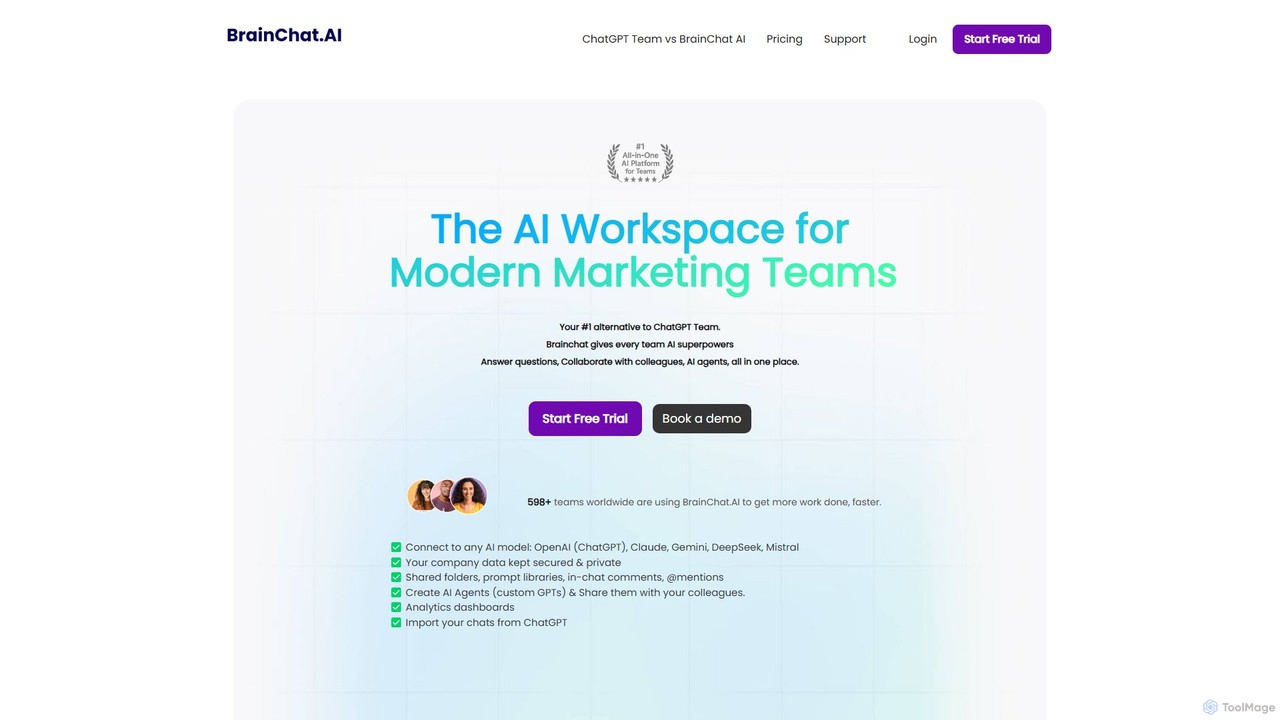
BrainChat is a collaborative AI workspace designed for modern teams, serving as a powerful alternative to ChatGPT Team. It centralizes access to top AI models like GPT-4o, Claude 3, and Gemini, enabling teams to create, analyze, and collaborate securely. Features include shared prompt libraries, custom AI agents, document analysis, and robust admin controls, all within a single, cost-effective platform that prioritizes data privacy.

Ai Workspace
Visits 6KFavorites 127Likes 121

About Ai Workspace

Ai Workspace tools are integrated platforms that leverage artificial intelligence to centralize and automate various business operations. These sophisticated solutions combine multiple AI capabilities, from content generation and data analysis to intelligent automation, within a unified interface. They aim to enhance productivity, streamline workflows, and provide data-driven insights across different departments, offering a holistic approach to digital transformation in the business sector.

Core Features

  • Unified Dashboard: Provides a single point of access for all AI tools and data, offering a comprehensive overview of operations.
  • Intelligent Automation: Automates repetitive tasks, scheduling, and data processing across different applications.
  • AI-Powered Assistants: Offers virtual assistants for tasks like drafting emails, summarizing documents, or generating reports.
  • Data Synthesis & Analytics: Gathers and analyzes data from various sources to provide actionable insights and predictive modeling.
  • Collaborative AI Tools: Facilitates team collaboration on projects with shared AI resources and real-time updates.

Use Cases

Businesses across various industries utilize AI Workspaces to consolidate their digital tools and enhance operational efficiency. For instance, marketing teams can manage campaigns, generate content, and analyze performance from a single platform. Project managers can automate task assignments, track progress, and optimize resource allocation with AI-driven insights, leading to more cohesive and productive teams.

How to Choose

When selecting an Ai Workspace, consider its integration capabilities with your existing software ecosystem to ensure seamless data flow. Evaluate the range and depth of AI modules offered, ensuring they align with your specific business needs, such as content creation, data analytics, or customer support. Scalability, security features, customization options, and the platform's ease of use are also crucial factors for long-term adoption and success.

Ai Workspace use cases

1

Automating Marketing Content Creation & Scheduling

Marketing teams leverage an Ai Workspace to centralize their content strategy. They use AI tools within the workspace to generate diverse marketing copy, create visual assets, and even suggest optimal posting times across various social media platforms. This integrated approach allows for efficient campaign management, ensuring brand consistency and freeing up marketers to focus on strategic planning rather than repetitive content generation and scheduling tasks.

2

Streamlining Project Management & Task Allocation

Project managers utilize Ai Workspaces to gain a holistic view of ongoing projects. The integrated AI analyzes project data, identifies potential bottlenecks, and suggests optimal task assignments based on team member skills and availability. This not only automates administrative overhead but also enhances decision-making, leading to improved project timelines, resource utilization, and overall team productivity by ensuring tasks are distributed efficiently and progress is monitored intelligently.

3

Enhancing Customer Support & Knowledge Management

Customer support teams deploy Ai Workspaces to provide faster, more consistent service. The workspace integrates AI-powered chatbots for instant query resolution, while also using AI to analyze customer interactions and automatically update knowledge base articles. This ensures that support agents have access to the most relevant and up-to-date information, reducing response times and improving customer satisfaction by offering personalized and efficient assistance.

4

Data-Driven Business Intelligence & Reporting

Business analysts and decision-makers leverage Ai Workspaces to transform raw data into actionable business intelligence. The workspace integrates with various data sources, using AI to synthesize complex datasets, identify hidden trends, and generate comprehensive reports and dashboards. This enables organizations to make more informed strategic decisions, optimize operations, and proactively respond to market changes by providing real-time, predictive insights that would be difficult to uncover manually.

5

Personalized Sales Outreach & CRM Integration

Sales teams enhance their outreach efforts using an Ai Workspace integrated with their CRM. The AI analyzes lead data, customer history, and engagement patterns to generate highly personalized email drafts and suggest optimal communication channels. This automation of personalized communication not only saves significant time for sales representatives but also increases conversion rates by ensuring that each prospect receives tailored messages at the most opportune moments, improving overall sales efficiency.

6

Optimizing Internal Communications & Document Management

HR and internal communications teams utilize Ai Workspaces to streamline information flow and document handling. The AI can automatically summarize lengthy meeting transcripts, draft internal announcements, and intelligently organize shared documents based on content and relevance. This reduces the time spent on administrative tasks, ensures that employees have easy access to critical information, and fosters a more informed and connected workforce by simplifying complex communication and knowledge-sharing processes.

Ai Workspace FAQ

What are Ai Workspace tools?

Ai Workspace tools are integrated platforms that centralize various AI-powered applications and functionalities into a single, unified environment. They typically feature a dashboard for managing diverse tasks, intelligent automation capabilities, and AI-powered assistants for content generation, data analysis, and communication. These tools are designed to streamline business operations, enhance collaboration, and provide comprehensive insights across different departments, acting as a central hub for an organization's AI initiatives.

How do Ai Workspaces differ from individual AI tools?

The primary difference lies in integration and scope. Individual AI tools typically focus on a single, specific function, like an AI writer or an image generator. An Ai Workspace, however, integrates multiple such tools and functionalities into a cohesive platform. It provides a unified dashboard, shared data, and automated workflows across different AI capabilities, enabling a more holistic and streamlined approach to business operations rather than managing disparate tools separately. This centralization enhances efficiency and collaboration significantly.

What are the key benefits of adopting an Ai Workspace?

Adopting an Ai Workspace offers several key benefits for businesses. Firstly, it significantly boosts productivity by automating repetitive tasks and centralizing various AI tools. Secondly, it enhances collaboration among teams by providing a shared environment for projects and data. Thirdly, it enables data-driven decision-making through integrated analytics and predictive insights. Lastly, it streamlines workflows, reduces operational costs, and fosters innovation by making advanced AI capabilities more accessible and manageable across the organization.

What features should I look for in an Ai Workspace?

When selecting an Ai Workspace, prioritize features that align with your business needs. Look for robust integration capabilities with your existing CRM, ERP, or communication tools. Essential AI modules include natural language processing for content, advanced analytics for data, and intelligent automation for workflows. Consider scalability to accommodate future growth, strong security protocols for data protection, and customization options to tailor the workspace to specific departmental requirements. An intuitive user interface and comprehensive support are also crucial for successful adoption.

Can Ai Workspaces integrate with existing business software?

Yes, integration with existing business software is a core strength of most Ai Workspaces. These platforms are designed to connect seamlessly with popular CRM systems (like Salesforce), ERP solutions (like SAP), project management tools (like Asana), and communication platforms (like Slack or Microsoft Teams). This interoperability ensures that data flows smoothly between systems, preventing silos and maximizing the value of your current technology investments by enhancing them with AI capabilities within a unified environment.