
ToolMage
Sign in

Best 1 Crm Automation AI tools for Business

Popular Crm Automation AI tools in Business include getvoiceline, helping you work more efficiently.

getvoiceline
Paid

getvoiceline

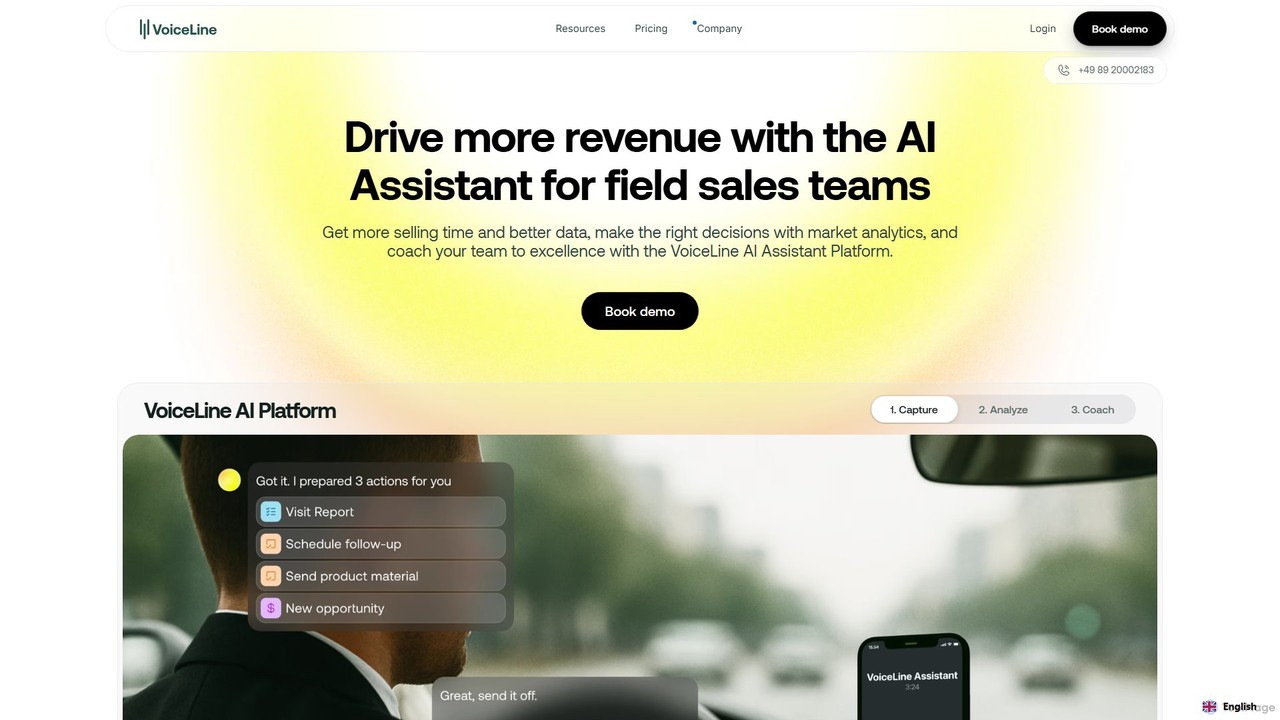
getvoiceline is an AI-powered revenue intelligence platform for field sales teams. It uses a voice-first AI assistant to automate administrative tasks like CRM data entry and meeting preparation, freeing up reps to focus on selling. The platform also provides deep market analytics by centralizing sales interactions and offers data-driven coaching tools to improve team performance and standardize excellence. It's designed to increase efficiency, data quality, and ultimately, revenue.

Crm Automation
Visits 6.1KFavorites 159Likes 157

About Crm Automation

CRM Automation tools are a class of software that uses artificial intelligence to streamline and enhance customer relationship management processes. They leverage machine learning algorithms to automate tasks like data entry, predictive lead scoring, customer communication, and sales forecasting. This allows sales, marketing, and service teams to focus on building strategic relationships rather than on manual administrative work. Unlike traditional rule-based systems, AI-driven CRM automation provides predictive insights and enables dynamic personalization at scale, improving both efficiency and customer engagement.

Core Features

  • Predictive Lead Scoring: Uses AI to analyze customer data and behavior to identify and prioritize leads most likely to convert.
  • Automated Data Entry & Enrichment: Automatically captures, logs, and updates customer information from emails, calls, and other sources, ensuring the CRM is always current.
  • Intelligent Communication Sequencing: Creates and manages personalized email and message campaigns that adapt based on recipient actions and engagement.
  • AI-Powered Chatbots: Deploys intelligent chatbots to handle initial customer inquiries, qualify leads, and route conversations 24/7.
  • Sales & Revenue Forecasting: Analyzes historical data and pipeline activity to generate more accurate and reliable sales predictions.

Use Cases

These tools are widely used by B2B and B2C businesses. Sales teams utilize them to automate follow-ups and prioritize high-value prospects. Marketing departments deploy them to run sophisticated, personalized nurturing campaigns. Customer service teams leverage them to provide faster, more consistent support and identify at-risk customers proactively.

How to Choose

When selecting a CRM Automation tool, first consider its integration capabilities with your existing CRM platform (e.g., Salesforce, HubSpot). Evaluate the specific automation features you need—whether for sales, marketing, or service. Assess the tool's scalability to handle your growing data volume and the ease of use for setting up and modifying automation workflows without extensive technical knowledge.

Crm Automation use cases

1

Automating Lead Qualification and Routing

A Sales Operations Manager at a tech company faces the challenge of handling hundreds of daily inbound leads. Manual qualification is slow and leads to delays in response time. By implementing a CRM Automation tool, the system automatically analyzes each lead's data—such as company size, job title, and website activity—to generate a predictive conversion score. High-scoring leads are instantly routed to the appropriate senior sales representative's calendar for a meeting, while lower-scoring leads are entered into an automated nurturing sequence. This process reduces lead response time from hours to minutes, increases sales team efficiency by 30%, and ensures high-value opportunities are addressed immediately.

2

Personalizing Marketing Email Campaigns at Scale

A Marketing Automation Specialist struggles with low engagement from generic email blasts. Using a CRM Automation tool, they can create dynamic audience segments based on real-time user behavior, purchase history, and engagement levels. The AI then triggers hyper-personalized email sequences. For example, if a user views a specific product page three times, the system automatically sends a follow-up email with a limited-time offer for that product. This level of personalization, managed automatically, leads to a 25% increase in open rates and a significant boost in click-through rates, nurturing leads more effectively through the sales funnel.

3

Streamlining Customer Support with AI Chatbots

A Customer Service Manager observes that their team is overwhelmed with repetitive inquiries, leading to long wait times for complex issues. By integrating an AI-powered chatbot with their CRM, they automate responses to common questions like 'What is my order status?' or 'How do I reset my password?'. The chatbot accesses CRM data to provide personalized answers 24/7. For more complex issues, it gathers initial information from the user, creates a support ticket in the CRM, and intelligently routes it to the correct human agent. This deflects up to 60% of routine queries, improves first-response time, and allows human agents to focus on high-value, complex problem-solving.

4

Automating Sales Activity Logging and Data Entry

A sales representative spends several hours each week manually logging calls, emails, and meeting notes into the CRM. This administrative burden reduces their selling time and leads to inconsistent data. A CRM Automation tool that syncs with their email and calendar automatically captures these interactions. It uses natural language processing (NLP) to parse email content and call transcripts, updating contact records, deal stages, and creating follow-up tasks without manual input. This saves each rep 5-8 hours per week, significantly improves the accuracy and completeness of CRM data, and gives sales managers a real-time, accurate view of all sales activities.

5

Enhancing Sales Forecasting Accuracy

A Head of Sales struggles with inaccurate revenue forecasts that are often based on sales reps' optimistic estimates. A CRM Automation tool with AI-powered forecasting capabilities analyzes vast amounts of historical data, including deal progression speed, rep performance, and customer engagement signals. It provides an objective, data-driven forecast that identifies which deals are on track, which are at risk, and where potential upsell opportunities lie. The AI can also simulate different scenarios, helping leadership make more informed decisions about resource allocation and strategy. This approach increases forecast accuracy from around 75% to over 90%, enabling better financial planning.

6

Proactive Customer Churn Prediction

A Customer Success Manager for a SaaS company needs to identify at-risk customers before they decide to cancel their subscription. A CRM Automation tool analyzes customer health signals within the CRM, such as product usage frequency, number of support tickets raised, and recent engagement with marketing materials. The AI model assigns a 'churn risk score' to each account. When an account's score crosses a critical threshold, the system automatically alerts the assigned manager and can trigger a pre-defined retention workflow, such as scheduling a check-in call or sending a targeted offer. This proactive approach helps reduce customer churn by 15-20% by enabling timely and relevant interventions.

Crm Automation FAQ

What is CRM Automation?

CRM Automation refers to using AI-powered software to streamline and enhance tasks within a Customer Relationship Management (CRM) system. Unlike basic automation that follows simple 'if-then' rules, AI-driven CRM automation uses machine learning to perform more complex actions. Key functions include predictive lead scoring to prioritize sales efforts, automated data entry to maintain clean records, and intelligent chatbots to handle customer queries. The primary goal is to free up sales, marketing, and service teams from repetitive administrative work so they can focus on building meaningful customer relationships.

How to choose the right CRM Automation tool?

Choosing the right tool depends on your specific business needs. Consider these key factors:

  • Integration: Ensure the tool seamlessly integrates with your existing CRM (e.g., Salesforce, HubSpot, Zoho) and other essential software like email marketing platforms.
  • Core Functionality: Identify your primary goal. Do you need stronger lead scoring for sales, sophisticated campaign automation for marketing, or AI chatbots for customer service?
  • Ease of Use: Evaluate the user interface. A good tool should allow your team to build and modify automation workflows without needing a developer.
  • Scalability and Pricing: Choose a tool that can grow with your business and has a pricing model that aligns with your budget and expected usage.
What's the difference between CRM Automation and Marketing Automation?

While there is significant overlap, the main difference lies in their scope. Marketing Automation tools focus primarily on top-of-funnel activities like email campaigns, lead generation, and nurturing prospects. CRM Automation is broader, encompassing the entire customer lifecycle. It integrates deeply with sales and customer service data within the CRM to automate tasks like lead routing, sales forecasting, activity logging, and customer support interactions. In essence, marketing automation is a subset of the broader capabilities offered by a comprehensive CRM automation strategy.

What are the main benefits of using AI in a CRM?

Integrating AI into a CRM system offers several significant benefits:

  • Increased Efficiency: It automates time-consuming, repetitive tasks like data entry and scheduling, freeing up employees to focus on strategic activities.
  • Enhanced Personalization: AI analyzes customer data to enable hyper-personalized marketing campaigns and product recommendations, improving customer engagement.
  • Improved Decision-Making: AI provides predictive insights, such as lead scoring and sales forecasting, allowing for more accurate, data-driven business strategies.
  • Higher Data Quality: Automated data capture and enrichment reduce human error, leading to a more reliable and up-to-date CRM database.
Who should use CRM Automation tools?

CRM Automation tools are valuable for a wide range of roles and businesses that rely on a CRM. Key users include:

  • Sales Teams: To automate lead scoring, routing, follow-ups, and activity logging, allowing them to focus more on selling and less on administration.
  • Marketing Teams: To create dynamic, personalized campaigns, nurture leads effectively, and segment audiences based on real-time behavior.
  • Customer Service & Success Teams: To manage support tickets, provide 24/7 assistance via chatbots, and proactively identify at-risk customers to reduce churn.
  • Business Leaders & Operations Managers: To gain accurate, AI-driven forecasts and insights into the health of their sales pipeline and customer base.