
ToolMage
Sign in

Best 1 Digital Adoption AI tools for Business

Popular Digital Adoption AI tools in Business include Whatfix, helping you work more efficiently.

Whatfix
Paid

Whatfix

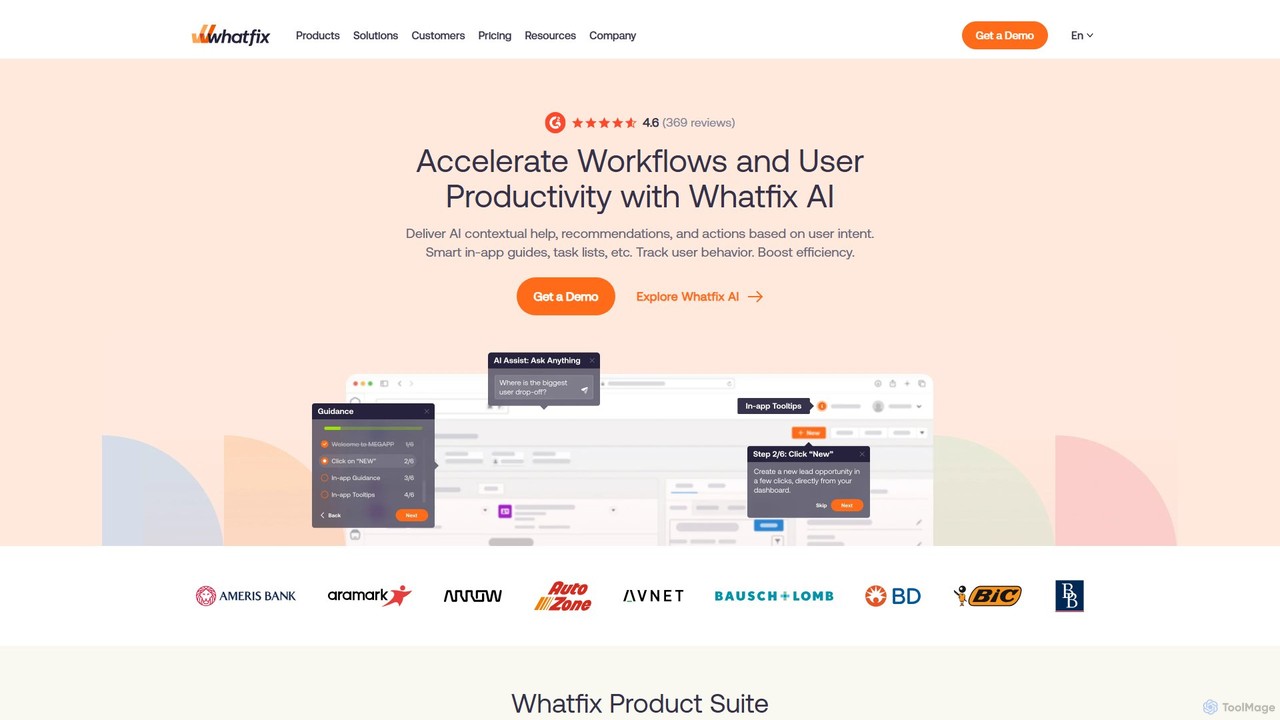
Whatfix is an AI-powered Digital Adoption Platform (DAP) designed to enhance software adoption and user productivity. It provides in-app guidance, interactive walkthroughs, and contextual support across web, desktop, and mobile applications. By leveraging its proprietary AI, ScreenSense, Whatfix helps organizations onboard users, accelerate training, and analyze user behavior to maximize the ROI of their technology stack. It's a comprehensive solution for improving employee and customer software experiences.

Digital Adoption
Visits 140.3KFavorites 162Likes 137

About Digital Adoption

Digital Adoption tools are platforms designed to simplify how users learn and master new software and digital processes. They operate by overlaying interactive guides, contextual help, and automated support directly within an application's interface. This approach enhances user proficiency, reduces training time, and maximizes the return on investment (ROI) for business software. By analyzing user behavior, these tools also provide actionable insights to optimize workflows and improve the overall user experience.

Core Features

  • Interactive Walkthroughs: Step-by-step guides that lead users through tasks and processes in real-time within the application.
  • User Behavior Analytics: Tracks user interactions, identifies friction points, and measures feature adoption rates to inform improvements.
  • In-App Help Center: Provides a self-service knowledge base, including articles and videos, accessible without leaving the software.
  • User Segmentation: Delivers customized guidance and announcements tailored to different user roles, departments, or experience levels.
  • Feedback Collection: Gathers user input through surveys and feedback forms to continuously refine software and training materials.

Use Cases

Digital Adoption platforms are widely used in corporate environments for employee training on internal systems like CRM or ERP. SaaS companies leverage them for customer onboarding to increase activation and retention. They are also critical for large-scale digital transformation projects, ensuring employees adapt smoothly to new technologies and processes with minimal disruption.

How to Choose

When selecting a Digital Adoption tool, consider its integration capabilities with your existing software stack. Evaluate the ease of use of its content editor, ensuring it supports no-code or low-code creation. Assess the depth of its analytics features to ensure you can measure success effectively. Finally, consider the platform's scalability and pricing model to align with your organization's growth and budget.

Digital Adoption use cases

1

Onboarding New Employees to CRM Software

A sales manager needs to train new hires on the company's Salesforce instance. Instead of lengthy workshops, they use a Digital Adoption Platform to create interactive walkthroughs. These guides pop up for new users, showing them step-by-step how to create a lead, convert an opportunity, and log a customer call. This in-app guidance reduces the time to proficiency from weeks to days and ensures data is entered correctly from the start, improving overall data hygiene and sales team productivity.

2

Driving Adoption of a New Software Feature

A product manager at a SaaS company releases a new, powerful analytics feature. To ensure users discover and use it, they deploy a campaign using a Digital Adoption Platform. An in-app announcement targets active users, highlighting the feature's benefits. When a user clicks to explore, a tooltip tour guides them through the new dashboard, explaining each metric and how to generate a report. The platform's analytics then track the feature's adoption rate, providing valuable feedback for future development.

3

Reducing Customer Support Ticket Volume

A customer success team notices a high volume of support tickets related to a specific workflow in their application. Using a Digital Adoption Platform, they analyze user behavior and confirm where users are getting stuck. They then create a proactive, contextual tooltip that appears when a user hesitates on that specific step, offering immediate clarification. They also build a self-service checklist within the app's help widget. This approach deflects common questions, reducing ticket volume by over 30% and freeing up support agents for more complex issues.

4

Ensuring Process Compliance in Finance

A large corporation's finance department rolls out a new, mandatory expense reporting software. To ensure compliance and data accuracy, they implement a Digital Adoption Platform. The platform provides real-time validation on data fields, preventing common errors. It also launches a step-by-step checklist for complex submissions, ensuring no required documents are missed. This automated guidance enforces the new process, reduces submission errors by 80%, and accelerates the reimbursement cycle for all employees.

5

Improving Customer Onboarding for a SaaS Product

A project management SaaS company wants to improve its user activation rate. They use a Digital Adoption Platform to create a personalized onboarding experience. Based on the user's role (e.g., manager, team member), the platform shows a tailored checklist of 'first steps' to get started. Interactive guides then walk them through creating a project, inviting colleagues, and assigning a task. This hands-on approach helps users experience the product's value faster, significantly boosting 30-day retention rates.

6

Facilitating a Large-Scale ERP System Migration

An enterprise is migrating thousands of employees from a legacy ERP to a new cloud-based system. The change management team uses a Digital Adoption Platform to deliver role-based, on-demand training. Instead of pulling employees into classrooms, the platform provides in-app guidance specific to each user's job functions (e.g., procurement, HR, accounting). This contextual learning minimizes business disruption, reduces the burden on the IT help desk, and accelerates the organization's time-to-value for the new ERP investment.

Digital Adoption FAQ

What are Digital Adoption Platforms (DAPs)?

Digital Adoption Platforms (DAPs) are software tools that integrate with other applications to guide users and improve their proficiency. They function as an intelligent guidance layer, providing real-time, contextual support such as interactive walkthroughs, tooltips, and in-app help centers. The primary goal of a DAP is to make software easier to learn and use, thereby accelerating user onboarding, increasing feature adoption, and maximizing the return on technology investments.

How to choose the right Digital Adoption tool?

Choosing the right tool involves evaluating several key factors. First, assess its compatibility and integration capabilities with your core applications (e.g., Salesforce, Workday). Second, examine the content creation tools; a user-friendly, no-code editor is often preferable. Third, review the analytics and reporting features to ensure you can measure user engagement and task completion. Finally, consider the level of support, security protocols, and the pricing model to ensure it aligns with your budget and organizational needs.

What is the difference between Digital Adoption and traditional training?

The key difference lies in the delivery method and context. Traditional training (like workshops or video libraries) happens outside the actual workflow, requiring users to learn and then apply that knowledge separately. Digital Adoption provides learning 'in the flow of work' directly within the application. It is contextual, on-demand, and interactive, offering guidance precisely when and where the user needs it. This leads to better knowledge retention and immediate application, unlike the passive nature of traditional methods.

Who typically uses Digital Adoption tools?

Digital Adoption tools are used by various roles across an organization.

  • Training & Development Teams use them to scale employee training and onboarding.
  • Product Managers use them to drive feature adoption and gather user feedback.
  • Customer Success Teams leverage them to improve customer onboarding and reduce support tickets.
  • IT and Change Management Departments use them to facilitate the rollout of new enterprise software and ensure process compliance.

How do Digital Adoption tools improve software ROI?

Digital Adoption tools improve software Return on Investment (ROI) in several ways. They accelerate user proficiency, which means employees become productive with new software faster. They increase the usage of all software features, ensuring the company gets full value from its license fees. By providing in-app self-service support, they significantly reduce the costs associated with help desk tickets and formal training sessions. Finally, by ensuring correct process execution, they minimize costly data errors and improve operational efficiency.