ToolMage
Sign in

Best 2 Embedded Analytics AI tools for Business

Popular Embedded Analytics AI tools in Business include Explo and DataBrain, helping you work more efficiently.

DataBrain
Freemium

DataBrain

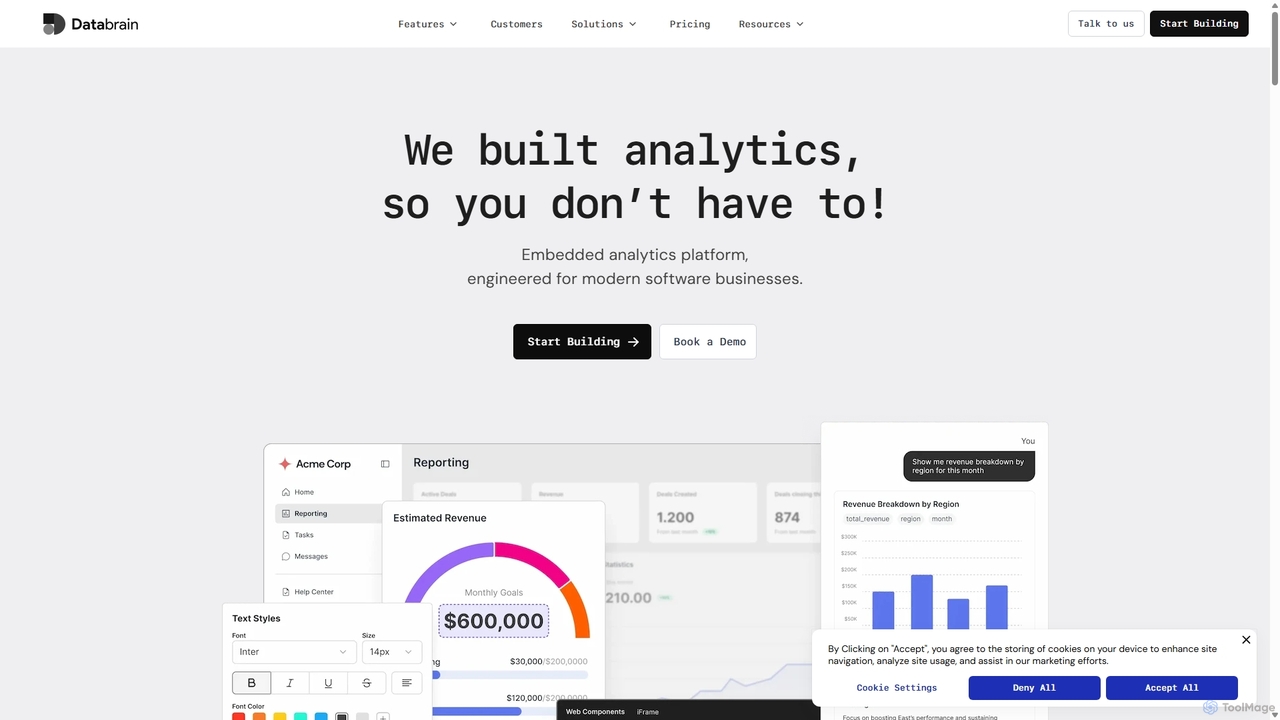
DataBrain is an AI-powered embedded analytics platform designed for modern software businesses. It enables companies to quickly build and integrate interactive, customer-facing dashboards and reports directly into their products. With a low-code interface, extensive customization, and natural language querying, DataBrain helps save significant development time, increase product stickiness, and create new revenue streams.

Embedded Analytics
Visits 8.7KFavorites 126Likes 111
Explo
Freemium

Explo

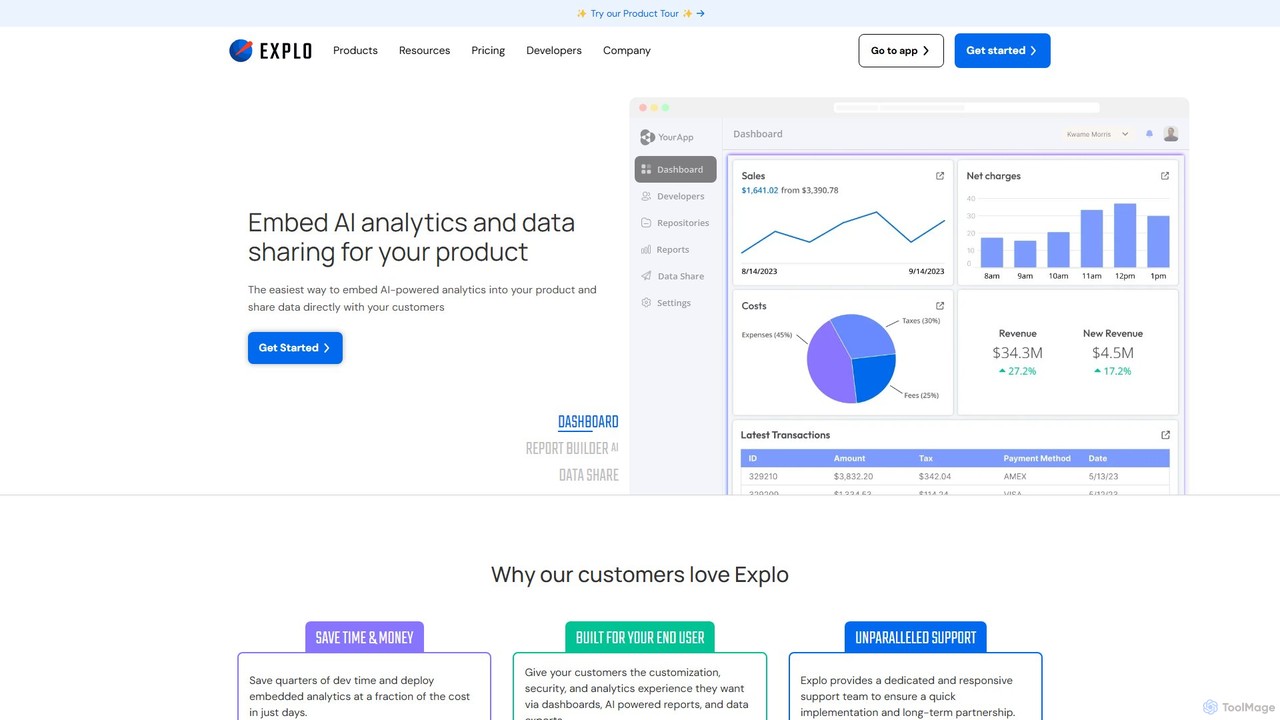
Explo is a powerful platform for creating and embedding customer-facing analytics and dashboards directly into any application. It allows businesses to connect their databases, build beautiful, customizable data visualizations, and share insights with their users seamlessly. With AI-powered features like a dashboard builder and reporting, Explo helps SaaS, E-commerce, and Fintech companies enhance their product value by providing native, white-labeled analytics experiences without extensive development effort.

Business Intelligence
Visits 61.9KFavorites 109Likes 110

About Embedded Analytics

Embedded Analytics tools are a class of software that enables the integration of data analysis and visualization capabilities directly into other applications, portals, or websites. They utilize APIs, SDKs, or iFrames to seamlessly embed interactive dashboards, reports, and charts, making analytics a native part of the user's workflow. This approach provides users with contextual insights without forcing them to switch to a separate business intelligence platform. By delivering data at the point of decision, these tools enhance the value of the host application and improve user engagement.

Core Features

  • White-Labeling & Customization: Allows for complete control over the look and feel to match the host application's branding and user interface.
  • Seamless Integration: Provides robust APIs, SDKs, and embedding options to ensure a deep and native integration experience for developers.
  • Interactive Data Exploration: Empowers end-users with features like filtering, drill-downs, and pivoting to explore data directly within the application.
  • Multi-Tenant Security: Implements row-level security and data governance to ensure users and clients only see the data they are permitted to access.
  • Self-Service Capabilities: Enables non-technical users to build their own reports and dashboards without leaving the application environment.

Applicable Scenarios

Embedded Analytics is widely used in SaaS platforms to offer customer-facing analytics, providing subscribers with insights into their own data. It's also common in internal business applications to equip employees with operational dashboards for real-time decision-making. Enterprises also use it to enhance existing software products, creating new revenue streams by monetizing data insights.

Selection Criteria

When choosing an Embedded Analytics tool, evaluate its integration flexibility and compatibility with your existing tech stack. Assess the depth of customization and white-labeling options to ensure a consistent user experience. Consider the platform's scalability to handle your data volume and user load, and scrutinize its security architecture, especially for multi-tenant deployments.

Featured tool rankings

Embedded Analytics use cases

1

Customer-Facing Analytics in a SaaS Platform

A product manager for a marketing automation SaaS platform needs to increase user retention and product value. Instead of forcing customers to export data to analyze campaign performance, they use an embedded analytics tool. This allows them to build and integrate a 'Performance Dashboard' directly into the customer portal. Customers can now log in and immediately see interactive charts on email open rates, click-through rates, and conversion funnels, all within the familiar UI. This provides immediate value, reduces churn, and strengthens the product's competitive advantage without a lengthy in-house development cycle.

2

Internal Operational Dashboards for Logistics

A logistics company's operations manager needs a real-time view of fleet performance within their custom-built dispatch software. By embedding analytics, developers can add a live dashboard showing key metrics like on-time delivery rates, average stop duration, and fuel efficiency per vehicle. Dispatchers no longer need to switch to a separate reporting tool. They can monitor performance, identify bottlenecks (e.g., a driver with unusually long stop times), and make immediate operational adjustments directly from their primary work screen, improving overall efficiency and reducing delivery delays.

3

Monetizing Data in a FinTech Application

A FinTech company offers a personal finance management app. To create a new revenue stream, they decide to offer a 'Premium Analytics' tier. Using an embedded analytics tool, they develop a set of advanced, interactive reports on investment portfolio performance, spending trends, and net worth analysis. These reports are only accessible to premium subscribers. The tool's security features ensure that each user can only see their own financial data. This strategy allows the company to monetize their data assets and increase the average revenue per user (ARPU) by offering tangible, data-driven value as an upsell.

4

Enhancing Healthcare EMR Systems

A developer at a company providing Electronic Medical Record (EMR) systems is tasked with adding clinical analytics. They use an embedded analytics platform to create and display visualizations of patient population health trends, treatment efficacy, and adherence rates. A physician can now view a dashboard within a patient's record that compares their vitals against anonymized, aggregated data from similar patient cohorts. This provides powerful context for clinical decision-making, helping to identify at-risk patients and optimize treatment plans, all without leaving the core EMR interface.

5

In-Product User Behavior Analytics

A product team for a project management tool wants to understand how users interact with new features. They embed a user behavior analytics dashboard directly into their admin panel. This dashboard visualizes feature adoption rates, user flows, and points of friction (e.g., where users drop off). Product managers can filter this data by user segment or subscription plan. This provides them with actionable, in-context insights to guide product development, improve the user experience, and prioritize their feature roadmap, all without relying on a separate analytics product.

6

Supply Chain Visibility for E-commerce Vendors

An e-commerce marketplace wants to empower its third-party vendors with better data. Using an embedded analytics tool, they create a 'Vendor Analytics' section in the seller portal. This section provides each vendor with a secure, personalized dashboard to track their own sales performance, inventory levels, and fulfillment metrics in real-time. Vendors can analyze which products are selling best and identify when to restock. This self-service access to data improves vendor satisfaction and performance, which in turn benefits the entire marketplace ecosystem by ensuring product availability and efficient operations.

Embedded Analytics FAQ

What is Embedded Analytics?

Embedded Analytics refers to the integration of data analytics and business intelligence capabilities directly within a user's workflow in another software application. Instead of using a separate, standalone BI tool, users can view, interact with, and act on data insights from dashboards and reports that are part of the application they are already using. The primary goal is to provide data in context, making it more relevant and actionable for decision-making without disrupting the user's tasks.

How is Embedded Analytics different from traditional BI tools?

The core difference lies in the user experience and point of access. Traditional BI tools (like Tableau or Power BI) are standalone applications—destinations where users go specifically to perform analysis. Embedded Analytics, however, brings the analytics *to the user* within their primary application. Key distinctions include:

  • Integration vs. Destination: Embedded tools are designed to be integrated, while traditional BI tools are destinations themselves.
  • Contextual vs. Exploratory: Embedded analytics often provides insights directly related to the task at hand, whereas traditional BI is used for broader, more exploratory analysis.
  • Audience: Embedded analytics is often for application users (e.g., customers, operational staff), while traditional BI is typically for data analysts and business managers.

What are the key benefits of implementing Embedded Analytics?

Implementing embedded analytics offers several significant benefits for a software business. Firstly, it increases product value and user stickiness by providing data insights directly within the user's workflow, making the application more indispensable. Secondly, it can create new revenue streams by offering premium analytics features to customers. Thirdly, it reduces development time and costs compared to building a custom analytics solution from scratch. Finally, it empowers users with self-service capabilities, reducing the burden on support and data teams to create custom reports.

How to choose the right Embedded Analytics tool?

Choosing the right tool depends on your specific needs. Consider these key factors:

  • Integration & Deployment: How easily does it integrate with your application's tech stack (e.g., React, Angular)? Does it support cloud, on-premise, or hybrid deployment?
  • Customization & White-Labeling: Can you fully customize the UI to match your brand's look and feel, or are you limited to predefined templates?
  • Scalability & Performance: Can the tool handle your expected data volume and concurrent user load without performance degradation?
  • Security Model: Does it offer robust multi-tenancy, row-level security, and user permission controls to protect sensitive data?
  • Developer Experience: How comprehensive are the APIs and documentation? How much developer effort is required for implementation and maintenance?

Who are the primary users of Embedded Analytics tools?

There are two main groups of users for embedded analytics. The first group is the end-users of the host application, such as a company's customers using a SaaS product or employees using an internal tool. They consume the analytics to gain insights and make better decisions within their daily tasks. The second group is the product managers and developers who build the application. They use the embedded analytics platform's APIs and development tools to select, configure, and integrate the analytical components into their product, defining what data is shown and how it is presented.