ToolMage
Sign in

Best 1 Forms AI tools for Business

Popular Forms AI tools in Business include Templatesgo, helping you work more efficiently.

Templatesgo
Freemium

Templatesgo

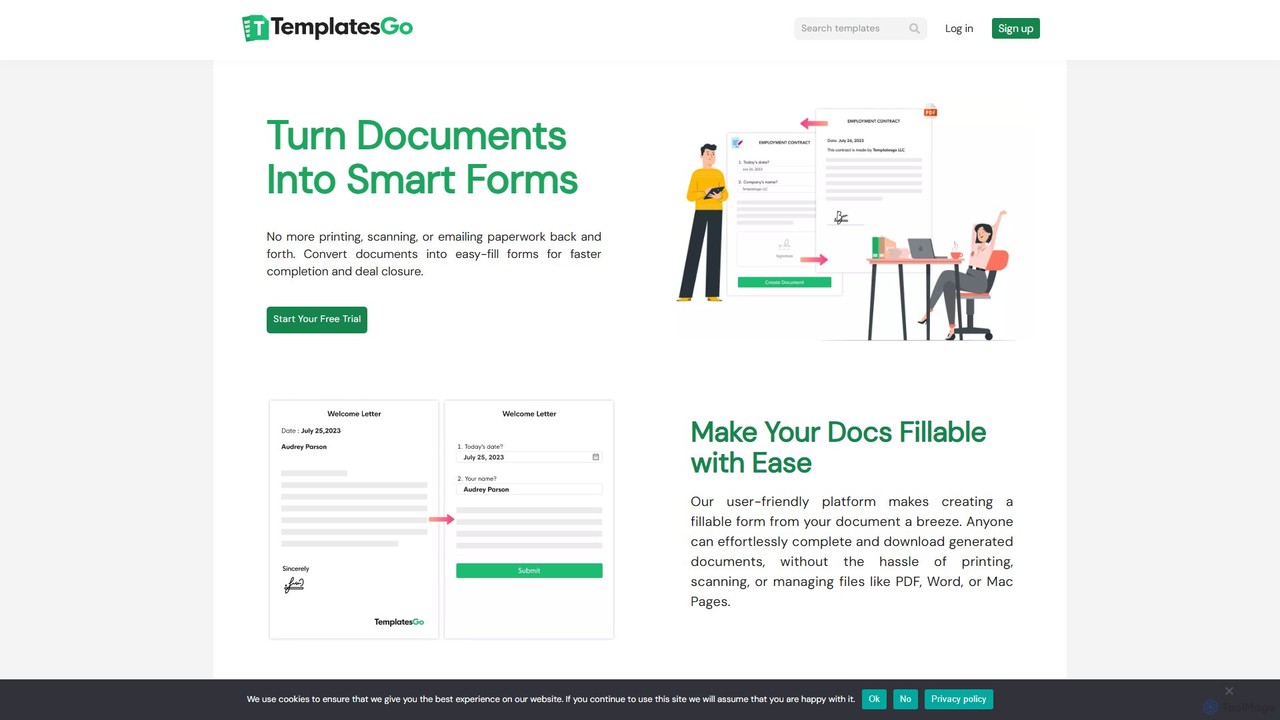
Templatesgo is an online document automation tool that transforms your existing documents into smart, fillable forms. No coding required. Simply upload your document, select the fields, and share a link for easy, error-free completion, signing, and management.

Forms
Visits 9.7KFavorites 139Likes 118

About Forms

AI Forms are intelligent tools that leverage artificial intelligence to create, manage, and analyze data collection forms. These tools go beyond basic data entry, offering dynamic fields, smart logic, and automated data processing capabilities. They are designed to streamline information gathering, enhance user experience, and provide actionable insights for businesses across various sectors.

Core Features

  • Dynamic Form Fields: Automatically adapt questions and options based on previous user responses, creating personalized paths.
  • Natural Language Processing (NLP): Understand and process open-ended text responses, extracting key information and sentiment.
  • Automated Data Validation: Intelligently check for data accuracy and consistency, reducing errors and improving data quality.
  • Smart Data Categorization: Automatically tag and categorize submitted data, facilitating easier analysis and integration.
  • Integration Capabilities: Seamlessly connect with CRM, marketing automation, and other business systems for end-to-end workflows.

Applicable Scenarios

AI Forms are invaluable for businesses seeking to optimize their data collection processes. Marketing teams use them for intelligent lead qualification, HR departments for streamlined employee onboarding, and customer service for automated feedback and support ticket routing. They are particularly useful in scenarios requiring adaptive user interaction and efficient data handling.

How to Choose

When selecting an AI Form tool, consider its integration ecosystem with your existing business software, the depth of its AI capabilities (e.g., NLP, predictive analytics), customization options for branding and user experience, and its data security and compliance features. Evaluate pricing models based on usage volume and required advanced features to ensure it aligns with your budget and operational needs.

Featured tool rankings

Forms use cases

1

Automated Lead Qualification for Sales Teams

Sales teams can deploy AI forms to automatically qualify incoming leads. By asking dynamic questions that adapt based on previous answers, the form intelligently assesses a lead's potential, budget, and specific needs. This allows sales representatives to focus only on high-potential leads, significantly reducing manual pre-screening time and accelerating the sales cycle by up to 30%.

2

Streamlined HR Onboarding Data Collection

HR departments can use AI forms to simplify the new employee onboarding process. New hires fill out a smart form that dynamically requests relevant personal, banking, and tax information, pre-populating fields where possible and validating entries in real-time. This reduces paperwork, minimizes data entry errors, and ensures compliance, making the onboarding experience smoother and more efficient for both employees and HR staff.

3

Dynamic Customer Feedback and Survey Creation

Marketing and product teams can leverage AI forms to create highly engaging and dynamic customer feedback surveys. The form adapts questions based on previous responses, ensuring relevance and reducing survey fatigue. For example, if a customer rates a product poorly, follow-up questions can delve into specific issues. This leads to richer, more targeted insights, improving product development and customer satisfaction by identifying pain points more accurately.

4

Automated Support Ticket Categorization and Routing

Customer service departments can implement AI forms for initial support requests. When a customer submits a query, the AI analyzes the text using NLP to understand the issue, automatically categorizes it (e.g., billing, technical, feature request), and routes it to the most appropriate agent or department. This significantly reduces resolution times, improves first-contact resolution rates, and frees up agents to handle more complex issues, enhancing overall customer support efficiency.

5

Personalized Event Registration with Dynamic Options

Event organizers can use AI forms to offer a highly personalized registration experience. Attendees fill out a form that dynamically presents different workshop tracks, dietary options, or networking opportunities based on their interests, professional background, or previous event attendance. This not only enhances the attendee experience but also provides organizers with richer data for tailoring event content and logistics, leading to higher engagement and satisfaction.

6

Automated Data Collection for Research Studies

Researchers can utilize AI forms to conduct complex surveys and collect data for studies. The forms can adapt questions based on participant demographics or previous responses, ensuring relevant data collection and reducing bias. AI can also analyze open-ended responses using NLP, extracting themes and sentiments that would be time-consuming to process manually. This accelerates research timelines and provides deeper qualitative insights, making studies more efficient and comprehensive.

Forms FAQ

What are AI Forms and how do they work?

AI Forms are data collection tools enhanced with artificial intelligence to offer dynamic, intelligent interactions. They work by using machine learning and natural language processing (NLP) to understand user input, adapt questions in real-time based on previous answers, and automatically validate or categorize submitted data. This allows for more personalized user experiences and more efficient, accurate data processing compared to traditional forms.

How do AI Forms differ from traditional online forms?

The main difference lies in intelligence and adaptability. Traditional online forms are static, following a fixed set of questions regardless of user input. AI Forms, however, use AI to create dynamic, conversational experiences. They can branch logic, validate complex inputs, and even analyze sentiment from open-ended responses, offering a more engaging and efficient data collection process that yields richer, more accurate insights than their static counterparts.

What are the key benefits of using AI Forms for business?

AI Forms offer several key benefits for businesses. They significantly improve data quality by reducing errors through intelligent validation and dynamic questioning. User experience is enhanced with personalized, adaptive forms, leading to higher completion rates. Furthermore, AI Forms automate data categorization and integration with other systems, streamlining workflows and saving valuable time for employees. This ultimately leads to better decision-making through richer insights and increased operational efficiency across departments like sales, HR, and customer service.

How can I choose the best AI Form builder for my needs?

To choose the best AI Form builder, first assess your specific needs: what kind of data do you need to collect, and what level of intelligence is required? Look for tools with strong NLP capabilities for open-ended responses, robust integration options with your existing CRM or marketing platforms, and flexible customization for branding. Consider scalability, data security features, and pricing models that align with your budget and anticipated usage volume. Reading user reviews and trying free trials can also provide valuable insights.

Can AI Forms integrate with other business tools?

Yes, integration is a core strength of most AI Form tools. They are typically designed to connect seamlessly with a wide range of business applications, including Customer Relationship Management (CRM) systems like Salesforce, marketing automation platforms such as HubSpot, email marketing services, and various analytics tools. This allows for automated data transfer, streamlined workflows, and a unified view of customer information, eliminating manual data entry and ensuring consistency across your tech stack.