ToolMage
Sign in

Best 1 Internal Tooling AI tools for Business

Popular Internal Tooling AI tools in Business include Codeless ONE, helping you work more efficiently.

Codeless ONE
Freemium

Codeless ONE

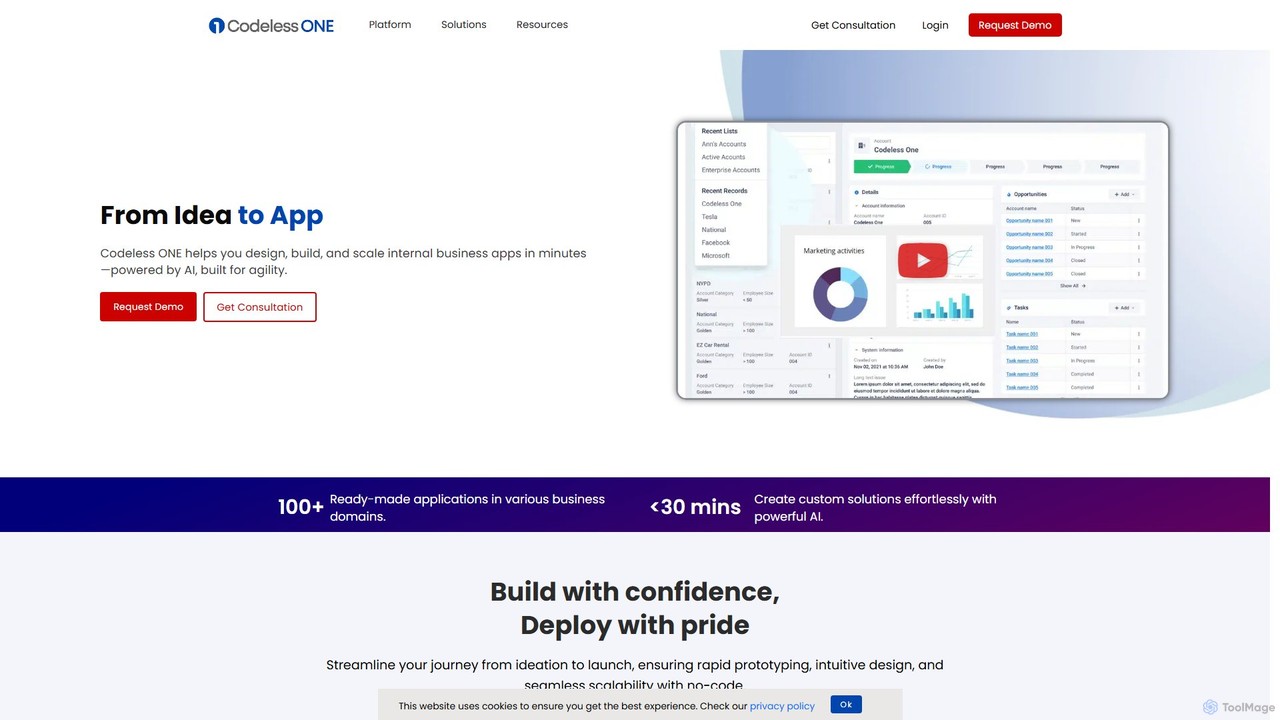
Codeless ONE is a powerful AI-driven, no-code platform that enables businesses to design, build, and scale internal applications and automate workflows in minutes. It empowers non-technical users and cross-functional teams to create custom solutions for sales, HR, operations, and more, without writing a single line of code.

Internal Tooling
Visits 6.3KFavorites 108Likes 125

About Internal Tooling

Internal Tooling refers to AI-powered platforms and solutions designed to build custom applications and dashboards for specific internal business operations. These tools leverage artificial intelligence to automate repetitive tasks, integrate disparate data sources, and provide actionable insights, enabling businesses to streamline workflows and enhance operational efficiency across various departments. They empower teams to create tailored software solutions without extensive coding, addressing unique organizational needs that off-the-shelf software might not cover.

Core Features

  • Custom Application Builder: Drag-and-drop interfaces or low-code environments for creating bespoke internal apps.
  • Data Integration & Aggregation: Connects to various databases, APIs, and services to centralize business data.
  • Workflow Automation: Automates routine processes like data entry, report generation, and approval flows using AI.
  • Custom Dashboards & Reporting: Generates personalized dashboards with real-time data visualization and AI-driven insights.
  • Access Control & Permissions: Manages user roles and data access securely within internal applications.

Use Cases

Internal tooling is vital for departments like operations, HR, sales, and customer support. For instance, an operations team can build a custom inventory management system, while HR can create an automated onboarding portal. Sales teams can develop bespoke CRM extensions, and customer support can consolidate customer data into a unified dashboard, significantly reducing manual effort and improving response times.

How to Choose

When selecting an AI internal tooling platform, consider its integration capabilities with your existing tech stack, the level of customization offered, and the ease of use for non-technical staff. Evaluate its scalability to grow with your business, security features for sensitive data, and the availability of AI-driven automation features like natural language processing or predictive analytics to maximize operational gains.

Featured tool rankings

Internal Tooling use cases

1

Automating Sales Operations Reporting

Sales operations managers can utilize internal tooling to build custom dashboards that aggregate sales data from CRM, marketing automation, and financial systems. This allows for automated generation of weekly performance reports, identification of sales trends, and predictive forecasting, significantly reducing manual data compilation time and providing real-time insights for strategic decision-making.

2

Streamlining HR Onboarding Workflows

HR departments can create an AI-powered internal onboarding portal to automate the entire new hire process. From document collection and benefits enrollment to IT provisioning requests and training module assignments, the tool ensures a consistent, efficient, and personalized experience for new employees, freeing up HR staff from repetitive administrative tasks.

3

Building Custom Customer Support Dashboards

Customer support teams can develop a unified internal dashboard that pulls customer interaction history, product usage data, and ticketing information from various sources. AI can then analyze this data to prioritize urgent tickets, suggest relevant knowledge base articles, or even draft initial responses, enabling agents to resolve issues faster and improve customer satisfaction.

4

Managing Internal Project Progress & Resources

Project managers can leverage internal tooling to construct a tailored project management system. This system can track task progress, allocate resources, monitor budgets, and integrate with communication platforms. AI features can predict potential delays or resource conflicts, allowing proactive adjustments and ensuring projects stay on track and within scope.

5

Centralizing Company Knowledge Base & FAQs

Organizations can build an AI-enhanced internal knowledge base where employees can quickly find answers to common questions, access company policies, or retrieve technical documentation. AI-powered search and natural language processing capabilities ensure relevant information is easily discoverable, reducing reliance on direct inquiries and fostering self-service for employees.

6

Facilitating Data-Driven Decision Making for Management

Executives and department heads can use internal tooling to create bespoke executive dashboards that consolidate key performance indicators (KPIs) from across the business. AI can highlight critical trends, anomalies, and provide predictive insights into market shifts or operational bottlenecks, empowering leadership to make informed, data-driven strategic decisions more rapidly.

Internal Tooling FAQ

What are AI Internal Tooling platforms?

AI Internal Tooling platforms are low-code or no-code development environments that allow businesses to quickly build custom applications and dashboards for their specific internal needs, enhanced with artificial intelligence capabilities. These tools integrate various data sources, automate workflows, and provide AI-driven insights to improve operational efficiency and decision-making within an organization.

How do I choose the right AI internal tooling platform for my business?

When selecting an AI internal tooling platform, consider its integration capabilities with your existing systems (CRM, ERP, databases), the flexibility and depth of customization it offers, and its ease of use for non-technical team members. Evaluate its security features, scalability for future growth, and the specific AI functionalities (e.g., NLP, predictive analytics) that align with your automation and insight needs.

What are the key benefits of using AI for internal tools?

Integrating AI into internal tools offers several key benefits, including enhanced automation of repetitive tasks, improved data analysis for deeper insights, and personalized user experiences. AI can predict trends, identify anomalies, and facilitate natural language interactions, leading to significant time savings, reduced errors, and more informed decision-making across departments.

How do AI internal tools differ from off-the-shelf business software?

AI internal tools are designed for building highly customized, purpose-built applications tailored to an organization's unique workflows and data structures, often with low-code/no-code interfaces. In contrast, off-the-shelf business software (like standard CRMs or ERPs) offers broad, standardized functionalities that may require significant adaptation or compromise, and often lack the deep, AI-driven customization specific internal tools can provide.

What are common challenges when implementing AI internal tools?

Common challenges include ensuring seamless integration with existing legacy systems, managing data quality and consistency across disparate sources, and overcoming potential resistance from employees accustomed to older workflows. Additionally, defining clear use cases, providing adequate training, and maintaining the tools as business needs evolve are crucial for successful implementation and adoption.