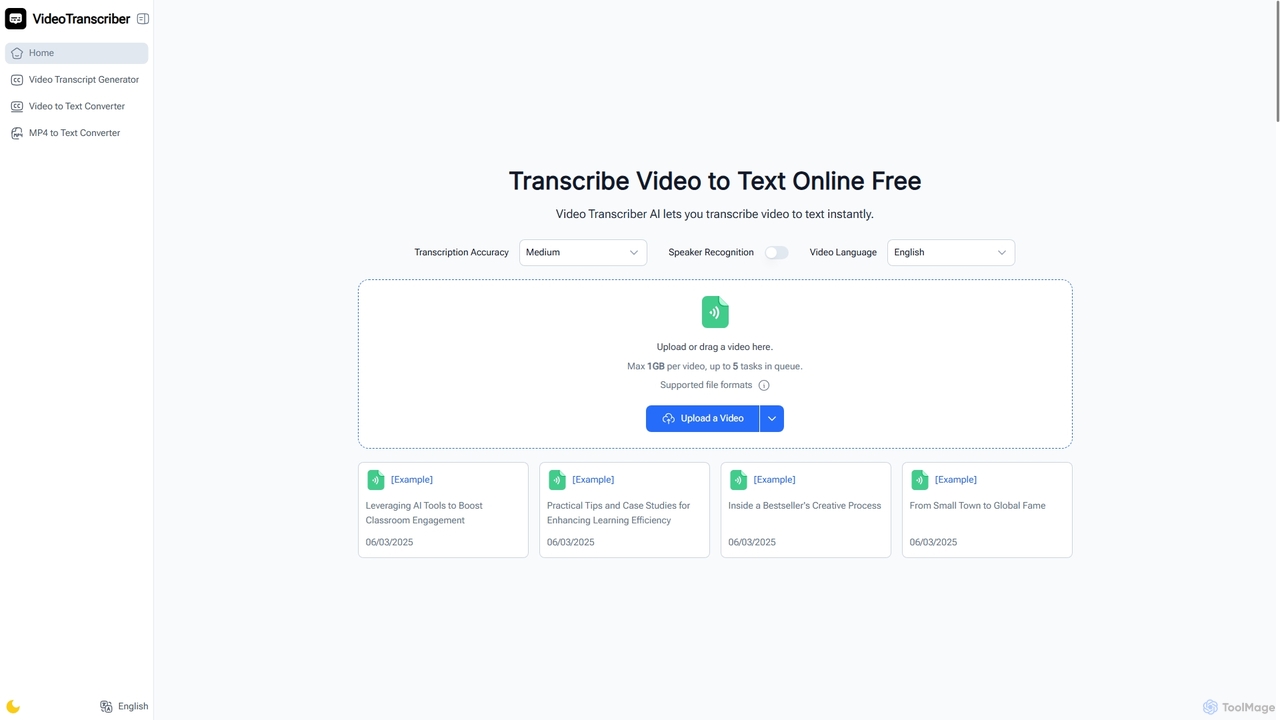
Video Transcriber AI
Video Transcriber AI is a free online tool that instantly converts video content into accurate, readable text. It …
Video Transcriber AI is a free online tool that instantly converts video content into accurate, readable text. It supports various formats like MP4, YouTube links, and Zoom recordings, making it ideal for students, professionals, and content creators to quickly get transcripts without any sign-up.
About Meeting Tools
AI Meeting Tools are applications that use artificial intelligence to automate, transcribe, and analyze conversations during virtual or physical meetings. These tools leverage technologies like Natural Language Processing (NLP) and speech-to-text to capture discussions accurately. Their primary value lies in transforming spoken dialogue into structured, searchable data, freeing participants from manual note-taking and improving meeting outcomes. By providing automated summaries, action items, and insights, they enhance focus, accountability, and knowledge retention across teams.
Core Features
- Real-time Transcription: Automatically converts spoken words into text with high accuracy, often identifying different speakers.
- Automated Summarization: Generates concise summaries of key topics, decisions, and discussions using AI algorithms.
- Action Item Detection: Identifies and extracts tasks, deadlines, and assigned responsibilities from the conversation.
- Speaker Identification: Distinguishes between different participants in the meeting, attributing transcriptions correctly.
- Searchable Archives: Creates a fully searchable library of all past meeting conversations, turning them into a knowledge base.
Applicable Scenarios
These tools are widely used in business environments for various purposes. Project management teams use them to capture daily stand-up notes and track commitments. Sales teams analyze client calls to identify pain points and opportunities. UX researchers transcribe and analyze user interviews to extract key insights efficiently. They are also valuable in corporate training and educational settings for creating accessible records of lectures and workshops.
Selection Criteria
When choosing an AI Meeting Tool, consider several key factors. Evaluate the transcription accuracy, especially for industry-specific jargon or various accents. Check its integration capabilities with your existing calendar and video conferencing platforms like Zoom, Google Meet, or Microsoft Teams. Assess the security and data privacy policies to ensure compliance. Finally, compare pricing models, which may be based on per-user fees or per-minute transcription costs, to find the best fit for your team's usage patterns.

Meeting ToolsUse Cases
Automate Project Stand-up Meeting Notes
A remote software development team lead uses an AI Meeting Tool integrated with their daily video call. Instead of designating a note-taker, the team focuses entirely on discussing progress and blockers. The tool automatically transcribes the entire conversation, identifies each speaker, and uses AI to extract key decisions and action items like 'John will fix the API bug by EOD'. After the 15-minute meeting, a summary and a list of tasks are automatically posted to their Slack channel, ensuring everyone is aligned and accountable without manual effort.
Analyze Sales Discovery Calls for Insights
A sales representative connects an AI Meeting Tool to their CRM and video conferencing software. During a discovery call with a potential client, the tool transcribes the conversation in real-time. After the call, the AI analyzes the transcript to identify customer pain points, buying signals, and competitor mentions. The sales rep receives a summary highlighting key moments and can search the entire conversation for specific keywords. This allows them to craft a highly personalized follow-up email and proposal, increasing the likelihood of closing the deal.
Generate Formal Minutes for Board Meetings
An executive assistant responsible for documenting board meetings uses an AI Meeting Tool to ensure accuracy and completeness. The tool records and transcribes the entire meeting, providing a verbatim record. The assistant then uses the AI's summary feature to generate a draft of the formal minutes, which highlights motions, votes, and key decisions. This reduces the time spent on manual transcription and minute-writing from hours to minutes, while also creating a reliable, searchable archive of governance decisions for future reference and compliance checks.
Capture Insights from User Research Interviews
A UX researcher conducts a series of one-on-one video interviews with users to gather feedback on a new product feature. By using an AI Meeting Tool, each interview is automatically transcribed and time-stamped. Instead of re-watching hours of video, the researcher can search across all interview transcripts for keywords like 'confusing' or 'frustrating'. The AI can also help identify recurring themes and generate clips of key moments, significantly speeding up the analysis phase and enabling the product team to make data-driven design improvements more quickly.
Create Accessible Corporate Training Content
A corporate trainer conducts a live virtual training session for employees across different time zones. An AI Meeting Tool records and transcribes the entire session. After the training, the transcript is made available alongside the video recording, making the content accessible for employees who are hearing-impaired or prefer to read. The AI-generated summary and chapter markers also allow employees who missed the live session to quickly navigate to the most relevant parts, improving knowledge retention and training effectiveness.
Facilitate Multilingual Collaboration for Global Teams
A project manager leads a global team with members speaking English, Spanish, and Japanese. During their weekly sync meeting, they use an AI Meeting Tool with real-time translation capabilities. As each person speaks in their native language, the tool provides live, translated captions on-screen for all participants. It also generates a multilingual transcript after the meeting. This breaks down language barriers, ensures clear communication, fosters inclusivity, and allows every team member to contribute their ideas effectively without needing a human interpreter.