ToolMage
Sign in

Best 1 Meeting AI tools for Business

Popular Meeting AI tools in Business include trivoh, helping you work more efficiently.

trivoh
Freemium

trivoh

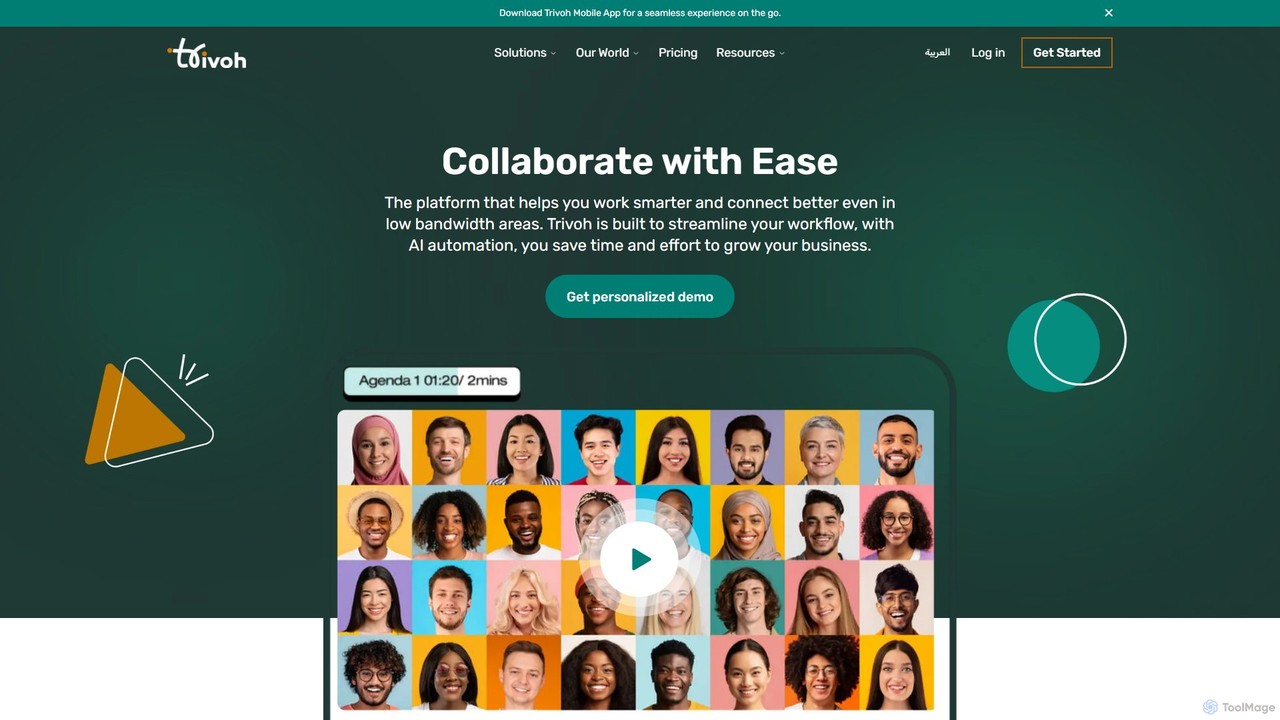
trivoh is an AI-powered, all-in-one collaboration and productivity platform designed for seamless communication, even in low-bandwidth areas. It integrates virtual meetings, AI-driven summaries, project management, and real-time chat to streamline workflows. Key features include accessibility tools like real-time transcription and sign language interpretation, robust security, and an intuitive user interface, making it ideal for businesses, telehealth, and e-learning.

Meeting
Visits 6.6KFavorites 123Likes 126

About Meeting

AI Meeting tools are intelligent assistants designed to automate and enhance the entire meeting lifecycle. They leverage technologies like natural language processing (NLP) and speech recognition to automatically transcribe conversations, generate summaries, and identify key action items. These tools streamline administrative tasks, improve meeting productivity, and create a searchable archive of discussions, freeing up teams to focus on collaboration rather than note-taking.

Core Features

  • Automated Transcription & Summarization: Provides real-time, speaker-identified transcripts and concise summaries with key takeaways.
  • Action Item Detection: Automatically identifies and lists tasks, decisions, and deadlines mentioned during the conversation.
  • Real-time Translation: Translates speech and text in real-time to facilitate multilingual communication.
  • Meeting Analytics: Offers insights into participation, sentiment, and topic trends to improve meeting effectiveness.
  • Intelligent Agenda Collaboration: Helps teams collaboratively build and manage meeting agendas before the call.

Use Cases

These tools are widely used by project managers for tracking progress, sales teams for analyzing client calls, and UX researchers for coding user interviews. They are also valuable in corporate environments for documenting board meetings and in educational settings for creating accessible lecture notes.

How to Choose

When selecting an AI Meeting tool, consider its transcription accuracy and language support. Evaluate its integration capabilities with your existing calendar, video conferencing platforms (e.g., Zoom, Google Meet), and CRM systems. Also, review the security protocols and data privacy policies, especially for handling sensitive information.

Meeting use cases

1

Automate Meeting Minutes for Project Teams

A project manager leading daily stand-ups and weekly syncs uses an AI Meeting tool to automatically record and transcribe each session. The tool identifies action items assigned to team members and generates a concise summary. This eliminates the need for manual note-taking, ensures no task is missed, and creates a searchable log of all decisions. As a result, meeting follow-ups are sent out within minutes, and team alignment improves significantly.

2

Enhance Multilingual Sales Demonstrations

A sales representative conducting a product demo for an international client uses an AI Meeting tool with real-time translation. As the representative speaks, their words are instantly translated into the client's language via subtitles. This breaks down language barriers, ensuring clear communication and better engagement. After the call, the sales team can review the transcript and sentiment analysis to understand the client's reactions to specific features, helping them tailor their follow-up strategy.

3

Streamline Qualitative User Research Analysis

A UX researcher conducts a series of remote user interviews to gather feedback on a new prototype. By using an AI Meeting tool, each interview is automatically transcribed and speaker-labeled. The researcher can then search the entire set of transcripts for keywords (e.g., 'confusing,' 'easy to use') to quickly identify common themes and pain points. This accelerates the data analysis process from days to hours, allowing for faster iteration on product designs.

4

Generate Executive Summaries from Board Meetings

An executive assistant is responsible for documenting a lengthy quarterly board meeting. Instead of manually taking minutes, they use an AI assistant to generate a full transcript. From this transcript, the tool creates a high-level executive summary highlighting key decisions, financial approvals, and strategic directives. This summary can be quickly circulated to stakeholders, ensuring everyone is informed without needing to review hours of recordings. The process guarantees accuracy and saves valuable administrative time.

5

Create a Knowledge Base from Training Sessions

An HR manager conducts virtual onboarding sessions for new hires. Each session is recorded using an AI Meeting tool. The transcripts are then used to create a searchable knowledge base. New employees can later search for specific topics, such as 'expense policy' or 'setting up email,' and instantly find the exact moment in the video where it was discussed. This provides a powerful, on-demand learning resource and reduces repetitive questions directed to the HR team.

6

Document Legal and Compliance Calls

A legal team in a regulated industry needs to maintain verbatim records of client consultations and internal compliance meetings. An AI Meeting tool provides time-stamped, speaker-identified transcripts that serve as an accurate and official record. This ensures compliance with regulatory requirements for documentation. The ability to search transcripts for specific legal terms or case numbers drastically improves the efficiency of case review and audit preparation.

Meeting FAQ

What are AI Meeting tools?

AI Meeting tools are software applications that act as intelligent assistants for your meetings. They go beyond simple video conferencing by using artificial intelligence to automate tasks like real-time transcription, generating summaries with action items, and even providing analytics on meeting dynamics. Their primary goal is to handle the administrative work of meetings so participants can focus on discussion and collaboration.

How do AI Meeting tools differ from standard video conferencing software?

Standard video conferencing software (like Zoom or Google Meet) provides the platform to *host* a meeting. AI Meeting tools *assist* the meeting. They often work as an add-on or integration with your video conferencing platform. The key difference is the intelligence layer: AI tools actively listen, transcribe, summarize, and analyze the conversation, while standard platforms simply transmit the audio and video.

How to choose the right AI Meeting tool?

When selecting an AI Meeting tool, consider these factors:

  • Transcription Accuracy: Check reviews and tests for its accuracy in your primary language and industry-specific jargon.
  • Integration: Ensure it seamlessly connects with your calendar, video conferencing platform (Zoom, Teams, etc.), and other workflow tools like Slack or a CRM.
  • Language Support: If you have international teams, verify its capabilities for transcription and translation in multiple languages.
  • Security & Privacy: Review their data handling policies, encryption standards, and compliance certifications (e.g., SOC 2, GDPR), especially for sensitive discussions.
What are the main benefits of using an AI Meeting assistant?

The primary benefits include significant time savings by automating note-taking and summary creation. They improve the accuracy and completeness of meeting records, ensuring no action items or key decisions are lost. Furthermore, they enhance accessibility for team members who couldn't attend or for those who speak different languages. Finally, analytics features can provide valuable insights to help teams run more effective and inclusive meetings.

Are AI Meeting tools secure for confidential discussions?

Reputable AI Meeting tools prioritize security. They typically use end-to-end encryption for data in transit and at rest. Many providers are compliant with major security standards like SOC 2, GDPR, and HIPAA. However, it is crucial to review the specific security features and privacy policy of any tool before using it for meetings that involve proprietary or sensitive information. Look for features like private storage options and data redaction capabilities.