Business Best in category 1 results No Code Development AI Tool

Popular AI tools in the No Code Development field of Business include Blimp, etc., helping you quickly improve efficiency.

Blimp

Blimp

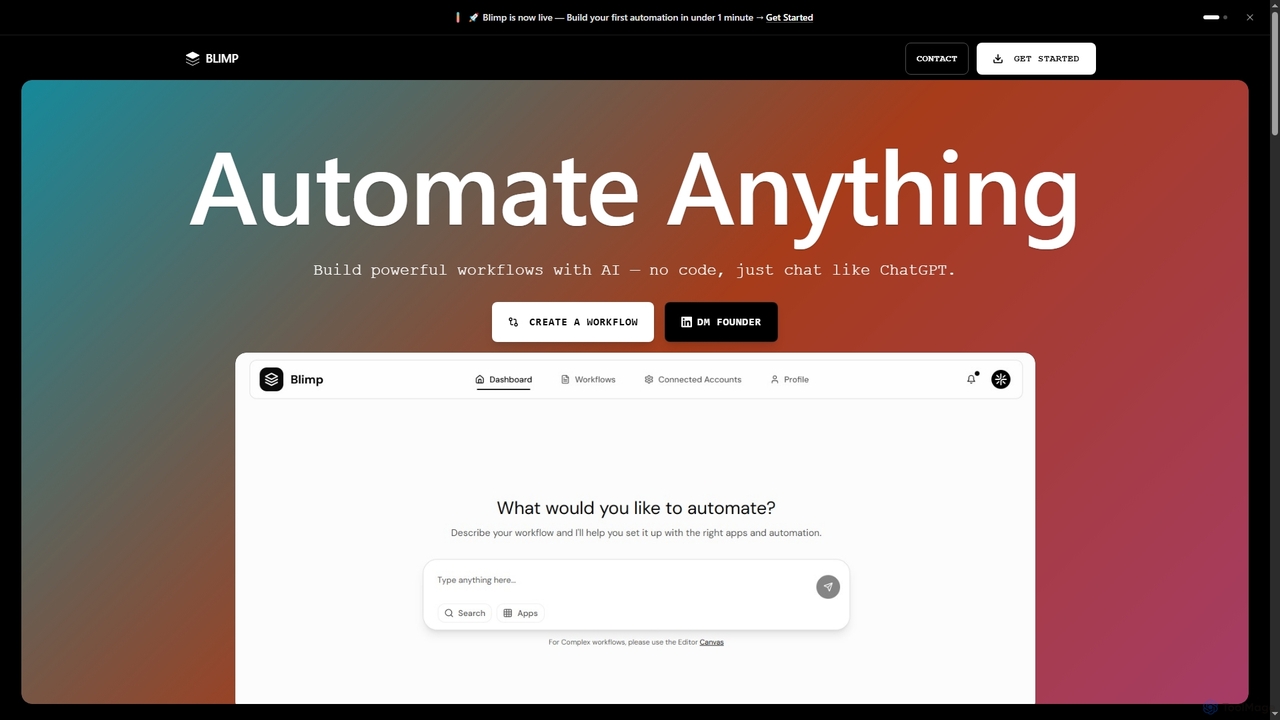
Blimp is an AI-powered, no-code workflow automation platform designed for everyone. It allows users to build powerful automations …

2.3K

About No Code Development

No Code Development tools are platforms that empower users to build applications and automate workflows without writing any traditional programming code. These tools leverage intuitive visual interfaces, drag-and-drop functionalities, and pre-built components, making software creation accessible to business users and non-developers. They significantly accelerate the development process, allowing businesses to rapidly prototype, launch, and iterate on digital solutions, fostering innovation and operational efficiency within the broader business landscape.

Core Features

  • Visual Interface: Provides an intuitive drag-and-drop canvas for designing application layouts and user interfaces.
  • Pre-built Components: Offers a library of ready-to-use elements like forms, buttons, databases, and integrations to speed up development.
  • Workflow Automation: Allows users to define and automate complex business processes and data flows without coding.
  • Data Management: Includes built-in capabilities for creating, storing, and managing application data, often with spreadsheet-like interfaces.
  • Integration Capabilities: Supports connections with third-party services, APIs, and existing business systems to extend functionality.

Use Cases

No Code Development is widely adopted across various business functions to create custom solutions quickly. For instance, marketing teams can build landing pages and campaign management tools, HR departments can develop employee onboarding portals, and sales teams can design custom CRM extensions or lead tracking systems. It empowers departments to address specific operational needs without relying heavily on IT resources, driving agility and responsiveness.

How to Choose

When selecting a No Code Development platform, consider the specific application needs, such as complexity and scalability requirements. Evaluate the platform's ease of use, the range of pre-built components and integrations available, and its pricing model. Additionally, assess the community support, learning resources, and the vendor's long-term vision to ensure it aligns with your business growth and technical capabilities.

No Code DevelopmentUse Cases

1

Rapidly Build Internal Business Tools

For small and medium-sized businesses, No Code Development platforms empower operations managers to quickly create custom internal tools like project trackers, inventory management systems, or employee directories. By using drag-and-drop interfaces and pre-built templates, they can launch functional applications in days, significantly reducing reliance on IT departments and streamlining daily operations.

2

Develop Customer-Facing Web Applications

Entrepreneurs and startups can leverage No Code Development to build interactive customer-facing web applications, such as booking platforms, online marketplaces, or membership sites, without hiring a full development team. This allows them to validate business ideas, gather user feedback, and iterate on their product much faster and more cost-effectively than traditional coding methods.

3

Automate Repetitive Business Workflows

Business analysts and process owners can utilize No Code Development tools to automate repetitive tasks across departments. For example, they can set up automated data entry from web forms into a CRM, trigger email notifications based on specific events, or create approval workflows for expense reports, thereby improving efficiency and reducing human error in routine operations.

4

Create Custom Data Dashboards and Reports

Marketing and sales professionals often need custom dashboards to visualize key performance indicators (KPIs) from various data sources. No Code Development platforms allow them to connect to different data sources, design interactive dashboards, and generate tailored reports without writing complex queries or relying on data scientists, providing immediate insights for strategic decisions.

5

Prototype and Test New Product Ideas

Product managers and innovators can use No Code Development to quickly build functional prototypes of new features or entire products. This enables them to conduct user testing, gather early feedback, and demonstrate concepts to stakeholders without significant upfront investment in development, accelerating the product innovation cycle and reducing risk.

6

Build Event Registration and Management Systems

Event organizers and community managers can create comprehensive event registration and management systems using No Code Development. This includes designing custom registration forms, managing attendee lists, sending automated reminders, and even integrating payment gateways, all without needing specialized coding skills, simplifying the entire event lifecycle.

No Code DevelopmentFrequently Asked Questions