
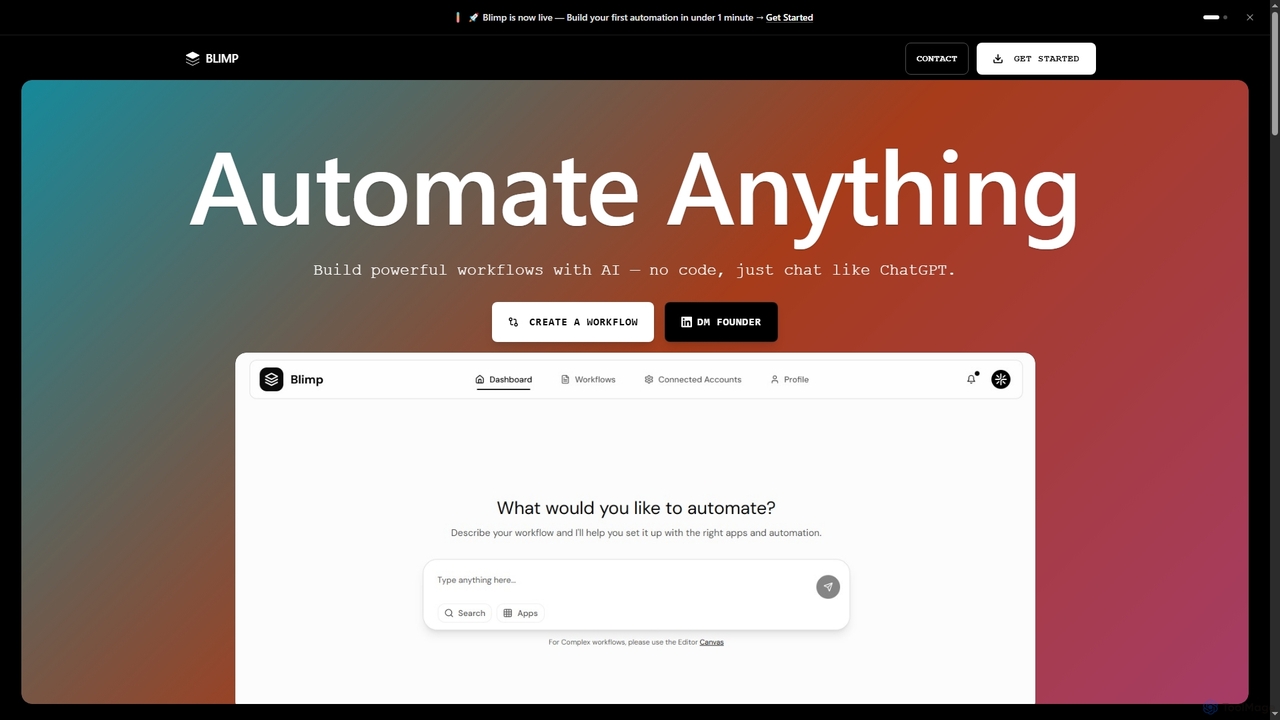
Blimp
Blimp is an AI-powered, no-code workflow automation platform designed for everyone. It allows users to build powerful automations …
Blimp is an AI-powered, no-code workflow automation platform designed for everyone. It allows users to build powerful automations by simply describing their desired tasks in natural language, connecting seamlessly with popular applications to streamline daily operations.
About Task Automation
Task Automation tools are AI-powered solutions designed to automatically execute repetitive, rule-based, or data-driven tasks across various digital platforms. These tools leverage machine learning and robotic process automation (RPA) principles to streamline workflows, reduce manual effort, and enhance operational efficiency. By handling routine operations, they free up human resources to focus on more strategic and creative endeavors, acting as specialized AI assistants for specific operational needs.
Core Features
- Workflow Orchestration: Automatically sequence and execute tasks across multiple applications and systems.
- Data Processing & Entry: Extract, transform, and input data from various sources with high accuracy.
- Intelligent Scheduling: Plan and trigger tasks based on predefined times, events, or conditions.
- Integration Capabilities: Seamlessly connect with existing software, APIs, and cloud services.
- Error Handling & Reporting: Identify and report anomalies or failures, often with automated recovery options.
Use Cases
Task Automation tools are widely adopted by businesses and individuals seeking to optimize their daily operations. For instance, marketing teams use them to schedule social media posts and analyze campaign performance, while HR departments automate onboarding processes and payroll data management. Finance professionals leverage these tools for invoice processing and expense report generation, significantly reducing manual data entry and improving accuracy.
How to Choose
When selecting a Task Automation tool, consider its integration ecosystem to ensure compatibility with your existing software stack. Evaluate the complexity of workflows it can handle, looking for features like conditional logic and multi-step automation. Assess the scalability and pricing model to match your current and future operational needs, and prioritize tools with robust security features for sensitive data handling.
Task AutomationUse Cases
Automating Customer Service Responses
Customer support teams can utilize task automation to automatically categorize incoming support tickets, route them to the appropriate department, and even generate initial draft responses for common queries. This reduces response times, ensures consistent communication, and allows agents to focus on complex customer issues requiring human empathy and problem-solving.
Automate Customer Support Ticket Routing
Customer service teams can utilize task automation to automatically categorize incoming support tickets based on keywords, sentiment, or urgency. The tool then routes these tickets to the most appropriate department or agent, ensuring faster response times and more efficient issue resolution. This reduces manual sorting effort and improves overall customer satisfaction by directing queries to specialized personnel without delay.
Streamlining Employee Onboarding Processes
HR departments can automate the entire employee onboarding journey, from sending welcome emails and distributing necessary forms to provisioning access to various internal systems and scheduling initial training sessions. This ensures a smooth, consistent experience for new hires and significantly reduces the administrative burden on HR staff.
Streamline Data Entry for CRM Systems
Sales and marketing professionals often spend significant time on manual data entry into CRM systems. Task automation tools can extract lead information from emails, web forms, or spreadsheets and automatically populate CRM fields. This ensures data consistency, reduces human error, and allows sales teams to focus on building relationships rather than administrative tasks, accelerating the sales cycle.
Automating Financial Report Generation
Finance professionals can deploy task automation tools to automatically collect data from multiple accounting systems, consolidate it, and generate weekly or monthly financial reports. This eliminates manual data compilation, reduces the risk of errors, and provides timely insights for decision-making without extensive human effort.
Automate Social Media Content Scheduling
Content creators and social media managers can use task automation to schedule posts across multiple platforms at optimal times. These tools can also monitor engagement, automatically repost evergreen content, or even generate basic captions based on provided images or topics. This frees up valuable time for content creation and strategy, ensuring a consistent online presence without constant manual intervention.
Managing Social Media Content Scheduling
Marketing teams often face the challenge of consistently posting content across multiple social media platforms. Task automation can schedule posts, adapt content formats for different platforms, and even monitor engagement, allowing marketers to maintain an active online presence efficiently and focus on content strategy rather than manual publishing.
Automate Invoice Processing and Expense Reporting
Finance departments can automate the entire invoice processing workflow, from receiving invoices via email, extracting key data (vendor, amount, due date), to initiating approval workflows and recording entries in accounting software. Similarly, expense reports can be automatically generated from scanned receipts. This drastically reduces manual data entry, minimizes errors, and accelerates financial closing processes.
Automating Data Entry and Migration
Businesses frequently deal with large volumes of data that need to be entered into databases or migrated between systems. Task automation tools can automatically extract data from documents (e.g., invoices, forms) and accurately input it into target systems, drastically reducing manual data entry time and minimizing transcription errors.
Automate Employee Onboarding Workflows
HR departments can automate the complex multi-step process of employee onboarding. This includes automatically sending welcome emails, setting up access to internal systems, assigning training modules, and scheduling initial meetings. Automation ensures that all necessary steps are completed consistently and on time, providing a smooth and positive experience for new hires and reducing HR administrative burden.
Optimizing Inventory Management Workflows
Retail and logistics companies can use task automation to monitor inventory levels, automatically trigger reorder alerts when stock falls below a certain threshold, and even initiate purchase orders with suppliers. This ensures optimal stock levels, prevents stockouts, and streamlines the entire supply chain process, leading to better customer satisfaction and reduced carrying costs.
Monitor Website Changes and Send Alerts
Webmasters or competitive intelligence teams can deploy task automation tools to continuously monitor specific websites or web pages for changes. When predefined changes occur (e.g., price drops, new product listings, competitor updates), the tool automatically sends alerts via email or Slack. This ensures timely awareness of critical information without constant manual checking, enabling quick strategic responses.