
ToolMage
Sign in

Best 1 Operational Efficiency AI tools for Business

Popular Operational Efficiency AI tools in Business include Worksync AI, helping you work more efficiently.

Worksync AI

Worksync AI

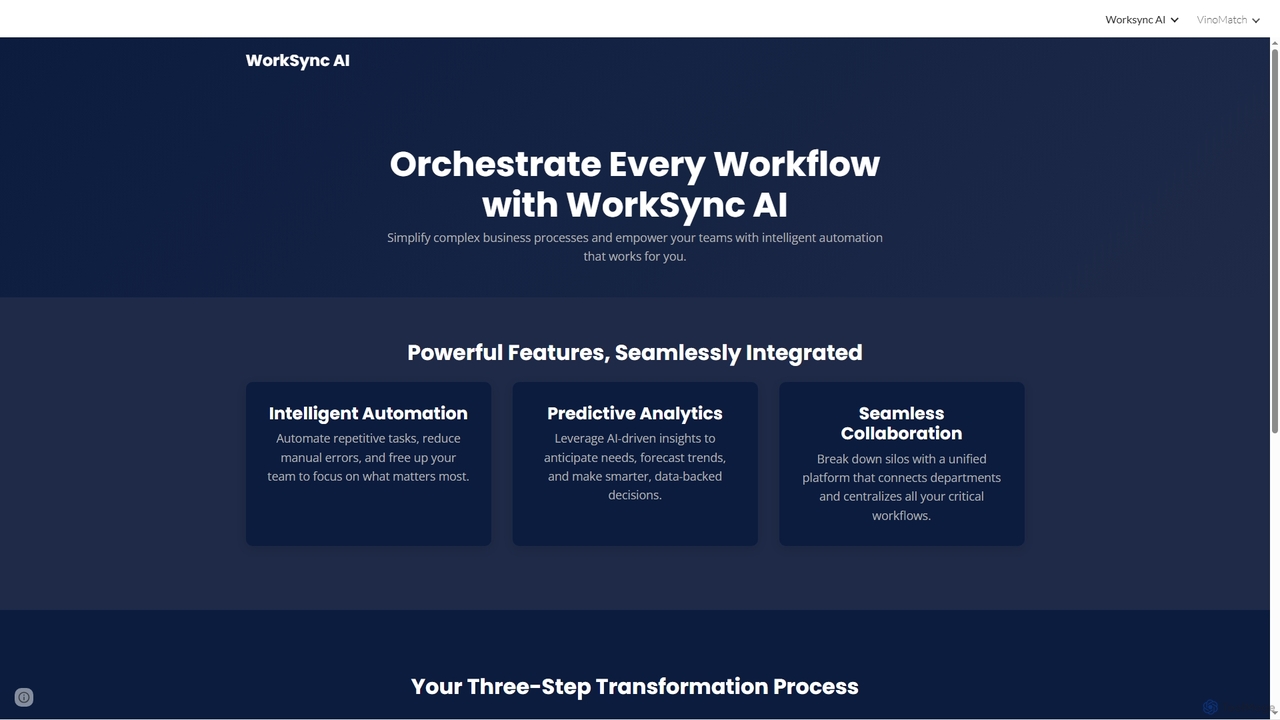
Worksync AI is an online platform designed to leverage artificial intelligence for enhancing work processes. While specific functionalities are not detailed, its name suggests a focus on integrating AI to streamline tasks, improve efficiency, and potentially automate aspects of professional workflows. It aims to support users in achieving better productivity and organization.

Operational Efficiency
Visits 4.5KFavorites 106Likes 108

About Operational Efficiency

AI Operational Efficiency tools are a class of software designed to streamline and automate internal business processes. They leverage machine learning, process mining, and automation technologies to identify bottlenecks, reduce manual work, and optimize resource allocation. These tools help organizations improve productivity, lower operational costs, and make data-driven decisions for continuous improvement. Their primary focus is on enhancing the internal workings of a company for greater agility and output.

Core Features

  • Process Automation: Automatically executes repetitive tasks like data entry, report generation, and invoice processing.
  • Workflow Optimization: Analyzes existing workflows using process mining to identify inefficiencies and suggest improvements.
  • Resource Management: Optimizes the allocation of personnel, equipment, and inventory based on predictive analytics.
  • Predictive Analytics: Forecasts operational demands, potential disruptions, and maintenance needs to enable proactive management.
  • Performance Monitoring: Provides real-time dashboards and analytics on key operational metrics.

Use Cases

These tools are widely used in logistics for route optimization, in manufacturing for predictive maintenance, and in finance for automated invoice processing. Human resources departments use them to streamline employee onboarding, while IT teams apply them for automated system monitoring and incident response.

How to Choose

When selecting a tool, consider its integration capabilities with your existing systems like ERP or CRM. Evaluate the level of customization available to fit your unique workflows. Also, assess the tool's scalability to handle future growth and the balance between user-friendliness for non-technical staff and advanced features for developers.

Operational Efficiency use cases

1

Automating Accounts Payable Processes

For finance departments, manually processing hundreds of invoices is time-consuming and error-prone. An AI operational efficiency tool can automate this entire workflow. It uses Optical Character Recognition (OCR) to extract data from invoices, validates it against purchase orders, flags discrepancies, and routes approved invoices for payment without human intervention. This reduces processing time from days to minutes, minimizes late payment fees, and frees up finance staff for more strategic analysis.

2

Optimizing Logistics and Delivery Routes

Logistics companies manage complex delivery schedules with multiple variables like traffic, vehicle capacity, and delivery windows. AI tools analyze real-time data to calculate the most efficient routes for an entire fleet. This not only reduces fuel consumption and delivery times but also improves driver productivity and customer satisfaction. The system can dynamically re-route vehicles in response to unexpected delays, ensuring optimal performance throughout the day.

3

Predictive Maintenance in Manufacturing

In a manufacturing plant, unexpected equipment failure leads to costly downtime. AI operational efficiency tools use sensor data from machinery to predict potential failures before they occur. By analyzing patterns in temperature, vibration, and performance, the system alerts maintenance teams to service equipment proactively. This shifts the maintenance strategy from reactive to predictive, maximizing uptime, extending equipment lifespan, and reducing repair costs.

4

Streamlining Employee Onboarding

Human Resources teams often handle a large volume of repetitive tasks for new hires, from paperwork to IT account setup. AI tools can automate the entire onboarding checklist. Once a candidate accepts an offer, the system can automatically send welcome emails, provision necessary software accounts, enroll them in training modules, and track the completion of all required documentation. This ensures a consistent and efficient onboarding experience for every new employee.

5

Intelligent Task and Project Management

Project managers often spend significant time assigning tasks, tracking progress, and reallocating resources. AI-powered tools can automate these functions. Based on team members' skills, availability, and current workload, the AI can suggest optimal task assignments. It can also automatically update project timelines based on completed work and flag potential risks or delays, allowing managers to focus on strategic oversight rather than administrative micro-management.

6

Automating IT Help Desk Support

IT support teams are frequently inundated with common, repetitive requests like password resets or software access permissions. An AI tool can act as a first-line support agent. It can understand employee requests via a chat interface, authenticate their identity, and automatically perform the required action in the backend systems. This provides instant resolution for common issues 24/7, reduces the ticket volume for human agents, and allows them to focus on more complex technical problems.

Operational Efficiency FAQ

What are AI Operational Efficiency tools?

AI Operational Efficiency tools are software applications that use artificial intelligence to improve and automate a company's internal processes. Their main goal is to reduce manual effort, minimize errors, and optimize the use of resources like time, money, and personnel. They achieve this through features like process automation, workflow analysis, and predictive analytics to make business operations faster and more cost-effective.

How do I choose the right AI tool for operational efficiency?

To choose the right tool, first identify the specific process you want to improve (e.g., invoice processing, logistics). Then, consider these factors:

  • Integration: Can it connect seamlessly with your existing software (ERP, CRM)?
  • Scalability: Will it support your company's growth?
  • Customization: Can it be adapted to your unique workflows?
  • User Interface: Is it intuitive for your team to use without extensive training?

What's the difference between AI Operational Efficiency tools and traditional Business Process Management (BPM) software?

Traditional BPM software focuses on designing, modeling, and executing fixed business workflows, often requiring manual intervention for exceptions. AI Operational Efficiency tools are more dynamic and intelligent. They not only execute workflows but also use machine learning to analyze them, identify bottlenecks, predict issues, and suggest optimizations autonomously. AI adds a layer of intelligence and automation that traditional BPM lacks.

What are some key functions of AI in improving operational efficiency?

AI improves operational efficiency through several key functions. It automates repetitive, rule-based tasks, freeing up human employees for more complex work. It uses predictive analytics to forecast demand, resource needs, or equipment failures, enabling proactive decision-making. AI also analyzes vast amounts of operational data to uncover hidden inefficiencies and patterns that would be impossible for humans to spot, leading to continuous process improvement.

Which departments benefit most from AI operational efficiency tools?

Virtually any department with repetitive processes can benefit. Finance and accounting departments use them for automating invoice and expense management. Logistics and supply chain teams use them for route and inventory optimization. Human Resources benefits from automated onboarding and scheduling. Manufacturing uses them for predictive maintenance and quality control. Even IT departments leverage them for automated help desk support and system monitoring.