
ToolMage
Sign in

Best 1 Pitch Deck AI tools for Business

Popular Pitch Deck AI tools in Business include Presentations.AI, helping you work more efficiently.

Presentations.AI
Freemium

Presentations.AI

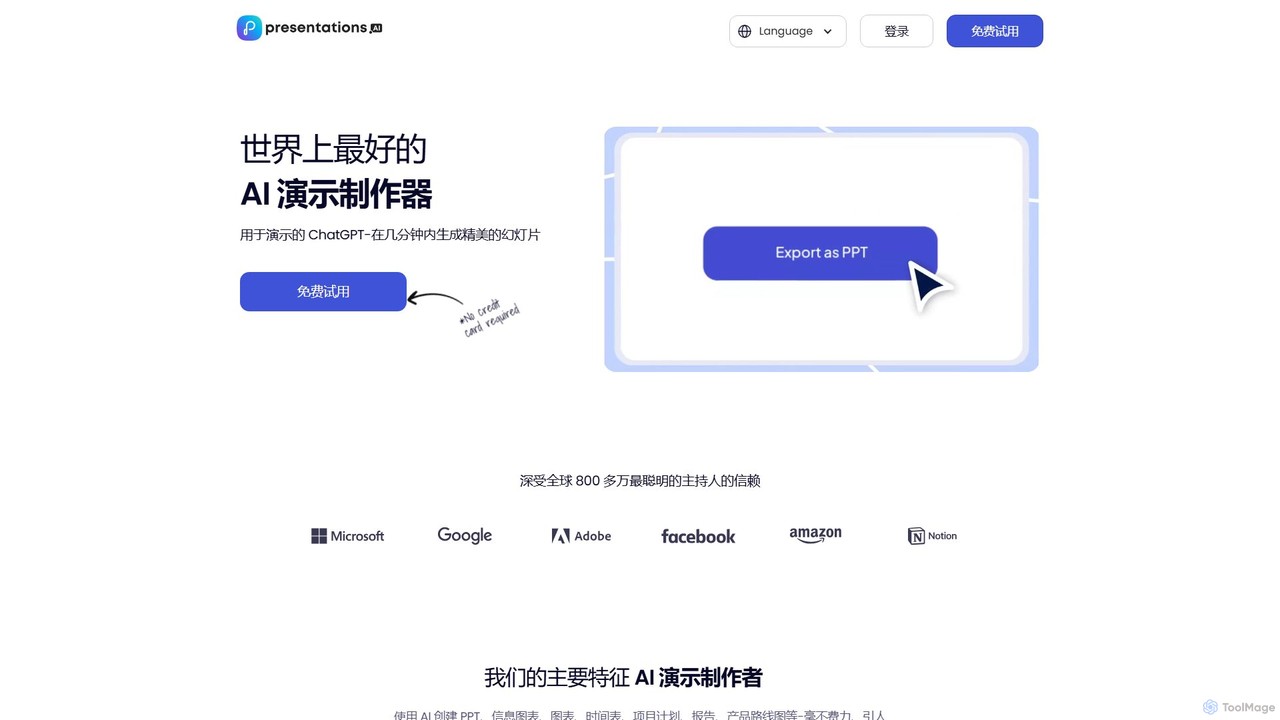
Presentations.AI is an AI-powered presentation maker, often called the 'ChatGPT for presentations.' It enables users to instantly generate professional, beautifully designed slides from simple text prompts, documents, or ideas. It focuses on automating design, ensuring brand consistency, and facilitating team collaboration, making it ideal for creating pitch decks, reports, and marketing materials in minutes.

Pitch Deck
Visits 1.3MFavorites 125Likes 130

About Pitch Deck

AI Pitch Deck tools are specialized platforms that leverage artificial intelligence to automate the creation of compelling business presentations. They utilize generative AI models to transform raw ideas, data, and text prompts into structured, professionally designed slides. These tools streamline the entire process, from generating persuasive copy and structuring a narrative to designing visual layouts, enabling users to produce investor-ready pitch decks or sales presentations in a fraction of the time.

Core Features

  • AI Content Generation: Automatically writes slide headlines, body text, and speaker notes based on your business description.
  • Automated Slide Design: Instantly applies professional templates, color palettes, and typography for a consistent visual identity.
  • Narrative Structuring: Suggests proven pitch deck frameworks, such as Problem-Solution, Market Size, and Go-to-Market Strategy.
  • Data Visualization: Converts complex data points into easy-to-understand charts, graphs, and infographics.
  • Brand Consistency: Allows users to upload brand assets like logos and colors to ensure all generated slides align with their brand guidelines.

Use Cases

These tools are primarily used by startup founders seeking venture capital, sales teams creating client proposals, and project managers pitching internal initiatives. They are also valuable for consultants, marketers, and non-profits who need to quickly assemble persuasive, data-driven presentations for stakeholders.

How to Choose

When selecting an AI Pitch Deck tool, consider the quality of its content generation, the flexibility of design customization, and its library of templates and narrative structures. Also, evaluate its integration capabilities with data sources or other business software and check the pricing model to ensure it aligns with your usage frequency and budget.

Pitch Deck use cases

1

Create an Investor-Ready Startup Pitch Deck

For early-stage startup founders, creating a compelling pitch deck is a critical and time-consuming task. An AI Pitch Deck tool streamlines this process. Founders input their business plan, target market, and financial projections. The AI then generates a complete, structured presentation following a standard venture capital format, including slides for the problem, solution, market size, business model, and team. This reduces weeks of work to hours, ensuring the final deck is professional, coherent, and effectively communicates the startup's value proposition to potential investors.

2

Generate Custom Sales Proposals Quickly

Sales teams often need to create tailored presentations for each potential client. Using an AI Pitch Deck tool, a sales representative can input client-specific information, pain points, and the proposed solution. The AI instantly generates a customized sales deck, incorporating the client's branding and focusing on the most relevant value points. This allows the team to respond to leads faster with high-quality, personalized proposals, increasing conversion rates and saving significant manual design effort.

3

Develop Internal Project & Strategy Presentations

Project managers and department heads frequently need to present new ideas or report on progress to executive leadership. Instead of starting from a blank slide, they can use an AI tool to structure their arguments. By providing key objectives, data, and desired outcomes, the AI can build a logical presentation that covers the project scope, timeline, budget, and expected ROI. This ensures clarity, professionalism, and helps secure buy-in from key stakeholders more efficiently.

4

Design Marketing Campaign & Partnership Pitches

Marketing professionals can leverage AI Pitch Deck tools to quickly create presentations for new campaign proposals or potential brand partnerships. By inputting campaign goals, target audience data, and creative concepts, the AI can assemble a visually engaging deck that outlines the strategy, channels, and expected outcomes. This is ideal for pitching to clients or collaborating partners, as it provides a clear and persuasive overview of the proposed initiative.

5

Formulate Academic or Research Presentations

Researchers and students can use these tools to transform dense research papers or theses into clear and concise presentations for conferences or thesis defenses. By inputting the abstract, key findings, and data, the AI helps structure the presentation with an introduction, methodology, results, and conclusion. It can also generate charts and graphs from the data, making complex information more accessible to the audience and saving valuable preparation time.

6

Create Non-Profit Grant and Funding Proposals

Non-profit organizations seeking funding can use AI Pitch Deck tools to craft persuasive proposals for grant-making bodies or donors. The user provides the organization's mission, the problem it addresses, the proposed project, and its expected impact. The AI then structures this information into a compelling narrative, highlighting the social value and feasibility of the project. This helps non-profits create professional-grade funding applications that stand out and clearly articulate their case for support.

Pitch Deck FAQ

What is an AI Pitch Deck tool?

An AI Pitch Deck tool is a software application that uses artificial intelligence to automate the process of creating business presentations. It helps users generate content, design slides, and structure a compelling narrative based on simple text inputs. Key features often include AI-driven copywriting, automated layout design, and data visualization, making it much faster than traditional presentation software.

How does an AI Pitch Deck tool differ from PowerPoint or Google Slides?

While PowerPoint and Google Slides are manual design tools that provide a blank canvas, AI Pitch Deck tools are content and structure generators. The primary difference is automation. An AI tool generates the initial content, story flow, and design for you based on prompts. Traditional software requires you to write all the text, design each slide, and structure the narrative manually from scratch. AI tools are for idea-to-presentation acceleration, while traditional tools are for detailed manual customization.

What are the key features to look for in an AI Pitch Deck generator?

When evaluating an AI Pitch Deck generator, look for several key features. First, high-quality content generation that produces relevant and persuasive text. Second, a wide range of professional design templates and customization options. Third, the ability to suggest and implement proven narrative structures (e.g., for fundraising or sales). Finally, consider its data visualization capabilities and any integrations with other platforms you use.

Who should use AI Pitch Deck tools?

AI Pitch Deck tools are ideal for anyone who needs to create professional presentations quickly but may lack design skills or time. This includes startup founders preparing for fundraising, sales teams creating client proposals, project managers pitching ideas, marketers developing campaign plans, and students or researchers presenting their work. They are particularly beneficial for users who want to focus on the core message rather than the manual process of slide design.

Can AI Pitch Deck tools incorporate my company's branding?

Yes, most modern AI Pitch Deck tools offer brand customization features. Users can typically upload their company logo, define a specific color palette, and select brand fonts. The AI will then apply these brand guidelines across all generated slides, ensuring the final presentation is consistent with the company's visual identity. This feature is crucial for maintaining a professional and cohesive brand image in all external and internal communications.