Business Best in category 3 results Presentation AI Tool

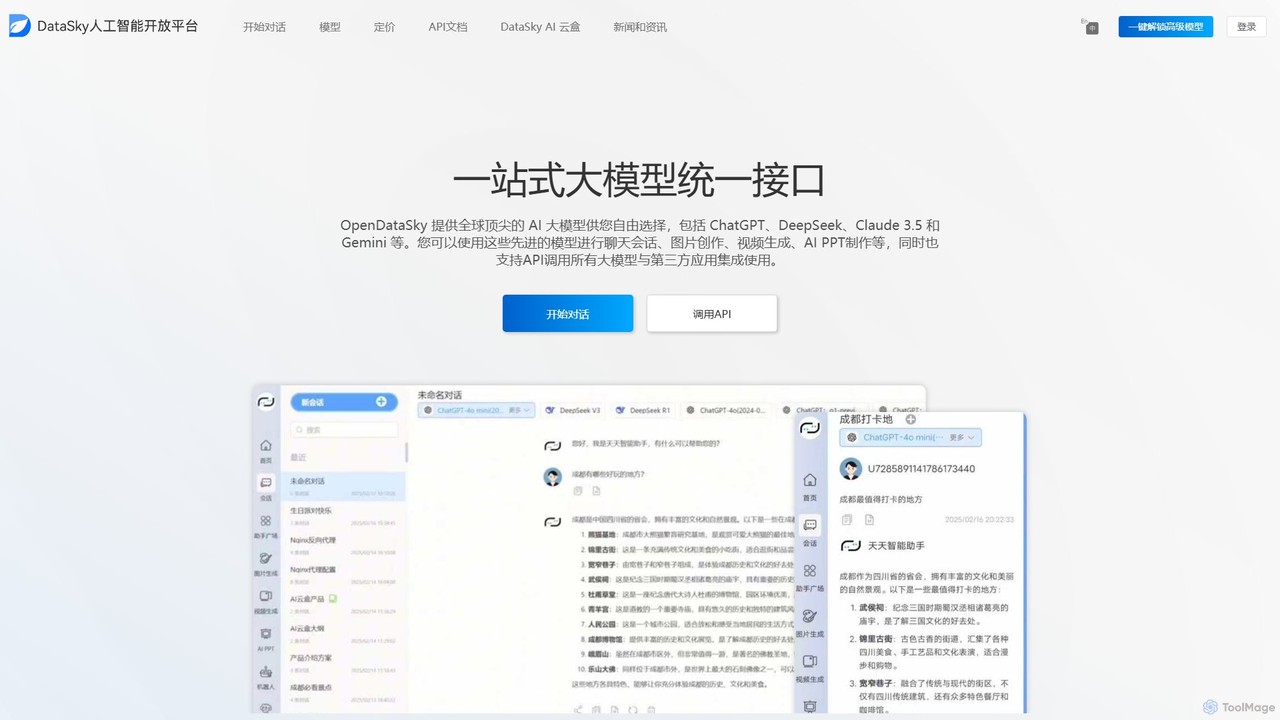
Popular AI tools in the Presentation field of Business include Baidu Wenku AI、Tenorshare AI、OpenDataSky, etc., helping you quickly improve efficiency.

Tenorshare AI

Tenorshare AI

Tenorshare AI is a comprehensive suite of AI-powered tools designed to enhance productivity and creativity. It features an …

203.2K
Baidu Wenku AI

Baidu Wenku AI

Baidu Wenku AI is an all-in-one intelligent document productivity platform powered by Baidu's ERNIE LLM. It transforms the …

14.6M
OpenDataSky

OpenDataSky

OpenDataSky is a unified AI platform providing access to leading large language models like GPT, Claude, and DeepSeek …

3.2K

About Presentation

AI Presentation tools are applications that use artificial intelligence to automate and accelerate the creation of slide decks. These tools leverage generative AI models to transform text prompts, documents, or outlines into fully designed presentations in minutes. They help users overcome the blank page, ensure design consistency, and significantly reduce the time spent on manual formatting. This allows professionals to focus on the core message and narrative of their presentation.

Core Features

  • Automated Slide Generation: Creates a complete presentation from a simple text prompt, document upload, or URL.
  • AI-Powered Design: Automatically suggests professional layouts, color palettes, fonts, and imagery that match the content.
  • Content Summarization: Distills long documents or articles into concise bullet points and key takeaways for each slide.
  • Template Customization: Offers AI-driven templates that adapt to your brand guidelines and content structure.
  • Speaker Note Generation: Generates relevant talking points and scripts for each slide to assist the presenter.

Use Cases

These tools are widely used by business professionals, marketers, consultants, and educators. Common applications include rapidly creating sales pitches, generating weekly business reports from raw data, drafting investor decks from a business plan, and converting academic papers or training manuals into engaging lecture slides.

How to Choose

When selecting an AI Presentation tool, consider its input flexibility (text, document, URL), the level of design customization and brand control it offers, and its export options (e.g., PPTX, PDF, Google Slides). Also, evaluate the quality of the AI-generated content and design, and check for integration capabilities with other business software.


PresentationUse Cases

1

Rapid Sales Pitch Creation

A sales manager needs to create a customized pitch for a new client with a tight deadline. Instead of spending hours designing slides, they input the client's website URL and a few key talking points into an AI presentation tool. The AI analyzes the client's brand, extracts relevant information, and generates a professional, 10-slide presentation in under five minutes. This allows the manager to focus on refining the sales narrative and preparing for the meeting, increasing preparation efficiency by over 80%.

2

Transforming Academic Papers into Lectures

A university professor needs to prepare a lecture based on their latest 20-page research paper. They upload the PDF document to an AI presentation tool. The tool's AI summarizes the abstract, methodology, findings, and conclusion, structuring them into a logical slide sequence. It also suggests relevant charts to visualize data and generates speaker notes with key explanations. This process transforms dense academic text into an accessible and engaging lecture format, saving the professor hours of manual summarization and slide creation.

3

Drafting an Investor Pitch Deck

A startup founder needs to create a compelling pitch deck to secure funding. They use an AI presentation tool and input their business plan outline, including the problem, solution, market size, and team information. The AI generates a standard 10-slide investor deck, following proven storytelling structures. It suggests powerful visuals and crafts concise, impactful text for each slide. This provides a strong first draft, allowing the founder to iterate and refine their pitch rather than starting from scratch, significantly speeding up the fundraising preparation process.

4

Generating Weekly Marketing Reports

A marketing team lead needs to present weekly campaign performance to stakeholders. They input raw data (e.g., from a CSV file or pasted text) and a brief summary of the week's activities into an AI presentation tool. The AI automatically visualizes the data into clean charts and graphs, structures the key takeaways, and organizes everything into a clear, concise report format. The tool ensures a consistent look and feel every week, saving the team lead valuable time that would otherwise be spent on data formatting and slide design.

5

Developing Corporate Training Materials

An HR manager is tasked with creating a new training module on company policies. They upload the lengthy policy document into an AI presentation tool. The AI breaks down the complex information into digestible modules, creating a series of slides with clear headings, bullet points, and suggested icons or images for visual aid. This automates the initial content structuring and design, allowing the HR manager to focus on adding interactive elements and real-world examples to make the training more effective.

6

Brainstorming and Outlining a Conference Talk

A professional speaker is preparing for a keynote address. They use an AI presentation tool as a brainstorming partner, inputting a core theme and a few key ideas. The AI generates several potential outlines and narrative arcs for the talk. Once an outline is chosen, the tool creates a draft presentation. This serves as a visual storyboard, helping the speaker structure their thoughts, identify gaps in their logic, and visualize the flow of their talk before committing to detailed content creation and design.

PresentationFrequently Asked Questions