ToolMage
Sign in

Best 1 Report Analysis AI tools for Business

Popular Report Analysis AI tools in Business include TanyaPDF, helping you work more efficiently.

TanyaPDF
Freemium

TanyaPDF

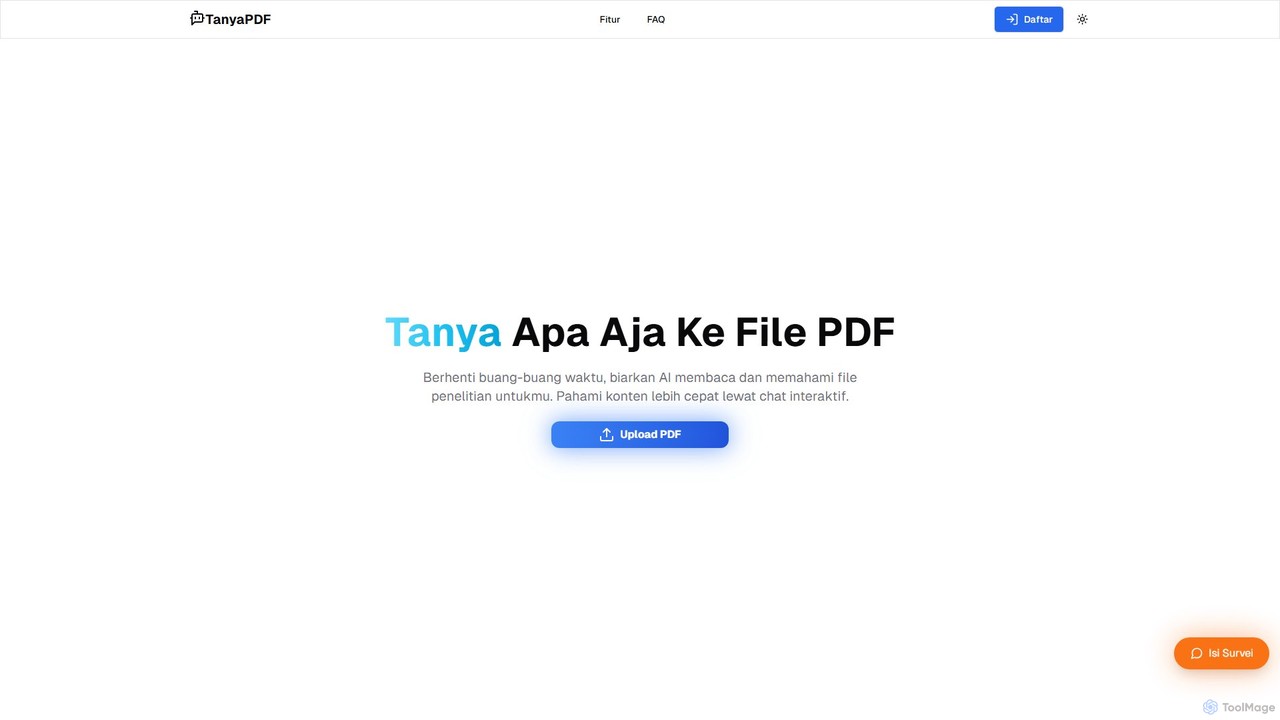
An AI-powered tool that allows you to chat with your PDF documents. Upload a file, ask questions in natural language, and get instant summaries and answers. Designed for students, researchers, and professionals to understand complex documents faster and more efficiently.

Report Analysis
Visits 6.6KFavorites 112Likes 109

About Report Analysis

Report Analysis tools are AI-powered applications designed to automatically extract, summarize, and interpret key information from complex documents. Leveraging Natural Language Processing (NLP) and machine learning, these tools comprehend text, tables, and charts within various report formats. This enables users to quickly grasp critical insights, identify trends, and make data-driven decisions without exhaustive manual reading. They are particularly effective for processing large volumes of documents like financial statements, market research, and scientific papers.

Core Features

  • Automated Data Extraction: Accurately pulls specific data points, figures, and tables from diverse report formats like PDF and DOCX.
  • Intelligent Summarization: Generates concise, context-aware summaries of long documents, highlighting key findings and conclusions.
  • Semantic Search & Q&A: Allows users to ask complex questions in natural language and receive direct, context-based answers from the document content.
  • Trend and Anomaly Detection: Analyzes data across single or multiple reports to identify recurring themes, emerging trends, and unusual patterns.
  • Cross-Document Comparison: Compares information from several reports simultaneously to synthesize insights and identify inconsistencies.

Use Cases

These tools are invaluable for financial analysts reviewing quarterly earnings reports, market researchers synthesizing competitor analysis, and academics conducting literature reviews. They streamline workflows in sectors such as finance, consulting, legal, and scientific research by automating the intensive process of information discovery.

How to Choose

When selecting a Report Analysis tool, consider its document format compatibility (PDF, DOCX, HTML), the accuracy of its data extraction and NLP models, and its integration capabilities with other business systems. Also, evaluate the user interface for ease of querying, the ability to handle industry-specific terminology, and the security protocols for sensitive documents.

Report Analysis use cases

1

Automating Financial Due Diligence

An investment analyst performing due diligence for a potential acquisition uploads hundreds of financial statements and annual reports into the tool. Instead of manually searching each PDF, they use natural language queries like 'What was the year-over-year revenue growth for the last three years?' or 'List all mentions of outstanding litigation'. The AI extracts the precise data, compares figures across documents, and flags potential risks mentioned in the footnotes. This reduces the analysis time from weeks to a few days, minimizes human error, and allows the analyst to focus on strategic interpretation rather than data collection.

2

Accelerating Market Research Synthesis

A market research team needs to produce a competitive landscape report. They feed dozens of industry reports, competitor press releases, and market surveys into an AI analysis tool. The tool automatically identifies key market trends, extracts mentions of competitor product launches, and performs sentiment analysis on customer feedback sections. It generates a consolidated summary with key statistics and themes, allowing the team to draft their comprehensive report in half the time. This enables faster delivery of strategic insights to stakeholders for timely decision-making.

3

Streamlining Scientific Literature Reviews

An academic researcher preparing a meta-analysis needs to review hundreds of scientific papers. They use a report analysis tool to process a large corpus of research articles. The tool helps identify papers with specific methodologies, extracts key findings and reported p-values, and summarizes the conclusions of each study. It can also visualize connections between papers based on citations. This transforms a months-long manual process into a more manageable task, helping the researcher to identify relevant studies and synthesize evidence more efficiently and accurately.

4

Enhancing Legal Contract Review

A corporate legal team is tasked with reviewing a 150-page service agreement from a new vendor. Instead of reading it line-by-line, a paralegal uploads it to an AI analysis tool. The tool is pre-trained on legal documents and quickly identifies non-standard clauses, extracts key obligations and deadlines, and flags any language that deviates from the company's standard templates. The paralegal can then focus their detailed review on these flagged sections, ensuring a thorough and compliant review process in a fraction of the time, reducing risk and accelerating procurement.

5

Monitoring Competitor Intelligence Reports

A competitive intelligence manager sets up an AI tool to automatically ingest quarterly earnings reports and press releases from key competitors. The tool analyzes each new document as it becomes available, summarizing key financial metrics, extracting executive commentary on strategy, and identifying any new product or market expansion announcements. The manager receives a daily digest of these synthesized insights, allowing them to maintain a real-time pulse on the competitive landscape and provide timely updates to their executive team without manually sifting through dozens of documents.

6

Auditing Compliance and Risk Reports

An internal auditor uses a report analysis tool to review hundreds of pages of internal control reports and regulatory filings. They can quickly search for keywords related to non-compliance, such as 'control weakness' or 'material deficiency'. The tool can also cross-reference findings across multiple reports to identify systemic issues that might be missed in a manual, siloed review. This enhances the thoroughness and efficiency of the audit process, ensuring better risk identification and allowing auditors to focus on investigating and resolving the most critical issues.

Report Analysis FAQ

What are AI Report Analysis tools?

AI Report Analysis tools are specialized software that use artificial intelligence, particularly Natural Language Processing (NLP), to automatically read, understand, and extract insights from text-heavy documents. Unlike simple keyword search, they interpret context, summarize complex information, and can answer specific questions about a report's content. They are designed to turn unstructured data from sources like PDFs, financial statements, and legal contracts into structured, actionable intelligence.

How to choose the right Report Analysis tool?

When selecting a tool, evaluate these key factors:

  • Accuracy & Specialization: How well does the AI understand your industry's specific terminology (e.g., finance, legal)? Check for pre-trained models.
  • Document Compatibility: Ensure it supports the file formats you use most, including scanned PDFs with OCR (Optical Character Recognition).
  • Integration Capabilities: Can it connect to your existing data sources (like cloud storage) and export data to other platforms (like BI tools)?
  • User Interface & Querying: Is the interface intuitive? How easy is it to ask questions and get clear, verifiable answers with source citations?
  • Security & Compliance: Verify that the tool meets your organization's data security and privacy standards, especially for sensitive documents.
What's the difference between Report Analysis and Business Intelligence (BI) tools?

The primary difference is the type of data they handle. Business Intelligence (BI) tools excel at analyzing structured data, typically from databases and spreadsheets, to create dashboards and visualizations. They answer 'what' and 'how much'. AI Report Analysis tools specialize in unstructured data found in documents like PDFs and text files. They use NLP to understand language and context, answering 'why' and 'what does this mean'. In short, BI tools visualize numbers, while Report Analysis tools interpret text.

What types of documents can these tools analyze?

AI Report Analysis tools are versatile and can handle a wide range of document types, primarily those that are text-heavy. Common examples include:

  • Financial Documents: Annual reports (10-K), quarterly reports (10-Q), earnings call transcripts, and investment prospectuses.
  • Legal Documents: Contracts, service agreements, court filings, and regulatory submissions.
  • Research & Academic Papers: Scientific studies, clinical trial reports, and literature reviews.
  • Market & Business Reports: Industry analyses, competitor intelligence reports, and market research surveys.
  • Internal Documents: Audit reports, compliance checks, and policy manuals.

Many advanced tools can also process scanned documents and extract information from tables and simple charts within the text.

Who can benefit from using Report Analysis tools?

A wide range of professionals who need to extract insights from dense documents can benefit. Key users include:

  • Financial Analysts: For quickly analyzing earnings reports, prospectuses, and market commentary.
  • Legal Professionals: To accelerate contract review, due diligence, and e-discovery processes.
  • Market Researchers: For synthesizing findings from multiple industry reports and surveys.
  • Academics and Scientists: To speed up literature reviews and evidence synthesis from research papers.
  • Consultants: For rapidly understanding a client's industry, competitors, and internal documentation.

Essentially, anyone whose job involves reading and interpreting large volumes of text can significantly improve their efficiency and the quality of their insights.