ToolMage
Sign in

Best 2 Safety Management AI tools for Business

Popular Safety Management AI tools in Business include Protex AI and AI Bot Eye, helping you work more efficiently.

Protex AI

Protex AI

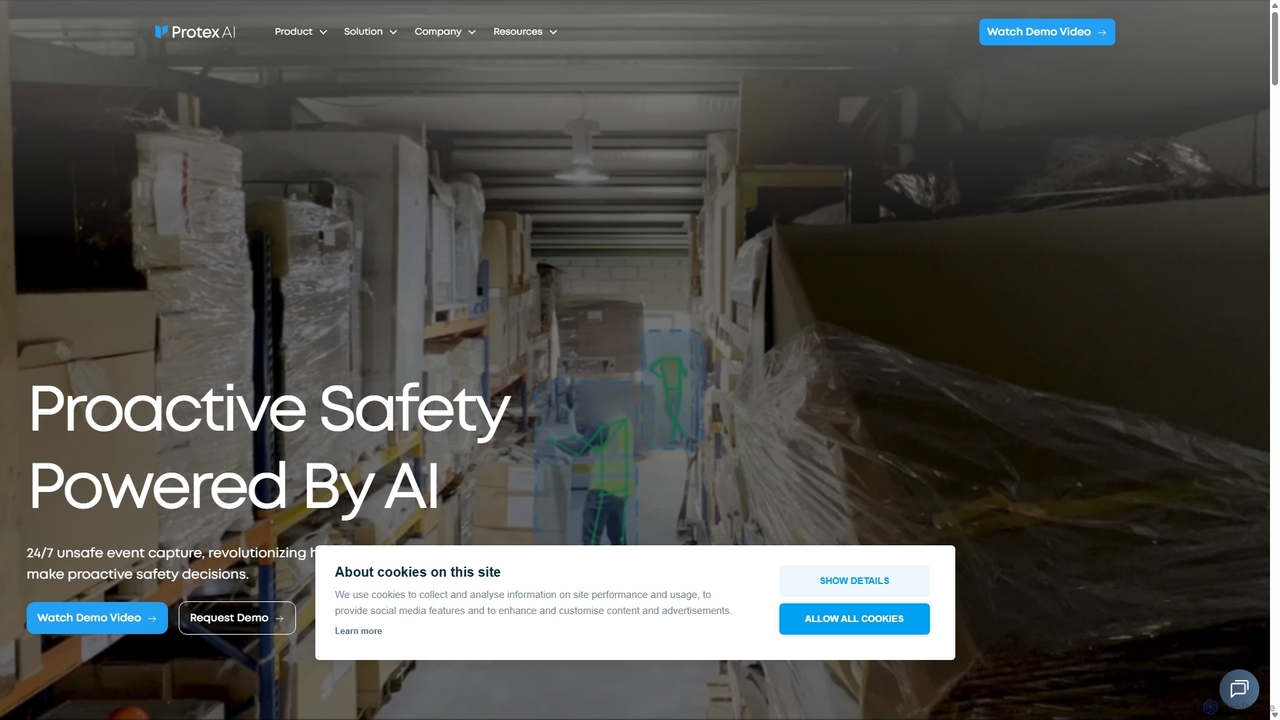
Protex AI is an enterprise-grade platform that leverages computer vision and AI to enhance workplace safety. By connecting to existing CCTV infrastructure, it proactively detects unsafe behaviors and hazards 24/7, enabling EHS teams to make data-driven decisions and prevent incidents before they occur, significantly improving safety culture and operational efficiency.

Safety Management
Visits 33.9KFavorites 113Likes 119
AI Bot Eye
Paid

AI Bot Eye

AI Bot Eye is an advanced AI-powered video surveillance platform that upgrades existing CCTV systems. It provides intelligent features like real-time intrusion detection, fire and smoke monitoring, face recognition, and license plate detection to enhance security and operational efficiency for businesses and residential communities.

Safety Management
Visits 7.5KFavorites 140Likes 147

About Safety Management

AI Safety Management tools are a specialized category of business software that uses artificial intelligence to proactively identify, predict, and mitigate workplace hazards. These platforms leverage machine learning and computer vision to analyze data from sources like incident reports, sensor feeds, and video streams. The primary value lies in shifting safety protocols from a reactive to a predictive model, helping organizations reduce accidents, ensure regulatory compliance, and foster a safer work environment. They offer advanced capabilities beyond traditional safety checklists, providing data-driven insights to prevent incidents before they occur.

Core Features

  • Predictive Risk Analysis: Analyzes historical data to forecast potential incident hotspots and causes.
  • Real-time Video Monitoring: Uses computer vision to automatically detect unsafe acts, such as lack of Personal Protective Equipment (PPE).
  • Automated Incident Reporting: Streamlines the process of logging incidents and near-misses, often with mobile-first interfaces.
  • Compliance Automation: Tracks safety training, certifications, and automates the generation of regulatory reports.

Applicable Scenarios

These tools are crucial in high-risk industries like construction, manufacturing, logistics, and energy. They are used by safety officers, plant managers, and compliance teams to monitor large-scale operations, analyze trends in worker behavior, and enforce safety policies consistently across multiple sites.

Selection Criteria

When choosing a tool, consider its industry-specific models, integration capabilities with existing CCTV and IoT systems, the balance between real-time alerting and long-term analytics, and its alignment with relevant compliance standards like OSHA or ISO 45001.

Safety Management use cases

1

Construction Site PPE Compliance Monitoring

A construction site manager uses an AI Safety Management tool integrated with existing CCTV cameras. The AI continuously scans video feeds to identify workers who are not wearing required Personal Protective Equipment (PPE) like hard hats or safety vests in designated zones. When a violation is detected, the system sends an instant alert with a snapshot to the site supervisor's mobile device. This allows for immediate corrective action, significantly reducing the risk of head injuries and improving overall site safety culture without requiring constant human supervision.

2

Predictive Risk Analysis in Manufacturing

An operations manager at a large manufacturing plant uses an AI platform to analyze years of incident reports, maintenance logs, and machinery sensor data. The AI model identifies hidden patterns and correlations, predicting that a specific type of machine is 30% more likely to cause an accident during overtime shifts on Fridays. Based on this insight, the manager proactively schedules additional safety briefings before these shifts and allocates an experienced technician to monitor the machine, effectively preventing potential incidents before they happen and optimizing resource allocation.

3

Automated Ergonomic Assessments for Warehouse Workers

A logistics company implements an AI system that uses computer vision to analyze the movements of warehouse staff as they lift and move packages. The system automatically identifies postures and repetitive motions that pose a high risk for musculoskeletal injuries. It generates anonymized reports for the Health and Safety Executive, highlighting high-risk tasks and areas. This data enables the company to redesign workstations, provide targeted ergonomic training, and rotate tasks more effectively, leading to a reduction in worker compensation claims and improved employee well-being.

4

Streamlining Incident Reporting with Mobile AI

In a large energy facility, a field technician witnesses a near-miss event. Instead of filling out complex paperwork later, they use a mobile app powered by an AI Safety Management tool. They take a photo of the scene and dictate a short voice note describing what happened. The AI automatically transcribes the audio, uses image recognition to identify involved equipment, categorizes the incident severity, and pre-populates a formal report. This reduces reporting time by over 80%, increases the accuracy and volume of near-miss reporting, and provides management with real-time data for immediate investigation.

5

Monitoring Restricted Zone Access in Real-Time

A chemical plant uses an AI-powered video analytics system to enforce safety protocols around hazardous material storage areas. The system is configured to recognize authorized personnel by their uniform and ID badge. If an unauthorized individual or a vehicle enters the designated restricted zone, the AI immediately triggers an audible alarm on-site and sends a notification to the central security office. This automated monitoring operates 24/7, providing a more reliable and immediate response than human patrols alone, thereby preventing potential exposure to dangerous substances or tampering with critical equipment.

6

Automating Safety Compliance Audits

A compliance officer for a multinational corporation is responsible for auditing dozens of sites. They use an AI Safety Management platform that centralizes all safety data, including training records, inspection checklists, and incident reports. The AI automatically flags non-compliance issues, such as expired certifications or overdue equipment inspections. It can generate a comprehensive compliance dashboard for each site in minutes, a task that previously took days of manual work. This allows the officer to focus their time on addressing high-risk issues rather than on data collection, ensuring consistent safety standards across the entire organization.

Safety Management FAQ

What are AI Safety Management tools?

AI Safety Management tools are software solutions that use artificial intelligence, primarily machine learning and computer vision, to enhance workplace safety. Unlike traditional systems that log incidents after they happen, these tools proactively analyze data to predict and prevent accidents. Key functions include real-time monitoring for unsafe behaviors (like lack of PPE), predictive analysis of incident data to identify high-risk areas, and automation of compliance and reporting tasks. They are designed to shift safety culture from reactive to preventative.

How to choose the right AI Safety Management tool?

Choosing the right tool depends on your specific industry and needs. Consider these factors:

  • Industry Relevance: Does the tool have pre-trained models for your specific environment (e.g., construction vs. chemical plant)?
  • Integration Capability: Can it easily connect with your existing infrastructure, such as CCTV cameras, IoT sensors, and reporting software?
  • Functionality: Do you need real-time alerts (e.g., for PPE detection) or long-term predictive analytics (e.g., for risk trend analysis)?
  • Scalability and Usability: Is the platform easy for your team to use and can it scale as your operations grow?
  • Compliance Support: Does it help automate reporting for specific regulations like OSHA, ISO 45001, or other local standards?
What's the difference between traditional safety software and AI-powered tools?

The primary difference is the shift from reactive to proactive safety management. Traditional safety software is mainly a system of record; it's used for logging incidents, managing checklists, and storing training documents after events occur. AI-powered tools, in contrast, are systems of intelligence. They actively analyze data streams (video, sensors, reports) to identify leading indicators of risk and predict where future incidents are likely to happen. AI tools can automate detection and alerting in real-time, something traditional software cannot do, enabling intervention before an accident occurs.

Which industries benefit most from AI Safety Management?

While any industry can benefit, those with high-risk physical environments see the most significant impact. These include:

  • Construction: For monitoring large, dynamic sites for PPE compliance, vehicle movement, and fall hazards.
  • Manufacturing: For analyzing machinery risks, ergonomic safety on assembly lines, and managing hazardous materials.
  • Logistics & Warehousing: For monitoring forklift safety, ergonomic risks from lifting, and pedestrian safety.
  • Energy & Utilities: For monitoring remote or hazardous sites, managing compliance for critical infrastructure, and predicting equipment failures.
  • Mining: For tracking personnel in hazardous zones and monitoring environmental conditions.
Can AI Safety Management tools integrate with existing systems?

Yes, integration is a key feature of most advanced AI Safety Management platforms. They are designed to work with your existing infrastructure to avoid costly replacements. Common integrations include connecting to existing CCTV camera networks for video analytics, pulling data from IoT sensors (like gas detectors or temperature monitors), and syncing with Human Resources Information Systems (HRIS) for training records and employee data. When evaluating a tool, always check its API capabilities and list of native integrations to ensure it fits within your current tech ecosystem.