ToolMage
Sign in

Best 1 Software Development AI tools for Business

Popular Software Development AI tools in Business include CodeGPT, helping you work more efficiently.

CodeGPT
Freemium

CodeGPT

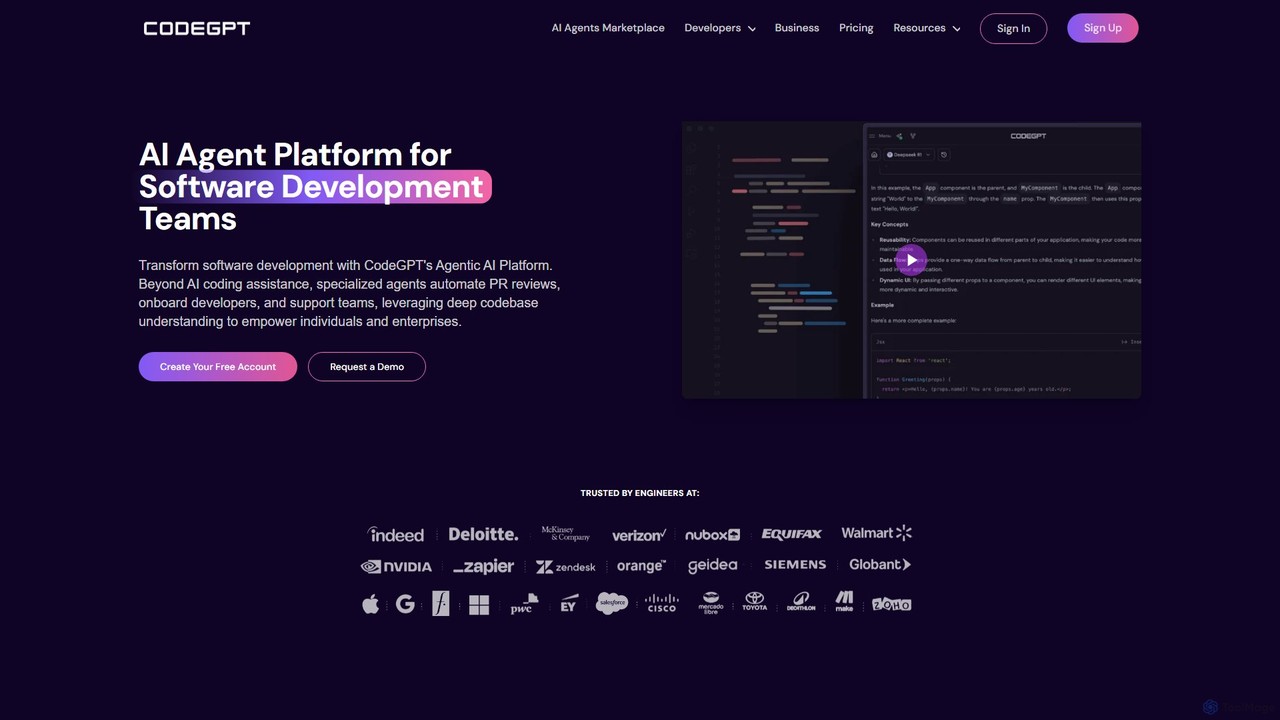
CodeGPT is an agentic AI platform for software development teams, moving beyond simple code assistance. It offers specialized AI agents that automate PR reviews, onboard developers, and support teams by deeply understanding your entire codebase. It integrates with popular IDEs and supports leading AI models, with a strong focus on enterprise-grade security and flexible deployment options.

Software Development
Visits 265.5KFavorites 145Likes 151

About Software Development

Software Development AI tools are intelligent systems designed to automate, assist, and enhance various stages of the software development lifecycle. Leveraging machine learning and natural language processing, these tools streamline tasks from code generation and testing to debugging and documentation. They empower developers and teams to build higher quality software faster, reduce manual effort, and accelerate innovation, directly contributing to business efficiency and competitive advantage.

Core Features

  • Code Generation & Completion: Automatically generates code snippets, functions, or entire modules, and provides intelligent code completion suggestions.
  • Intelligent Code Review: Automatically identifies potential errors, security vulnerabilities, and performance bottlenecks in code, offering actionable improvement suggestions.
  • Automated Testing & Debugging: Generates test cases, executes automated tests, and assists in pinpointing and resolving code defects.
  • Requirements Analysis & Documentation: Extracts key information from natural language requirements and automatically generates technical documentation or user manuals.
  • Project Management Assistance: Analyzes development progress, predicts risks, and optimizes resource allocation for software projects.

Applicable Scenarios

These tools are invaluable for individual developers seeking to accelerate their coding process, development teams aiming for higher code quality and faster release cycles, and businesses looking to automate repetitive development tasks to free up human resources for more complex problem-solving and innovation.

How to Choose

When selecting Software Development AI tools, consider their functional coverage across the development lifecycle (e.g., code generation, testing, documentation). Evaluate integration capabilities with existing IDEs, version control systems (like Git), and project management platforms. Assess support for your team's specific programming languages and frameworks, and scrutinize security measures for code data. Finally, compare cost-effectiveness, including subscription models and feature pricing, against your team's size and budget.

Featured tool rankings

Software Development use cases

1

Automate API Interface Code Generation

Backend developers can leverage AI tools to automatically generate boilerplate code for API endpoints and corresponding test cases based on predefined specifications. This significantly reduces manual coding time, ensures consistency across interfaces, and allows developers to focus on complex business logic rather than repetitive setup, accelerating the overall development process for new services or features.

2

Intelligent Detection and Remediation of Code Vulnerabilities

Security engineers utilize AI-powered tools to scan large codebases, proactively identify potential security flaws, and receive intelligent suggestions for remediation. This capability helps prevent costly breaches by catching vulnerabilities early in the development cycle, improving the overall security posture of applications without requiring extensive manual security audits, thus saving time and resources.

3

Rapid Generation of Unit Test Cases

Software testers and developers employ AI tools to automatically create comprehensive unit test cases for complex functions or modules. This significantly improves test coverage, reduces the time spent on writing repetitive test code, and helps catch bugs earlier in the development process, leading to more robust and reliable software releases with less manual effort.

4

Transform Natural Language Requirements into Code

Product managers or business analysts can input functional descriptions in plain language, and AI tools assist in generating initial code structures or pseudo-code. This bridges the gap between business needs and technical implementation, accelerating the prototyping phase and ensuring that the developed software closely aligns with the original requirements, reducing misinterpretations and rework.

5

Optimize Code Performance and Refactoring Suggestions

Experienced developers use AI tools to analyze existing code for performance bottlenecks, memory leaks, or inefficient patterns, receiving intelligent recommendations for optimization and refactoring. This helps improve the efficiency and maintainability of the codebase, extends the lifespan of software, and reduces long-term operational costs by ensuring the code is clean, fast, and scalable.

6

Automate Technical Documentation Generation

Development teams utilize AI tools to automatically generate up-to-date API documentation, user manuals, or internal knowledge base articles directly from code comments, structure, and project specifications. This saves significant time and effort typically spent on manual documentation, ensures accuracy, and keeps documentation synchronized with code changes, improving developer onboarding and project maintainability.

Software Development FAQ

What are AI Software Development tools?

AI Software Development tools are applications that use artificial intelligence, such as machine learning and natural language processing, to assist and automate tasks throughout the software development lifecycle. They aim to enhance developer productivity, improve code quality, and accelerate project delivery by handling repetitive or complex coding, testing, and documentation processes.

What benefits do AI Software Development tools offer development teams?

These tools offer numerous benefits, including increased development speed through automated code generation and completion, improved code quality by identifying bugs and vulnerabilities early, and reduced manual effort in testing and documentation. They also provide intelligent insights for project management, helping teams to optimize resources and meet deadlines more effectively, leading to faster innovation and market delivery.

How do I choose the right AI Software Development tool for my team?

To choose the right tool, first assess your team's specific needs, such as code generation, testing, or documentation. Consider its compatibility with your existing tech stack, including programming languages, IDEs, and version control systems. Evaluate its security features and data privacy policies, as you'll be feeding it sensitive code. Finally, compare pricing models, scalability, and the level of support offered to ensure it aligns with your budget and long-term goals.

How do AI Software Development tools differ from traditional development tools?

Traditional development tools primarily provide frameworks, editors, and compilers that require explicit human instruction for every task. AI Software Development tools, however, leverage intelligence to learn from data, understand context, and make autonomous suggestions or actions. They can generate code, predict errors, and automate complex tasks based on patterns, offering a more proactive and intelligent assistant rather than just an execution environment.

What programming languages and frameworks do AI Software Development tools typically support?

The support for programming languages and frameworks varies widely among AI Software Development tools. Many popular tools offer broad support for mainstream languages like Python, Java, JavaScript, C++, Go, and C, often integrating with common frameworks such as React, Angular, Spring, and Django. However, specialized tools might focus on a narrower set of languages or specific domains. Always check the tool's documentation for a definitive list of supported technologies.