ToolMage
Sign in

Best 2 Templates AI tools for Business

Popular Templates AI tools in Business include Choladeck and Loio, helping you work more efficiently.

Choladeck
Freemium

Choladeck

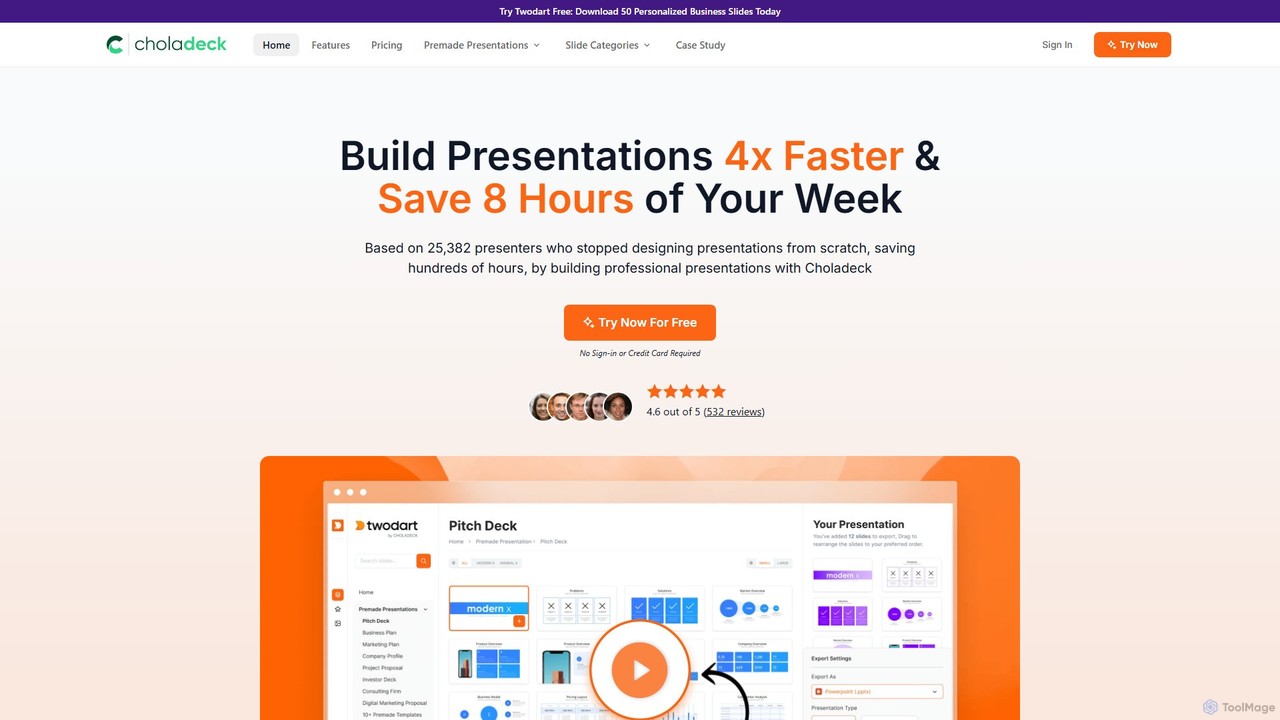
Choladeck (also known as the Twodart platform) is a powerful presentation builder designed to help users create professional, on-brand presentations 4x faster. With a massive library of over 9,870 customizable slides, 50+ premade templates, and seamless integration with PowerPoint, Google Slides, and Keynote, it eliminates the need to start from scratch. Ideal for professionals, teams, and businesses looking to save time, enhance visual communication, and maintain brand consistency across all their presentations.

Templates
Visits 253.6KFavorites 152Likes 160
Loio
Paid

Loio

Loio is an intelligent legal document companion designed to streamline contract management. It offers a vast library of over 2,500 lawyer-approved templates, a powerful document editor, and a secure e-signature solution. Ideal for business owners, legal professionals, and freelancers, Loio simplifies creating, editing, signing, and managing legal documents on any device, ensuring security and compliance.

Templates
Visits 53.1KFavorites 141Likes 133

About Templates

AI Templates are pre-designed frameworks that use artificial intelligence to accelerate the creation of structured business documents and content. Unlike static templates, these tools actively generate text, data, and ideas based on user inputs and context. They help ensure brand consistency, incorporate industry best practices, and significantly reduce the time required to draft everything from marketing plans to project proposals. This makes them a powerful asset for professionals seeking both efficiency and quality in their work.

Core Features

  • Dynamic Content Generation: Automatically populates sections of a document with relevant, AI-generated text based on brief user prompts.
  • Contextual Adaptation: Adjusts the tone, style, and complexity of the content to match a specified audience or brand voice.
  • Best-Practice Structures: Built upon proven business and marketing frameworks (e.g., SWOT, AIDA, Business Model Canvas) to guide strategic thinking.
  • Multi-Format Output: Enables users to repurpose a core idea into various formats, such as a blog post, social media update, or presentation slides, from a single template.

Use Cases

AI Templates are widely used by marketers, startup founders, project managers, and consultants. Common applications include generating comprehensive business plans, creating detailed social media content calendars, drafting persuasive project proposals, and structuring SEO-optimized articles. They are particularly valuable for tasks that require a standardized format but unique content for each instance.

How to Choose

When selecting an AI Template tool, consider the breadth and relevance of its template library for your specific business needs. Evaluate the quality and coherence of the AI-generated content. Assess the level of customization available to align outputs with your brand identity. Finally, check for integration capabilities with other software you use, such as CRMs, project management tools, or content platforms.

Templates use cases

1

Generate a Comprehensive Business Plan

For startup founders and entrepreneurs, creating a detailed business plan is a critical but time-consuming task. An AI Template tool provides a structured framework covering all essential sections like Executive Summary, Market Analysis, Marketing Strategy, and Financial Projections. The user inputs core business details, such as product description and target audience. The AI then populates each section with well-written, relevant content, suggesting market trends and financial models, transforming a weeks-long process into a matter of hours while ensuring all key components are professionally addressed.

2

Create a Social Media Content Calendar

Social media managers often struggle with consistently generating fresh content ideas. An AI template for a content calendar helps streamline this process. The manager can input a campaign theme, target audience, and key dates. The AI then populates the calendar with post ideas for different platforms (e.g., Instagram, LinkedIn, Twitter), complete with draft captions, relevant hashtags, and suggestions for visual content. This approach not only saves significant planning time but also ensures a varied and strategic content mix that aligns with marketing goals.

3

Draft a Persuasive Project Proposal

Project managers and consultants need to create compelling proposals to win new business. An AI proposal template provides a professional structure, including sections for Problem Statement, Proposed Solution, Timeline, Budget, and Team Qualifications. By providing a few key details about the client's problem and the proposed project, the AI can help draft persuasive copy for each section. It can suggest value propositions, outline a logical project flow, and even help formulate a preliminary budget, ensuring the final document is comprehensive, professional, and convincing.

4

Develop a Marketing Campaign Strategy

Marketing teams can use AI templates to quickly build a comprehensive campaign strategy. By inputting the product, target audience, and primary goal (e.g., lead generation, brand awareness), the template guides them through defining key messages, selecting appropriate channels, setting KPIs, and outlining a content plan. The AI can suggest creative angles, identify potential audience segments, and recommend a budget allocation based on industry benchmarks. This accelerates the strategic planning phase and provides a solid, data-informed foundation for the campaign's execution.

5

Standardize New Employee Onboarding

HR managers can leverage AI templates to create consistent and personalized onboarding experiences. An onboarding template can generate a complete package, including a welcome email, a 30-60-90 day plan, and a checklist of required training. The manager inputs the new hire's name, role, and start date, and the AI customizes the documents accordingly. This ensures every new employee receives the same high-quality, structured introduction to the company, saving HR significant administrative time and improving the new hire experience.

6

Outline SEO-Optimized Blog Posts

Content creators can use AI templates to structure blog posts for maximum search engine visibility. By providing a target keyword and a brief topic description, the template generates a complete, SEO-friendly outline. This includes suggestions for an H1 title, multiple H2 and H3 headings incorporating related keywords, and bullet points for key topics to cover in each section. This process ensures the article is well-structured, covers the topic comprehensively, and adheres to SEO best practices from the very beginning, significantly improving its chances of ranking well.

Templates FAQ

What are AI Templates?

AI Templates are dynamic, pre-structured frameworks that use artificial intelligence to help users generate content for specific documents like business plans, marketing emails, or project proposals. Unlike traditional static templates that only provide a layout, AI templates actively participate in the writing process by generating text, suggesting ideas, and ensuring the content aligns with best practices based on minimal user input.

How do AI Templates differ from traditional templates (e.g., in Word or Google Docs)?

The key difference is interactivity and content generation. Traditional templates are passive placeholders; you must write all the content yourself. AI templates are active partners. They take your basic ideas or data points and use AI to expand them into complete, well-structured paragraphs and sections. They don't just provide the structure; they help build the content within it.

Who can benefit from using AI Business Templates?

A wide range of professionals can benefit, including:

  • Entrepreneurs & Founders: For quickly creating business plans, pitch decks, and investor updates.
  • Marketers: For developing campaign strategies, content calendars, and email copy.
  • Project Managers: For drafting project proposals, status reports, and project charters.
  • Consultants: For producing client reports, strategic analyses, and service proposals efficiently.
  • HR Professionals: For standardizing job descriptions, onboarding plans, and performance reviews.
What should I look for when choosing an AI Template tool?

When selecting a tool, focus on four key areas. First, check the variety and quality of the template library to ensure it covers your specific needs. Second, evaluate the quality of the AI-generated content for coherence, accuracy, and relevance. Third, assess the customization options, such as the ability to adjust tone of voice or add brand-specific information. Finally, consider its integration capabilities with other tools in your workflow, like project management software or document editors.

Can AI Templates be customized for a specific brand voice?

Yes, many advanced AI Template tools offer features for brand voice customization. Users can often input brand guidelines, provide examples of existing content, or select specific tones (e.g., 'professional,' 'witty,' 'formal'). The AI then uses this information to generate all subsequent content within the templates, ensuring that the output is not only well-structured but also perfectly aligned with the company's unique communication style and brand identity.