ToolMage
Sign in

Best 1 Work Management AI tools for Business

Popular Work Management AI tools in Business include AI Brother, helping you work more efficiently.

AI Brother
Freemium

AI Brother

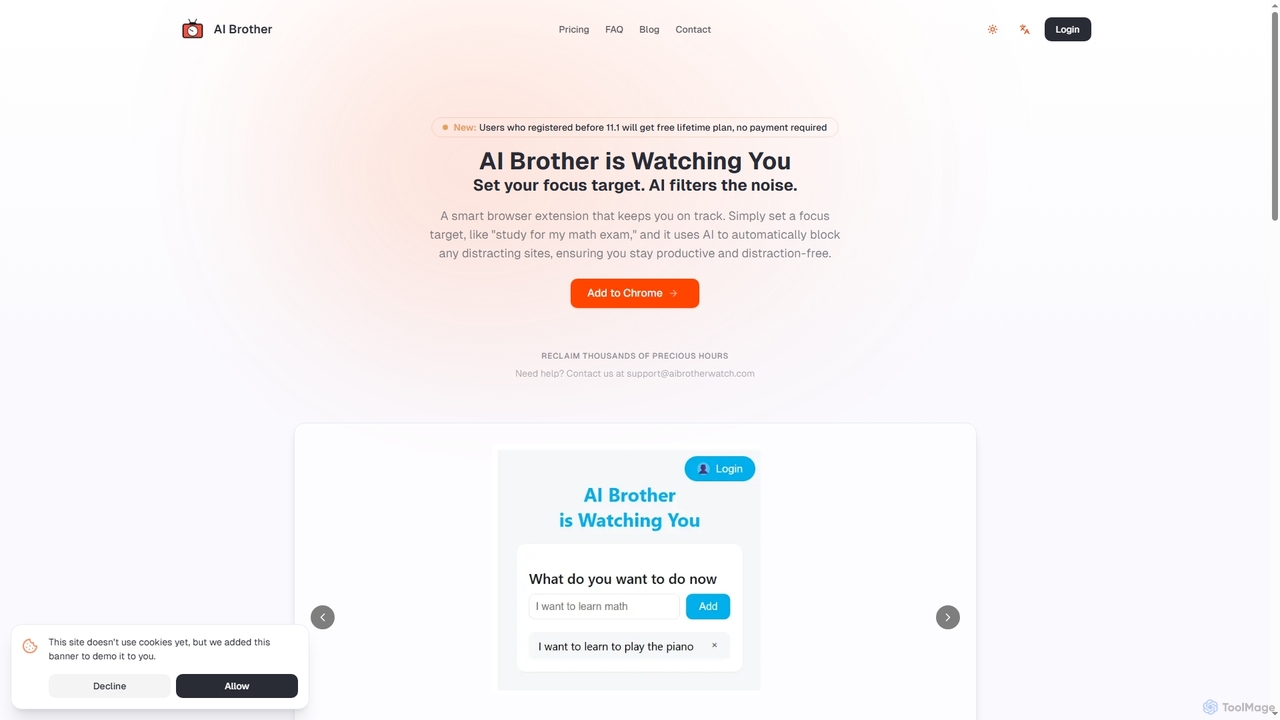
AI Brother is a smart browser extension that leverages artificial intelligence to eliminate online distractions and enhance productivity. By understanding your specific focus targets, it intelligently blocks irrelevant websites in real-time, ensuring you stay on track whether you're studying, working, or researching.

Productivity
Visits 6.2KFavorites 118Likes 110

About Work Management

AI Work Management tools are platforms that use artificial intelligence to automate, optimize, and provide insights into projects and tasks. They leverage machine learning and predictive analytics to intelligently schedule tasks, allocate resources, and forecast project outcomes. This enables teams to move beyond simple tracking, allowing them to proactively identify risks, streamline complex workflows, and make data-driven decisions. Unlike traditional project management software, these tools offer a layer of intelligence that actively assists in managing and executing work.

Core Features

  • Intelligent Task Automation: Automatically assigns tasks, sets deadlines, and sends reminders based on team workload, skills, and project priorities.
  • Predictive Analytics: Forecasts project timelines, budget adherence, and potential bottlenecks by analyzing historical data and current progress.
  • Resource Optimization: Recommends the ideal team members for specific tasks based on their availability, expertise, and past performance.
  • Automated Reporting & Insights: Generates real-time progress reports and performance dashboards with AI-driven summaries and actionable insights.
  • Risk Detection: Proactively identifies potential risks, such as scope creep or resource conflicts, and suggests mitigation strategies.

Use Cases

These tools are widely used by software development teams for agile sprint planning, marketing agencies for managing multi-channel campaigns, and large enterprises for coordinating complex, cross-departmental projects. They are particularly valuable for any team that needs to manage intricate dependencies, tight deadlines, and dynamic resource allocation.

How to Choose

When selecting an AI Work Management tool, consider its integration capabilities with your existing stack (e.g., Slack, GitHub, Google Workspace). Evaluate the sophistication of its AI features—whether you need basic automation or advanced predictive modeling. Also, assess its scalability to support your team's growth and its data security protocols to protect sensitive project information.

Work Management use cases

1

Automate Agile Sprint Planning

For a software development team, AI Work Management tools can transform sprint planning. Instead of manually assigning tasks and estimating timelines, the AI analyzes the backlog, team member capacity, and historical velocity. It then suggests an optimal sprint plan, automatically assigning user stories to developers based on their skills and workload. The system can also flag potential dependencies between tasks that might be missed, reducing bottlenecks and ensuring a smoother development cycle. This frees up the scrum master and product owner to focus on strategic goals rather than administrative overhead.

2

Optimize Marketing Campaign Execution

Marketing managers use these tools to orchestrate complex campaigns across multiple channels. The AI can create a project timeline by analyzing similar past campaigns, predict the resources needed (budget, personnel), and automate the assignment of tasks like content creation, ad placement, and social media updates. As the campaign runs, the tool provides real-time performance insights, suggesting adjustments to resource allocation to maximize ROI. For example, it might recommend shifting budget from an underperforming channel to a more effective one based on live data.

3

Proactive Risk Management for Large Projects

In large-scale initiatives like construction or enterprise system rollouts, project managers leverage AI to identify risks before they escalate. The tool continuously analyzes project data, including daily progress reports, resource availability, and communication logs. It uses predictive models to flag potential delays, budget overruns, or quality issues. For instance, it might detect that a critical path task is falling behind and automatically alert the manager, suggesting a revised schedule or resource reallocation to mitigate the impact, turning reactive problem-solving into proactive management.

4

Streamline Client Project Onboarding

Service-based businesses like consulting firms or creative agencies can automate the entire client onboarding process. When a new project is won, the AI tool can automatically generate a standardized project plan from a template, populate it with key milestones, and assign initial discovery tasks to the relevant team members. It can also set up automated communication workflows to keep the client informed of progress. This ensures consistency across all projects, reduces manual setup time from days to minutes, and creates a professional client experience from day one.

5

Enhance Remote Team Productivity and Alignment

For globally distributed teams, AI Work Management tools act as a central intelligence hub. The AI can automatically summarize long discussion threads in communication channels, identify action items from meeting transcripts, and track their completion without manual follow-up. It provides a clear, real-time view of who is working on what, regardless of time zones. This reduces meeting overhead, prevents tasks from falling through the cracks, and ensures the entire team stays aligned on priorities and progress.

6

Intelligent Resource Allocation for Agencies

Creative and consulting agencies constantly juggle multiple projects and resources. An AI Work Management tool helps operations managers optimize resource allocation. By analyzing project requirements, employee skills, current workloads, and even vacation schedules, the AI recommends the best person for each task. This prevents employee burnout by ensuring balanced workloads and improves project outcomes by matching the right expertise to the right challenge. It can also forecast future resource needs, helping with hiring and capacity planning.

Work Management FAQ

What are AI Work Management tools?

AI Work Management tools are advanced platforms that use artificial intelligence to streamline how projects and tasks are managed. Unlike traditional software that requires manual input for scheduling and tracking, these tools automate assignments, predict deadlines, and optimize resource allocation. Their core function is to add a layer of intelligence to project management, helping teams work more efficiently and make smarter, data-driven decisions.

How do AI Work Management tools differ from traditional project management software?

The key difference lies in intelligence and proactivity. Traditional project management tools (like basic Gantt charts or task lists) are passive systems for organizing and tracking work manually. AI Work Management tools are active partners that provide:

  • Automation: They handle routine tasks like scheduling and reminders.
  • Prediction: They forecast project outcomes, risks, and timelines based on data.
  • Optimization: They recommend the best way to allocate resources or structure workflows.
In short, traditional tools help you document work, while AI tools help you execute it more intelligently.

How do I choose the right AI Work Management tool?

To choose the right tool, evaluate these four key areas:

  • Integration Capability: Ensure it connects seamlessly with your existing software stack (e.g., communication tools, code repositories, CRM).
  • AI Feature Depth: Determine if you need simple task automation or more advanced features like predictive analytics and risk assessment.
  • Scalability: Select a tool that can grow with your team and handle increasing project complexity.
  • User Experience: The tool should be intuitive for your team to adopt, as complex software can hinder productivity.
Start by identifying your biggest project management pain points and look for a tool whose AI features directly address them.

What are the main benefits of using AI in work management?

The primary benefits include significantly improved efficiency and better decision-making. AI automates repetitive administrative tasks, freeing up team members to focus on high-value creative and strategic work. It provides predictive insights that allow managers to anticipate problems and address them proactively rather than reactively. This leads to more accurate project timelines, better budget control, optimized resource utilization, and ultimately, higher quality outcomes and less team burnout.

Who benefits most from AI Work Management tools?

While any team can benefit, those who gain the most are typically managing complex projects with many moving parts and dependencies. This includes software development teams running agile sprints, marketing agencies juggling multiple campaigns, large enterprises coordinating cross-functional initiatives, and professional services firms managing client projects. Project managers, team leads, and operations managers in these environments use the AI's insights to improve planning, execution, and overall project success.