ToolMage
Sign in

Best 1 Art Sharing AI tools for Community

Popular Art Sharing AI tools in Community include Arthub.ai, helping you work more efficiently.

Arthub.ai
Freemium

Arthub.ai

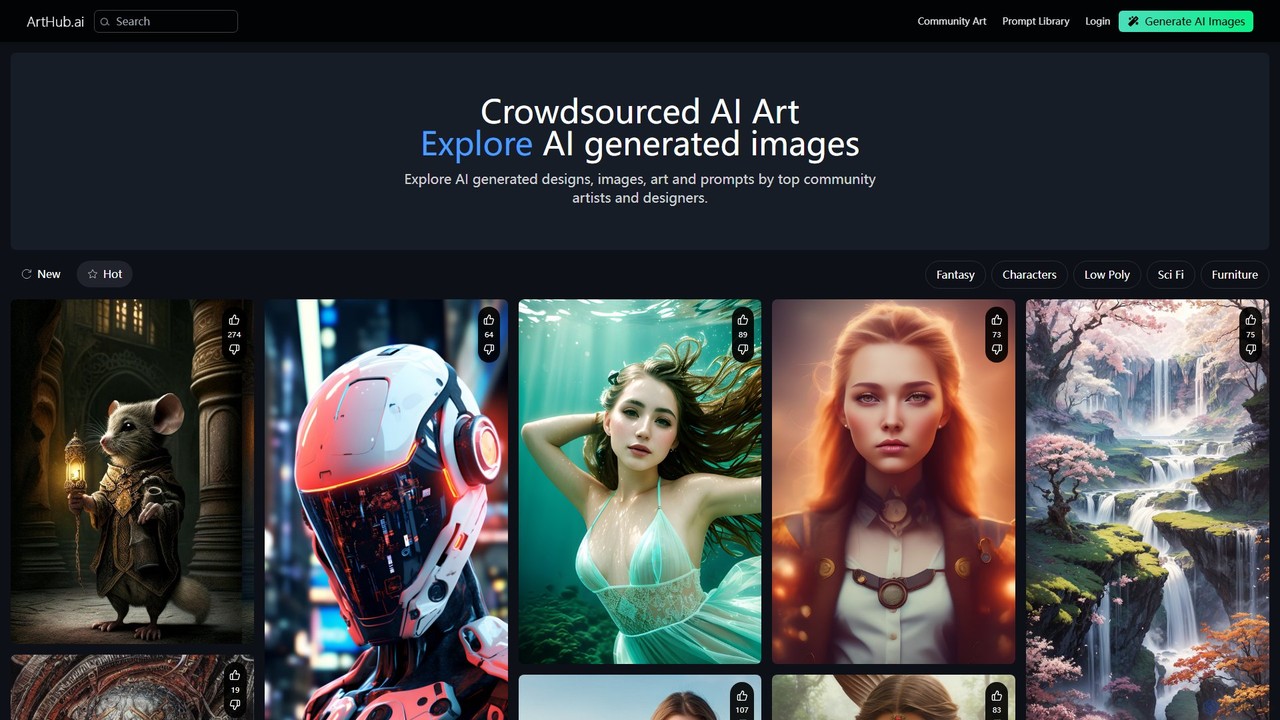
Arthub.ai is an all-in-one platform for AI-generated art, combining a vast community gallery, an extensive prompt library, and an integrated AI image generator. Discover inspiration from thousands of artists, learn from their prompts, and create your own unique artwork. It's a central hub for both exploring and generating AI art.

Art Sharing
Visits 138.9KFavorites 125Likes 136

About Art Sharing

Art Sharing platforms are specialized online communities designed for artists to showcase their work, share creative processes, and connect with peers. These tools, a focused segment of the broader Community category, provide features tailored for visual creators, including high-resolution image hosting and detailed portfolio management. They serve as dedicated galleries where artists can receive constructive feedback, build a professional presence, and discover inspiration. Many modern platforms also include specific fields for sharing AI art prompts and generation parameters.

Core Features

  • Portfolio Management: Organize artworks into galleries, collections, or projects for a structured and professional presentation.
  • High-Fidelity Display: Supports high-resolution image and video uploads, preserving the original quality of the artwork without aggressive compression.
  • Prompt & Metadata Sharing: Dedicated features for AI artists to share the prompts, models, and settings used to create their pieces.
  • Community Interaction Tools: Includes systems for comments, critiques, likes, and following other artists to foster engagement and feedback.
  • Advanced Discovery Engine: Powerful search and recommendation algorithms that allow users to find art based on style, medium, theme, or specific keywords.

Applicable Scenarios

These platforms are essential for digital artists, AI creators, illustrators, photographers, and 3D modelers. They are used by professionals to attract clients and job opportunities, by hobbyists to share their passion and receive encouragement, and by students to document their artistic development and learn from established creators.

Selection Criteria

When choosing an Art Sharing platform, consider the community's focus (e.g., AI art, traditional painting, 3D modeling), the quality of portfolio presentation tools, monetization options (such as prints or commissions), and the platform's policy on AI-generated content. Also, evaluate the user interface and the overall vibrancy of the community.

Art Sharing use cases

1

AI Artist Building a Public Portfolio

An AI artist uses an Art Sharing platform to systematically showcase their creations. They create distinct galleries for different series, such as 'Cyberpunk Landscapes' or 'Abstract Portraits'. For each piece, they upload the high-resolution image and use the dedicated metadata fields to share the exact prompt, the AI model used (e.g., Midjourney v6, Stable Diffusion XL), and key parameters. This transparency helps them build a following of fellow AI enthusiasts and allows others to learn from their techniques, establishing them as a knowledgeable creator in the space.

2

Illustrator Seeking Constructive Peer Feedback

A freelance illustrator is working on a complex character design for a client but feels something is off with the color palette. They upload a work-in-progress version to an Art Sharing community known for its professional members. In the description, they specifically ask for feedback on color harmony and lighting. Within hours, they receive detailed critiques from experienced digital painters and concept artists, offering actionable suggestions that help them refine the piece and deliver a higher-quality final product to their client.

3

Discovering New Artistic Styles and Inspiration

A digital artist feels they are in a creative rut, repeatedly using the same styles. They use the platform's discovery feed, which is curated based on emerging trends and artists. They spend time browsing through categories like 'Surrealism' and 'Glitch Art', saving compelling pieces to a private inspiration board. They discover several new artists to follow and are inspired by a unique combination of techniques they hadn't considered before. This process sparks new ideas for their next personal project, helping them break out of their creative block.

4

Game Artist Showcasing a Portfolio for Recruitment

A concept artist specializing in environment design wants to join a major game studio. They curate their best work on an Art Sharing platform favored by industry recruiters. They create a project titled 'Fantasy World-Building' that includes character sketches, prop designs, and fully rendered environmental keyframes. They use the platform's high-resolution viewer to showcase intricate details. A recruiter from their target studio discovers their portfolio through a keyword search for 'environment concept art', is impressed by the professional presentation, and reaches out to them for an interview.

5

Participating in a Community Art Challenge

A platform hosts a monthly art challenge with the theme 'Mythical Creatures'. A 3D artist, looking to practice their skills and gain visibility, decides to participate. They create a detailed sculpt of a griffin and post their final render to the challenge's dedicated gallery. Their work is seen by thousands of other participants and community members. It receives numerous likes and encouraging comments, and is even featured by the platform's curators. This participation not only boosts their motivation but also significantly increases their follower count and profile views.

6

Art Student Documenting Their Progress

An art student uses a platform to create a visual diary of their learning journey. At the start of each semester, they create a new gallery for each course, such as 'Life Drawing I' or 'Introduction to Digital Painting'. They upload their weekly assignments, from initial sketches to final pieces. This allows them to visually track their improvement over time. They also share their portfolio link with professors for feedback and with potential internship providers to demonstrate their development and dedication to their craft.

Art Sharing FAQ

What are Art Sharing platforms?

Art Sharing platforms are specialized websites and applications built for visual artists to showcase their work in a high-quality portfolio format. Unlike general social media, they prioritize image fidelity, portfolio organization, and community interaction focused on constructive critique. They serve as a central hub for artists to build a professional presence, connect with peers and potential clients, and find inspiration within a dedicated creative community. Many now include features specifically for AI artists, such as fields for sharing prompts and technical parameters.

How is an Art Sharing site different from Instagram or Pinterest?

The primary difference lies in purpose and features. Art Sharing sites are built for professional presentation, while platforms like Instagram are for casual social sharing. Key distinctions include:

  • Image Quality: Art Sharing sites use minimal compression to preserve detail, whereas social media often heavily compresses images.
  • Organization: They offer robust portfolio tools (galleries, projects) for curated showcases, unlike the chronological feeds of social media.
  • Community Focus: The community is centered around art and constructive feedback, rather than general lifestyle content and engagement metrics.
  • Discovery: Discovery is based on artistic merit, style, and medium, not just popularity algorithms.

Who should use an Art Sharing platform?

Art Sharing platforms are ideal for a wide range of visual creators, both professional and amateur. This includes:

  • Digital Artists & Illustrators: To showcase high-resolution digital paintings and drawings.
  • AI Artists: To share AI-generated imagery and the prompts used to create them.
  • Photographers: To display their work without the heavy compression found on other platforms.
  • 3D & Concept Artists: To build a professional portfolio for careers in gaming, film, and animation.
  • Art Students: To document their progress, receive feedback, and build their first portfolio.
  • Hobbyists: To connect with a community that shares their passion for creating art.

How do I choose the right Art Sharing platform for my needs?

Choosing the right platform depends on your specific goals. Consider the following factors:

  • Community Niche: Does the platform's community align with your art style (e.g., anime, photorealism, AI art, 3D)? Some sites are general, while others are highly specialized.
  • Portfolio Features: Evaluate the tools for organizing and presenting your work. Do they support high-resolution images, videos, or 3D models?
  • Monetization Options: If you plan to sell your art, check for features like print-on-demand services, commission management, or digital downloads.
  • AI Content Policy: If you are an AI artist, ensure the platform has a clear and supportive policy regarding AI-generated content and proper labeling.

Can I sell my art through these platforms?

Many Art Sharing platforms offer integrated monetization tools, but capabilities vary. Some platforms have built-in marketplaces where you can sell digital downloads or physical prints through print-on-demand partners. Others provide tools to manage commissions, allowing clients to contact you directly for custom work. It's important to review each platform's specific features, commission rates, and payout processes before committing. Some platforms are purely for showcasing work and do not offer direct sales features, but still serve as a valuable tool for attracting freelance work or directing traffic to a personal store.