ToolMage
Sign in

Best 1 Course Authoring AI tools for Content Creation

Popular Course Authoring AI tools in Content Creation include Trenaro, helping you work more efficiently.

Trenaro
Freemium

Trenaro

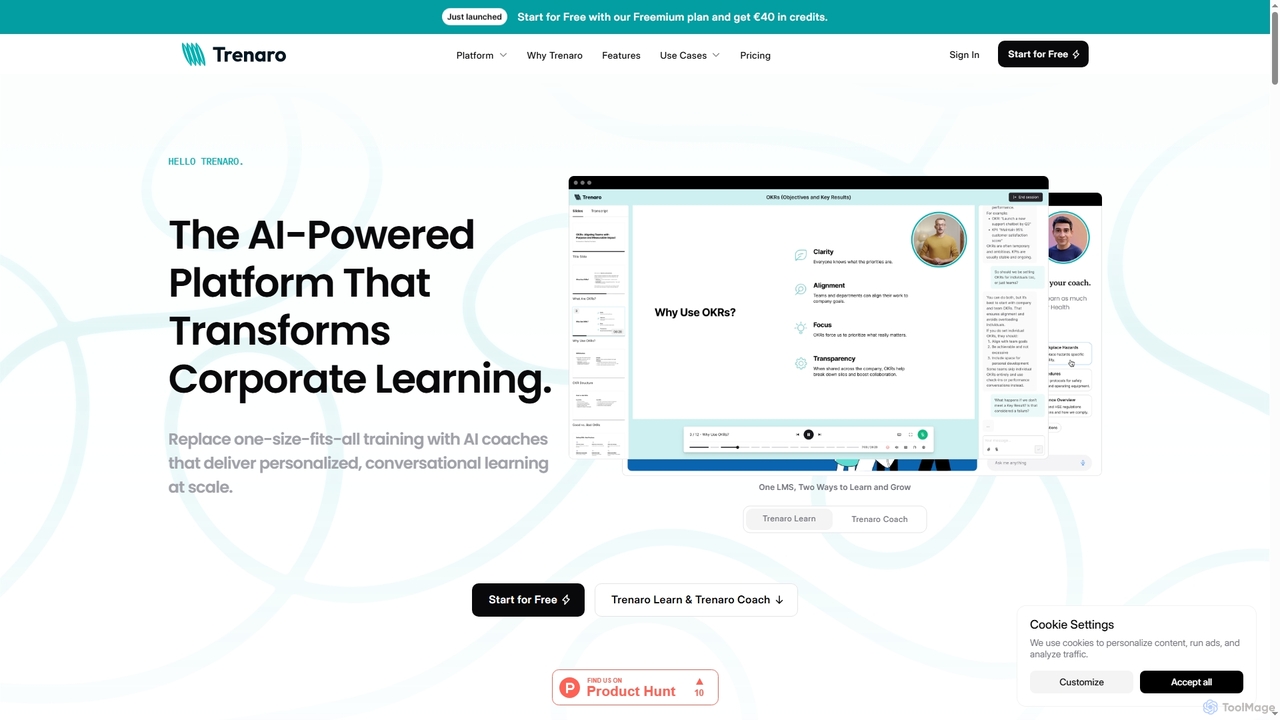
Trenaro is an AI-powered learning platform designed for corporate training, transforming existing content into interactive courses and providing personalized, conversational AI coaching at scale. It enhances knowledge retention, engagement, and completion rates for employees.

Personalized Coaching
Visits 10.9KFavorites 178Likes 170

About Course Authoring

AI Course Authoring tools are specialized platforms that use artificial intelligence to accelerate the design and development of educational content. They leverage generative AI to automatically structure curricula, draft lesson scripts, create interactive quizzes, and produce multimedia elements from simple text inputs. This empowers educators, corporate trainers, and subject matter experts to build engaging online courses rapidly, without requiring deep instructional design or video production skills. Unlike general content creation tools, these platforms are specifically built with pedagogical principles in mind, focusing on learning objectives and learner engagement.

Core Features

  • Automated Curriculum Design: Generates a complete course outline, including modules, lessons, and learning objectives, from a single topic or document.
  • Interactive Assessment Generation: Creates quizzes, flashcards, and knowledge checks to evaluate understanding and enhance retention.
  • Multimedia Content Production: Converts text scripts into narrated videos, often featuring AI avatars, animations, and relevant stock media.
  • Content Repurposing: Transforms existing materials like articles, presentations, or manuals into a structured, ready-to-deploy course.

Applicable Scenarios

These tools are widely used in corporate learning and development (L&D) for creating employee onboarding, compliance, and skill-up training. They are also popular among independent creators and educational institutions for developing online courses for commercial platforms or internal learning management systems (LMS).

Selection Criteria

When choosing an AI Course Authoring tool, evaluate its integration capabilities with your existing LMS (e.g., SCORM/xAPI compliance). Assess the variety of content formats it supports (video, interactive, text) and the level of customization available for branding and editing AI-generated content. Also, consider the user interface's ease of use for non-technical subject matter experts.

Course Authoring use cases

1

Develop Corporate Onboarding Programs

An L&D manager needs to create a standardized onboarding course for new hires. By uploading company policy documents, role descriptions, and brand guidelines, the AI course authoring tool generates a multi-module curriculum. It automatically creates introductory videos with AI avatars, interactive quizzes on company culture, and scenario-based assessments for role-specific tasks. This process reduces course development time from weeks to a few days, ensuring consistent and engaging training for every new employee.

2

Convert Expert Knowledge into a Commercial Course

A subject matter expert, such as a financial advisor, wants to monetize their knowledge by creating an online course. They provide a series of blog posts or a detailed outline as input. The AI tool structures this raw information into a coherent curriculum with engaging lesson titles, drafts video scripts for each module, and generates marketing copy for the course landing page. This allows the expert to focus on refining the content rather than getting bogged down in instructional design and content formatting.

3

Rapidly Create Software Product Tutorials

A SaaS company needs to produce a library of video tutorials for a new software feature. The product marketing team provides text-based documentation and release notes. The AI course authoring tool ingests this text and generates a series of short, narrated video scripts. It then produces the videos, complete with screen recordings, AI voiceovers, and highlighted call-to-actions. This enables the company to launch comprehensive customer education materials simultaneously with the new feature release, improving user adoption and reducing support tickets.

4

Automate Compliance and Safety Training

A manufacturing company needs to deploy annual safety training to all employees. Instead of using static presentations, the compliance officer uploads the official safety manual to an AI course authoring platform. The AI generates an interactive course with modules for different safety protocols, knowledge-check questions after each section, and a final certification exam. The course is exported as a SCORM package and uploaded to the company's LMS, allowing for automated enrollment, tracking, and reporting, ensuring 100% compliance.

5

Create Supplementary Materials for Academic Courses

A university professor wants to enhance their traditional lecture-based course with engaging online materials. They upload their lecture notes and a list of key concepts. The AI tool generates a set of supplementary resources, including short explainer videos summarizing complex topics, interactive flashcards for vocabulary review, and practice quizzes that students can take at their own pace. This blended learning approach helps reinforce concepts covered in class and caters to different learning styles, improving overall student outcomes.

6

Localize Training Content for Global Teams

A multinational corporation needs to deliver sales training to its teams across Europe and Asia. The original course was created in English. Using an AI course authoring tool with translation capabilities, the L&D team can automatically translate and adapt the entire course—including video voiceovers, on-screen text, and quiz questions—into multiple languages like German, Japanese, and Spanish. This ensures that all global employees receive consistent, high-quality training in their native language, improving comprehension and engagement significantly.

Course Authoring FAQ

What are AI Course Authoring tools?

AI Course Authoring tools are software platforms that use artificial intelligence to automate and simplify the creation of online courses and training materials. Unlike traditional authoring tools that require manual content creation, these AI-powered systems can generate entire course structures, write lesson content, create quizzes, and even produce videos from a simple text prompt or existing document. Their primary goal is to enable subject matter experts and educators to produce high-quality, engaging learning content quickly, without needing extensive technical or instructional design skills.

How to choose the right AI Course Authoring tool?

Choosing the right tool depends on your specific needs. Consider the following factors:

  • LMS Integration: Ensure the tool can export courses in a format compatible with your Learning Management System (LMS), such as SCORM or xAPI.
  • Content Output: Evaluate the types of content it generates. Do you need video with AI avatars, interactive simulations, or just text and quizzes?
  • Customization Level: Check how much control you have over the final product. Can you edit scripts, change branding, and fine-tune the AI's output?
  • Ease of Use: Look for an intuitive interface that allows subject matter experts, not just developers, to create courses easily.
  • Input Sources: Determine what kind of source material the tool can work with, such as text documents, URLs, or video files.
What is the difference between an AI Course Authoring tool and an LMS?

The key difference lies in their primary function: creation versus delivery. An AI Course Authoring tool is used to create educational content. It's a development environment where you build the lessons, videos, and quizzes. An LMS (Learning Management System) is a platform used to deliver, manage, and track that content. You upload the finished course (often created by an authoring tool) to the LMS, where you can then enroll learners, monitor their progress, and manage certifications. Some platforms may offer both functionalities, but they serve distinct purposes in the e-learning ecosystem.

Can AI-generated courses be customized?

Yes, absolutely. A key feature of most high-quality AI course authoring tools is customization. The AI's output should be seen as a powerful first draft, not a final product. Users can typically perform a range of edits, such as:

  • Editing Text: Modifying scripts, lesson text, and quiz questions to match a specific tone of voice or add expert insights.
  • Branding: Applying company logos, color schemes, and fonts to ensure brand consistency.
  • Replacing Media: Swapping out AI-selected stock images or videos for proprietary company assets.
  • Adjusting Structure: Reordering lessons, adding new modules, or deleting irrelevant content.

This human-in-the-loop approach combines the speed of AI with the nuance and expertise of a human creator.

Who are the primary users of AI Course Authoring tools?

These tools are designed for a wide range of users who need to create educational content efficiently. Key user groups include:

  • Corporate L&D and HR Teams: For creating employee onboarding, compliance training, and professional development programs.
  • Subject Matter Experts (SMEs): Professionals who want to share their knowledge without needing to be instructional designers.
  • Independent Course Creators: Entrepreneurs and educators building courses to sell on platforms like Udemy or their own websites.
  • Educational Institutions: Teachers and professors looking to create supplementary digital materials or full online courses for blended or remote learning.

Essentially, anyone who needs to transform information into a structured learning experience can benefit from these tools.